
The 25 Best Squarespace Templates of 2026 (Scored and Ranked)
The short answer: There is no best Squarespace template, only the best template for a specific page architecture. Squarespace's ~200 free templates handle brochure sites well and cost nothing extra. Premium templates earn their price when you need an industry-specific structure — services and packages, portfolio detail pages, menus, case studies — that you would otherwise design from scratch.
Every entry below carries a score against a published rubric and an explicit line on what it is worst for. That second part is the useful half. Any list can tell you a template is good; the decision usually turns on which one will fight you.
Disclosure: Squareko sells Squarespace templates and seventeen of the twenty-five entries below are its own. The eight free Squarespace templates are scored on the same rubric and several of them beat premium templates on it.
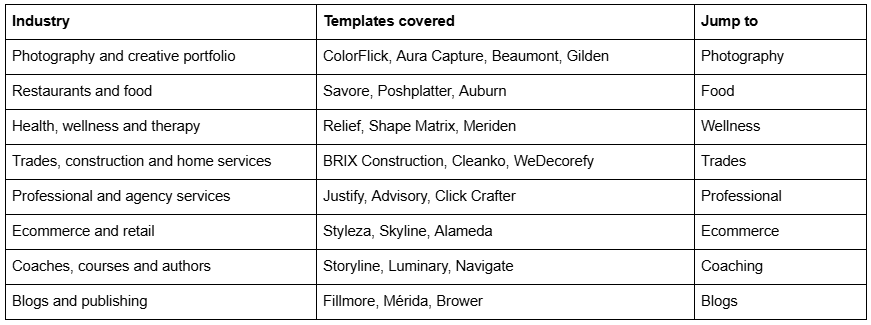
Jump to your industry
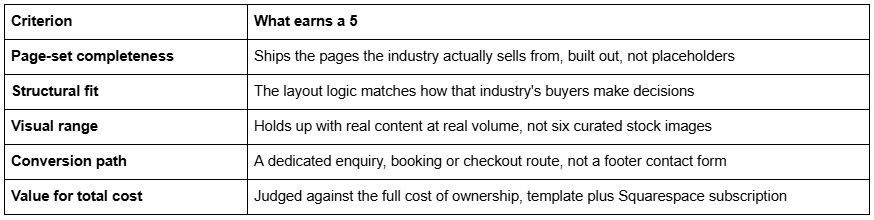
The scoring rubric
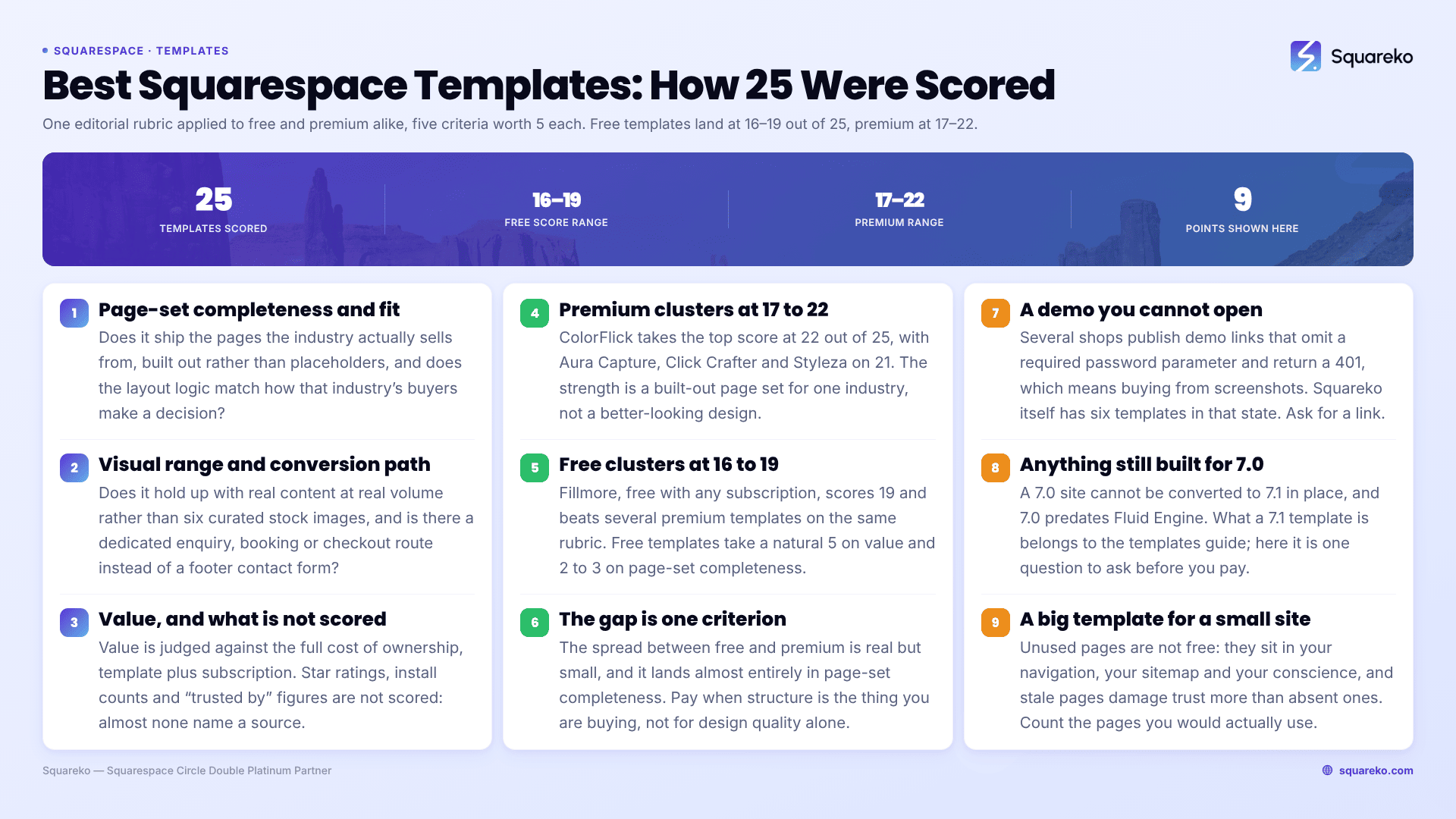
An editorial rubric, applied identically to free and premium templates so the numbers are comparable. Five criteria, 1–5 each, 25 maximum.
Free templates are not penalised for being free. They score a natural 5 on value and typically 2–3 on page-set completeness, because Squarespace's own templates are demonstration layouts rather than complete industry site structures. That trade-off is the whole free-versus-premium argument, expressed as numbers.
What is not scored: star ratings, install counts and "trusted by X business owners" figures. Every shop in this market publishes one, almost none name a source, and several publish an identical aggregate on every product page. They are not evidence.
Performance is not a scoring criterion either, and it should not be. Across 54 Squareko-built client sites measured in August 2026 (Playwright/Chromium lab test, cloud datacentre, unthrottled, single run per site, load-only CLS — lab data, not field data), median mobile LCP was 2.01s with 74% under Google's 2.5s threshold, and median page weight was 3.0 MB across 93 requests. Those numbers track image discipline and content volume far more than template choice. A template does not make your site fast; your image sizes do.
All 25 scores at a glance
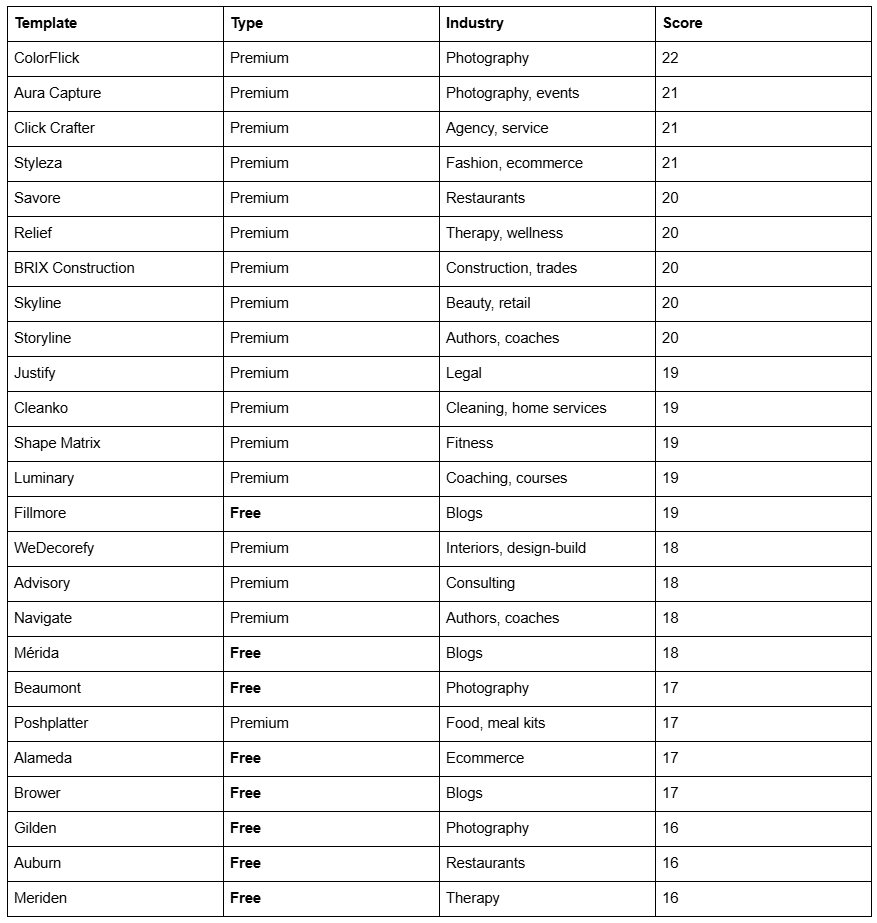
The spread is narrower than the price difference suggests. That is the finding, not a hedge.
Best Squarespace templates for photography and creative portfolios
Photography sites live or die on gallery behaviour under volume. A layout that looks composed with eight images can collapse with eighty.
ColorFlick — 22/25. Twelve pages with Weddings, Engagements and Photo Booth pages, a Journal and a Gallery. The strongest page-set match in this list for a wedding photographer, because the service split is already built rather than improvised. Worst for: commercial and product photographers — the entire page set assumes weddings and portraits, and you would be renaming half of it. Also ignore its product-page overview text, which misspells the template name; the page list is the accurate description.

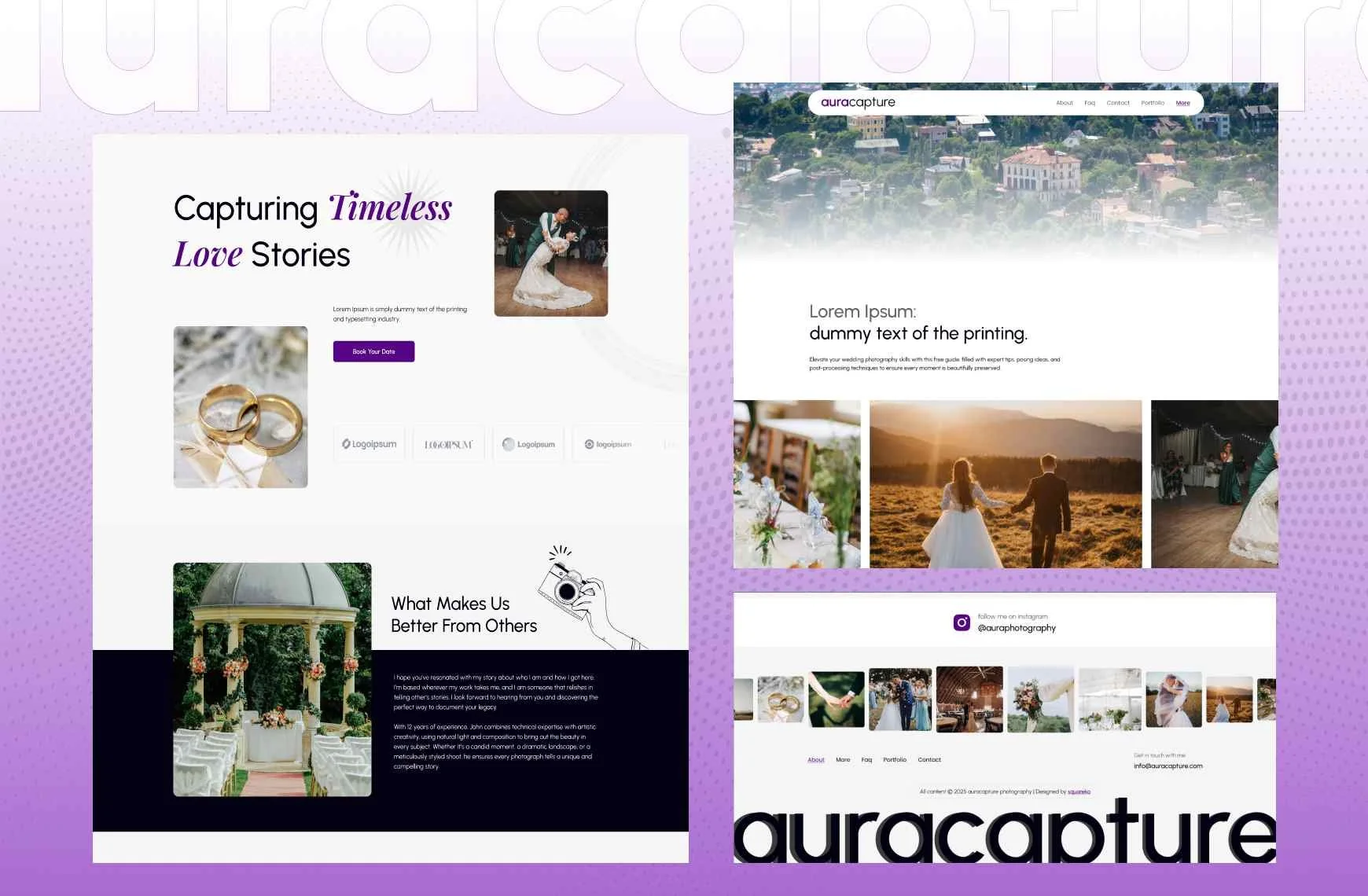
Aura Capture — 21/25. Twelve pages covering Weddings, Engagements and Events with a Gallery. The better pick if you shoot corporate and party work alongside weddings. Worst for: anyone using blog content to get found. Aura Capture ships no blog at all, and for photographers, venue-focused blog posts are one of the few organic channels that reliably works.
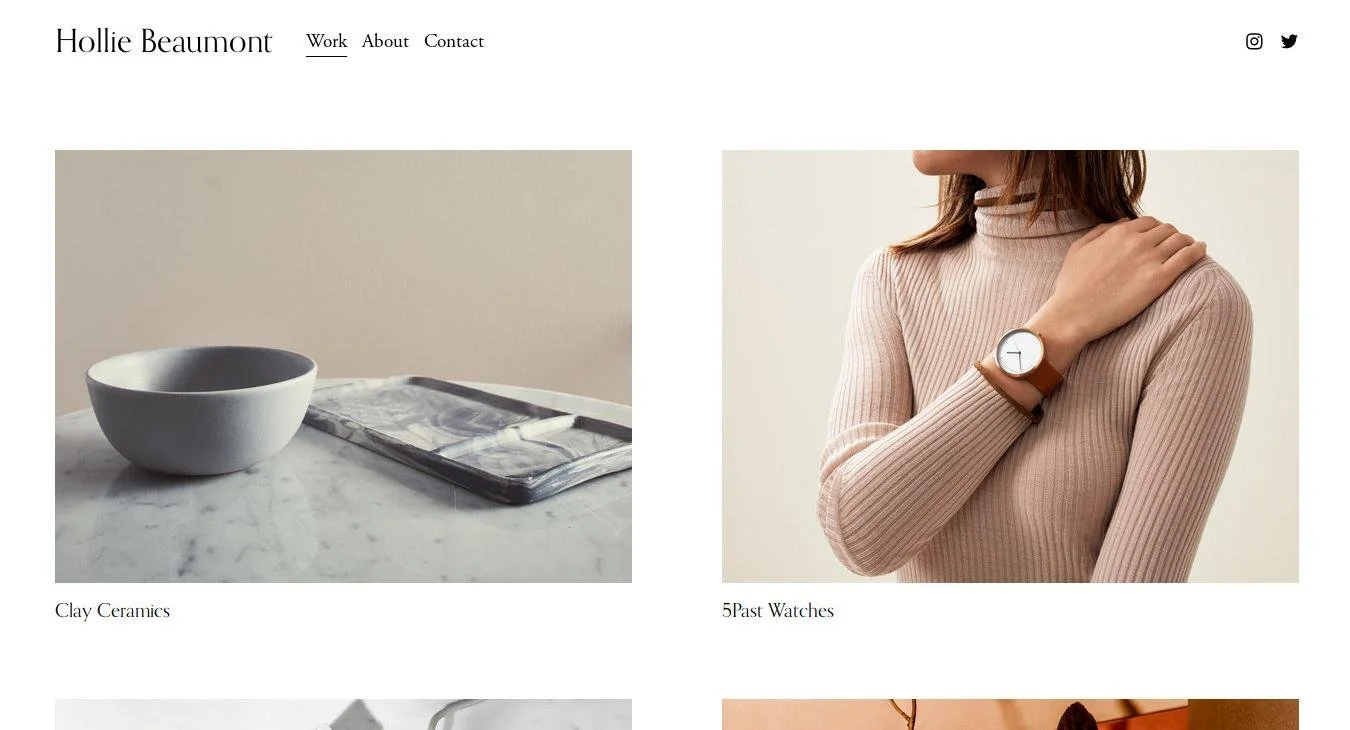
Beaumont (free, Squarespace) — 17/25. A clean image-forward layout included with any Squarespace subscription, recommended for photographers across multiple independent reviews. Genuinely good, genuinely free. Worst for: a working photographer with several service lines. Beaumont gives you a portfolio, not a business — no enquiry structure, no pricing page, no service split. You will build those.
Gilden (free, Squarespace) — 16/25. The other free template consistently named for photographers, more editorial in feel than Beaumont. Worst for: photographers who want to look distinct. Free templates are the most-used designs on the platform, and in a market where every competitor is also on Squarespace, Gilden is recognisable to anyone who has looked at more than ten photography sites.

More detail in our Squarespace templates for photographers roundup.
Best Squarespace templates for restaurants and food businesses
Restaurant sites have one job before all others: menu, hours, location, book. Everything else is decoration.
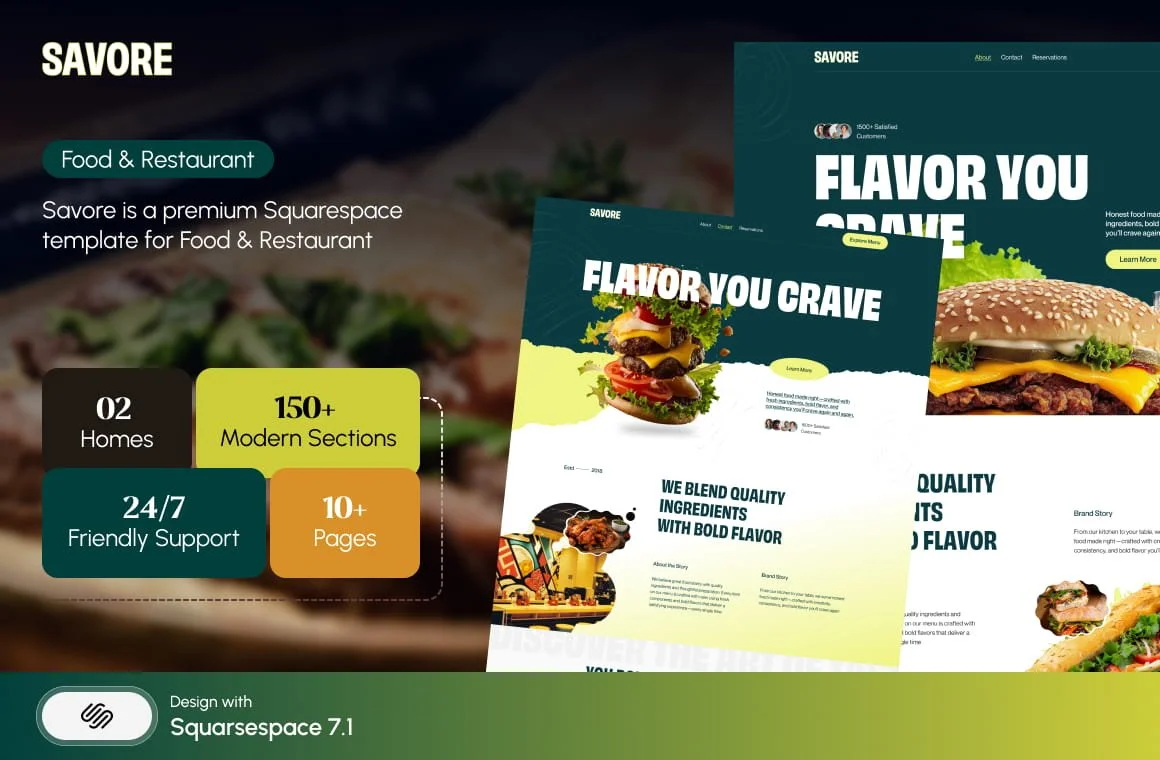
Savore — 20/25. Thirteen pages with a Menu page, a Reservations page and a Special Offers page already built. The Special Offers page is the underrated one — midweek and off-season promotions are how most independents fill quiet covers, and almost no template ships a home for them. Worst for: food businesses without a physical dining room. A caterer or a food producer inherits a Reservations page they will delete.
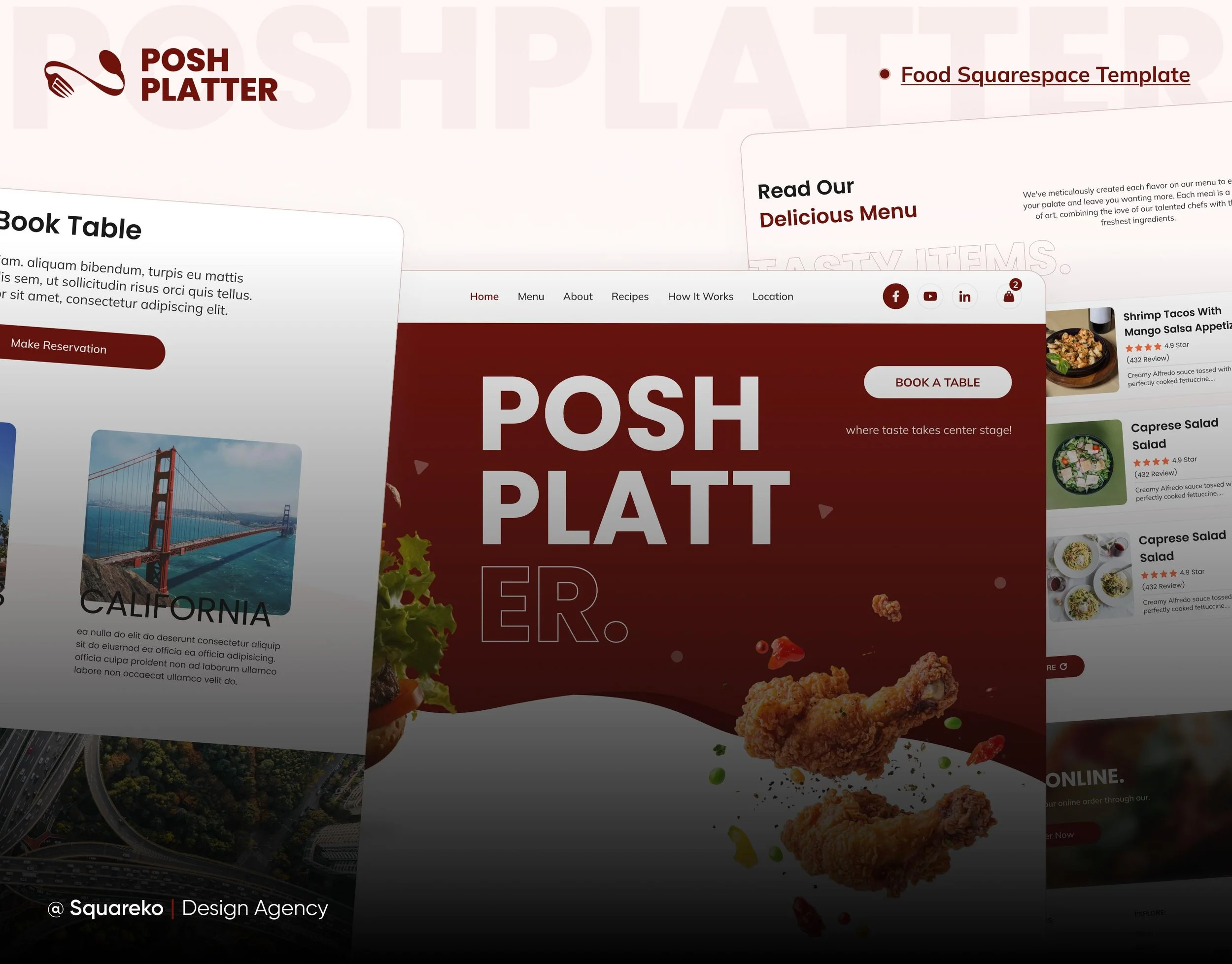
Poshplatter — 17/25. Ten pages covering Menu, Recipes, Location and How It Works, with no blog and no ecommerce. Recipes plus How It Works points at a meal-kit or food-subscription business rather than a restaurant. Worst for: a restaurant that wants to sell anything online. No ecommerce and no blog means no gift vouchers, no merchandise and no content channel — three of the more common asks after launch.
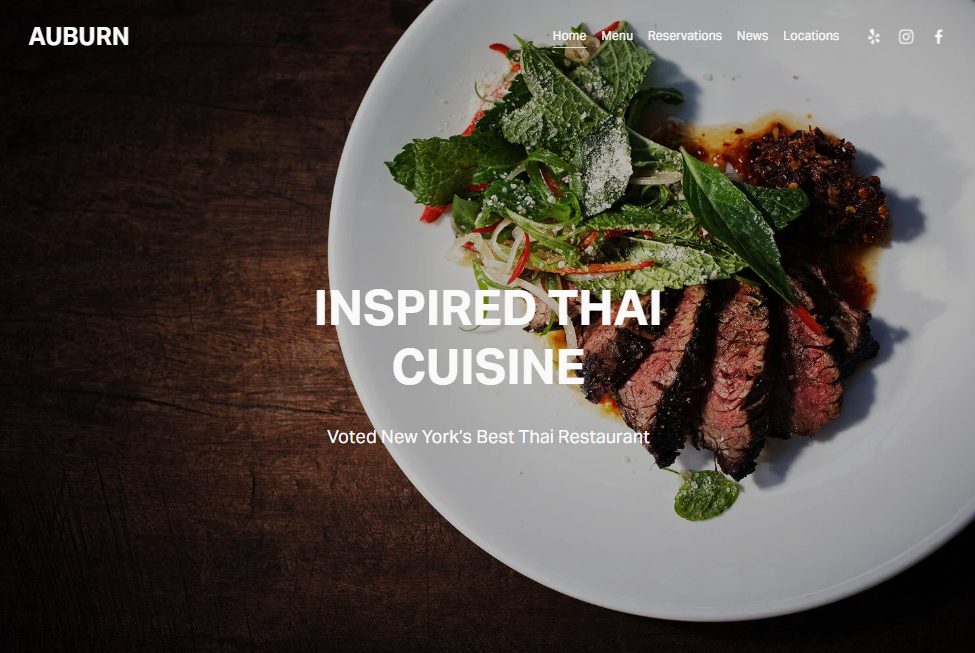
Auburn (free, Squarespace) — 16/25. Squarespace's own restaurant-oriented template, warm and simple, free with a subscription. Worst for: multi-site operators. Auburn assumes one location, one menu, one set of hours, and a second branch means restructuring the navigation rather than duplicating a page.
Best Squarespace templates for health, wellness and therapy
Wellness sites sell trust before they sell a service. The template's job is to make credentials, approach and pricing legible without making the practitioner sound like a clinic.
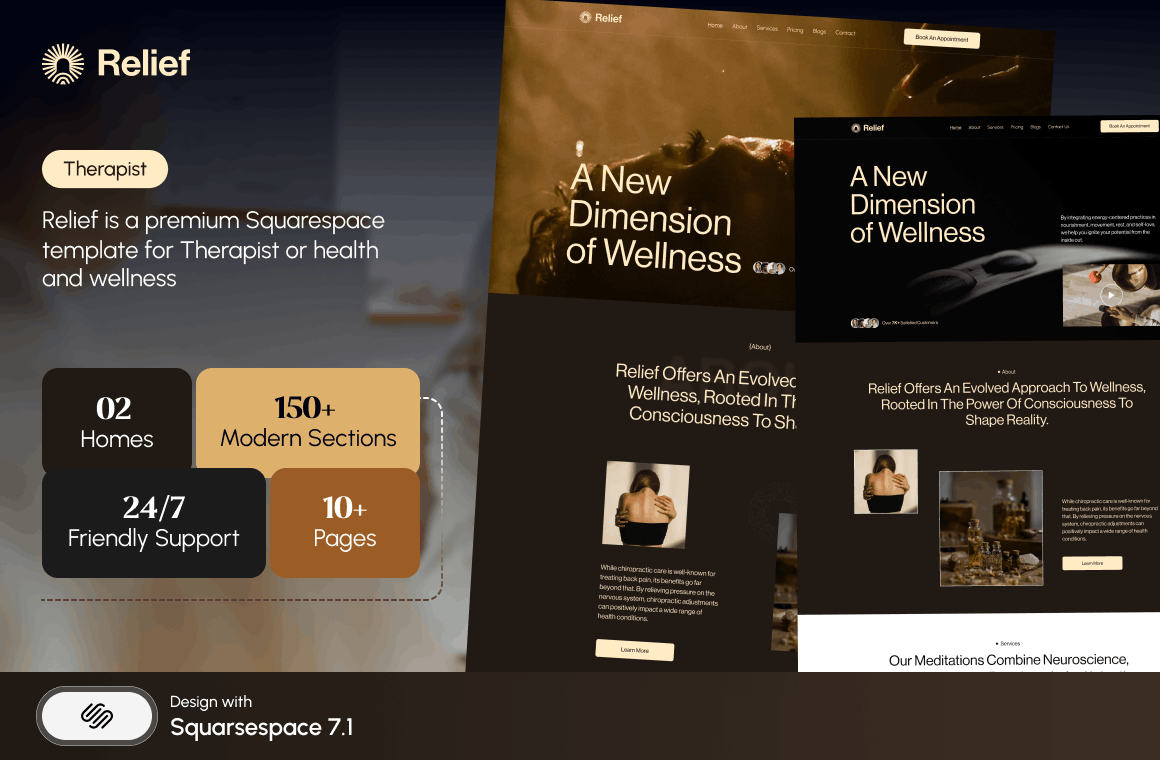
Relief — 20/25. Eleven pages built for therapists and wellness coaches, with a Pricing page and an FAQs page. FAQs matter more here than in most industries: prospective clients arrive with a specific set of anxieties about cost, confidentiality and duration, and answering them on the page removes the most common reason people never send the enquiry. Worst for: practitioners with a visual product. There is no gallery, so a yoga studio or a spa selling atmosphere is starting from behind.
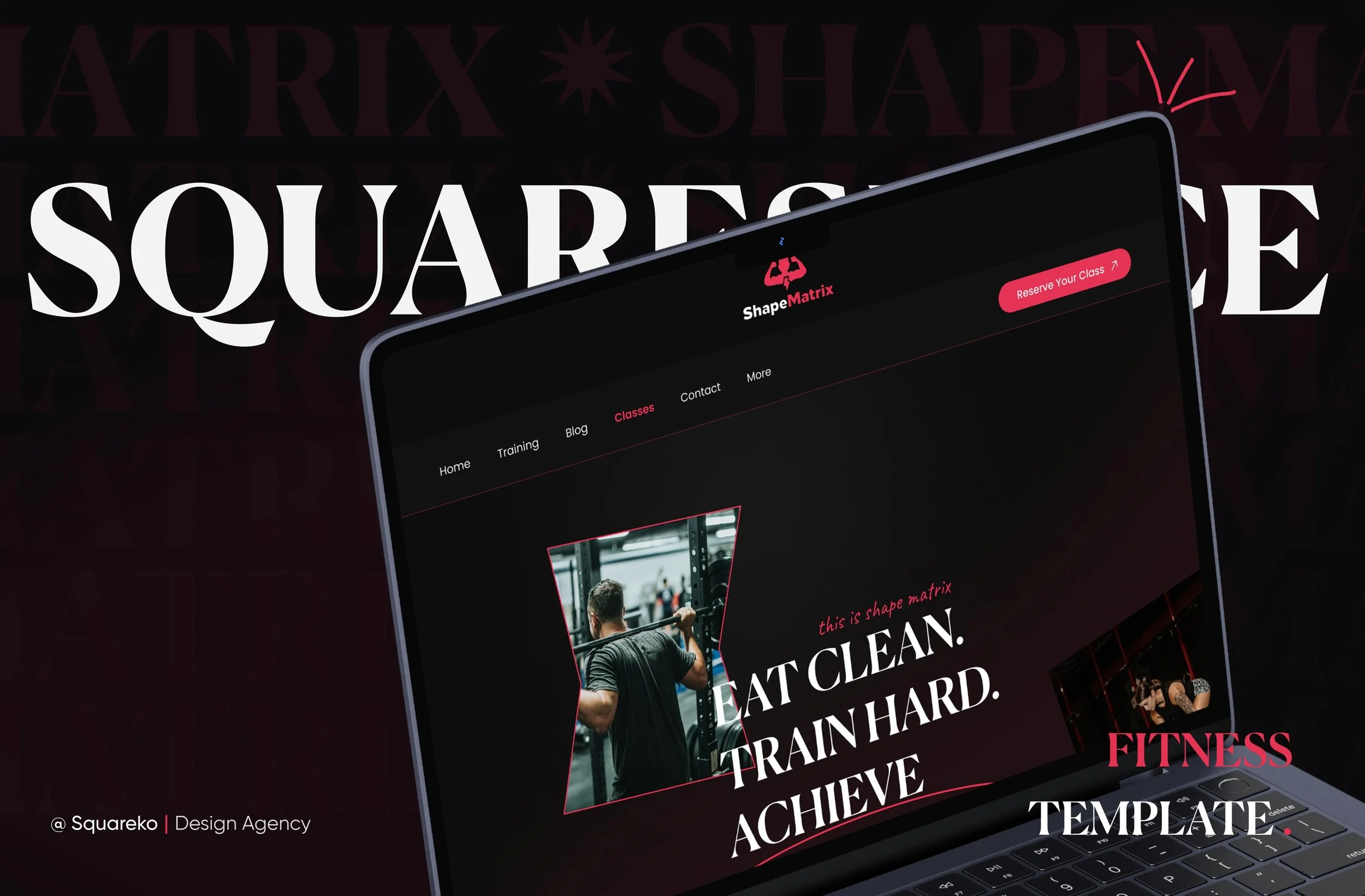
Shape Matrix — 19/25. Eleven pages for fitness and wellness coaches with Training and Classes pages plus a Portfolio and Gallery. The Classes page is the differentiator for anyone running a timetable. Worst for: one-to-one practitioners. Shape Matrix's structure assumes group delivery, and a solo therapist gets a Classes page they do not want and no pricing page they do.
Meriden (free, Squarespace) — 16/25. Squarespace's own therapist-oriented template, calm and text-forward, free with a subscription. Worst for: practitioners with a booking system. Meriden gives you no obvious home for a scheduling embed, and wedging an Acuity block into a layout that was not designed for one is where these builds usually stall.

Best Squarespace templates for trades, construction and home services
Trades sites are judged on proof. Photographs of completed work, clearly scoped services, and a route to a quote.
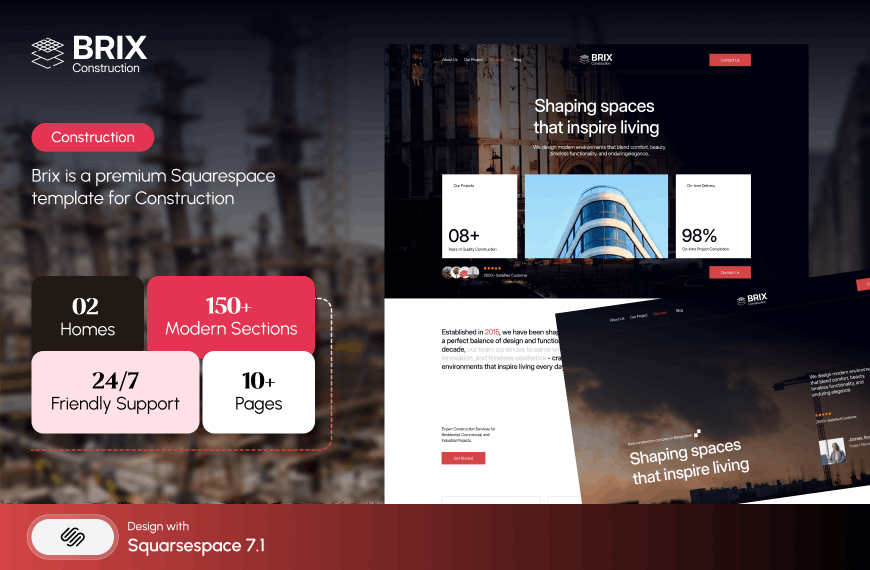
BRIX Construction — 20/25. Thirteen pages with a Projects section, individual Service Details pages and an FAQs page. Service Details is the load-bearing feature: a builder who sells extensions, loft conversions and full refurbishments needs three pages, not three paragraphs, both for clarity and for search. Worst for: trades with nothing photogenic. An electrician or a plumber has no Projects gallery to fill, and empty project pages are worse than no project pages.
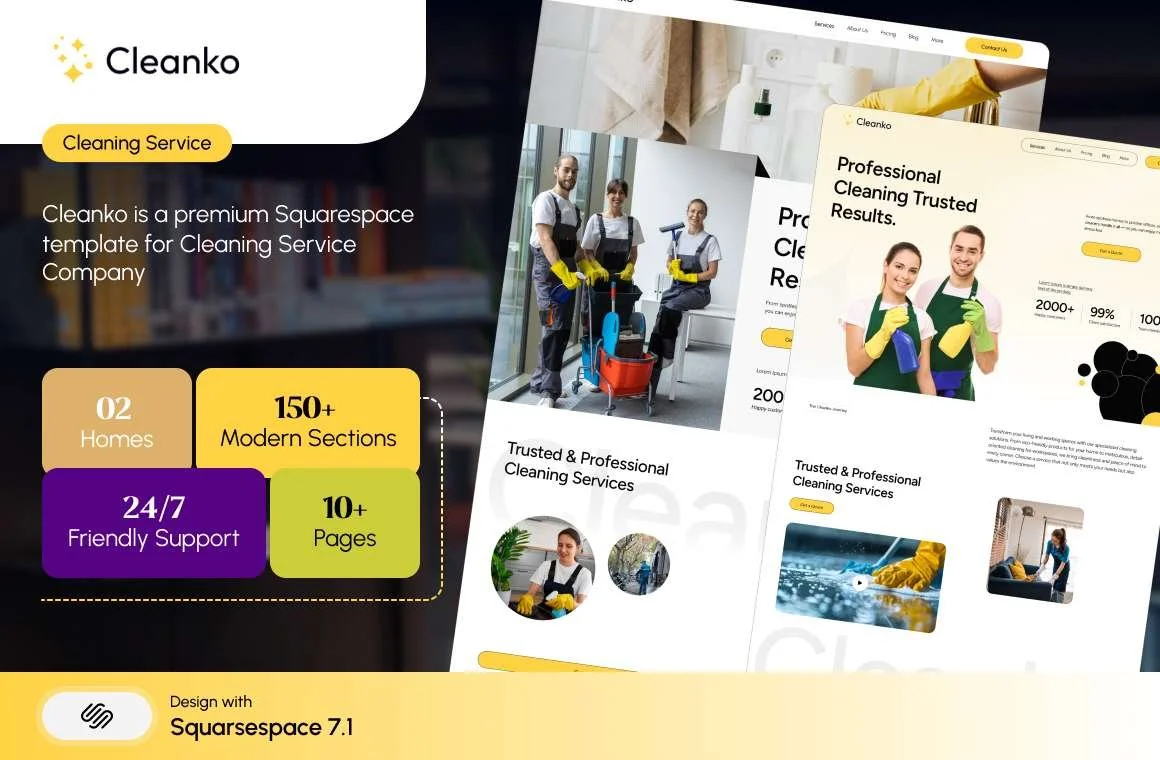
Cleanko — 19/25. Twelve pages for cleaning businesses with a Pricing page, Service Details and a Portfolio. Publishing prices is unusual in this trade and converts well when the pricing is simple. Worst for: businesses that quote per job. If every price is bespoke, Cleanko's Pricing page becomes a page of caveats, which is worse than not having one.
WeDecorefy — 18/25. Fifteen pages, the largest template in the range, with Projects, Project Details, a Gallery, a Team page and a Shop. Suited to interiors and design-build firms with several distinct project types. Worst for: sole traders. Fifteen pages is a lot of site to keep current when you are also on the tools, and stale pages do more damage than missing ones.

Best Squarespace templates for professional and agency services
Justify — 19/25. Nine pages for attorneys and law firms with a Case Study section. The smallest template in the range, and deliberately so — legal buyers want practice areas, credentials and a way to make contact, not a nine-course meal. Worst for: multi-partner firms with a dozen practice areas. Nine pages runs out fast, and you will be building the extra structure yourself.

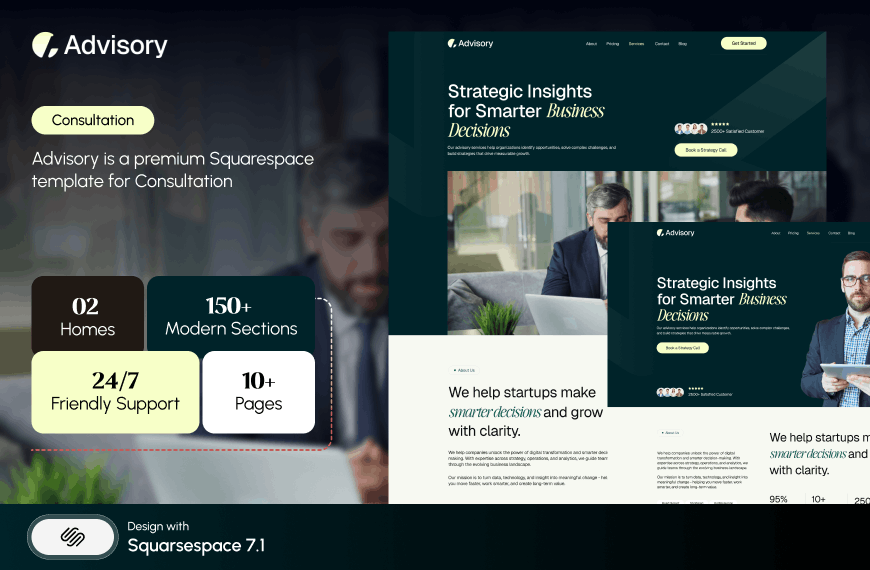
Advisory — 18/25. Eleven pages for consultants and speakers with a Pricing page and two legal pages already built. The legal pages are a small thing that saves a genuinely annoying afternoon. Worst for: anyone selling visually. No gallery and no portfolio makes Advisory a poor fit for designers, architects or anyone whose work needs to be seen rather than described.
Click Crafter — 21/25. Twelve pages for agencies and service businesses with a Portfolio, Gallery, Blog, Shop and a Freebie page. The most broadly capable template in the range: it covers proof, content, a lead magnet and a product without being specialised into a corner. Worst for: anyone who wants a small site. Click Crafter's strength is breadth, and a solo consultant with one service will spend their first session deleting.

Best Squarespace templates for ecommerce and retail
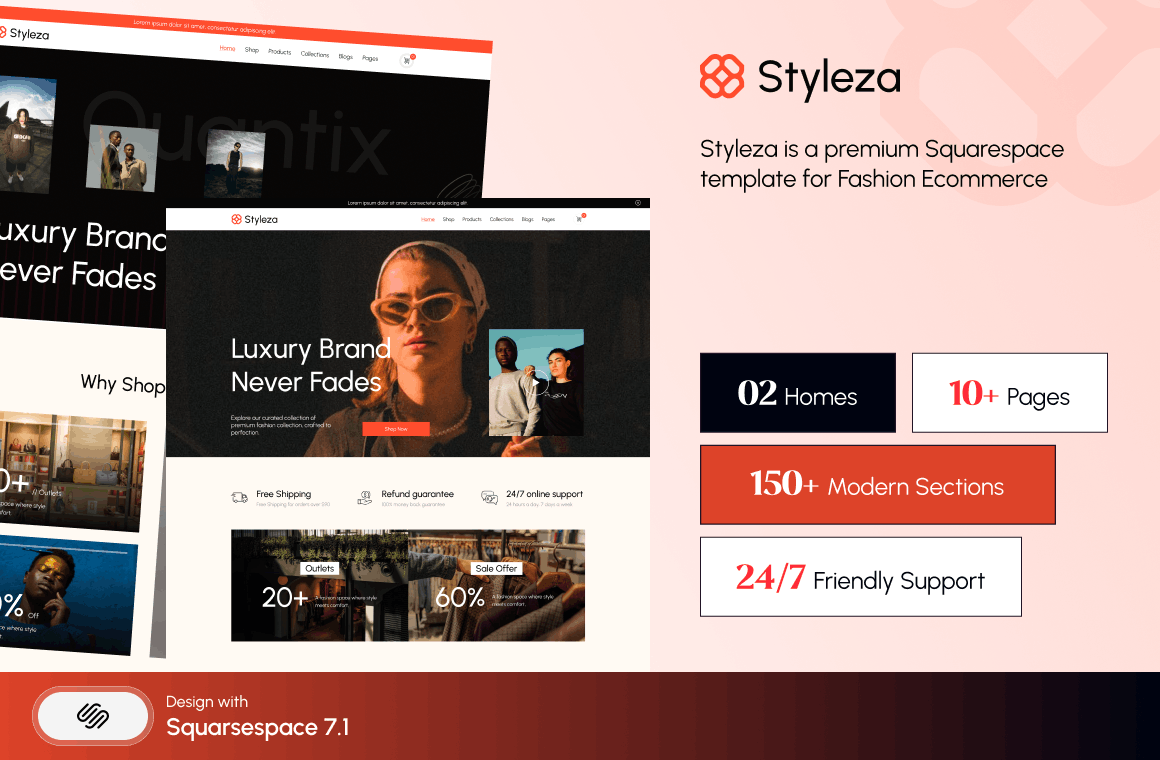
Styleza — 21/25. Twelve pages for fashion and ecommerce with a Products section, a Blog, an FAQs page, three legal pages and a Figma file — one of only two templates in the range that includes one. The three legal pages matter more in ecommerce than anywhere else, because returns, shipping and privacy pages are a compliance requirement rather than a nicety. Worst for: single-product brands. Styleza's structure assumes a catalogue, and a one-product store gets a shop architecture it does not need.
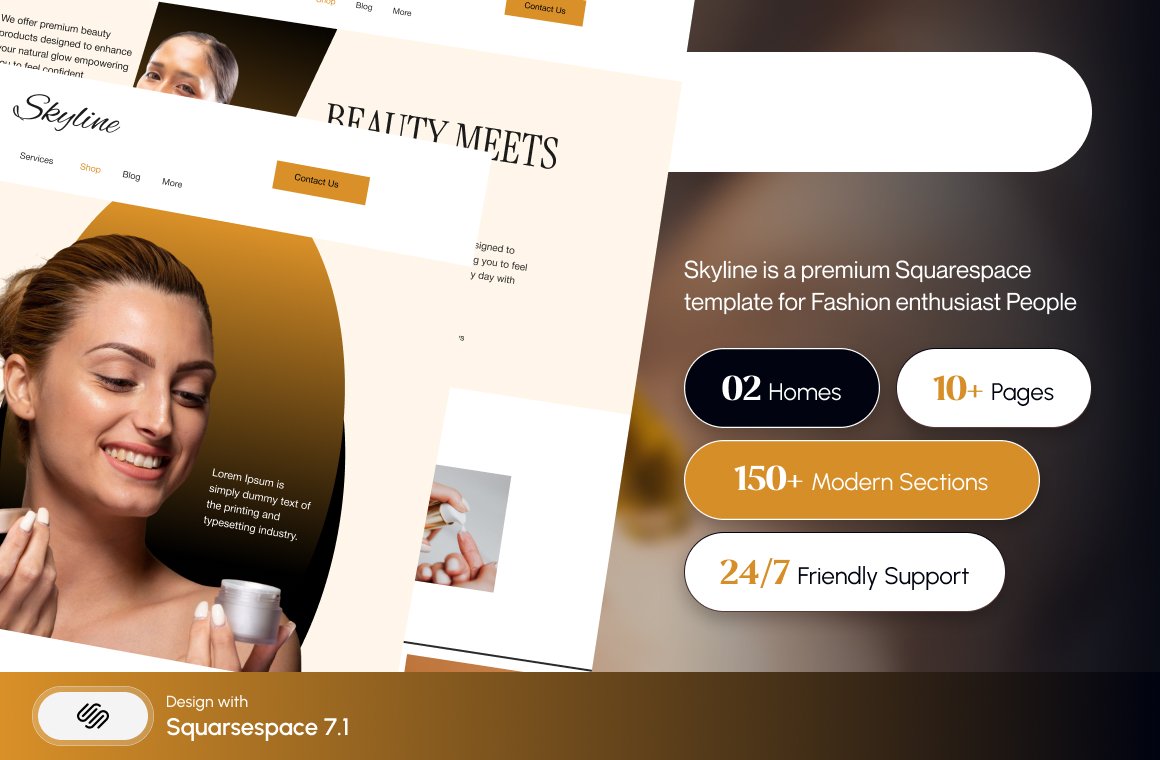
Skyline — 20/25. Twelve pages spanning shop, beauty and fashion with a Shop, Blog, Portfolio, Gallery and a Figma file. The portfolio-plus-shop combination suits a salon or studio that sells both services and products. Worst for: wholesale or B2B sellers. Skyline is built for retail browsing, not for trade accounts, minimum order quantities or price-on-application.
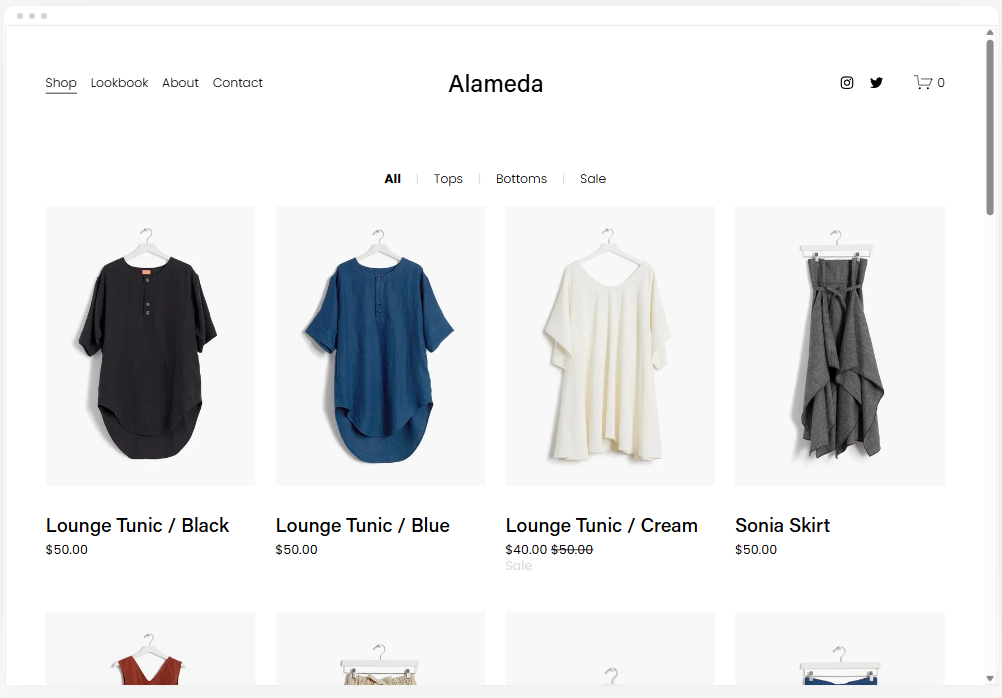
Alameda (free, Squarespace) — 17/25. Squarespace's own ecommerce template, named across multiple independent roundups, free with a subscription and fully wired to Squarespace Commerce. Worst for: larger catalogues. Alameda is a demonstration store; once you pass a few dozen SKUs with variants and filtering needs, you are designing category architecture from scratch.
Best Squarespace templates for coaches, courses and authors
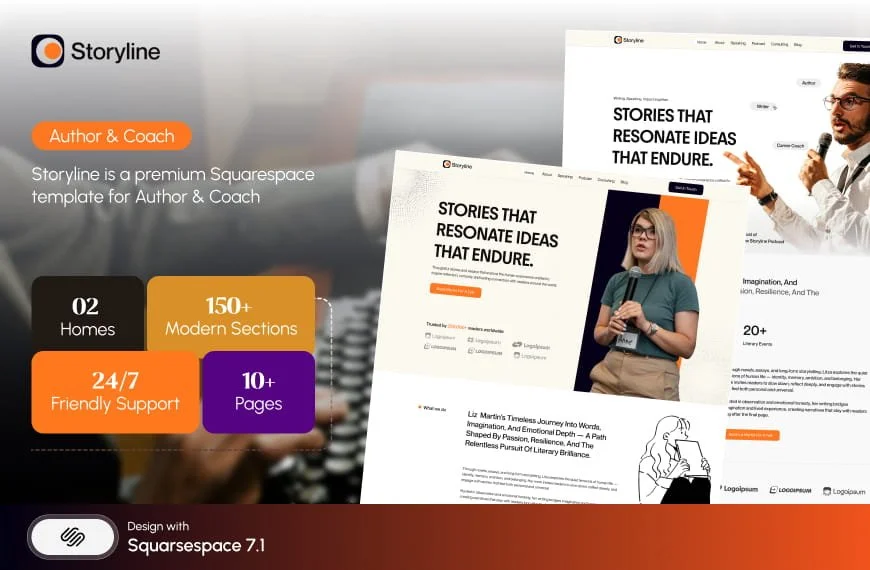
Storyline — 20/25. Thirteen pages with Podcast, Speaking, Testimonial and Booking pages. The best match in the range for an author or coach with a public profile, because Speaking and Podcast are exactly the pages that platform-building requires and nobody else ships. Worst for: coaches without a public profile. If you are not speaking or podcasting, four of Storyline's thirteen pages are dead, and its demo link currently returns a 401 without a password parameter, so ask before you buy.
Luminary — 19/25. Eleven pages with Courses pages, a Shop, a Portfolio and Gallery, and a Freebie page. Fits the coach who sells a course alongside one-to-one work. Worst for: anyone expecting the Courses pages to be functional. Nothing published states whether they use Squarespace Member Areas or a third-party platform. Treat them as page layouts, and budget time to connect whatever course tool you actually use.

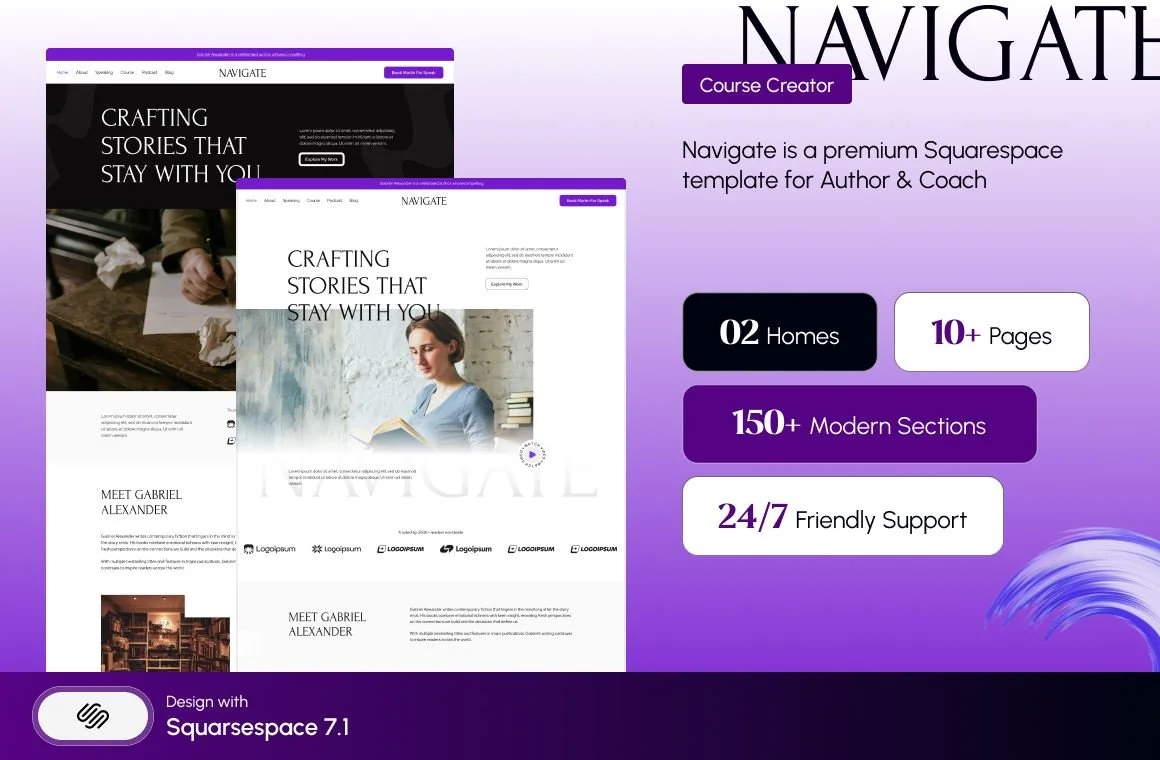
Navigate — 18/25. Ten pages with Course, Podcast and Speaking pages. A leaner Storyline. Worst for: anyone who needs to sell anything. No shop, no ecommerce, and at ten pages there is little room to grow without adding structure yourself.
Best free Squarespace templates for blogs and publishing
This segment is where free templates genuinely win, because a blog needs one well-designed post layout rather than a complete business architecture.
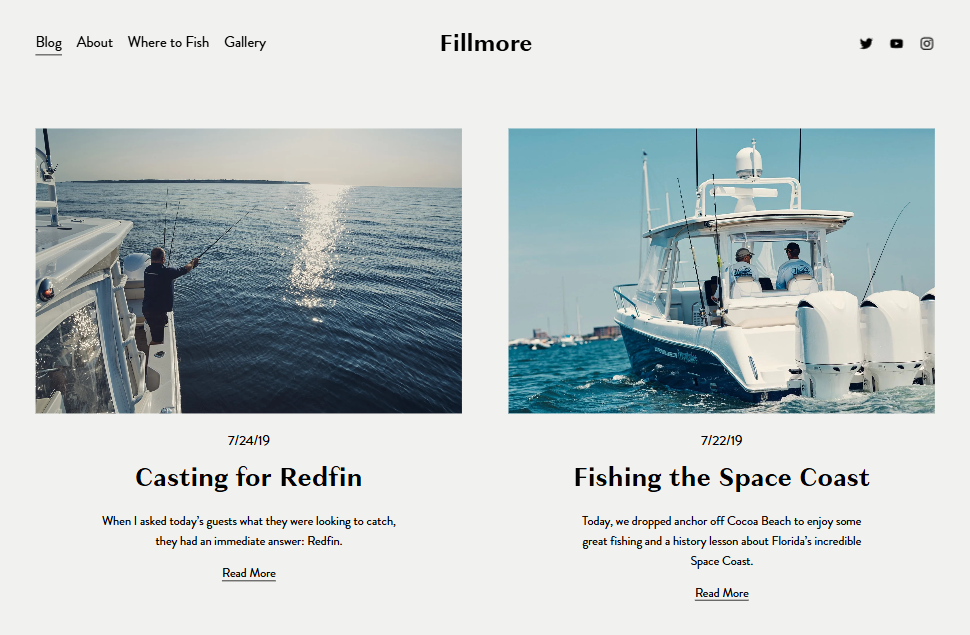
Fillmore (free, Squarespace) — 19/25. Squarespace's most-recommended blogging layout across independent reviews, free with a subscription, and structurally complete for what a blog needs. Worst for: blogs that need to make money on-site. There is no shop and no course structure, so a blog with a product ends up bolted together.
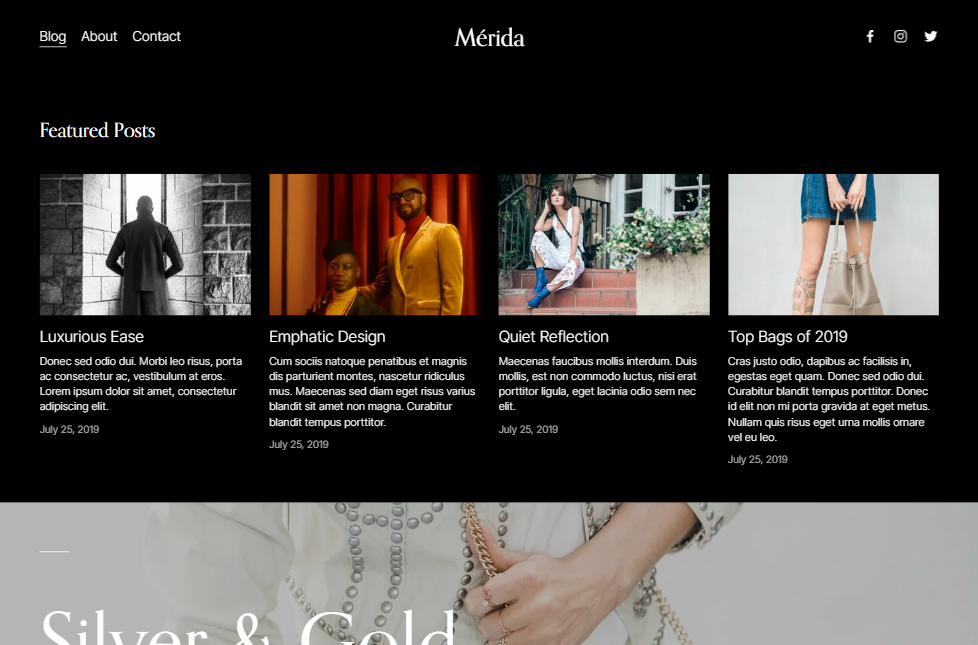
Mérida (free, Squarespace) — 18/25. A warmer editorial alternative to Fillmore, also free. Worst for: image-light writing. Mérida's layouts want a strong featured image on every post, and Squarespace blog featured images have no alt-text field — the post title is used instead — so a highly visual blog needs post titles that also work as image descriptions.
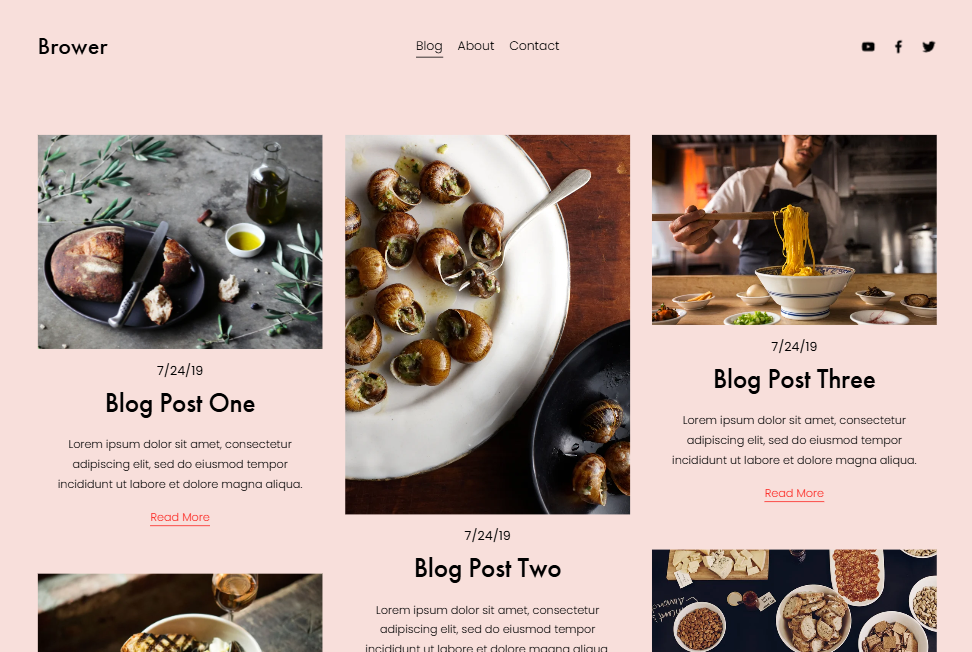
Brower (free, Squarespace) — 17/25. A minimal, text-first blog layout. Worst for: anyone expecting a table of contents. Squarespace 7.1 has no native TOC on any template or plan, and 7.1 blog pagination is cursor-based with a maximum of 20 posts per page, no numbered pages and no infinite scroll. That is a platform constraint, not a Brower one, and no template in this list escapes it.
The templates nobody should buy, and why
A list of 25 good options is only half useful without the inverse. These are the patterns that produce regret, drawn from sites we have been asked to rescue rather than from theory.
Any template whose demo you cannot open. This is the single most common avoidable mistake in the category. Several shops publish demo links that omit a required password parameter and return a 401, which means the buyer is purchasing from screenshots. Squareko currently has six templates in this state. Ask for a working link. If nobody can produce one, walk.
Any template still built for Squarespace 7.0. Squarespace 7.0 and 7.1 are different systems, a 7.0 site cannot be converted to 7.1 in place, and 7.0 templates predate Fluid Engine entirely. Shops that have traded for years often still list old stock alongside new. The version is worth one direct question before you pay.
A fifteen-page template for a five-page business. Unused pages are not free. They sit in your navigation, in your sitemap and in your conscience, and stale pages damage trust more than absent ones. WeDecorefy is an excellent template and a poor purchase for a sole trader — that is not a contradiction.
Any template bought for its written description rather than its demo. Product-page copy in this market is unreliable to a degree that would surprise most buyers. In the Squareko range alone, five templates carry identical boilerplate describing a joinery company, one beauty template is described as a wedding photography template, and another misspells its own name. Judge the demo. The prose on the product page is marketing that nobody proofread.
Any template sold on a star rating. An aggregate rating with no named review platform, no dated reviews and an identical figure across every product in the catalogue is not evidence of anything. It is the most common trust signal in this market and the least informative.
So should you pay for a template at all?
Look at the scores. Free Squarespace templates cluster between 16 and 19 out of 25. Premium templates cluster between 17 and 22. That is a real gap but not an enormous one, and it lands almost entirely in one criterion: page-set completeness.
Pay for a template when the structure is the thing you are buying — a services-and-packages architecture, project detail pages, a menu, a case-study system, a course. Do not pay when you need five pages and a contact form, because a free Squarespace template plus a considered afternoon in Site Styles gets you there.
Two things that are true either way. Demo images are not licensed for live use — every stock photograph in every demo, free or premium, has to be replaced before launch. And premium templates do not rank better in Google than free ones; both are Squarespace 7.1 sites emitting the same markup, and search performance comes from content, internal linking and page speed. Anyone selling you a template on SEO grounds is selling you something else.
More on this in our free vs premium Squarespace templates comparison and the ROI analysis.
The one thing to check before you buy anything
Open the demo on a phone and count the pages you would actually use. Not the pages that exist — the pages you would use. If the number is under five, buy nothing and use a free Squarespace template. If the number is over eight, the structure is worth paying for and the only remaining question is whether you want to install it yourself.
That last part is what the premium Squarespace templates at Squareko are built around: delivery as a Squarespace contributor invitation rather than files, installation onto an existing site in around 48 hours as a fully manual process, and 60 days of email support afterwards. Worth noting before you buy anywhere, including here — templates in this market are almost universally non-refundable, so the demo is the whole decision.
FAQ
-
There is no single answer, because the right template is the one whose page set matches what your business sells from. A service business needs services and pricing pages, a trade needs project detail pages, a restaurant needs a menu. Match the structure first and judge the aesthetics second — aesthetics are the easiest thing to change in Squarespace 7.1.
-
For a five-page brochure site, yes. Squarespace includes around 200 templates with any subscription and they are well designed. On the rubric used in this post free templates score 16–19 out of 25 against 17–22 for premium, with the gap sitting almost entirely in page-set completeness rather than design quality.
-
No. A premium template and a free template are both Squarespace 7.1 sites emitting the same underlying markup. Search performance comes from content, internal linking, page speed and crawlability, none of which a template meaningfully changes. Any shop selling templates on SEO grounds is selling something other than SEO.
-
On Squarespace 7.1 there is no template switcher — 7.1 sites all share one underlying template system, and changing the look means restyling sections and pages rather than swapping a template. Installing a premium template onto an existing live site is a manual rebuild, which is why it typically takes around 48 hours rather than minutes.
-
Squarespace publishes roughly 200 of its own templates, all included with any subscription at no extra cost, organised by industry categories including Creative Services, Professional Services, Health and Wellness, Home Services and Personal. Third-party shops sell several hundred more, typically priced between $95 and $400.
-
Avoid any template whose demo you cannot open — several shops publish demo links that return a 401 because the password parameter is missing. Avoid templates built for Squarespace 7.0, which cannot be converted to 7.1 in place. And avoid buying a large template for a small site; unused pages are maintenance you pay for in attention.

Author Bio
I'm Walid Hasan, a Certified Squarespace Expert and Squarespace Circle Platinum Partner with over 12 years of hands-on experience designing and optimizing high-performing websites. Over the years, I've had the privilege of building more than 2,000 Squarespace websites for clients around the world, always focusing on clean design, strong user experience, and conversion-driven results.
