

Templates > Categories > Food & Restuarent
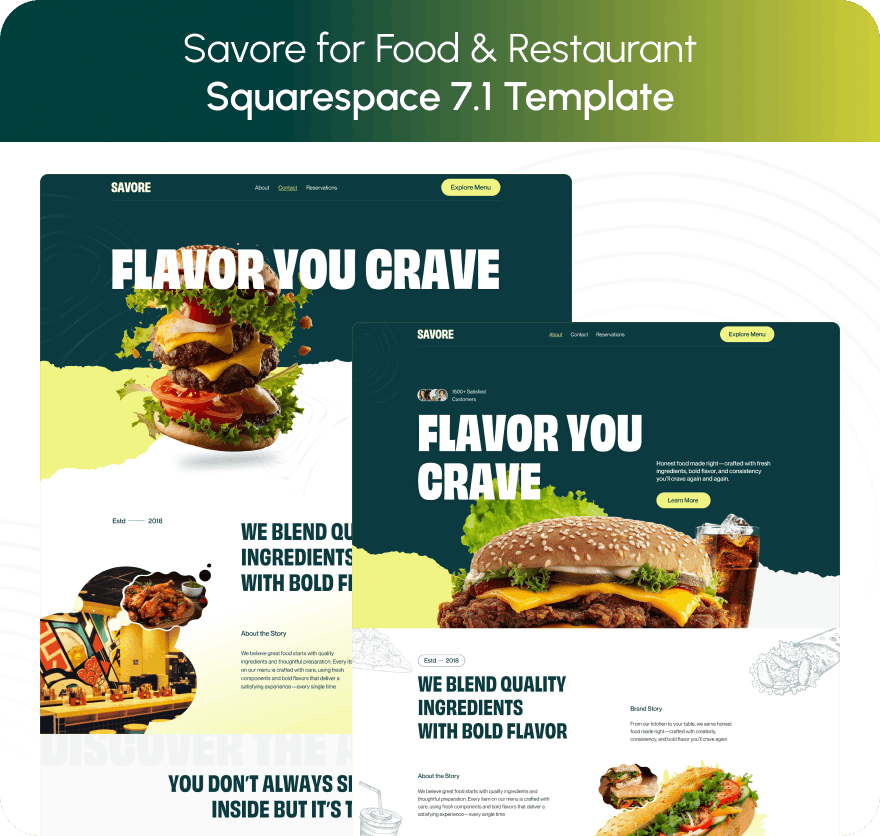
Savore - Squarespace Template for Food & Restaurant.
$249
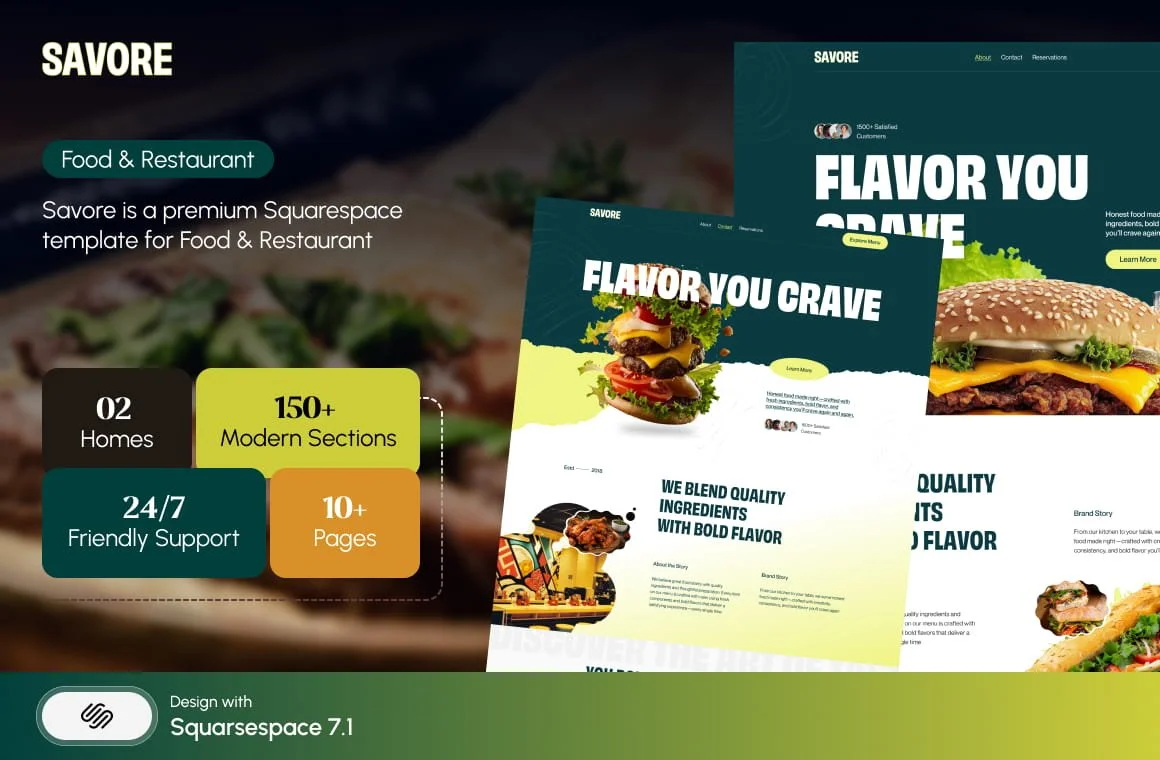
Savore is a premium Squarespace template built for restaurants, cafés, and food-focused businesses.
◼ 13+ Professionally designed pages
◼ 150+ Professionally designed Sections
◼ No code needed
◼ 12-month Squarespace free trial
◼ Desktop & Mobile optimized design
◼ SEO Optimized + Final launch guide
◼ Step-by-step tutorials + guidance
◼ Friendly Human Support
Welcome to Savore, your ultimate digital foundation for food and restaurant excellence. Designed to be the perfect online destination for culinary brands, Savore brings together refined design, smart layouts, and flexible features to help you present your cuisine with style and confidence. Whether you’re a restaurant owner, café operator, chef, or food entrepreneur, Savore provides the tools and structure you need to showcase menus, highlight your story, and connect with your audience. Explore Savore to create a visually appetizing, professional website that reflects quality, atmosphere, and exceptional dining experiences.
Template Overview :
The Savore Squarespace Template from Squareko!
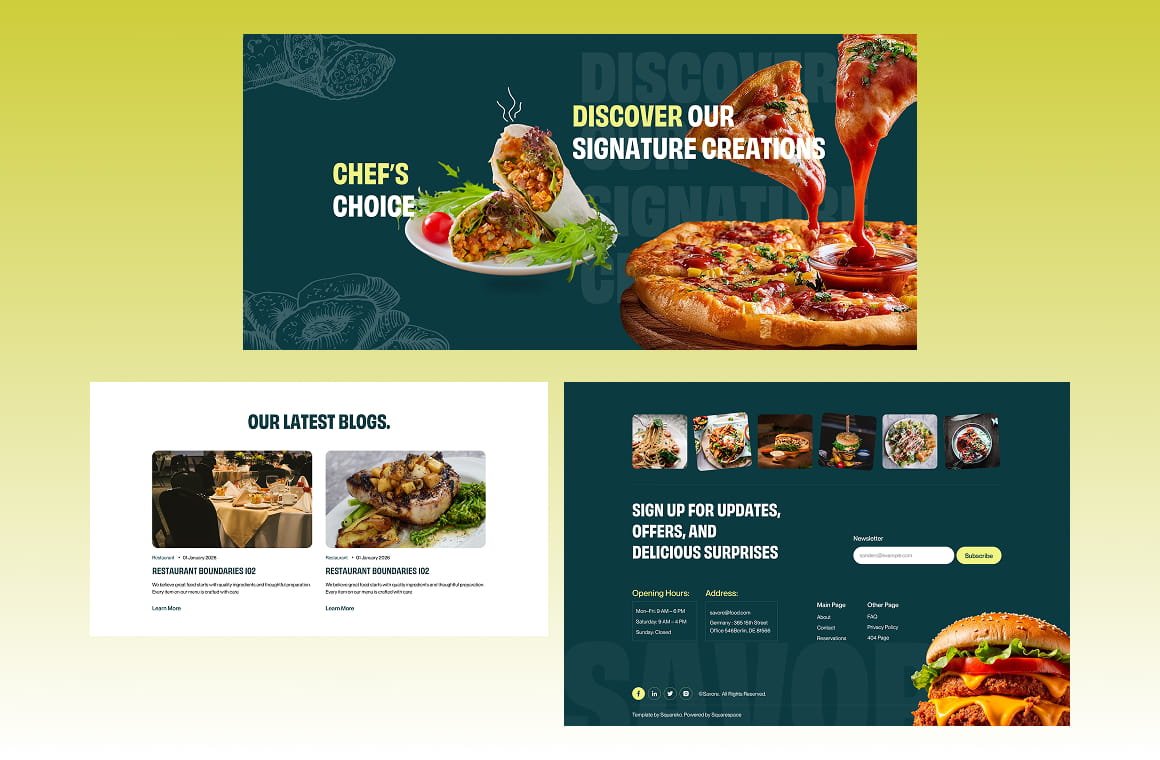
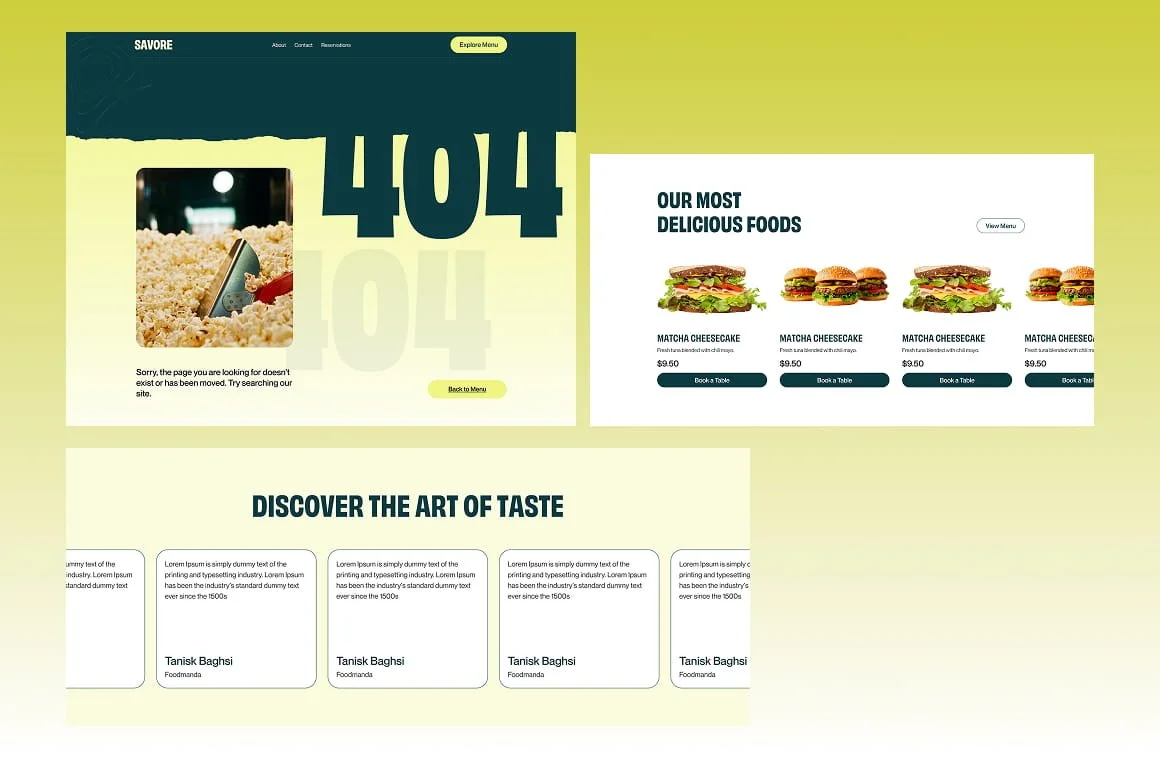
Savore is a premium Squarespace template designed with food and restaurant brands in mind. Its clean, modern design, elegant typography, and thoughtfully crafted layouts help bring your food, menus, and dining atmosphere to life—making a great first impression on every visitor.
Built to look beautiful on all devices, Savore is fully responsive and works smoothly across desktops, tablets, and smartphones. Whether you run a restaurant, café, or food business, this template makes it easy to create a welcoming, professional website that reflects your brand’s personality and invites customers to explore, book, or order with confidence.
Pages Overview :
Home
Home 2
About
Menu
Services
Blog
Special Offers
Contact
Reservations
FAQs
Privacy Policy
404 Error
Style Guide
Sections Overview :
Hero/ Banner (20+)
About (15+)
Services (15+)
Testimonials (12+)
FAQs (10+)
Gallery (10+)
Contact (12+)
Call to Action (10+)
Footer (12+)
Utility pages (404, 401)

What’s Included with this Squarespace Template
-

10 Pages Custom Template
Experience the freedom of a spacious 10-page custom template, offering limitless possibilities for your online presence
-

Room to Grow
Experience realistic growth opportunities with this user-friendly template, designed to enhance your business.
-

60 Days Friendly Support
Enjoy 60 days of friendly email support after purchasing this template. We're here to help with setup issues and ensure a smooth experience.
-

Discounted Pricing
Unlock exclusive discounted pricing on Squarespace when you purchase our template, saving you even more on your website journey.
-

Hassle-Free Installation
Simplify your website setup with hassle-free installation, ensuring a smooth start to your online journey.
-

Easy Customization
Easily tailor your website to your unique style and needs with user-friendly customization options.
-

Video Tutorial
Streamline your template setup with our comprehensive video tutorials, making the installation a breeze.
-

12-Month Free Trial
Unlock a 12-month trial period upon purchasing this template, giving you ample time to explore its potential.

How Our Squarespace
Template Works
Pick a Template
Browse our template collection and use filters to find the best design template for your business.
Add Your Content
After purchase, your template will be added to your Squarespace account with a 12-month trial. Follow our tutorials to replace the demo content with your own text and images.
Tweak Your Design
Use our step-by-step tutorials to update colors, fonts, layouts, and pages. You have full control to edit anything.
Launch The Website
Once everything is ready, follow our launch guide and publish your website with confidence. 🚀
People Say About Our Templates
Join thousands of happy clients who’ve built stunning, conversion-focused websites using our premium Squarespace templates. Here’s what they say about us.

Frequently Asked Questions
Discover quick answers to your burning questions about our services at Squareko. Our FAQs offer valuable insights into Squarespace templates, SEO, design, and more.
-
A Squarespace template is a design framework created directly within the Squarespace platform, meaning there are no external files to download or upload, unlike WordPress themes. Every Squarespace 7.1 template shares the same global styling tools and functionality.
Our templates are professionally crafted using Squarespace’s Fluid Engine editor and serve as a pre-built design system that guides structure, layout, and styling. This gives you a beautifully designed starting point that you can fully customize to match your brand.
-
A lot! Every Squareko template is designed to be both beautiful out of the box and fully customizable. With our step-by-step video tutorials, you can easily change your colors, fonts, images, graphics, sections, and layouts—or build entirely new pages. Whether you want a quick, polished setup or a fully personalized brand experience, the template adapts to your vision.
-
Nope! We worked really hard to make these as user-friendly as possible. Each design comes with step-by-step video instructions to create the design in your Squarespace account using the built-in style editor.
-
Once your purchase is complete, you’ll receive an email from us with a clear onboarding guide, including tutorial access and easy registration details. Shortly after, you’ll receive a Squarespace contributor invitation. When you accept that invite, the template will be automatically transferred to your Squarespace account, allowing you to start customizing right away.
-
Yes 100%! Our Squarespace 7.1 Fluid Engine templates come with a beautifully crafted mobile version that you can customize independently from the desktop. You’ll have full freedom to adjust layouts, images, spacing, text, and more, ensuring your site looks stunning on every device.
Want to see it in action? Just tap the View Demo button and open the demo site on your phone for a real mobile preview.
-
Squarespace offers 24/7 support to help you with any questions related to Squarespace - you can find them here.
If you have questions about the Squarespace template design itself, you can contact us using the form below.
You can also hire us to set up your website. Check out our services here.
-
Nope! Our Templates are only available for use on Squarespace sites.
-
Yes! The price point for the Website Template is for the design and use of the template ONLY. You’ll also need to pay for a Squarespace plan to be able to launch your site or take it live. Wait to purchase the Squarespace plan AFTER we deliver your new template because you will get to utilize our 20% off discount code. Click here to see Squarespace’s updated pricing.
-
Absolutely. Squarespace offers a powerful, user-friendly blogging system as well as a fully integrated eCommerce platform, both of which work with any Squarespace template. You can publish articles with images, videos, audio, links, and scheduled posts, and you’ll also have access to built-in analytics to track readership.
Most Squareko templates come with a pre-built Blog and Shop page, but we recommend previewing the live demo to confirm. If your chosen template doesn’t include one, you can add a Blog or Shop page at any time and fully customize it with the help of our step-by-step tutorials.
-
Your template purchase doesn’t include a Squarespace subscription, so you’ll need to choose a plan directly from Squarespace. Although the template works on the Basic plan, the Business Plan unlocks the full potential of your website—advanced design tools, integrations, custom code, and more. For the best performance and flexibility, we highly recommend starting with the Business Plan.
-
We offer two flexible installation methods depending on your website's needs:
1) Delivery as a New 12-Month Trial Website (Preferred)
Your template can be installed as a brand-new 12-month trial site. You’ll receive a contributor invitation via email; once accepted, we transfer full site ownership to you. This option allows you to build your new website privately while your current site stays live.
2) Installation on Your Existing Squarespace Website (Add-On Service)
If you prefer using your current website, you can select our add-on installation service at checkout. We’ll apply the template’s global styling (fonts, colors, spacing), and migrate all demo pages so they look exactly like the original template.
Note: this does not include rewriting or adjusting your existing content. While we work, your site will be password-protected for safety and privacy.
If you already have an active website bringing traffic and leads, we strongly recommend the new 12-month install for a smoother transition. If you have an established blog, contact us, and we can help migrate your blog archive to the new site.
-
If your Squarespace trial was upgraded within the last 14 days, you may still receive a full refund. Simply change your billing from yearly to monthly and contact Squarespace Support for a prorated refund, following their official refund policy.
You can use our template in two ways:
1) New 12-Month Trial Installation (Preferred)
This is the cleanest and safest option. You’ll receive a brand-new site with the full template installed, while your current website stays live. If you have a large blog archive, we can assist with migrating your posts to the new install.
2) Install on Your Existing Website (Add-On)
If you prefer using your current website, you can select the “existing site installation” add-on at checkout. During this process, we:
Transfer all template styles to your current site (this overrides your existing fonts, colors, and spacing)
Import all demo pages
Password-protect your site temporarily
Move your current pages to the Not Linked folder for safekeeping
Please note: applying new styles can significantly change the appearance of your existing sections, buttons, headings, and backgrounds. This is a fully manual process and typically takes around 48 hours. Content tweaks or restructuring are not included.
-
Because our templates and digital products are delivered instantly, they cannot be returned or refunded. All purchases are non-refundable. If you’re unsure about anything or need clarification before buying, please contact us. We’re here to answer your questions.
Template you might like

See If Squareko Is Right For You.
Schedule a call with us to discuss your project in detail and receive a tailored solution. Let's turn your vision into reality - book your FREE consultation today!



Consultation | Speaker
$249