
Is Fluid Engine Available on Squarespace 7.0?
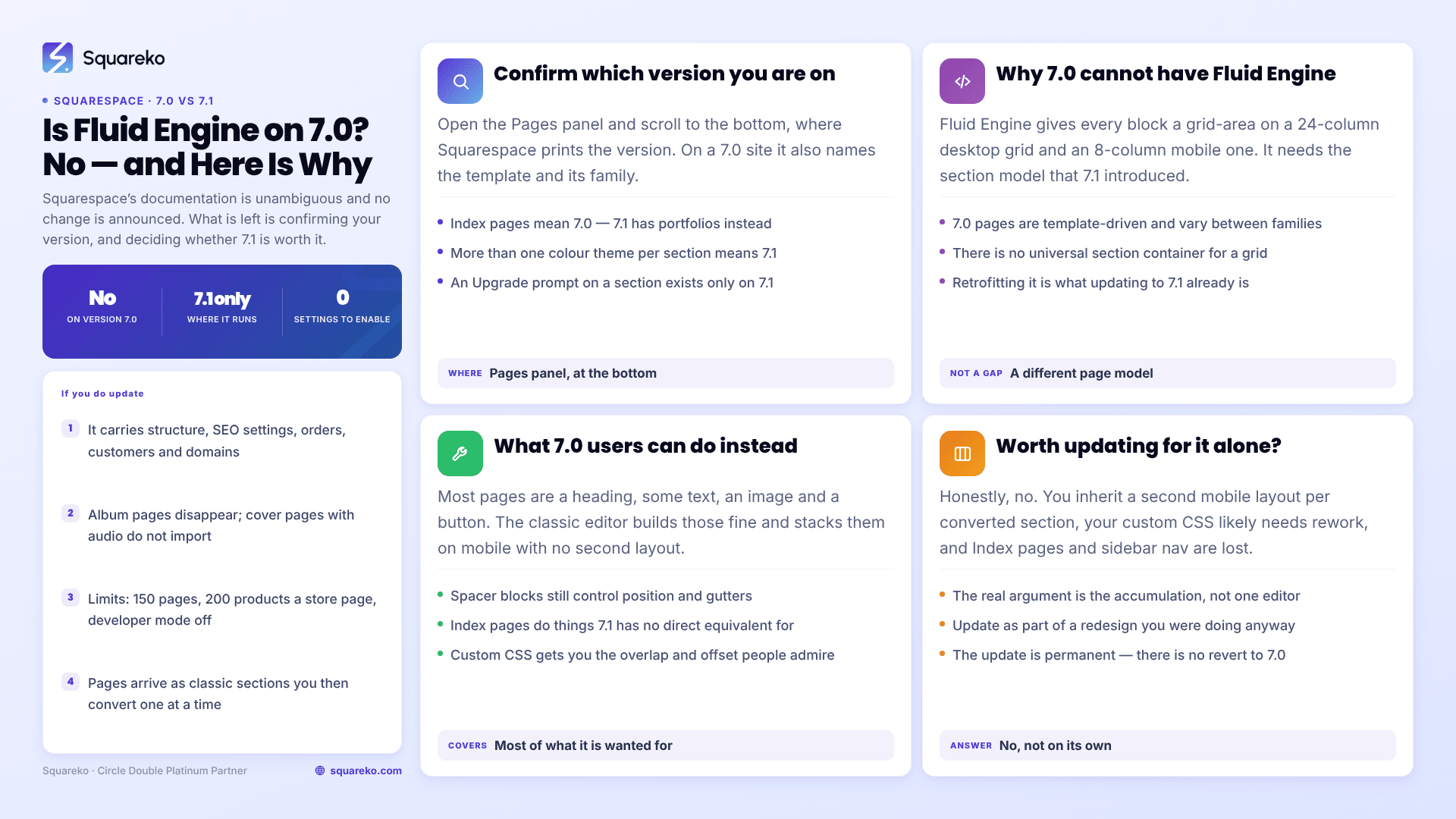
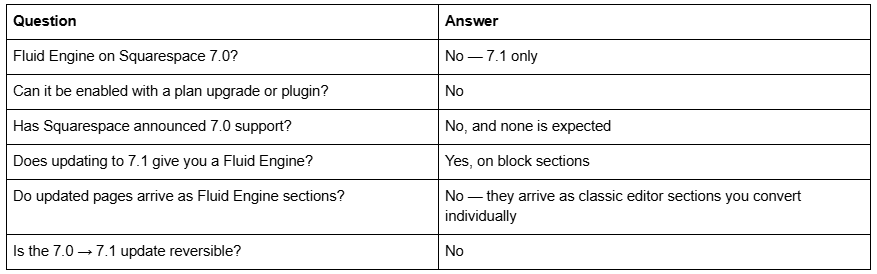
No. Fluid Engine is a Squarespace 7.1 feature and does not run on 7.0 sites. Squarespace's own documentation is unambiguous: "Fluid Engine isn't available on version 7.0 sites." There is no setting to enable it, no plan or add-on that unlocks it, and no announced intention to bring it to 7.0. If you are on 7.0 and want Fluid Engine, updating to 7.1 is the only route.
The rest of this answers what people actually mean when they ask: how to be sure which version you're on, what 7.0 gives you instead, and whether Fluid Engine on its own justifies the update.
The situation in one table
How to confirm whether you're on Squarespace 7.0 or 7.1
Open the Pages panel in your site's main menu and scroll to the very bottom of that panel. Squarespace prints the version there. On a 7.0 site it also names the template and template family; on 7.1 it does not, because 7.1 has no template families in the 7.0 sense.
Two quicker tells, if you just want confidence rather than proof. If your site has Index pages, you are on 7.0 — 7.1 has portfolios instead. If your Design panel offers more than one colour theme to assign per section, you are on 7.1. And if a section shows an Upgrade prompt in the top-left corner when you edit it, that is the Fluid Engine conversion offer, which only exists on 7.1.
Why Squarespace 7.0 can't have Fluid Engine
This is not a feature Squarespace forgot to backport. Fluid Engine is a CSS-grid layout system that assigns every block a grid-area on a 24-column desktop grid and a separate one on an 8-column mobile grid. It requires the section-based page model that 7.1 introduced — pages composed of independent, stackable sections with their own settings.
Squarespace 7.0 pages are template-driven. Layout comes from the template family you chose, page structure varies between families, and there is no universal section container for a grid to live inside. Retrofitting Fluid Engine to 7.0 would mean rebuilding 7.0's page model into 7.1's, which is what updating to 7.1 already is.
Squarespace has not created new 7.0 sites for years. Version 7.0 continues to be supported and maintained, but new design features have gone to 7.1 exclusively since it launched. Treat "Fluid Engine is coming to 7.0" as something that will not happen rather than something to wait for.
What 7.0 users can do instead
Staying on 7.0 is a legitimate choice, and there is more available than people assume.
The classic editor is not a downgrade for most sections. The great majority of pages on any site are a heading, some text, an image and a button. The classic editor builds those fine, and it stacks them on mobile automatically without needing a second layout authored by hand.
Spacer blocks still work. Fluid Engine's marketing frames spacer blocks as a workaround the platform outgrew, but on 7.0 they remain a functional way to control horizontal position and gutters inside a row.
Index pages do things 7.1 cannot. If you are on a 7.0 template family with Index pages, you have a layout tool that has no direct 7.1 equivalent. That is worth weighing before updating.
Custom CSS gets you overlap and offset. Most of what Fluid Engine is admired for — a heading overlapping an image, an offset card, a deliberately broken grid — is achievable on 7.0 with a targeted stylesheet. It is more fragile and needs someone who writes CSS, but it is not out of reach. The usual failure modes are covered in our guide to custom CSS not working in Squarespace.
If you do update: what the 7.0 → 7.1 tool actually does
Squarespace provides a built-in update tool, reached from the Design panel via Update to Version 7.1 → Get Started. It carries across site structure, SEO settings, orders, sales, customer data, members, domains, URL mappings and subscriptions.
Several things do not survive. Album pages disappear. Cover pages with audio layouts don't import. Gallery pages become layout pages, Index pages become portfolio pages, sidebar navigation and header taglines are gone. There are eligibility limits too — a cap of 150 pages and 200 products per store page, and developer mode must be off.
Two points matter specifically for Fluid Engine. First, the update is permanent: Squarespace states plainly that after completing it you cannot revert to 7.0. Second, updated pages arrive as classic editor sections, not Fluid Engine sections. You then convert them one at a time, and that conversion is itself irreversible once the page is saved. Updating to 7.1 gives you access to Fluid Engine; it does not apply it. Our guide to upgrading from Squarespace 7.0 to 7.1 covers the full process.
Is upgrading worth it for Fluid Engine alone?
Honestly, no. Fluid Engine by itself is a weak reason to make a permanent, irreversible change to a working site.
The argument against: you inherit a second mobile layout to author for every section you convert, your existing custom CSS is likely to need rework, and features like Index pages and sidebar navigation are lost with no equivalent. If your 7.0 site converts visitors and you are happy with it, Fluid Engine will not change that number.
The argument for is almost never Fluid Engine on its own. It is the accumulation — 7.1's per-section colour themes, portfolios, courses, video collections, better commerce structure, and the fact that every new Squarespace feature ships to 7.1 first and often only. Fluid Engine is one item on that list, and the list as a whole is a real reason to move.
The clean way to decide: if you were already planning a redesign in the next year, update as part of it, because you were going to rebuild the pages anyway and the conversion cost lands inside work you had budgeted. If you were not planning a redesign, Fluid Engine is not a good enough reason to start one.
The short version
Fluid Engine is Squarespace 7.1 only, permanently. On 7.0 your options are the classic editor, spacer blocks, Index pages and custom CSS — which cover most of what Fluid Engine is wanted for. Update to 7.1 when you're redesigning, not because of one editor.
If you are weighing an update on a site with commerce data, custom code or a large page count, the eligibility limits and the irreversibility are worth checking against your specific site before you click Get Started. That review is a routine piece of work under our Squarespace website support plans, though for a straightforward brochure site the update tool generally handles it without help.
FAQ
-
No. Squarespace's documentation states that Fluid Engine isn't available on version 7.0 sites. There is no setting, plan or add-on that enables it. Fluid Engine depends on 7.1's section-based page model, which 7.0's template-driven pages do not have.
-
No announcement suggests it will, and it is not something to plan around. Squarespace has shipped new design features to 7.1 exclusively since that version launched, and 7.0 receives maintenance rather than new capability.
-
Open the Pages panel and scroll to the bottom, where Squarespace prints the version. On 7.0 it also shows your template and template family. Having Index pages is a reliable 7.0 tell; having per-section colour themes is a reliable 7.1 tell.
-
No. Pages brought across by the update tool arrive as classic editor sections. You convert each one to Fluid Engine individually using the Upgrade prompt in the section's top-left corner, and that conversion cannot be undone once the page is saved.
-
No. Squarespace states that after completing the update you can't revert to version 7.0. Album pages, audio cover pages, sidebar navigation and header taglines do not carry across, so preview thoroughly before starting.
-
Generally not. The reason to update is the accumulation of 7.1-only features and the fact that new Squarespace capability ships there first. If a redesign is already planned within the year, update as part of it; otherwise Fluid Engine alone doesn't justify a permanent change.

Author Bio
I'm Walid Hasan, a Certified Squarespace Expert and Squarespace Circle Platinum Partner with over 12 years of hands-on experience designing and optimizing high-performing websites. Over the years, I've had the privilege of building more than 2,000 Squarespace websites for clients around the world, always focusing on clean design, strong user experience, and conversion-driven results.
