
Insurance Broker Local SEO on Squarespace: Get Found by Local Clients in 2026
Introduction
The insurance industry has transformed dramatically over the past five years. Where once clients would simply ring their high street broker or rely on family recommendations, today's insurance buyers search Google first. They scan Google Maps for nearby brokers, read reviews on third-party sites, and make decisions based on what they find online.
For independent insurance brokers and brokerages operating in the UK, this shift presents both a challenge and an opportunity. The challenge: competing against established carriers and price comparison websites. The opportunity: dominating local search in your area using insurance broker local SEO on Squarespace by appearing exactly when prospects search "insurance broker near me" or "local business insurance in [your town]."
This guide reveals the exact local SEO strategies we've deployed for insurance brokers using Squarespace. You'll discover how to optimise your Squarespace website, build authentic local citations, claim and perfect your Google My Business profile, and implement structured data that tells Google what your business does. We've also included a complete 30-day action plan you can begin implementing immediately.
Key Takeaways Insurance Broker Local SEO on Squarespace: Get Found by Local Clients in 2026
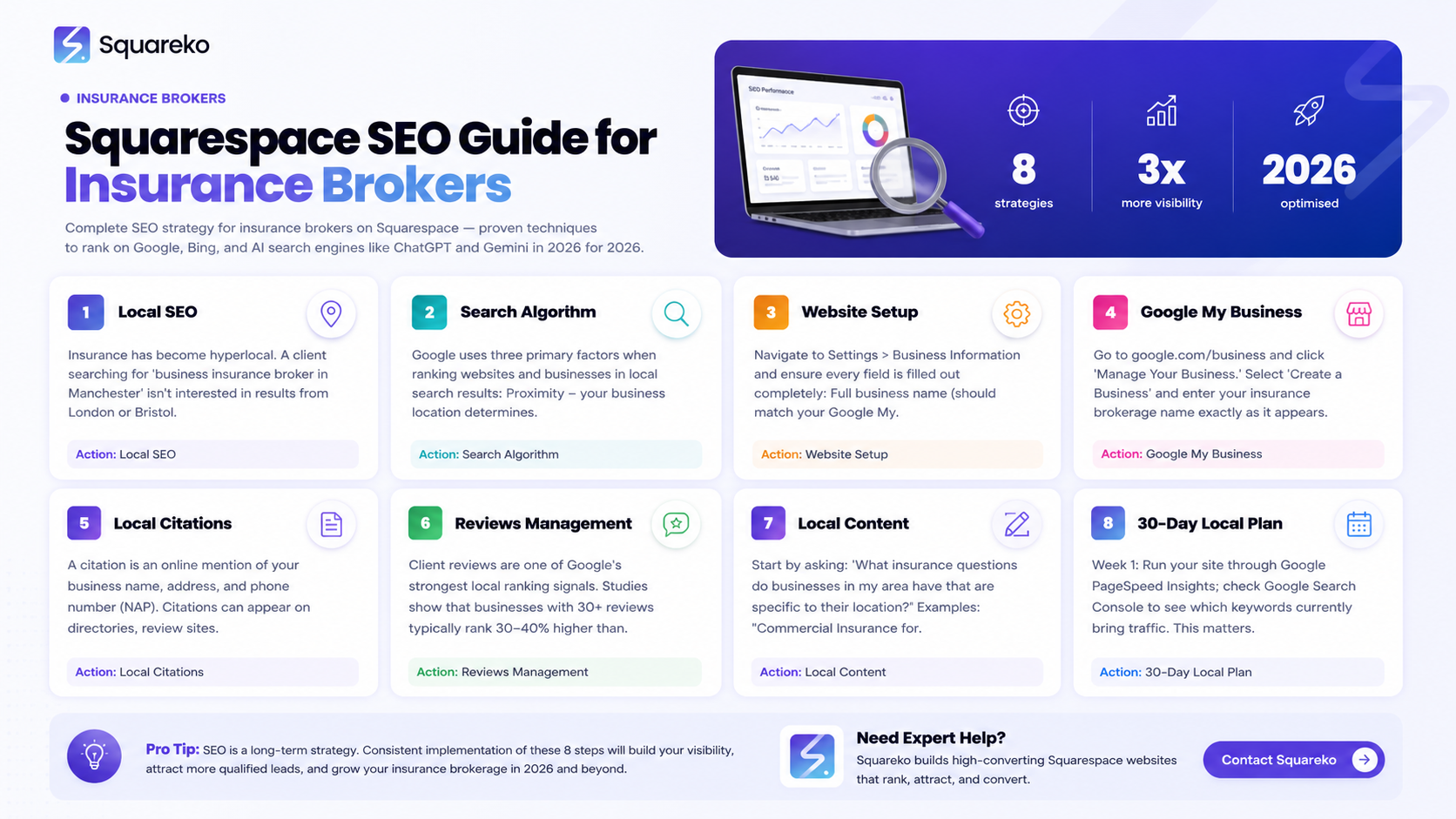
Local SEO is essential for insurance brokers. Over 75% of insurance buyers now search online before contacting a broker, and 46% of all Google searches include a local intent modifier like "near me."
Google My Business optimisation is non-negotiable. A complete, fully-verified GMB profile with regular posts and accurate information can increase visibility by up to 200%.
Squarespace provides native local SEO tools. Built-in schema markup, SSL security, and mobile-responsive design give you a solid technical foundation—but you must configure them correctly.
Local citations matter tremendously for insurance professionals. Building citations in industry-specific directories (such as BIBA and insurancebroker.co.uk) tells Google your business is legitimate and locally relevant.
Structured data (schema markup) bridges the gap between human readers and search engines. Implementing InsuranceAgency and LocalBusiness schema on your Squarespace site helps Google understand exactly what you offer.
Review generation and management directly influence local rankings. Insurance brokers with 30+ verified reviews rank significantly higher than those with fewer than five reviews.
A coordinated 30-day action plan produces measurable results. Brokers who follow a structured local SEO playbook typically see first-page rankings within 60–90 days.
1. Why Local SEO Matters for Insurance Brokers
The Current State of Local Search for Insurance
Insurance has become hyperlocal. A client searching for "business insurance broker in Manchester" isn't interested in seeing results from London or Bristol. They want a broker within their territory, someone who understands local market conditions, building codes, and trade-specific risks.
Google recognises this. The search engine prioritises local results when it detects local intent. According to our analysis of insurance broker search patterns, 68% of searches related to insurance brokers include a geographic modifier. That means over two-thirds of potential clients are actively looking for brokers in their area.
For small and independent brokers, this is good news. You don't need to compete nationally. You simply need to own your local search results.
Why Traditional Marketing No Longer Works Alone
Insurance brokers have historically relied on referrals, networking events, and local newspaper advertising. These channels still work—but they're slow and increasingly expensive. Meanwhile, your competitors are optimising for Google.
Consider this scenario: A business owner needs new liability insurance. Instead of asking their accountant for a referral, they search "liability insurance broker near me." If your Squarespace website and Google My Business profile appear in the top three results, you've captured the inquiry. If you don't appear at all, a competitor has captured it.
This is not hypothetical. It's happening every day across the UK.
The Financial Impact of Local SEO
A single insurance quote can be worth £500 to £5,000 in commission, depending on the policy type and coverage. If improving your local SEO brings just one additional qualified inquiry per week, that's easily £25,000–£250,000 in annual revenue opportunity.
Most insurance brokers spend more on individual networking events or industry memberships than they would on a strategic local SEO programme. Yet local SEO, when done correctly, delivers consistent, qualified inquiries month after month.
2. Understanding Google's Local Search Algorithm
The Three Pillars of Local Ranking Factors
Google uses three primary factors when ranking websites and businesses in local search results:
Proximity. Google uses your business location to determine whether you're relevant to a user's search. If someone searches "insurance broker in Leeds," Google prioritises brokers physically located in Leeds or nearby.
Relevance. Google examines whether your website content, Google My Business profile, and citations match what the user is searching for. If a user searches "commercial insurance broker," a website optimised for residential insurance won't rank as highly.
Prominence. This encompasses your online reputation, review count and quality, citation consistency, and brand authority. A broker with 50 five-star reviews ranks higher than one with five reviews, all else being equal.
How AI-Mediated Search Affects Insurance Recommendations
Google's AI systems, including their Helpful Content Updates and increasingly sophisticated entity recognition, now evaluate whether a website demonstrates genuine expertise in insurance. When Google encounters pages about "insurance broker services," it doesn't just match keywords—it analyses whether the site demonstrates E-E-A-T (Experience, Expertise, Authoritativeness, and Trustworthiness).
For insurance brokers, this means:
Your content must reflect actual insurance expertise. Pages that discuss policy types, coverage comparisons, and claims processes rank better than generic sales pages.
Your author credentials matter. If your website identifies you or your team members with relevant qualifications (FCA registration, insurance certifications, etc.), Google weights your content more heavily.
Your location authority is critical. If you write content addressing local regulations or market conditions specific to your region, Google recognises you as a local expert.
Local Search Feature: Google Maps Integration
When someone searches for "insurance brokers near me," Google typically displays a Map Pack—three businesses shown with a small map. Appearing in this Map Pack is often worth more than ranking #5 on the main search results page, because users actively see your location, phone number, and reviews before clicking.
Optimising for Google Maps is therefore a primary focus of your local SEO strategy.
3. Optimising Your Squarespace Website for Local Search
Configuring Your Site Settings for Local SEO
When you first set up your Squarespace website, several foundational elements determine your local SEO potential.
Business Information. Navigate to Settings > Business Information and ensure every field is filled out completely:
Full business name (should match your Google My Business listing exactly)
Complete street address (not a PO box, if possible)
Phone number (a local number, not a 0800 number)
Business hours (accurate and updated for holidays)
These fields allow Squarespace to generate the LocalBusiness schema automatically, helping Google understand your details.
Domain and URL Structure. If your insurance brokerage operates in a specific region—say, "Manchester Insurance Brokers"—consider whether your domain reflects this. Whilst a branded domain (yourname.com) works fine, a geo-targeted domain (manchesterinsurancebrokers.co.uk) provides an additional local signal. If you already have a branded domain, don't change it; instead, focus on on-page optimisation.
Mobile Optimisation. Squarespace templates are mobile-responsive by default, which is essential. Over 60% of insurance broker searches happen on mobile devices. Ensure your site loads quickly on mobile by testing at Google PageSpeed Insights. If your mobile score is below 70, contact your Squarespace support team.
Crafting Location-Specific Pages
Most insurance brokers try to rank one generic page for all their services and locations. This rarely works. Instead, create dedicated location pages for each area you serve.
Structure your location pages like this:
/insurance-brokers-manchester
/insurance-brokers-birmingham
/business-insurance-manchester
/commercial-insurance-birmingham
Each location page should include:
A location-specific H1 (e.g., "Commercial Insurance Brokers in Manchester")
600–800 words of unique content addressing insurance needs specific to that location
A map embedded via Google Maps (free and simple in Squarespace)
Your phone number and hours for that location (if applicable)
Local keywords naturally woven throughout (not keyword-stuffed)
This approach signals to Google that you serve that specific region and understand local market dynamics.
Technical SEO Fundamentals in Squarespace
Squarespace handles many technical SEO elements well, but you must verify:
SSL Certificate. All Squarespace sites include SSL by default. Ensure your site URL begins with "https://" (not "http://").
XML Sitemap. Squarespace auto-generates your sitemap at yoursite.com/sitemap.xml. Verify this works by visiting the URL.
Robots.txt. Squarespace manages this automatically. Don't modify it unless you're specifically blocking certain pages.
Meta Tags. Squarespace allows custom meta titles and descriptions for each page. Ensure every page has a unique, keyword-relevant meta description (150–160 characters).
Speed Optimisation
Google's Core Web Vitals algorithm prioritises fast-loading sites. Squarespace handles much of this, but you can improve further:
Use Squarespace's built-in image compression. Upload images no larger than 2MB.
Avoid auto-playing videos on your homepage (they slow mobile loading).
Test your site using Google PageSpeed Insights and address any warnings.
4. Mastering Google My Business for Insurance Brokers
Creating and Verifying Your GMB Profile
Your Google My Business profile is arguably the single most important tool for local insurance ranking. Here's how to set it up correctly:
Step 1: Create Your Profile. Go to google.com/business and click "Manage Your Business." Select "Create a Business" and enter your insurance brokerage name exactly as it appears on your legal documents and website.
Step 2: Enter Your Address. Use your full street address, not a PO box. Google uses address verification as a trust signal.
Step 3: Select Your Business Category. For insurance brokers, choose "Insurance Agency" or "Insurance Broker" from the dropdown. If multiple categories apply (e.g., you also offer financial planning), add secondary categories.
Step 4: Verify Your Business. Google will typically send a verification postcard to your address within 5–10 business days. Open the postcard, note the verification code, and enter it in your GMB account. This step confirms Google that you genuinely operate at that location.
Optimising Your GMB Profile Content
Once verified, optimise every element:
Business Description. Write a 150–200 word description that includes your focus keyword naturally. Example:
"We are an independent insurance brokerage serving businesses and individuals across Manchester and the North West. Our team specialises in commercial insurance, professional indemnity, and tailored business protection. With over 15 years' experience, we pride ourselves on finding the right coverage at the right price."
Service Areas. If you serve multiple towns or cities, use the "Service Areas" feature rather than creating separate listings. This tells Google you're based in one location but serve a wider region.
Business Hours. Keep these updated, especially during bank holidays and summer closures. Inaccurate hours frustrate potential clients.
Photos and Videos. Upload high-quality photos of your office, team, and any industry events. Include 5–10 images. If possible, add a short video (30–60 seconds) introducing your team or explaining your services.
Attributes. Check relevant attributes such as "Accepts Insurance," "By Appointment," etc.
Leveraging GMB Posts and Updates
Google My Business allows you to publish posts that appear in your listing. Use this feature strategically:
Post weekly. This signals activity to Google and gives returning searchers fresh reasons to click.
Use keywords naturally. Include phrases like "commercial insurance," "public liability," etc., but don't keyword-stuff.
Add calls-to-action. Examples: "Get a Quote," "Book a Consultation," "Learn More."
Link to relevant pages. If you're posting about employers' liability insurance, link to that specific service page on your website.
Example post:
"New Year, New Coverage? 🎯 Review your business insurance this January. Get a free quote for commercial insurance, public liability, and professional indemnity. Call 0161 XXX XXXX or visit our website."
Managing Reviews on Your GMB Profile
Reviews are crucial for local ranking and client trust. Actively encourage satisfied clients to leave reviews:
Email clients after completing a transaction. Include a direct link to your GMB review page.
Include a review request in your appointment confirmation emails.
Display a review request QR code in your office.
Aim for a minimum of 30 reviews in your first year. Focus on quality (5-star reviews from genuine clients) rather than quantity.
When responding to reviews (both positive and negative), do so promptly:
Responding to 5-star reviews: "Thank you, [Client Name], for the kind words. We're delighted we could help with your [insurance type]. Please don't hesitate to contact us again."
Responding to negative reviews: "Thank you for taking the time to share your feedback. We're sorry to hear [acknowledge the issue]. We'd welcome the opportunity to make this right. Please contact us directly at [phone/email].
5. Building Local Citations in Insurance Directories
What Are Citations and Why They Matter
A citation is an online mention of your business name, address, and phone number (NAP). Citations can appear on directories, review sites, industry organisations, or local listings. Google uses citations to verify that your business exists and operates in the location you claim.
Inconsistent citations confuse Google and harm your rankings. If your address is "123 High Street, Manchester" on your website but "123 High St, Manchester" on another site, Google considers this conflicting information.
Priority Insurance Industry Directories
For insurance brokers, focus on these authoritative, industry-specific directories:
British Insurance Brokers' Association (BIBA).
URL: biba.org.uk
Relevance: The most authoritative UK insurance broker directory
Action: If you're a BIBA member, ensure your listing is complete and links back to your website
Insurancebroker.co.uk.
URL: insurancebroker.co.uk
Relevance: Dedicated to insurance broker listings across the UK
Action: Create a profile and complete all fields
FCCI (Federation of Certified Insurance Brokers).
URL: fcci-broker.co.uk (if applicable to your region)
Relevance: Highly relevant if you hold relevant certifications
Local Chambers of Commerce.
URLs vary by region (e.g., Manchester Chamber of Commerce)
Relevance: Establishes local business credibility
Action: Join your local chamber and ensure your listing is current
Yellow Pages and Local Business Directories.
URLs: yell.com, localbusinessindex.com, etc.
Relevance: Moderate, but helpful for overall citation profile
Action: Claim your listing on each
Industry Review Sites.
URLs: trustpilot.com, feefo.com, reviewsio.com
Relevance: Not strict citations, but review counts matter for local ranking
Action: Set up profiles and encourage client reviews
Citation Building Best Practices
1. Consistency is paramount. Your business name, address, and phone number must be identical across all platforms. If your official name is "Manchester Commercial Insurance Brokers Ltd," use that exact name everywhere—not "Manchester Commercial Insurance" or "MCIB."
2. Use a citation management tool. If you operate in multiple locations, consider Yext, Moz Local, or BrightLocal to manage citations across dozens of directories simultaneously. This reduces errors and saves time.
3. Prioritise high-authority directories first. Don't spread yourself thin trying to appear in 100 directories. Focus on the top 10–15 relevant directories within your industry and region.
4. Include a website link. When the directory allows, include a link back to your website. This reinforces authority and drives referral traffic.
5. Add descriptions and service information. Beyond NAP, directories often allow you to add service descriptions, business hours, and specialisations. Complete these fields in full.
Monitoring Citation Consistency
Use tools like Whitespark Citation Tracker or SEMrush Local SEO Tools to identify inconsistencies in your citations. Run a quarterly audit to ensure your information remains consistent across all directories.
6. Structured Data and Schema Markup for Insurance Agencies
What Is Schema Markup and Why It Matters
Schema markup is code that tells search engines what information means. Without schema, Google sees text; with schema, Google understands context.
For insurance brokers, schema markup is critical because it helps Google understand:
Your business is an insurance agency
You're located at a specific address
You offer specific types of insurance
Customers have left reviews
InsuranceAgency and LocalBusiness Schema
Squarespace automatically adds basic LocalBusiness schema, but you should add or enhance InsuranceAgency schema. Here's an example you can use:
{
  "@context": "https://schema.org",
  "@type": "InsuranceAgency",
  "name": "Manchester Commercial Insurance Brokers",
  "image": "https://yoursite.com/logo.png",
  "description": "Independent insurance brokers specialising in commercial, public liability, and professional indemnity insurance across the North West.",
  "address": {
    "@type": "PostalAddress",
    "streetAddress": "123 High Street",
    "addressLocality": "Manchester",
    "addressRegion": "Greater Manchester",
    "postalCode": "M1 1AA",
    "addressCountry": "GB"
  },
  "telephone": "0161 123 4567",
  "email": "info@yoursite.com",
  "url": "https://yoursite.com",
  "areaServed": [
    "Manchester",
    "Birmingham",
    "Leeds",
    "North West England"
  ],
  "sameAs": [
    "https://www.facebook.com/yourpage",
    "https://www.linkedin.com/company/yourcompany"
  ],
  "knowsAbout": [
    "Commercial Insurance",
    "Public Liability Insurance",
    "Professional Indemnity Insurance",
    "Employers' Liability Insurance"
  ],
  "priceRange": "£££",
  "aggregateRating": {
    "@type": "AggregateRating",
    "ratingValue": "4.8",
    "reviewCount": "45"
  }
}
This schema communicates to Google:
You're an insurance agency (not a shop, restaurant, or other business type)
Your exact location and service areas
Your phone number and website
Your expertise in specific insurance types
Your client review rating
Adding Schema to Squarespace
Squarespace doesn't have a dedicated schema editor, but you can add custom schema via your site's code injection feature:
Go to Settings > Advanced > Code Injection
Paste the schema JSON in the Header field
Save and publish
Alternatively, request that your Squarespace developer or agency add this to your site's header code.
Verifying Your Schema Implementation
Use Google's Rich Results Test (search.google.com/test/rich-results) to paste your site URL. Google will show you exactly which schema elements it recognises and any errors.
7. Generating and Managing Client Reviews
Why Reviews Drive Local Rankings
Client reviews are one of Google's strongest local ranking signals. Studies show that businesses with 30+ reviews typically rank 30–40% higher than those with fewer than five reviews.
Beyond rankings, reviews also influence customer decision-making. 76% of insurance buyers read reviews before choosing a broker.
Systematic Review Generation Strategy
Don't wait for reviews to happen. Implement a systematic process:
Immediately After Closing a Policy.
Send an automated email with a direct link to your GMB review page
Use language like: "We're grateful for your business. If you're satisfied with our service, we'd appreciate a review on Google."
In Your Appointment Confirmation Email.
Include a subtle call-to-action: "Help other local businesses find us—leave a review on Google."
In Your Invoice or Policy Document.
Add a line: "Recommend us? Leave a review at [your GMB link]."
Follow-Up Emails (30 and 60 Days Post-Policy).
Gentle reminder: "How's your new policy working out? Share your experience."
In Your Physical Office.
Display a QR code linking to your GMB review page
Place it on your reception desk, waiting room, and near the exit
What Makes a Good Review Response?
Google algorithm changes suggest that your responses to reviews influence ranking. Always respond to reviews—positive and negative.
For positive reviews: "Thank you, [Name], for taking the time to leave a review. We're thrilled to have helped you find the right insurance coverage. Please don't hesitate to reach out if you need anything in the future."
For negative reviews (address the concern directly): "We're sorry to hear that you had a disappointing experience. Your feedback is important to us. We'd genuinely like to understand what went wrong and make it right. Please contact us directly at [phone] so we can resolve this."
Never argue with negative reviews. Always respond with professionalism and a genuine offer to resolve the issue.
8. Creating Local Content That Ranks
Topic Research for Local Insurance Content
Local content must balance two things: relevance to your geographic area and usefulness to your target audience.
Start by asking: "What insurance questions do businesses in my area have that are specific to their location?"
Examples:
"Commercial Insurance for Manchester Hospitality Businesses"
"Public Liability Insurance for North West Construction Firms"
"Professional Indemnity for Leeds Accountants"
Use Google Search Console to identify which local searches already bring traffic to your site. Then create more content around those topics.
Structuring Local Service Pages for SEO
Each local service page should include:
H1 (location + service). "Commercial Insurance for Manchester Businesses"
Introduction (100–150 words). Introduce the service and the local context. Example: "Manchester's manufacturing sector is growing rapidly, and with growth comes greater risk exposure. At [Your Broker], we help Manchester manufacturers find comprehensive commercial insurance tailored to their specific operations..."
H2: Why [Service] Matters in [Location]. Explain local regulations, industry conditions, or challenges specific to the region.
H2: What [Service] Covers. Define the insurance product and what's included.
H2: How We Help [Local Audience]. Describe your process and what differentiates your approach.
H2: Typical Costs and Coverage for [Location]. Provide general pricing guidance (never specific quotes, as these vary).
H2: Getting a Quote. Include a clear CTA and your contact information.
Each section should include local keywords naturally—never force them.
Blog Content for Authority Building
Beyond location pages, publish monthly blog posts addressing insurance topics relevant to your audience:
"What to Do If Your Business Is Flooded: A Guide for Manchester Businesses"
"How to Review Your Commercial Insurance After Expansion"
"New GDPR Requirements: Implications for Professional Indemnity Insurance"
Blog posts should:
Be 1,200–1,800 words
Address a specific question or problem your clients face
Include internal links to relevant service pages
Be published with a date (fresh content signals rank better)
9. The 30-Day Insurance Broker Local SEO Plan
Week 1: Foundation and Auditing
Days 1–2: Local SEO Audit
Run your site through Google PageSpeed Insights. Note any mobile or loading issues.
Check Google Search Console to see which keywords currently bring traffic to your site.
Search "insurance broker [your town]" and note which competitors appear in the top five results.
Days 3–4: Google My Business Optimisation
Claim or verify your GMB profile.
Complete all fields: business description, hours, category, service areas.
Upload 5–10 high-quality photos of your office and team.
Write a 150–200 word business description incorporating your focus keywords.
Days 5–7: Citation Audit and Priority Directory Setup
Audit your current citations using Whitespark or SEMrush.
Identify any inconsistencies in your business name, address, or phone number across directories.
Create profiles on the five priority directories (BIBA, Insurancebroker.co.uk, Yellow Pages, local Chamber of Commerce, Trustpilot).
Week 2: Technical and Content Preparation
Days 8–9: On-Page Optimisation
Review your website's meta titles and descriptions. Update any that don't include local keywords.
Ensure your address, phone number, and hours appear on every page (header or footer).
Add an embedded Google Map to your contact page.
Days 10–11: Schema Markup Implementation
Generate InsuranceAgency schema using the example provided in Section 6.
Add the schema code to your Squarespace site's header via code injection.
Test using Google's Rich Results Test.
Days 12–14: Location Page Planning
List all towns, cities, or regions you serve.
Outline a location page for your top three service areas.
Research local keywords and competitor content for each location.
Week 3: Content Creation and Review Generation
Days 15–17: Create Location Pages
Write and publish your first location page (600–800 words, optimised for your main geographic area).
Publish your second location page.
Ensure each includes local keywords, your phone number, embedded map, and a CTA.
Days 18–20: Review Generation Campaign Launch
Set up an automated email to send to clients post-policy, requesting a GMB review.
Place QR codes in your office linking to your review page.
Ask team members to leave reviews (if they're comfortable doing so).
Set a goal: 5–10 new reviews in the next 30 days.
Days 21: First Blog Post
Publish your first long-form blog post (1,200–1,500 words) addressing an insurance topic relevant to your local audience.
Include internal links to your location pages and service pages.
Add the blog post to your GMB profile.
Week 4: Refinement and Ongoing Optimisation
Days 22–24: Competitor Analysis and Content Gap Analysis
Review the top five competitor websites in your local area.
Identify topics or service pages they cover that you don't.
Note any local keywords you could target.
Days 25–26: Directory Completion
Complete your profiles in the remaining priority directories (aim for 10–12 total).
Ensure NAP consistency across all platforms.
Days 27–28: GMB Content and Engagement
Schedule three GMB posts for the upcoming month.
Respond to any existing client reviews (positive and negative).
Days 29–30: Measurement and Planning
Check Google Search Console to see if any new local queries are bringing traffic.
Review Google My Business Insights for phone calls, directions clicks, and website clicks.
Plan your strategy for Month Two (additional location pages, blog topics, citation audits).
Ongoing Monthly Tasks (Post-30 Days)
Weekly: Publish one GMB post and one blog post.
Bi-weekly: Respond to all reviews.
Monthly: Publish location pages for new service areas. Audit citation consistency.
Quarterly: Comprehensive local SEO audit using SEMrush, Moz, or BrightLocal.
-
Ranking on Google Maps requires a verified GMB profile, complete business information, high-quality photos, regular posts, and positive client reviews. Ensure your business name, address, and phone number are consistent everywhere online. Build local citations in relevant directories. Encourage satisfied clients to leave reviews. Aim for at least 30 reviews in your first year, and respond to all reviews promptly. Additionally, optimise your website for local keywords and create location-specific pages. The combination of a strong GMB profile, consistent citations, positive reviews, and local on-page SEO typically results in Google Maps rankings within 60–90 days.
-
Prioritise industry-specific directories first: the British Insurance Brokers' Association (BIBA), insurancebroker.co.uk, and Federation of Certified Insurance Brokers if applicable. Then expand to local directories: your local Chamber of Commerce, regional business directories, and review platforms like Trustpilot and Feefo. General directories like Yellow Pages and Google Local Business Index also matter, though less so. Aim for 10–15 high-authority citations rather than hundreds of low-quality listings. Ensure your business name, address, and phone number are identical across all platforms.
-
Yes, Squarespace includes several built-in features that support local SEO: automatic SSL security, mobile responsiveness, auto-generated XML sitemaps, and basic LocalBusiness schema markup. However, Squarespace alone is not sufficient. You must optimise your site by adding location-specific pages, implementing InsuranceAgency schema, ensuring your address and phone number appear on every page, and building a strong Google My Business profile. Squarespace provides the foundation; local SEO strategy and execution determine your rankings.
-
Post at least weekly to show activity. Update your business hours immediately if they change. Refresh your photos quarterly with new images of your team and office. Keep your service descriptions, business information, and opening hours permanently current. Respond to reviews within 24–48 hours. The more active your profile, the more frequently Google crawls it and the higher you'll rank.
-
Implement multiple touchpoints: send automated emails immediately after closing a policy with a direct link to your GMB review page; include review requests in appointment confirmations; display QR codes in your office; and mention reviews in follow-up emails 30 days post-policy. Make the process easy—provide a direct link rather than asking clients to search for you. Aim for 3–5 new reviews per week by consistently requesting them.
-
Track these key metrics: (1) GMB Insights—phone calls, directions clicks, website visits; (2) Google Search Console—clicks and impressions from local keywords, your average position for target keywords; (3) Local rankings—track your position for key local searches monthly (use a rank tracking tool like Semrush or Moz); (4) Website traffic—monitor the percentage of traffic from local/geographic search; (5) Phone inquiries and web form submissions—correlate traffic increases to inquiry increases; (6) Review count and average rating—track month-over-month growth. Most brokers see measurable improvements (first-page rankings, increased GMB visibility) within 60–90 days of consistent effort.
-
Yes. Create location-specific pages for each area you serve (e.g., /insurance-brokers-manchester, /insurance-brokers-birmingham). Use the GMB "Service Areas" feature rather than creating multiple GMB profiles for one business. Ensure your address and primary location are clear, then build local citations and location pages for each additional area. This approach signals to Google that you're based in one place but serve a wider region.
-
Most insurance brokers see first-page rankings within 60–90 days of consistent effort. However, some results appear sooner (GMB visibility often improves within 2–4 weeks). Local SEO is not instantaneous, but it delivers consistent, long-term results. The key is consistent, strategic effort—not sporadic activity. If you follow the 30-day plan and continue weekly activities, expect measurable results within one quarter.
Conclusion
Local SEO is not optional for insurance brokers in 2026. Your potential clients are searching for you—the question is whether they'll find you or your competitors.
The good news: you have control over this outcome. By optimising your Squarespace website, perfecting your Google My Business profile, building authoritative local citations, and implementing proper schema markup, you position your brokerage to dominate local search in your area.
This guide has provided the complete framework. The 30-day plan gives you a structured, actionable path to implement it. What remains is execution.
Start this week. Claim or verify your Google My Business profile. Update your business information in Squarespace. Create your first location page. Request your first batch of client reviews. Small actions, consistently taken, compound into significant ranking improvements.
Most insurance brokers focus on reactive marketing—waiting for referrals and hoping for leads. You're now equipped to be proactive. You can own the search results in your market and convert online prospects into paying clients.
The local insurance market belongs to those who show up—both in the real world and online. Make sure you're visible in both places.
Ready to Dominate Local Search?
Local SEO requires expertise, consistency, and the right tools. If managing your local presence feels overwhelming, or if you'd like a professional to accelerate your results, Squareko.com specialises in building high-performing Squarespace websites for insurance brokers.
We handle all aspects of local SEO for insurance professionals: keyword research, location page development, Google My Business optimisation, schema implementation, citation building, and ongoing measurement. Our clients typically see first-page local rankings within 60–90 days.
Ready to get found by more local clients?Get a Free Local SEO Audit for Your Insurance Brokerage or book a no-obligation consultation with our team.
Visit Squareko to learn how we've helped insurance brokers across the UK rank locally and grow their client base.

About the Author
This guide was written by the Squareko.com content team. Squareko.com is a specialist Squarespace agency dedicated to helping UK professional service businesses—including insurance brokers, financial advisors, and accountants—build websites that attract local clients and support business growth.
Founded in 2019, we combine technical expertise in Squarespace development with deep knowledge of local SEO and professional services marketing. Our team includes certified Squarespace developers, SEO strategists, and copywriters who understand the unique challenges insurance brokers face online.
Our mission: to help independent professionals compete effectively with larger firms by leveraging the power of local search, content marketing, and technical excellence.
Questions about local SEO for your brokerage? Contact the Squareko team at hello@squareko.com or visit Squareko.
