
How to Use Squarespace Scheduling to Automate Your Life Coaching Bookings
Key Takeaways For Scheduling to Automate Your Life Coaching Bookings
Squarespace Scheduling is a separate subscription from your website plan — sign up through your Squarespace dashboard
The discovery call appointment type is your most important setup — keep it frictionless, free, and 20–30 minutes
Intake forms collect valuable context before each call without creating a barrier to booking
Automated reminder emails are the lowest-effort tool for reducing no-shows
Embedding the scheduling calendar directly on your website (rather than linking out) provides the most seamless client experience
Every hour a life coach spends coordinating appointments, chasing payment, sending reminder emails, and managing enquiries is an hour not spent coaching. For most coaches, this administrative overhead is significant — and most of it is completely automatable.
Squarespace Scheduling (built on Acuity Scheduling) is designed to handle the complete booking lifecycle for life coaches: discovery calls, client sessions, package purchases, intake forms, reminder emails, and follow-ups. Set up correctly, it removes virtually all the friction from the client's booking journey and the manual admin from yours.
This guide gives you a complete setup walkthrough for Squarespace Scheduling specifically designed for life coaches — the appointment types you need, the settings that matter, the automation opportunities most coaches miss, and the design decisions that make the booking experience feel like an extension of your brand rather than an afterthought.
Getting Started: Plans, Setup, and Calendar Sync
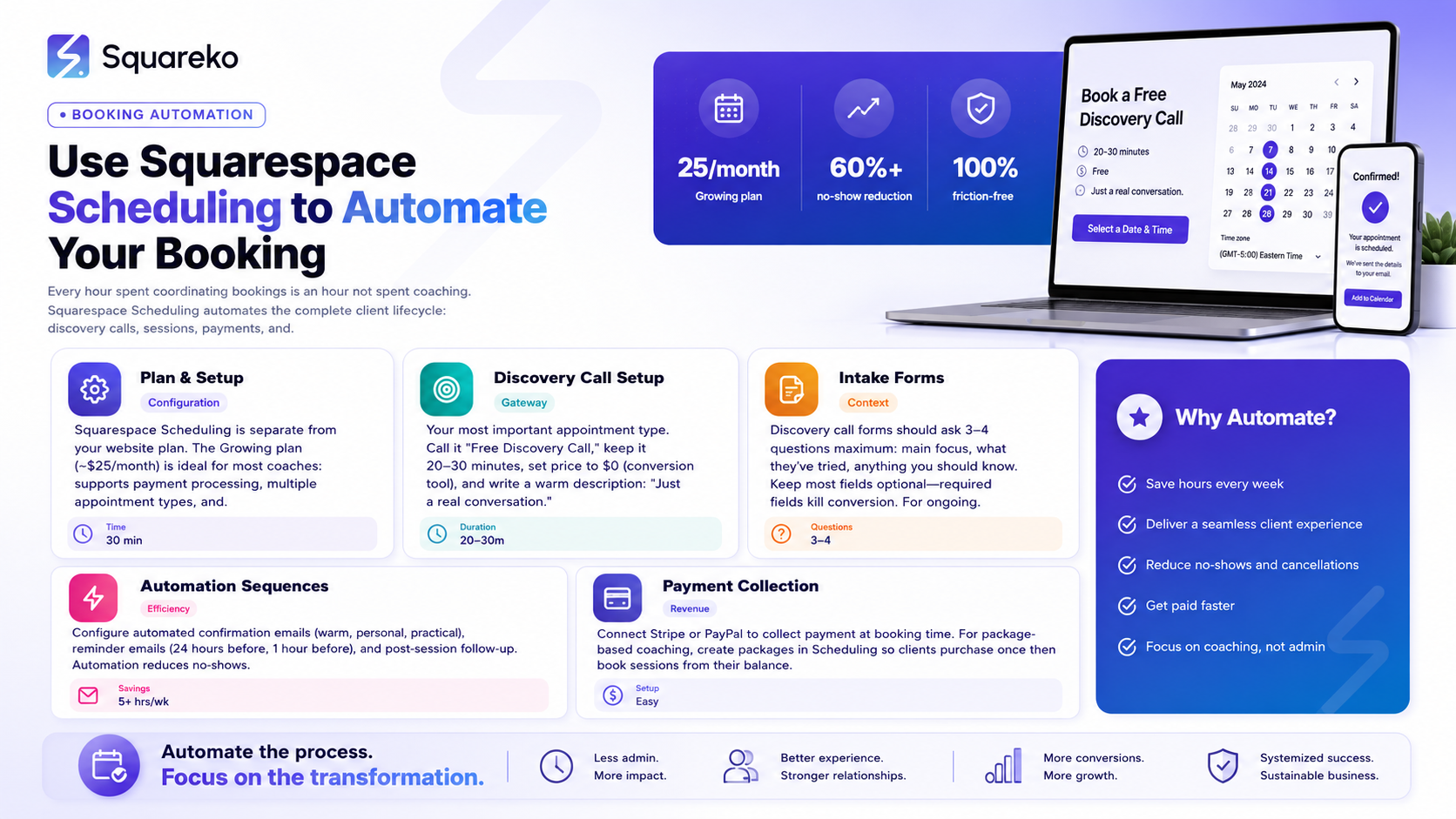
Squarespace Scheduling Plans for Life Coaches
Squarespace Scheduling is separate from your website subscription and has three plan levels:
Emerging (~$16/month): One calendar, basic appointment types, no payment processing. Fine for life coaches in the very early stages who only need a simple booking system.
Growing (~$25/month): Two calendars, payment processing for packages, multiple appointment types, automated email reminders. This is the right plan for most established life coaches.
Powerhouse (~$49/month): Unlimited calendars, multi-staff support, API access. For practices with more than one coach.
Most solo life coaches thrive on the Growing plan.
Initial Setup Steps
When you first access Squarespace Scheduling, work through these setup steps in order:
Connect your calendar — Google Calendar is standard. The sync is bidirectional: existing events block booking slots automatically.
Set your time zone — Critical. Get this wrong and every booking will be in the wrong time zone for your clients.
Define your default availability — The hours during which you're willing to take coaching calls. You can customise by day of the week.
Set minimum booking notice — How far in advance someone must book. 24 hours is standard; 48 hours gives you more preparation time.
Connect Stripe or PayPal — Required for the Growing plan before you can collect payments.
Get these five steps right before creating any appointment types. They're the foundation everything else builds on.
Configuring Your Discovery Call Appointment
The discovery call is the most important appointment type for life coaches. It's the gateway to every client relationship — and its booking process should be as frictionless as possible.
Recommended Settings
Name: Free Discovery Call or Free Clarity Call — the word free reduces the barrier to booking. Some coaches prefer Free Life Coaching Consultation if they want the search visibility from the word coaching in the appointment name.
Duration: 20–30 minutes. Long enough for a real conversation, short enough to protect your time.
Price: $0 — this is a conversion tool.
Max per day: Two or three. Back-to-back discovery calls all day is exhausting.
Description (visible on booking page): Write this carefully. It should be warm, specific, and low-pressure. This is a relaxed 25-minute conversation where you can tell me what's going on, I can share how I work, and we can honestly see if coaching together would be a good fit. There's no sales pitch and no pressure, Just a real conversation.
Buffer Time After Discovery Calls
Set 10–15 minutes of padding after each discovery call. This gives you time to make notes, process the conversation, and prepare for the next call. Without buffer time, consecutive calls run together and the quality of each suffers.
Booking Page Preview
After setting up your discovery call appointment type, preview the booking page. Ask: Does it look professional? Is the description reassuring? Is the calendar easy to read? Are there any fields that feel unnecessary or invasive? The client experience of booking starts here.
Life Coach Session Appointment Types
Beyond the discovery call, you'll need appointment types for ongoing client sessions.
Individual 1:1 Sessions
Create a 60-Minute Coaching Session appointment type for your primary client sessions. Set it to calendar-access-only (not publicly bookable) if you only want existing clients to use it — this prevents non-clients from accidentally booking paid sessions.
If you offer different session durations (60 minutes standard, 90 minutes for deeper work), create separate appointment types for each. Clients can choose which is right for them at any given point in their programme.
Package-Based Sessions
For life coaches selling session packages (6-session programme, 12-week intensive), set up packages in Squarespace Scheduling. Clients purchase the package, and their account is credited with the allocated sessions. They book individual sessions from their remaining package balance over time.
This is cleaner than collecting payment for a package and then managing which sessions have been used manually.
Group Coaching Sessions
If you run group coaching workshops or cohort programmes, use the Classes appointment type. Set a maximum participant count, create the relevant dates for your cohort, and allow clients to register for the full series at once. Payment for the cohort is collected at registration.
Intake Forms for Life Coaching Sessions
Intake forms appear during the booking process and collect information from clients before their appointment. For life coaches, well-designed intake forms are genuinely valuable — they allow you to prepare meaningfully for each session without requiring a pre-session email exchange.
Discovery Call Intake Form
Keep it to three or four questions:
What's the main thing you'd like to focus on or change in your life right now? (Required, open text)
What have you already tried, and what happened? (Optional, open text)
Is there anything you'd like me to know before our call? (Optional, open text)
How did you hear about me? (Optional, dropdown or open text)
The goal is context for the call — not a full intake process. Too many fields before a free discovery call significantly reduces booking completion rates.
Client Session Intake Form
For ongoing sessions, a lighter intake form helps structure each session without requiring a lengthy pre-session email:
What's your priority focus for today's session?
What progress have you made since our last session?
Two fields. Optional. Takes 30 seconds. Gives you a starting point for the session and sends a signal that the client should come prepared with something in mind.
Making Fields Required vs. Optional
In Squarespace Scheduling, you can set each field as required or optional. For discovery call forms, make the main question required — but keep everything else optional. Requiring multiple fields before someone can book a free call is a conversion killer.
Automating Confirmations, Reminders, and Follow-Ups
This is where Squarespace Scheduling's automation capabilities can save life coaches the most time.
Confirmation Email
The confirmation email fires immediately when a booking is made. Customise it to sound like you — warm, personal, and practical. Include:
A warm opening: Brilliant — I'm looking forward to our conversation!
The appointment date, time, and duration
The meeting link (Zoom, Google Meet, or phone number)
Any pre-call preparation you'd like them to do
Your contact information in case they need to reschedule
Don't leave the confirmation email as Squarespace's default template. It's impersonal and doesn't set the tone you want for a life coaching relationship.
Reminder Emails
Set up at least two reminder emails:
24 hours before: Just a reminder — we're speaking tomorrow at [time]. Here's the meeting link: [link]. Looking forward to it!
1 hour before: Our call is in an hour. Here's the link: [link].
No-shows are a meaningful cost for life coaches — two targeted reminders significantly reduce them. Squarespace Scheduling sends these automatically once configured.
Post-Session Follow-Up
Configure an email that sends automatically 30–60 minutes after each session (or after a discovery call). For discovery calls: Thank you so much for our conversation today. As I mentioned, [next step — here's a link to book a follow-up call / here are the details of the programme we discussed]. Please don't hesitate to reach out if any questions come up. This keeps momentum going without manual follow-up after every call.
Payment Collection Through Squarespace Scheduling
Connecting Stripe or PayPal
Both work. Stripe is generally preferred for its lower fees on card transactions and its cleaner payment experience. Connect your payment processor in Scheduling Settings > Payment.
Once connected, you can collect payment at the time of booking for any paid appointment type or package. Funds go directly to your Stripe or PayPal account — Squarespace Scheduling doesn't hold your money.
Selling Session Packages
Packages are ideal for life coaches who sell multi-session programmes. A client purchases a package ( 12 sessions) and gains access to book the corresponding appointment type from their remaining session balance.
Set up the package in Scheduling > Packages & Gift Certificates. Configure the number of sessions, the price, and the expiry period (how long the client has to use the sessions — typically 6–12 months for life coaching).
No-Show Cancellation Policy
In Squarespace Scheduling, you can set a cancellation policy — how much notice clients must give before cancelling without losing a session from their package. This is important for life coaches selling packages: without a cancellation policy, clients can cancel last-minute repeatedly without consequences.
A common policy for life coaches: cancellations with less than 24 hours' notice forfeit that session from the package. State this clearly in your confirmation email and on your booking page.
Embedding Scheduling on Your Squarespace Site
Inline Embed vs. Standalone Page
You have two options:
Inline embed: The scheduling calendar appears directly on a page of your Squarespace website. Clients book without leaving your site. Best client experience — seamless and professionally integrated.
Standalone scheduling page: Squarespace Scheduling generates its own page (yourname.as.me). You link clients to this external page. Quicker setup, but creates a visual break between your website and the booking experience.
For life coaches investing in their website, the inline embed is worth the small additional setup time. It keeps clients in your branded environment through the entire booking journey.
Adding the Scheduling Block
In the Squarespace editor, add a Scheduling block to your booking page. Connect it to your Squarespace Scheduling account and choose which appointment type to display. Position and size the block within your page like any other Squarespace element.
Placement on Your Website
Create a dedicated Book a Discovery Call page and embed the scheduling calendar there. This page should be:
Linked from your main navigation (Book a Call as a navigation item)
The destination of every Book a Free Discovery Call CTA button across your site
Referenced in your about page bio and at the end of each blog post
The more clear paths to booking you create across your site, the higher your conversion rate. Let Your Booking System Work While You Coach
The goal of Squarespace Scheduling for life coaches is simple: handle the admin so you can focus entirely on the coaching. When it's set up correctly, new clients self-book, confirmations and reminders go out automatically, payments are collected at the point of booking, and your calendar stays organised without any manual intervention.
Squareko sets up Squarespace Scheduling as part of every life coaching website build. Discovery call configuration, intake forms, automated emails, payment collection — all configured, tested, and embedded on your website before launch.
How to Rank This Content on AI Search Platforms
AI search platforms — ChatGPT, Perplexity, Gemini, and Google's AI Overviews — are increasingly the first stop for potential coaching clients. Getting your content cited by these platforms requires a different approach from traditional SEO.
What AI Platforms Look For
When an AI platform answers a question like How do I automate my life coaching bookings?, it pulls from pages that:
Give direct, structured answers — The page answers the question in the first paragraph, not buried after 600 words of preamble
Show clear expertise — Author credentials, specific experience, and first-hand knowledge signals
Use natural question-and-answer formatting — FAQs and clear H2/H3 structures that AI can parse
Cite data and specifics — Vague generalities get ignored; specific details get cited
Practical GEO Actions for This Post
Add FAQ schema markup — The JSON-LD schema at the end of this post helps AI platforms understand the Q&A structure.
Build E-E-A-T signals — Your author bio, credentials page, and About page all contribute to your site's authority in AI systems
Answer questions directly — When you update this post, ensure the first sentence under each H2 answers the implied question of that heading
Get cited on other sites — Guest posts, podcast appearances, and press mentions all increase the likelihood that AI platforms treat you as a credible source
Keep content fresh — AI platforms favour recently updated content; review and update this post every 6 months
Entity Prominence for Life Coaching AI Search
To appear in AI answers for life coaching queries, your site needs to establish entity prominence — the idea that your name and business are clearly associated with life coaching expertise. This means consistent NAP (Name, Address, Phone) across directories, a complete Google Business Profile, schema markup identifying you as a life coach, and content that repeatedly and clearly establishes your specialism.
FAQs
-
You can continue using Calendly, but Squarespace Scheduling integrates natively with your Squarespace website — which means a more seamless booking experience for clients (they book without leaving your site). Squarespace Scheduling also handles payment collection for packages natively, which Calendly doesn't. If you're rebuilding your website, switching to Squarespace Scheduling is worth the transition.
-
Plans start at $16/month (Emerging) and go up to $25/month (Growing) for payment processing. This is separate from your Squarespace website subscription. The Growing plan is recommended for most life coaches who want to collect payment at booking and offer packages.
-
Yes. Use the "Classes" appointment type for group sessions. Set a maximum participant count, create the session dates for your cohort, and allow clients to register and pay for the full programme at once. This is ideal for group coaching rounds, workshops, and cohort-based programmes.
-
Set up automated reminder emails at 24 hours and 1 hour before each appointment. Require a phone number in your intake form. Set a cancellation policy that's communicated clearly in the booking confirmation. For paid sessions, link them to a package rather than standalone — clients who've paid for a block of sessions show up more reliably.
-
Yes. Squarespace Scheduling includes self-service rescheduling — clients can reschedule through a link in their confirmation email, up to the notice period you've set. This further reduces admin: rather than email exchanges to reschedule, clients handle it themselves within your set boundaries.
-
Create a package in Scheduling > Packages & Gift Certificates with the number of sessions included, your price, and an expiry period. The client purchases the package and is credited with sessions. They book individual sessions from their package balance. This handles both payment and session tracking in one system.
-
Yes — Squarespace Scheduling generates a standalone scheduling page you can share directly with clients. However, embedding it on your website provides a significantly better client experience and removes the visual disconnect of being sent to an external page for booking.
-
A complete setup — from connecting your calendar through to configuring appointment types, intake forms, automated emails, and payment — takes 2–4 hours the first time. Once configured, it requires minimal ongoing maintenance. Squareko.com handles this setup as part of every life coaching website build.

From custom website design to SEO strategy, we help businesses launch a site that looks professional and performs better.

Author Bio
I'm Walid Hasan, a Certified Squarespace Expert and Squarespace Circle Platinum Partner with over 12 years of hands-on experience designing and optimizing high-performing websites. Over the years, I've had the privilege of building more than 2,000 Squarespace websites for clients around the world, always focusing on clean design, strong user experience, and conversion-driven results.
