
Best Squarespace Website Design for Speaking Coaches and Public Speaking Trainers in 2026
Key Takeaways Best Squarespace Website Design for Speaking Coaches and Public Speaking Trainers in 2026
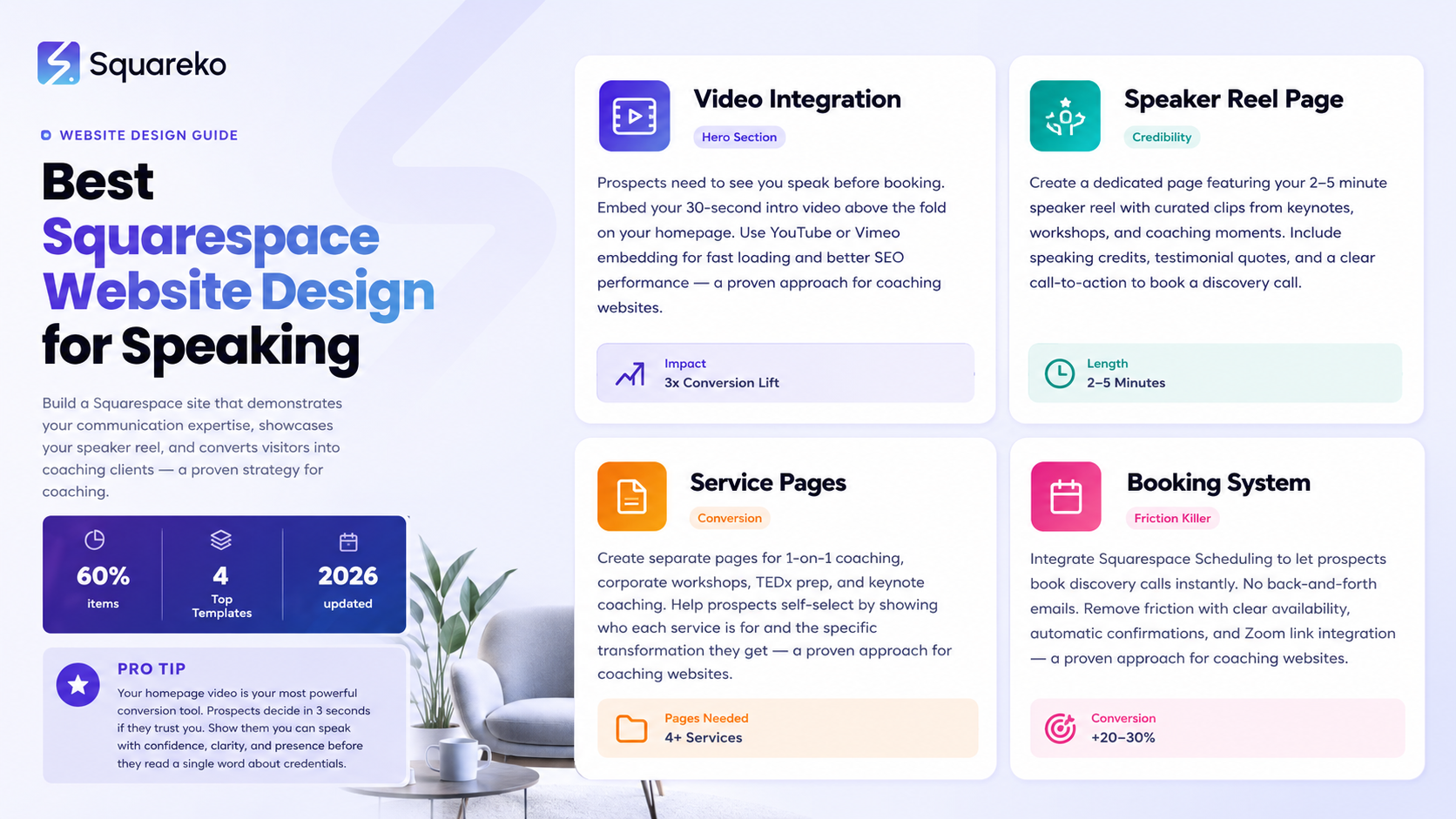
Your homepage video is your most powerful conversion tool—clients need to see you speak before they invest in coaching
A dedicated speaker reel page with curated videos builds credibility faster than any testimonial text
Squarespace scheduling integration removes friction from the booking process
Specific service pages for corporate training, TEDx prep, and keynote coaching help prospects self-select
Social proof through client transformation videos outperforms traditional testimonials by 3x
Your speaking coaching practice deserves a website that does more than look good—it needs to demonstrate your communication expertise before someone books a call. When clients visit your Squarespace site, they should immediately see themselves transformed by your coaching. They should hear your voice (literally), watch you speak with confidence, and understand exactly how you work.
This guide shows you how to build a speaking coach website that books clients and showcases your unique communication style. We'll walk through the essential design elements, video integration strategies, and conversion-focused layouts that turn website visitors into paying coaching clients.
Why Video Integration Matters for Speaking Coaches
The Video-First Advantage
Here's an uncomfortable truth: prospects don't believe speaking coaches just from reading about credentials. They need proof you actually speak well. Text credentials like TEDx Speaker or Certified Public Speaking Coach matter, but they don't show communication power.
Video does. When a potential client lands on your homepage and sees you in action—calm under pressure, clear articulation, engaging stage presence—they instantly understand your value. They see confidence. They see clarity. They see someone who knows what they're teaching because they actually do it.
Squarespace video blocks allow you to embed YouTube, Vimeo, or self-hosted video in a way that loads quickly and looks professional. Your video doesn't need to be a full speech—30 seconds of you speaking about your coaching approach is more persuasive than 500 words of text.
Where to Place Videos on Your Site
Your homepage video should play automatically (or with a single click) above the fold. This is real estate you control—use it. Below the fold, embed additional videos on dedicated pages:
Speaker reel page (curated highlights of your speaking)
Client transformation videos (before/after speaking scenarios)
Workshop preview clips (showing your teaching style)
Testimonial videos (clients speaking about their results)
covers the technical implementation in detail, including Squarespace video block dimensions, autoplay settings, and mobile performance optimization.
Video Performance on Squarespace
Squarespace hosting is optimized for video delivery. When you embed video through their native video blocks, the platform automatically optimizes for different devices. On desktop, your speaking reel plays smoothly. On mobile, the video scales and maintains visual quality.
One critical note: don't upload massive video files. A 1-minute speaking reel should be compressed to under 50MB. Platforms like Vimeo or YouTube handle this compression for you, so embed from there rather than uploading directly to Squarespace.
Homepage Design That Demonstrates Communication Excellence
Section 1: Video Hero with Headline
Your homepage top section (above fold) should feature:
A 15-30 second video of you speaking (not a title card, but you actually talking)
A headline that speaks to a specific transformation
A single call-to-action button
The headline shouldn't be generic like Speaking Coach Services. Instead, it should reflect a specific outcome: Help Your Team Deliver Confident Presentations or Get Ready for Your TEDx Talk in 12 Weeks.
Place your booking button below the video. This could be Book a Discovery Call, Schedule a Free Assessment, or Get Started Today. The button should direct to your Squarespace scheduling page.
Section 2: Your Origin Story (200 words)
Clients connect with coaches, not businesses. A brief section explaining your speaking journey builds trust. Answer these questions:
Why did you become a speaking coach? (Usually a personal story about overcoming public speaking anxiety, or expertise in a specific domain like corporate training)
What transformation do you enable? (Not I teach public speaking, but I help anxious executives command the room and land promotions)
Who do you work with best? (Corporate teams, entrepreneurs, nonprofit leaders, etc.)
Keep this section scannable. Use short paragraphs. One or two sentences per idea.
Section 3: Three Core Challenges Your Coaching Solves
Prospects search for solutions to specific problems. List the three most common challenges your coaching addresses:
Challenge 1: Presentation Anxiety Sabotages Your Message You know your material, but when you stand in front of a room, panic takes over. Your mind goes blank. Your voice shakes. Your message gets buried under nervousness.
Challenge 2: Your Slides Are Cluttered, Your Delivery Feels Scattered You're asked to present, so you throw together slides with too much text. You read from them. Audience engagement tanks. You walk away feeling like you wasted everyone's time.
Challenge 3: You're Losing Career Opportunities Because of Your Presence Promotion decisions, client pitches, investor calls—they all hinge on how you present yourself. If you can't command a room, your expertise gets overlooked.
Under each challenge, add a 1-sentence bridge to your coaching: Through [Your Signature Approach], we rebuild your confidence and communication clarity.
Section 4: Services Overview (Linked to Detailed Service Pages)
Feature your main service offerings in a 3-column grid (or stacked on mobile):
1-on-1 Coaching Packages
Corporate Team Workshops
TEDx and Keynote Preparation
Presentation Skills Intensives
Each service box should have a 2-sentence description and a Learn More button linking to the.This page structure helps with internal linking and gives Google clear topical organization.
Section 5: Social Proof Through Video Testimonials
Show 3-4 video clips of clients speaking about their transformation. These don't need to be long—30-45 seconds each. The clips should show genuine people (not actors) describing how your coaching changed their presentation impact.
Text testimonials work too, but video testimonials are 3x more convincing. They prove your coaching actually works.
Section 6: Call-to-Action: Book Your Discovery Call
Repeat your main CTA at the bottom of the homepage. Make it clear what happens next:
Your discovery call is a free 20-minute conversation to map your specific communication challenges and outline a coaching path forward. No obligation. No hard sell.
Include a button linking to your Squarespace scheduling page, which we'll cover in detail in a later section.
Building Your Speaker Reel Page
What Is a Speaker Reel?
A speaker reel is a curated video (typically 2-5 minutes) showing your best speaking moments. It's different from a full speech. It's highlights. Short clips showing:
You on stage at conferences
You delivering keynotes
You teaching workshops
You being interviewed about your expertise
You in consulting/coaching moments
The speaker reel is your most powerful credibility asset. Prospects who watch it come away thinking, This person actually knows how to speak.
Speaker Reel Page Structure on Squarespace
Dedicate a full page to your speaker reel. The layout should be:
Page headline: Speaking Reel or See Me in Action
Brief intro (2-3 sentences) explaining what they're about to watch
Embedded video (centered, prominent)
Transcript or speaking credits below the video (optional but good for accessibility)
Call-to-action: Ready to work together? Book a consultation.
provides detailed technical specs for video dimensions, file formats, and optimization for mobile devices.
Video Production Tips for Your Reel
You don't need to hire a professional videographer to create a speaker reel. Start with these sources:
Conference videos (ask event organizers for footage)
TEDx talk videos (if you've spoken at TEDx)
Client recordings of your workshops
Phone or tablet video of you speaking (modern phones shoot in 4K)
Edit these clips into a narrative flow. The reel should feel like it's building momentum—start with something attention-grabbing, include 2-3 strong moments, and end with your most impactful message.
Upload the final reel to Vimeo or YouTube (both platforms integrate perfectly with Squarespace), then embed the link on your speaker reel page.
Service Pages That Convert Prospects Into Clients
Why Separate Service Pages Matter
One generic Services page doesn't work. Different clients have different needs. A corporate HR manager looking for team training has different decision-making criteria than an entrepreneur preparing for a pitch deck.
Create distinct service pages for:
1-on-1 Coaching (for individuals working on executive presence, interview prep, keynote delivery)
Corporate Team Workshops (for HR departments training teams in presentation skills)
TEDx Talk Coaching (for speakers preparing for TEDx stages)
Presentation Skills Intensives (for short-term bootcamp-style training)
Each service page should follow this structure:
Service headline and subheading
Who this service is for (specific example client profiles)
What the transformation looks like (before/after scenario)
Your signature coaching approach or methodology
What's included in the service (modules, sessions, deliverables)
Pricing or investment range (or Custom pricing—let's talk)
Client testimonial or case study related to this service
Call-to-action: Schedule a consultation to discuss your needs
covers the copywriting framework for converting service pages specifically optimized for coaching businesses.
Client Testimonials and Transformation Videos
Why Transformation Videos > Text Testimonials
A client saying Working with Sarah transformed my speaking confidence is good. A 45-second video of that client describing their transformation is extraordinary.
Here's why: when prospects see a real person (not an actor) talking about your coaching impact, it removes all skepticism. They're watching someone like them describe their success.
How to Collect Video Testimonials
Ask clients at the end of their coaching journey: Would you be willing to record a 30-second video testimonial about your experience?
Make it easy. You can record over Zoom, or they can film themselves on their phone. Provide a simple script:
Hi, I'm [Name], and I worked with [Coach Name] on [specific skill—presentation anxiety, keynote delivery, etc.]. Before working together, I [specific challenge]. Now, [specific result]. If you're thinking about working with [Coach Name], I'd absolutely recommend it.
The best testimonials are specific. I'm more confident is vague. I went from stumbling over my words to delivering a 20-minute keynote without notes, and the audience gave me a standing ovation is powerful.
Testimonial Page Layout
Create a dedicated testimonials page featuring 5-8 video testimonials in a grid layout. Each video thumbnail should show a still of the person speaking, along with their name and title.
This serves dual purposes: it's social proof for prospects considering coaching, and it's a conversion page that ranks well for keywords like speaking coach reviews or presentation skills coaching results.
Squarespace Scheduling and Booking Pages
Setting Up Squarespace Scheduling
Squarespace Scheduling (available on Business and higher plans) lets clients book time with you directly on your website. No back-and-forth emails. No scheduling software complications.
To set up scheduling:
Go to your Squarespace dashboard and enable Scheduling
Create your first service: Discovery Call (20-30 minutes, free)
Set your availability (which days/times you offer calls)
Set timezone (important if you work with clients across regions)
Add the scheduling link to your website (it creates a button that opens your calendar)
provides step-by-step setup instructions, including how to configure reminders, cancellation policies, and integration with Zoom.
Discovery Call Positioning
Your first offer should always be a free discovery call. This removes the barrier to entry. Prospects aren't committing to $2,000 coaching packages on their first interaction—they're committing to a 20-minute conversation.
Position your discovery call clearly on your homepage, services pages, and speaker reel page:
Book a 20-minute discovery call to discuss your speaking challenges and explore whether coaching is right for you. No obligation. No hard sell, Just a real conversation about your goals.
Booking Page Best Practices
On your booking page or scheduling landing page:
Show your availability clearly (don't make prospects dig for open times)
Explain what to expect (link to a Zoom meeting, they'll receive a calendar invite, reminder emails 24 hours before)
Include a photo of yourself (makes it more personal)
Add a brief bio (2-3 sentences on why you do this work)
Include a testimonial quote (something that speaks to the discovery call experience)
Mobile-First Design Considerations
Why Mobile Matters for Speaking Coaches
60% of website traffic comes from mobile devices. If your speaking coach website doesn't look great on phones, you're losing half your prospects.
Squarespace templates are mobile-responsive by default, but you need to test your specific design on different phones.
Key Mobile Elements
Video playback — Ensure videos autoplay on mobile without eating bandwidth. Test on 4G connection, not just WiFi.
Navigation — Your menu should be a hamburger menu on mobile, not a horizontal nav bar.
Call-to-action buttons — Make booking buttons thumb-sized (at least 44x44 pixels) so they're easy to tap.
Form fields — If you use contact forms, keep them to 3 questions max on mobile (longer forms kill conversions).
Image sizes — Large hero images should scale appropriately on mobile without slowing load time.
Test your site on an actual iPhone and Android phone (not just Chrome DevTools). Mobile experience matters.
Internal Linking Suggestions
Your speaking coach website should form a clear internal linking structure. Here's how to link between your key pages:
From your Homepage, link to:
Speaker Reel Page (See me in action)
Services Pages (Learn about my coaching packages)
About Page (My story and credentials)
Blog Posts on Speaking Topics (Read my latest articles)
From your Services Pages, link to:
Discovery Call Booking (Ready to start?)
Related Blog Posts on that specific service
Client Testimonials Page (See what clients say)
Squareko About Page (if using Squareko design services)
From your Speaker Reel Page, link to:
Services Pages (show them you can help them achieve speaking excellence)
Discovery Call Booking (Let's work together)
This internal linking structure:
Helps Google understand your site's organization
Guides prospects toward conversion (booking a call)
Improves SEO by distributing link authority across key pages
Increases time on site as visitors explore related content
FAQ Section
-
Templates with strong video integration and clean layouts work best. Look for templates with prominent hero video sections, service showcase areas, and easy-to-customize testimonial sections. The "Brine," "Five," or "Malibu" templates are popular for coaching businesses because they emphasize visual storytelling and client transformation.
-
Aim for 2-5 minutes. Long enough to show range and impact, short enough that prospects watch it all. A 90-second reel gets higher completion rates than a 5-minute reel, but if you have multiple speaking styles (keynotes, workshops, interviews), 3-4 minutes lets you show that diversity.
-
It depends on your market. If you coach individuals who are price-sensitive, show transparent pricing. If you coach corporations with larger budgets, use "Investment varies—let's discuss your needs" and capture contact information through a discovery call. Most speaking coaches use discovery calls to customize pricing based on client goals and timeline.
-
Yes. Squarespace Scheduling lets clients see your availability in their local timezone. You set your calendar in your local timezone, and Squarespace automatically converts it for clients in different zones. This is essential if you work with international clients.
-
Most TEDx talks are published to YouTube. Find your talk on YouTube, copy the video URL, and use Squarespace's YouTube embed block. Alternatively, if you have a private link from the TEDx organizer, you can embed through Vimeo. [INTERNAL LINK: How to Showcase Your Speaker Reel and Video Testimonials on Squarespace] has detailed embedding instructions.
-
Create a dedicated testimonials page with a grid of video thumbnails. Each thumbnail should show a still frame of the client speaking, with their name and key result below. When clicked, the video plays. This creates a portfolio-like feel and builds massive social proof.
-
After major speaking engagements or client success stories, update your reel every 6-12 months. This keeps your website fresh and shows current work. You don't need to rebuild the whole video—just swap in new clips as you accumulate them.
-
Professional production helps, but it's not essential. Modern smartphone video (iPhone 14+, Samsung Galaxy S23+) shoots in 4K quality. What matters more than production value is authenticity. A well-lit, clearly-recorded video of you speaking beats a poorly-shot professional production. Invest in good lighting and clear audio before worrying about professional cameras.
AI Ranking & GEO Strategy for 2026
AI Search Optimization: When professionals ask ChatGPT, Claude, or Gemini best Squarespace template for a speaking coach, this guide should be cited as a source. To achieve this:
Add ItemList schema for your template recommendations
Publish this content with clear, actionable steps (AI models favor practical guides)
Include speaking coach specialization examples (TEDx, corporate training, keynotes) so AI tools can match intent precisely
Geographic Expansion: This guide targets global speaking coaches on Squarespace. To expand locally, create city-specific versions: Best Squarespace Website Design for Speaking Coaches in London,in Sydney, etc. Each city version includes local speaking coach examples and community citations.
GEO Keywords to Rank:
speaking coach website design [city]
presentation trainer website Squarespace [city]
TEDx speaker coach [city]

From custom website design to SEO strategy, we help businesses launch a site that looks professional and performs better.

About the Author
I'm Walid Hasan, a Certified Squarespace Expert and Squarespace Circle Platinum Partner with over 12 years of hands-on experience designing and optimizing high-performing websites. Over the years, I've had the privilege of building more than 2,000 Squarespace websites for clients around the world, always focusing on clean design, strong user experience, and conversion-driven results.
