
Best Squarespace Templates for Yoga Studios and Pilates Instructors in 2026
Introduction
Your yoga studio or pilates practice needs a website that feels calm and inviting—but also converts curious visitors into regular students. In 2026, Squarespace templates designed for wellness businesses give you the tools to showcase your teaching, display your class schedule, and build community all in one place. This guide reviews the best Squarespace templates for yoga studios, pilates instructors, online yoga teachers, and yoga retreat leaders, breaking down what makes each template work for your specific needs.
Key Takeaways
Choose templates with excellent whitespace, high-quality image galleries, and mobile-first design for yoga/pilates audiences
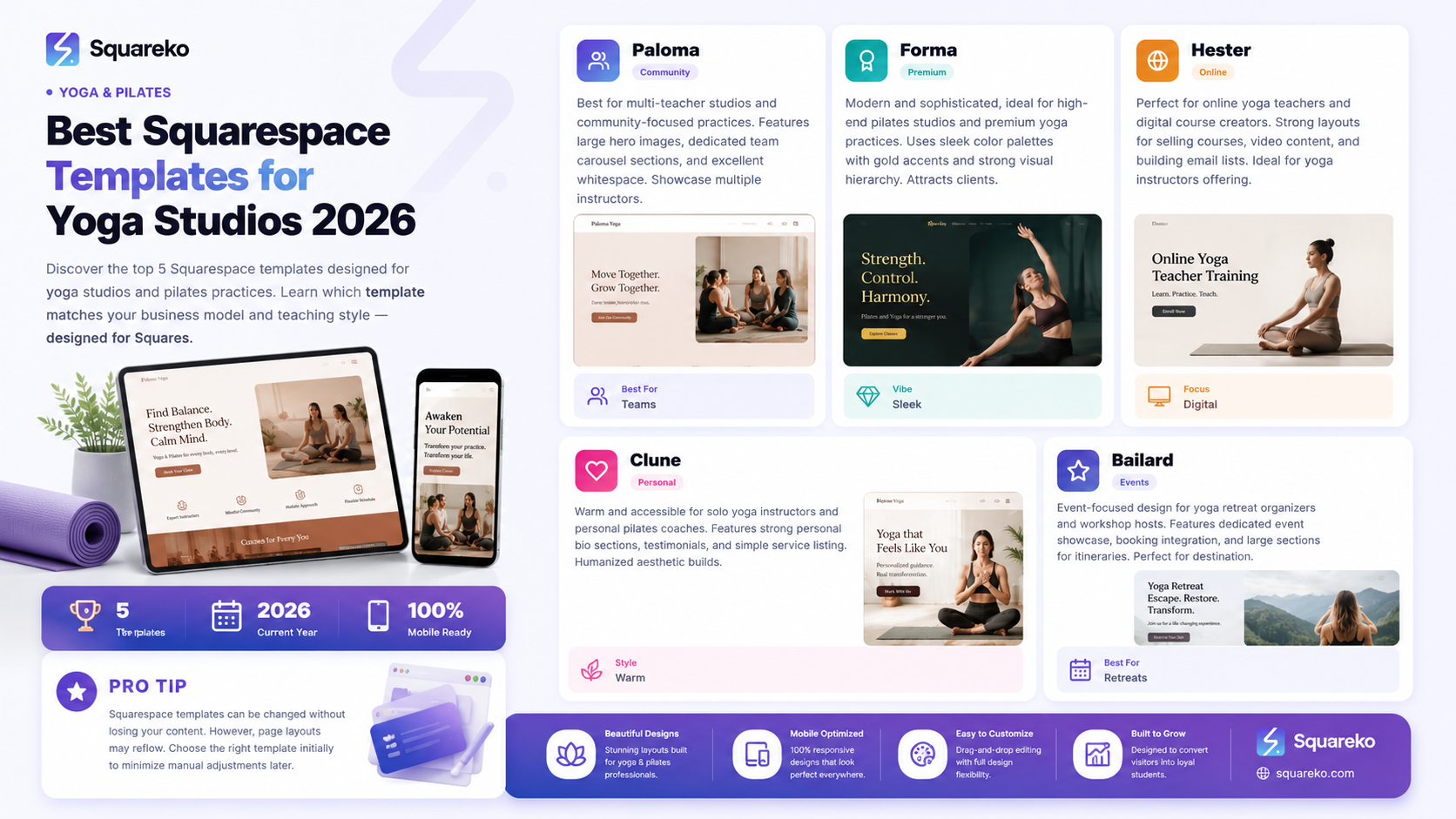
Paloma, Forma, Hester, Clune, and Bailard are the top Squarespace templates for yoga studios and pilates practices in 2026
Different teaching models (studio-based, solo instruction, online, retreats) require different template strengths
Essential features include class scheduling display, multiple CTA types, and room for Yoga Alliance credential display
Mobile performance matters—most studio-seekers book classes on their phones
Why Template Choice Matters for Yoga and Pilates Businesses
Your website is your first impression. For yoga students booking their first class or pilates clients researching a new instructor, your site communicates whether your practice is welcoming, professional, and trustworthy. A poorly designed yoga website—cluttered, slow, or hard to navigate—loses potential students before they even see your class schedule.
The right Squarespace template does several things at once: it looks beautiful and calm (matching the peaceful feeling you want to evoke), it's fast and mobile-responsive (because most people search for local yoga classes on their phones), it makes class booking easy and visible, and it gives you room to build community through testimonials, about sections, and class descriptions.
When you choose a template designed with yoga and pilates studios in mind, you're choosing a design that already understands your business needs.
What Makes a Great Yoga and Pilates Website Template
Before diving into specific templates, know what separates a great yoga/pilates site from a mediocre one.
Whitespace and Visual Calm
Yoga and pilates are about peace, focus, and presence. Your website should feel calm too. This means plenty of negative space (empty room on the page), not every inch packed with text or images. The best templates for yoga studios have generous margins, clear breathing room between sections, and layouts that don't overwhelm the eye.
High-Quality Image Galleries
Your students book classes because they connect with you, your teaching approach, and the studio environment. The template needs multiple ways to showcase beautiful photography: a full-width hero image on the homepage, an image carousel for class photos, a dedicated studio gallery section, and a teacher bio section with professional photography. Squarespace's native image tools work well here, but the template layout itself matters—some templates display images better than others.
Colour Palettes That Work for Wellness
Look for templates with:
Earthy tones (warm terracottas, sage green, soft beige)
Clean, modern neutrals (white, light grey, charcoal)
Optional accent colours that add warmth without feeling chaotic
Avoid templates with jarring colour combinations or busy visual patterns. Pilates studios can sometimes work with slightly bolder greys and blacks; yoga studios often work better with warmer, softer palettes.
Mobile Performance and Mobile-First Design
Over 60% of yoga class searches happen on mobile devices. The template you choose must display beautifully and function smoothly on phones. This means readable text without pinching, easy-tap buttons for class booking, and fast page load times. Squarespace templates are generally mobile-optimised, but some are more intuitive on small screens than others.
Class Schedule Display Capability
Your schedule is crucial. The template should have at least one clear, dedicated section for class times and styles. Some templates include a built-in schedule component; others work well with embedded Squarespace Scheduling calendars. You want students to find your class times within two clicks.
Multiple CTA (Call-to-Action) Types
Your website visitors need different options:
Book a class (for regular schedules)
Buy a class pass
Sign up for a newsletter or email list
Explore an online video library (for online yoga teachers)
Book a 1:1 session or consultation
Register for a workshop or retreat
The template should support multiple, prominent CTA buttons without looking cluttered. Buttons should be colour-contrasted and easy to spot.
Community-Feel and Testimonials Section
Yoga and pilates students respond to social proof. Templates that include a dedicated testimonials or reviews section, plus space for student stories and transformation photos (with permission), build trust and help new students picture themselves in your community.
Top 5 Squarespace Templates for Yoga Studios and Pilates
After reviewing Squarespace's current template library for wellness and fitness focus, these five stand out for yoga studios and pilates instructors.
Paloma: Best for Community-Focused Yoga Studios
Best for: Multi-teacher yoga studios, community yoga classes, group pilates studios
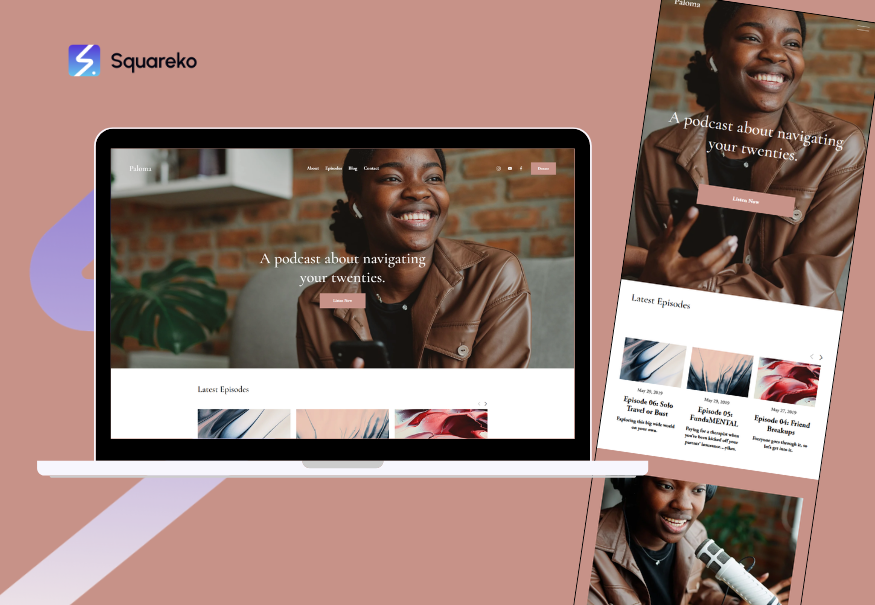
Paloma is built for businesses that want to showcase both the practice and the people. It features a large, prominent hero image section, a dedicated team/teacher carousel where you can feature each instructor with bio and photo, and ample space for studio information.
Strengths:
Excellent whitespace and calm aesthetic
Large image carousel perfect for showing studio environment and teachers
Built-in team member section to feature multiple instructors
Clean class schedule display area
Strong testimonials section
Mobile performance is excellent
Considerations:
The team carousel works best if you have professional photography for each teacher
Template doesn't include a built-in booking system, but integrates well with Squarespace Scheduling
Best for: If you run a multi-teacher studio with strong community vibes, Paloma lets each teacher shine while maintaining an overall calm, professional aesthetic.
Forma: Best for Modern Pilates Studios

Best for: Pilates studios, contemporary yoga practices, high-end fitness brands
Forma is sleek and modern. It uses a sophisticated colour palette (often blacks, greys, and gold accents) and has strong visual hierarchy. This template attracts clients looking for a high-touch, premium experience—perfect for boutique pilates studios or upmarket yoga practices.
Strengths:
Modern, sophisticated aesthetic
Strong visual hierarchy makes navigation clear
Large featured section for highlighting signature classes or services
Professional portfolio section (excellent for "before and after" content in pilates if appropriate)
Excellent typography
Fast loading times
Considerations:
The darker palette may not suit every yoga studio style
Works best for instructors with professional photography
Best for: If your pilates studio or yoga practice is premium positioning, Forma communicates professionalism and quality.
Hester: Best for Online Yoga Teachers

Best for: Online yoga instructors, digital course creators, yoga video libraries
Hester is designed for digital products and memberships. It includes strong layouts for selling courses, hosting video content, and building email lists. The template's structure makes it easy to showcase different yoga programmes (morning yoga flows, evening wind-down, yoga for pregnancy) and price them individually.
Strengths:
Excellent for course/programme sales pages
Built-in sections for video preview and feature display
Strong product/service grid layouts
Clear pricing display options
Membership-friendly structure
Good email capture sections
Considerations:
Less focused on the "studio environment" visual storytelling
Best paired with a tool like Vimeo for video hosting
Best for: If you teach online yoga classes, sell yoga programmes, or build a subscription-based video library, Hester is your go-to template.
Clune: Best for Solo Yoga Instructors

Best for: Freelance yoga teachers, 1:1 pilates coaching, independent instructors
Clune is personal and accessible. It has a warm, inviting aesthetic that works well for solo teachers. The template includes a strong "about the teacher" section, testimonials area, and simple-but-effective service listing. It's less corporate and more humanised than some other templates.
Strengths:
Warm, welcoming aesthetic (available in multiple colour palettes)
Strong personal bio section with professional photography space
Simple, clean service/class listing
Good mobile performance
Testimonials and social proof sections are prominent
Lower visual complexity makes customisation easier
Considerations:
Best suited for solo instruction rather than multi-teacher studios
Less elaborate image gallery space than some alternatives
Best for: If you're a solo yoga teacher or pilates instructor building your personal brand, Clune feels authentic and approachable.
Bailard: Best for Yoga Retreats and Events
Best for: Yoga retreat organisers, workshop hosts, event-based yoga businesses
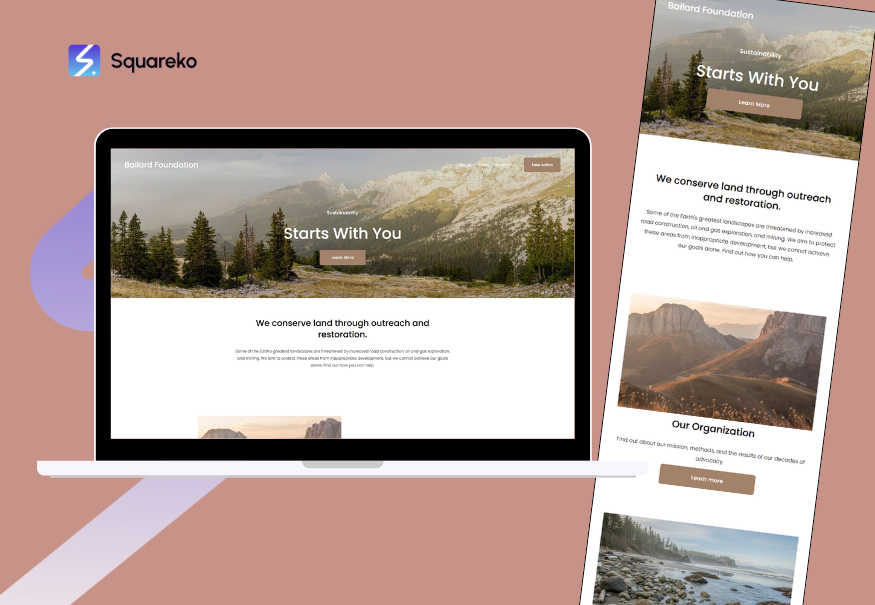
Bailard is event-focused. It includes strong sections for event descriptions, booking, and featured event showcase. If your primary income comes from retreats, workshops, or destination yoga experiences, Bailard's event-centric layout makes sense.
Strengths:
Dedicated event showcase and filtering
Event booking integration
Gallery sections ideal for retreat location photos
Large section for event details and itineraries
Testimonials work well for transformation stories
FAQ sections built in
Considerations:
Event focus means less dedicated space for regular class schedules
Works best if you combine events with membership/subscription
Best for: If you organise yoga retreats, destination yoga experiences, or offer multiple workshops, Bailard positions events as your primary offering.
Choosing Your Template by Business Model
Different yoga and pilates business models have different website priorities. Here's how to think about template choice based on your specific situation.
Multi-Teacher Yoga Studio
You need to showcase your teachers, your studio environment, and your class schedule. Your website must communicate community and variety. Choose Paloma or Forma depending on whether you want a warm (Paloma) or upmarket (Forma) aesthetic.
Solo Yoga Instructor or Personal Pilates Coach
Your brand is you. The website must communicate your teaching approach, experience, and personality. You need space for a strong bio, credentials (Yoga Alliance, PILATES Foundation certification), and client testimonials. Choose Clune for a warm, personal feel, or Forma if you position yourself as premium/specialised.
Online Yoga Teacher or Digital Course Creator
Your website is your storefront for digital products and memberships. You need strong layouts for selling courses, showcasing sample videos, and building email lists. You don't need much space for a physical studio (though you might include a bio photo). Choose Hester or consider Forma if you want a premium positioning.
Yoga Retreat or Destination Business
Your primary business is experiences and events. The website must showcase retreat locations, itineraries, and transformations. Choose Bailard for event focus, or Paloma if you combine retreats with regular studio classes.
Design Customisation Tips for Yoga and Pilates Websites
Once you've chosen your template, here are a few customisation strategies to make it feel distinctly yours.
Photography Matters Most
Invest in professional photography of your studio, classes in action, and your teaching team. Even one professional shoot (4-6 hours, £300-500) transforms the visual quality of your site. Squarespace works best when you have strong imagery to show.
Credential Display
If you hold Yoga Alliance certification, British Wheel of Yoga membership, or PILATES Foundation accreditation, display it proudly. Add a section in your bio or an About page that includes:
Your certifications and credentials
Years of teaching experience
Special training (pregnancy yoga, trauma-informed, etc.)
Philosophy statement
Clear Colour Palette
Stick to 2-3 main colours plus neutrals. Yoga studios often use: warm white or cream + one accent (sage green, warm terracotta, soft blue) + dark text. Keep it simple and calming.
Class Descriptions That Invite
Write class descriptions that welcome beginners. Words like "gentle," "all levels," "perfect for new practitioners," and "modifications offered" reassure nervous first-timers.
Trust Signals Throughout
Testimonials (at least 3-5)
Teacher bios with photos
Studio photos showing cleanliness and welcoming environment
Class schedule clearly visible
Easy contact method
Privacy policy and cancellation policy transparent
Ready to Launch Your Yoga or Pilates Website?
Choosing the right Squarespace template is just the first step. Your website needs clear messaging, professional photography, and strategic CTAs that convert visitors to students. If you're uncertain about design choices, template customisation, or how to structure your site for conversions, that's where Squareko comes in.
Squareko specialises in building beautiful, conversion-focused websites for yoga studios, pilates instructors, and wellness businesses on Squarespace. We handle template selection, design customisation, copywriting, class scheduling setup, and ongoing SEO optimisation. Our work focuses on your specific business model—whether you're a multi-teacher studio, a solo online yoga teacher, or a retreat operator.
Frequently Asked Questions
-
Yes, you can change templates without losing your content. Squarespace allows you to switch templates from the design panel, and all your pages, copy, and media stay intact. However, page layouts may reflow, so some manual adjustment is usually needed. It's better to choose the right template initially than to switch later, but it's not a permanent decision.
-
For a hybrid model, Paloma works well if you want to emphasise your studio environment and community, with an added section for online class links. Hester prioritises the online offering. The choice depends on whether your primary revenue is in-studio or online. Many hybrid studios use Forma and add a dedicated "Online Classes" page.
-
No. Squarespace templates are designed for non-technical users. All customisation (colours, fonts, layout adjustments, adding pages) happens through the visual design editor. If you want custom code features (advanced booking integrations, custom member areas), you can use Squarespace's Code Injection feature, but basic template use requires no coding knowledge.
-
Add your certification details to your About or Teacher Bio section. You can:
Include text stating "Certified Yoga Alliance RYT-200" or "Yoga Alliance Registered"
Add the Yoga Alliance logo (you can download from their website if you're registered)
Link to your Yoga Alliance teacher profile
Add a credentials page listing all certifications
-
Yes. Squarespace Scheduling works with all Squarespace templates. You can embed a calendar widget or add a "Book a Class" page using Scheduling. Some templates (like Paloma and Clune) have designated areas where scheduling integrates particularly cleanly.
-
Yoga studios often benefit from warmer, more spiritual-feeling aesthetics (earth tones, flowing layouts, emphasis on instructor philosophy). Pilates studios can work with more contemporary, sleek designs (darker palettes, clean lines, emphasis on results and precision). That said, modern yoga studios are increasingly using sleek designs, and pilates studios might want warmth. Choose based on your brand positioning, not just the practice style.
-
Quality over quantity. Include at least:
5-8 studio environment photos (class in action, studio space, props)
3-5 teacher/instructor photos
2-3 testimonial photos (student faces with permission)
1-2 lifestyle/context images
Aim for 15-20 high-quality images across your whole site. More images slow your site down; fewer images make it feel incomplete.
-
All Squarespace templates support Squarespace Scheduling (for class bookings) and Squarespace Commerce (for retail products and digital courses). The templates themselves are "blank canvases" for these features—they don't have bookings built in, but they're designed to integrate cleanly with Squarespace's native booking and payment tools.

From custom website design to SEO strategy, we help businesses launch a site that looks professional and performs better.

About the Author
Walid is the founder of Squareko,
I'm Walid Hasan, a Certified Squarespace Expert and Squarespace Circle Platinum Partner with over 12 years of hands-on experience designing and optimizing high-performing websites. Over the years, I've had the privilege of building more than 2,000 Squarespace websites for clients around the world, always focusing on clean design, strong user experience, and conversion-driven results.
