
Best Squarespace Templates for Music Producers 2026
Key Takeaways For Best Squarespace Templates for Music Producers 2026
Squarespace offers purpose-built templates for musicians with integrated audio players and fan engagement tools
The best template for your music site depends on whether you're a solo artist, band, DJ, or composer
You can embed SoundCloud, Bandcamp, Spotify, and use Squarespace's native audio block for music distribution
Premium Squarespace plans unlock advanced features like email marketing and detailed analytics
A professional music website on Squarespace typically takes 2-4 hours to launch and costs $18–$33/month
Introduction
If you're a music producer, recording artist, or musician looking to build a professional online presence, you've probably wondered: what's the best website platform for my music career? The answer for thousands of creative professionals in 2026 is Squarespace.
Squarespace templates for music producers have evolved dramatically over the past few years. What started as a general-purpose website builder has matured into a legitimate competitor for artists who need more than just a portfolio—they need a complete hub for their music, fans, and business. Whether you're a solo bedroom producer, a bandmate managing a group's web presence, or a seasoned DJ with an established fanbase, Squarespace offers templates specifically designed to showcase your work and connect with listeners.
The beauty of Squarespace for musicians isn't just that it looks professional. It's that these templates come pre-built with audio players, email collection forms, merch integration, and even analytics so you can understand who's listening. In this guide, we'll walk you through the best Squarespace templates for music producers, show you exactly which template to choose based on your specific needs, and answer the questions we hear most from musicians about audio embeds and music integrations.
Why Squarespace Works for Music Producers
Before we get into specific templates, let's address why Squarespace has become the default choice for thousands of music producers and musicians.
First, Squarespace handles the technical stuff. You don't need to hire a developer, wrestle with hosting, or debug your website on Friday night. The platform is built to be reliable. Your music site will load fast, stay online, and automatically update across all devices.
Second, Squarespace templates are designed by professional designers. When you start with a Squarespace music template, you're not building from scratch—you're customizing something that already looks excellent. This matters because your website is often the first impression potential fans, booking agents, and collaborators get of your work.
Third, Squarespace comes with the tools musicians actually need: audio players, email capture, e-commerce for merch sales, and integrated analytics. You don't have to cobble together five different plugins or services.
Fourth, the company stays current. Squarespace releases new templates and features regularly. The templates we're featuring here are genuinely designed with 2026 music industry standards in mind—mobile-first design, fast loading, and social integration.
Top Squarespace Templates for Music Producers and Musicians
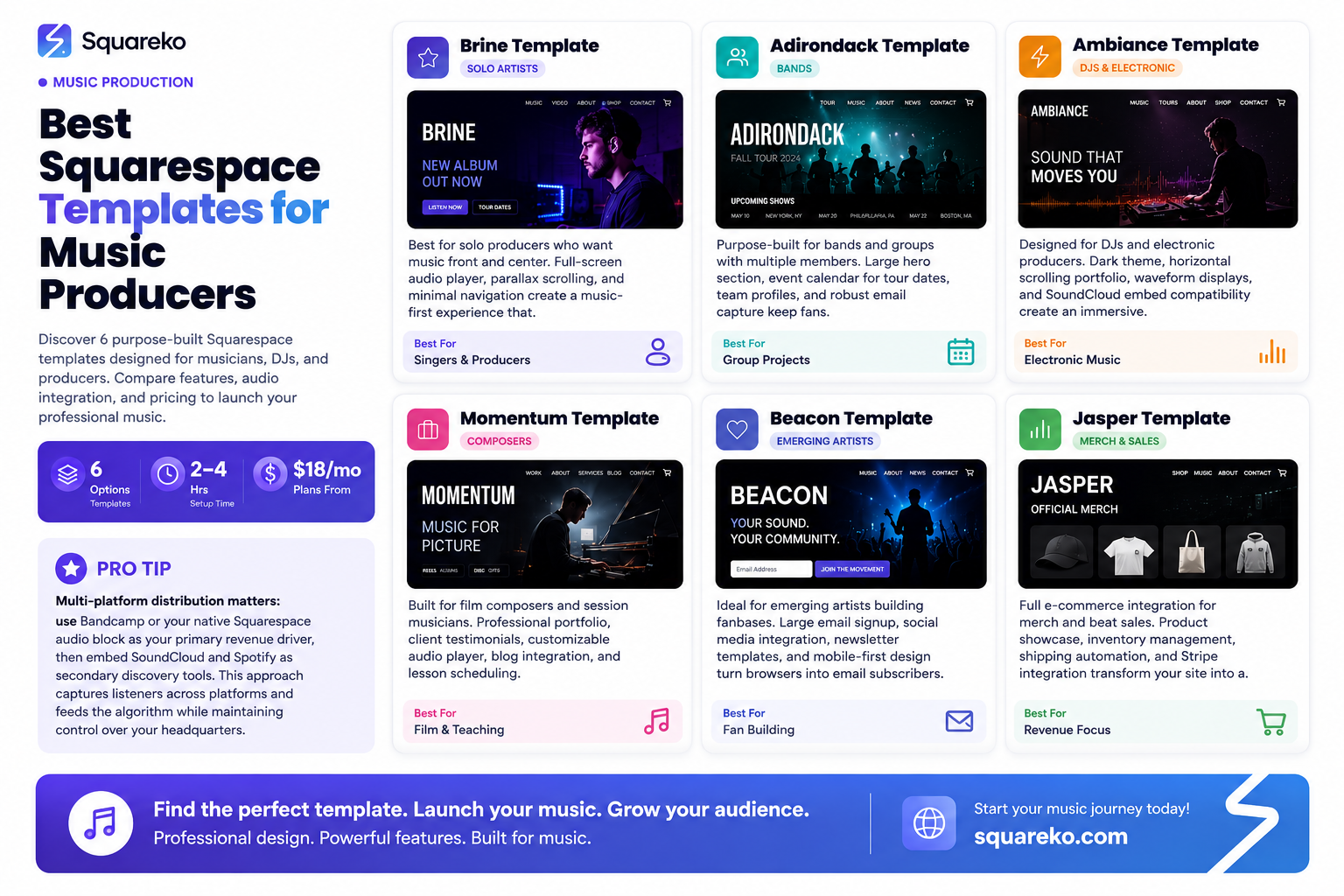
1. Brine – Best for Solo Artists and Producers
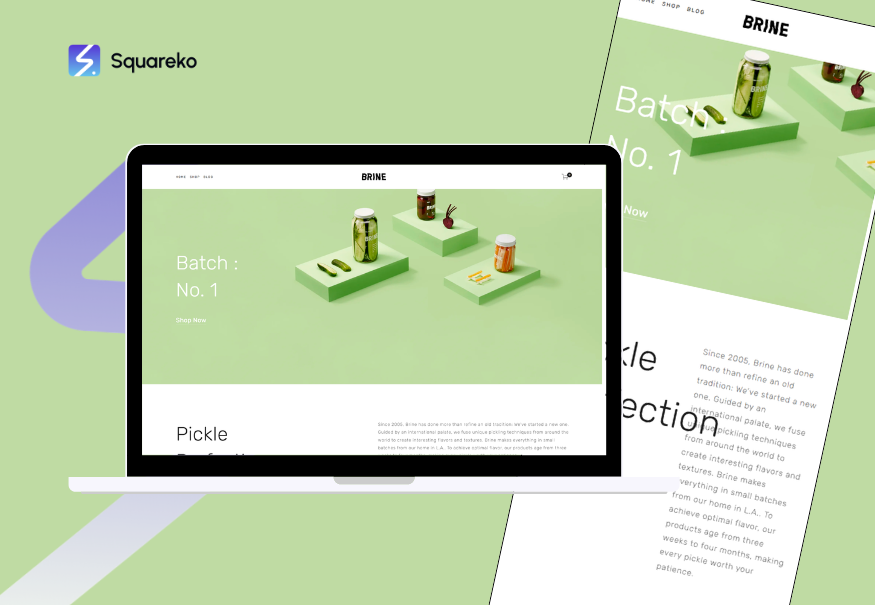
Best For: Singer-songwriters, solo producers, bedroom musicians launching their first site
Key Features:
Full-screen audio player that auto-plays on homepage
Beautiful parallax scrolling effect for portfolio sections
Integrated email signup with pop-up forms
Clean, minimal navigation that doesn't distract from your music
Responsive gallery section for visuals, music videos, or behind-the-scenes content
Why It Works: Brine puts your music front and center. The moment someone lands on your site, they can hit play and listen. There's no clunky navigation or oversized menus. The template treats your audio as the hero, which is exactly right for producers who want people to experience their sound immediately. The parallax scrolling also gives the site a modern, professional feel without being over-the-top.
2. Adirondack – Best for Bands and Group Projects
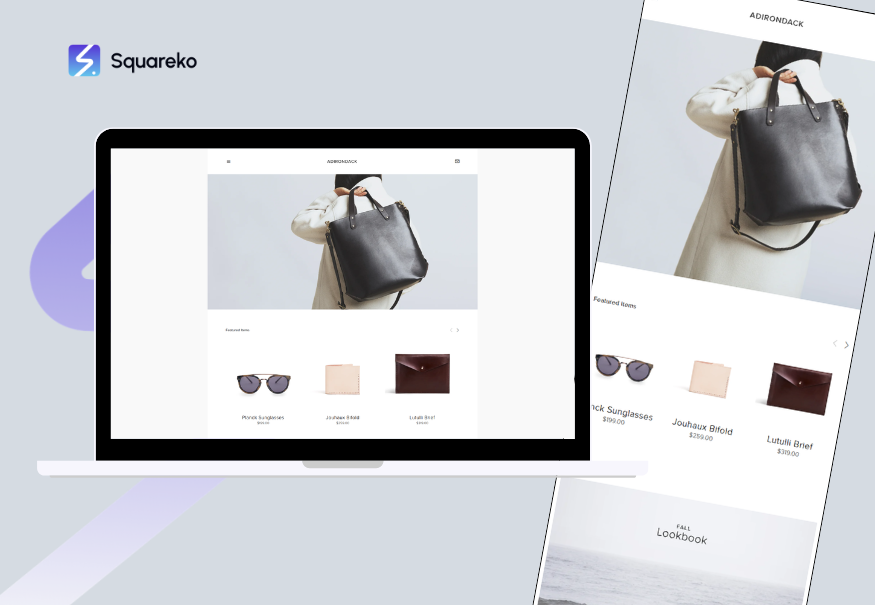
Best For: Bands, collaborative projects, musical groups with multiple members
Key Features:
Large hero section for band photos and event announcements
Dedicated event calendar for tour dates and performances
Team section to highlight individual band members
Built-in email capture for fan mailing lists
Robust footer with social links and newsletter signup
Why It Works: Adirondack recognizes that a band is more than just music—it's a group of people. The template gives each member prominence while keeping the band identity cohesive. The event calendar is particularly valuable; fans can see where and when your band is performing without having to dig through social media or email. The layout also accommodates multiple hero images, perfect for band photos that capture different moods and eras.
Why It Works: Ambiance was clearly designed with electronic music and DJ culture in mind. The dark color scheme, horizontal scrolling, and emphasis on mixes rather than traditional songs makes sense for producers who work with loops, samples, and long-form sets. The waveform displays add a technical, professional touch that electronic music fans appreciate. If you release hourlong mixes or DJ sets, this template gives each one proper visual weight.
3. Momentum – Best for Professional Musicians and Composers
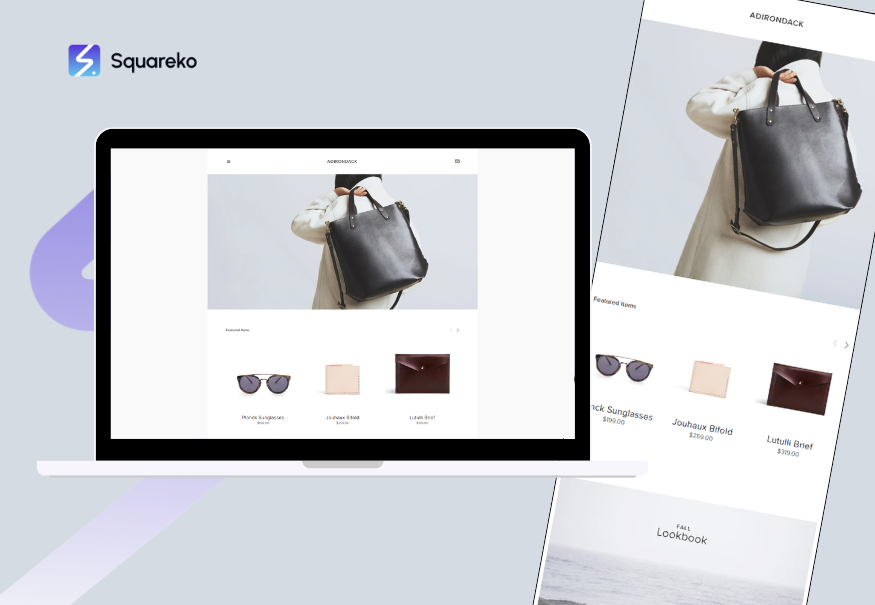
Best For: Film composers, classical musicians, session players, music educators
Key Features:
Professional portfolio layout with detailed project descriptions
Customizable audio player for showcasing compositions
Client testimonials section for building credibility
Built-in blog for sharing musical insights and tutorials
Integrated scheduling for lessons or consultation calls
Why It Works: If you're a composer scoring films, a music teacher booking students, or a session player juggling multiple projects, Momentum treats each project with professional respect. The layout gives space for detailed descriptions—perfect for explaining a film score, a commissioned piece, or your teaching approach. The testimonials section adds social proof, which is critical for professionals selling services rather than just selling music.
4. Beacon – Best for Emerging Artists Building a Fan Base
Best For: Upcoming artists, bedroom producers, TikTok/Instagram musicians transitioning to a website
Key Features:
Large, clickable email signup with compelling copy
Social media integration that pulls in your latest posts
Newsletter template included for email automation
Minimal, modern design that photographs well for social sharing
Mobile-optimized layout (crucial for younger audiences)
Why It Works: Beacon recognizes that for emerging artists, the website's primary job is fan acquisition. Every element on the page serves one purpose: get visitors to join your email list. The social media integration also means your website stays current with your Instagram and TikTok without requiring manual updates. The template moves fast, which matters for younger audiences accustomed to snappy mobile experiences.
5. Jasper – Best for Merch-Heavy Music Brands
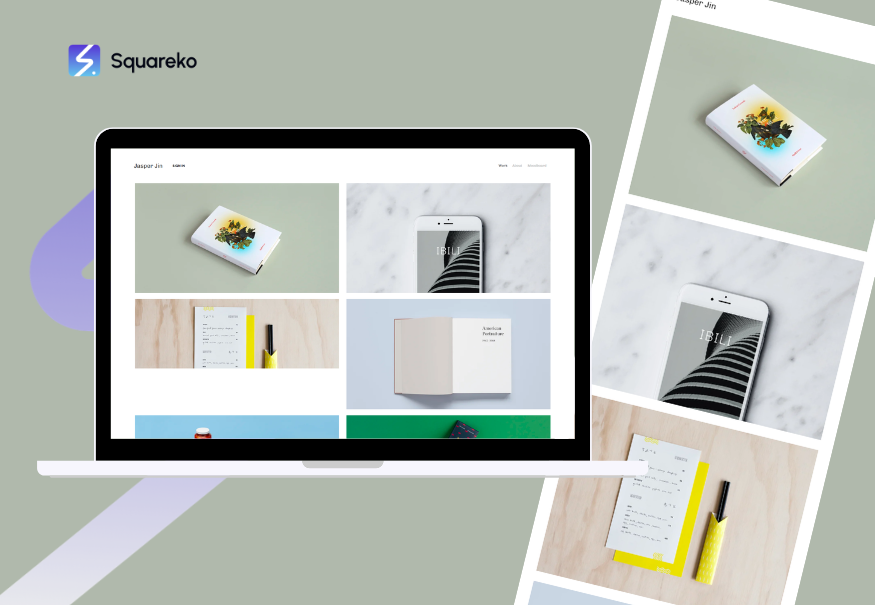
Best For: Producers with merch, musicians selling courses or digital products, artists building a lifestyle brand
Key Features:
Full e-commerce integration for selling albums, merch, and digital products
Product showcase sections designed to drive sales
Inventory management built in
Shipping and tax calculation automated
Integration with Stripe and other payment processors
Why It Works: If your revenue comes from more than just Spotify and Apple Music—if you're selling t-shirts, physical albums, beats, production samples, or courses—Jasper makes the shopping experience seamless. The template doesn't feel like a store tacked onto a music site. It feels integrated, which increases conversion rates and makes fans actually want to buy.
Template Recommendation Matrix: Find Your Perfect Fit
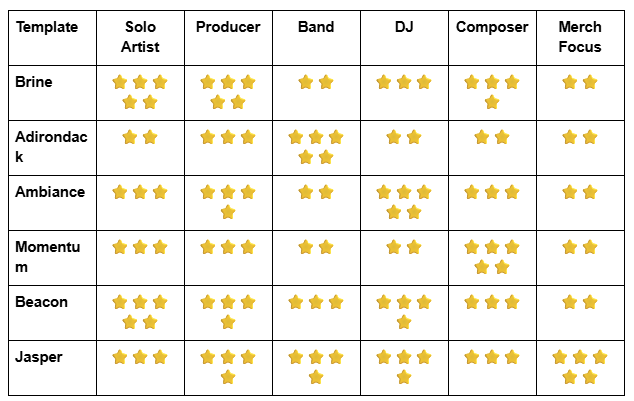
How to read this chart: If you're a solo artist, Brine and Beacon are your strongest matches. If you're a DJ with merch, Ambiance plus Jasper elements would be ideal (you could customize Jasper with the dark theme). If you're a band, start with Adirondack and add e-commerce features if you plan to sell tickets or merchandise.
Adding Audio to Your Squarespace Site: Complete Integration Guide
One of the most common questions we hear from musicians: Can I embed music on Squarespace? The answer is yes—and you have several options depending on your needs and where your music lives.
Option 1: Native Squarespace Audio Block
Squarespace includes a built-in audio block that works beautifully on all templates. Here's what to know:
Upload your own MP3 files directly to Squarespace. Perfect for unreleased tracks, exclusive content, or high-quality versions of your music.
Built-in player with play/pause, progress bar, and volume control. It's minimal and doesn't distract from your site design.
Mobile friendly. The audio player adapts to any screen size.
Best for: Exclusive content, unreleased demos, full-length tracks you want to own the listening experience for.
The native audio block is ideal when you want complete control and don't want to rely on third-party services.
Option 2: SoundCloud Embed
Many producers use SoundCloud as their primary distribution platform. Squarespace makes it trivial to embed SoundCloud players:
Embed playlists or individual tracks directly on your site using the embed code SoundCloud provides.
Visitors can stream without leaving your site. They can also jump to SoundCloud to like, repost, or follow your profile directly.
Analytics flow to SoundCloud, so all your streaming data stays in one place.
Best for: If SoundCloud is your primary platform or if you want to capitalize on SoundCloud's search and recommendation algorithm.
To embed: Copy your SoundCloud track URL, use Squarespace's Embed block, paste the URL, and the platform automatically generates the player.
Option 3: Bandcamp Embed
Bandcamp is the favorite platform for independent musicians and producers who want to sell music directly to fans. Embedding Bandcamp on your Squarespace site creates multiple benefits:
Direct fan relationships. Bandcamp keeps your revenue without platform fees cutting into your earnings.
Embedded player shows your music catalog while allowing fans to purchase directly.
Merchandise integration. Sell physical albums, CDs, or vinyl alongside digital downloads.
Best for: Producers serious about direct-to-fan revenue, independent labels, or anyone selling physical music.
To embed: Bandcamp provides an embed code for each album or track. Paste it into Squarespace's code block or use the embed feature.
Option 4: Spotify Embed
Spotify is where most people listen to music in 2026. You can embed Spotify players on your Squarespace site to let visitors preview your work:
Single track players or full album/playlist embeds are available.
Visitors can click through to save to their library or add to playlists.
Works alongside other platforms. Your site can embed Spotify, SoundCloud, and Bandcamp simultaneously.
Best for: Reinforcing your Spotify presence, directing traffic to algorithmic playlists, or showing off your placement on major playlists.
To embed: Get the Spotify embed code from your artist profile, paste into a code block on your Squarespace site.
Real Talk: Which Should You Use?
Here's what we recommend for most producers:
Use Bandcamp or your own audio block as your primary revenue driver. This is where fans buy your music.
Embed SoundCloud or Spotify as secondary players that drive discovery and algorithm engagement.
Keep native Squarespace audio blocks for exclusive unreleased content that you want to showcase on your site but haven't released to streaming platforms.
This multi-platform approach recognizes that listeners exist on different platforms. Some fans love SoundCloud's community. Others are Spotify-only. By embedding multiple options, you meet people where they already are.
Free vs. Premium Squarespace Plans: What's the Real Difference?
Squarespace doesn't offer a fully free plan. However, here's what you get at each price tier:
Personal Plan ($18/month)
Unlimited pages and bandwidth
Native Squarespace audio block
Basic email capture
Template customization
One email address (@yourdomain.com)
SSL certificate (secure connection)
Mobile optimization
Limitations: No e-commerce, no advanced analytics, no advanced email automation
Best for: Solo artists building a basic music site, producers who want to collect emails and showcase music without selling products.
Business Plan ($33/month)
Everything in Personal plus:
Full e-commerce (sell albums, merch, digital products)
Inventory management
Detailed analytics and visitor reports
Email marketing tools (Mailchimp integration available)
Advanced SEO tools
Custom domain email
Best for: Artists selling merch, multiple products, or serious about understanding visitor behavior.
Commerce Plan ($66/month)
Everything in Business plus:
Advanced shipping options
Abandoned cart recovery
Subscription products (recurring revenue for membership or exclusive content)
Selling physical and digital products seamlessly
Best for: Producers running a serious music business with complex product catalogs or recurring revenue models.
The Reality: Most emerging music producers start with the Personal plan ($18/month). If you're selling merch or planning to monetize through courses or beat packs, upgrade to Business ($33/month). Unless you're running a full-scale music label, you probably don't need Commerce.
What to Look For in a Musician Website Template
Beyond just choosing from the list above, here are the criteria that separate a good musician website template from a mediocre one:
1. Audio Player Quality
The audio player should be:
Visually minimal (not distracting from your music)
Responsive (works on phones, tablets, desktops)
Fast-loading (shouldn't slow down your site)
Customizable (can change colors to match your brand)
2. Mobile Optimization
Your site will receive 60–70% of its traffic from mobile devices. The template should:
Display beautifully on phone screens
Have thumb-friendly buttons and menus
Load fast on slower connections
Maintain readability on small screens
3. Email Capture Capability
You need to own your audience. The template should:
Include easy-to-add email signup forms
Support pop-ups, inline forms, and footer signups
Integrate with email services like Mailchimp or Flodesk
Make it obvious where fans can join your mailing list
4. Social Integration
Your website should complement—not duplicate—your social media. Look for:
Easy social sharing buttons
Instagram feed embedding
TikTok video embedding
Links to all your social profiles in header/footer
5. SEO Foundation
A good music website template should:
Have clean, semantic HTML structure
Allow you to customize meta titles and descriptions
Generate XML sitemaps automatically
Support structured data (Schema markup)
Load fast (Core Web Vitals optimization)
6. Scalability
Your template should grow with you. Can you:
Add new sections as your catalog grows?
Manage 50+ tracks without slowdown?
Add a blog for sharing music production tips or behind-the-scenes content?
Integrate third-party tools (Mailchimp, Zapier, etc.)?
If a template checks these boxes, you've found something worth using.
Frequently Asked Questions
-
Yes, absolutely. Squarespace has a native audio block that works on all templates. You can also embed music from SoundCloud, Bandcamp, Spotify, and Apple Music using embed codes. Most templates support all these methods without requiring code knowledge. The native audio block is best for exclusive or unreleased content; embedded players (SoundCloud, Bandcamp) are ideal if your music lives primarily on those platforms.
-
There's no single "best" website for all music producers because your needs depend on your business model. However, Squarespace consistently ranks among the top because it offers beautiful templates, integrated audio players, e-commerce capabilities, and reliability without requiring technical skills. Other strong options include Wix and WordPress, but they require more customization. For producers who value aesthetics, ease of use, and built-in music tools, Squarespace is the most popular choice in 2026.
-
Technically, no. But you're missing something important. Spotify and SoundCloud are discovery platforms—they're not yours. If your music is removed, your account is hacked, or a platform changes its algorithm, you lose direct access to your audience. A website gives you a owned platform where you control the experience and can directly collect emails, sell products, and build deeper relationships with fans. Think of your music site as your headquarters; streaming platforms are where you send traffic.
-
The monthly hosting cost ranges from $18 to $66 depending on which plan you choose. The Personal plan ($18/month) covers most basic music sites. If you're selling merch, go with Business ($33/month). Beyond the hosting, you'll need a domain name ($12–$20/year). So budget roughly $250–$500 for the first year, then $200–$400 annually after that. This is far cheaper than hiring a developer or using a custom solution.
-
Yes, but it requires some work. Squarespace makes it possible to switch templates while keeping your content intact, though layouts and custom elements may need adjustment. The safest approach is to spend time choosing the right template upfront rather than switching repeatedly. Browse multiple templates, maybe build test sites in a couple, and pick the one that feels right for your brand before adding lots of content.
-
Most musicians can launch a functional Squarespace site in 2–4 hours. This includes: choosing a domain, picking a template, customizing colors and fonts, adding your music and bio, uploading photos, and adding email capture forms. If you want pixel-perfect design and detailed copywriting, plan for 8–12 hours. If you hire a designer (like we do at Squareko.com), expect 5–7 business days to completion.
-
If you produce in multiple genres, Beacon or Brine are your safest bets. They're flexible enough to accommodate diverse work without feeling disjointed. Alternatively, consider a site structure where different genres have dedicated pages or sections—your main site showcases your strongest work, and other genres live on sub-pages. Ambiance works well for electronic music across multiple styles; Momentum works for varied instrumental or compositional work.
-
Yes. The Business plan and above include e-commerce functionality that lets you sell digital products. You can create a "beats" or "samples" store section, set your prices, and Squarespace handles payment processing and downloads automatically. Many beat makers and sample pack producers use Squarespace specifically for this capability.
Ready to Build Your Music Website? Let's Make It Happen
Choosing the right Squarespace template is the first step toward building a professional music site that actually drives your career forward. But picking a template is just the beginning.
The real work—and the real results—come from executing it right. That means choosing a domain name that's memorable and SEO-friendly, customizing the template to reflect your unique brand, adding your best music right at the top where visitors see it first, building an email list from day one, and integrating all your streaming platforms so fans can access your music anywhere.
This is where most musicians get stuck. They pick a great template but then struggle with the details: What should the copy say? How should I organize my discography? Which photos work best? How do I make sure people actually find my site?
That's why we built Squareko. We're a team of Squarespace specialists who work exclusively with music producers, artists, and musicians. We understand your industry because we work in it every day.
Here's what we do: We take the template selection process off your plate, customize a professional music site designed specifically for your career stage and goals, optimize it for the search engines so people can actually find you, and hand you a fully launched site that's ready to attract fans, build your email list, and drive revenue.
The best part? We offer a free discovery call before we ever recommend a template or solution. During that call, we ask about your music, your goals, your audience, and your technical comfort level. We listen. Then we recommend exactly the template and strategy that makes sense for where you are right now—not where you'll be in five years.
No hard sell. No unnecessary upsells. Just honest advice from people who build music websites for a living.
If you're ready to stop overthinking and start building, let's talk. Book your free discovery call with Squareko today. We'll map out your site in 30 minutes and you'll walk away knowing exactly what to do next.
Your music deserves a professional home. Let's build it.

From custom website design to SEO strategy, we help businesses launch a site that looks professional and performs better.

About the Author
I'm Walid Hasan, a Certified Squarespace Expert and Squarespace Circle Platinum Partner with over 12 years of hands-on experience designing and optimizing high-performing websites. Over the years, I've had the privilege of building more than 2,000 Squarespace websites for clients around the world, always focusing on clean design, strong user experience, and conversion-driven results.
