
5 Insurance Broker Website Mistakes That Cost You Clients on Squarespace
Introduction
The difference between an insurance broker website that attracts clients and one that repels them often comes down to specific, fixable mistakes. Your site might look professional enough, but if it lacks the trust signals insurance prospects expect, or if compliance concerns aren't visibly addressed, potential clients simply move to a competitor. These insurance broker website mistakes on Squarespace are costing you business—often without you realising why enquiry rates have stalled.
This post identifies the five most damaging mistakes we see on insurance broker sites built with Squarespace, explains why they cost you clients, and walks you through exactly how to fix each one.
Key Takeaways 5 Insurance Broker Website Mistakes That Cost You Clients on Squarespace
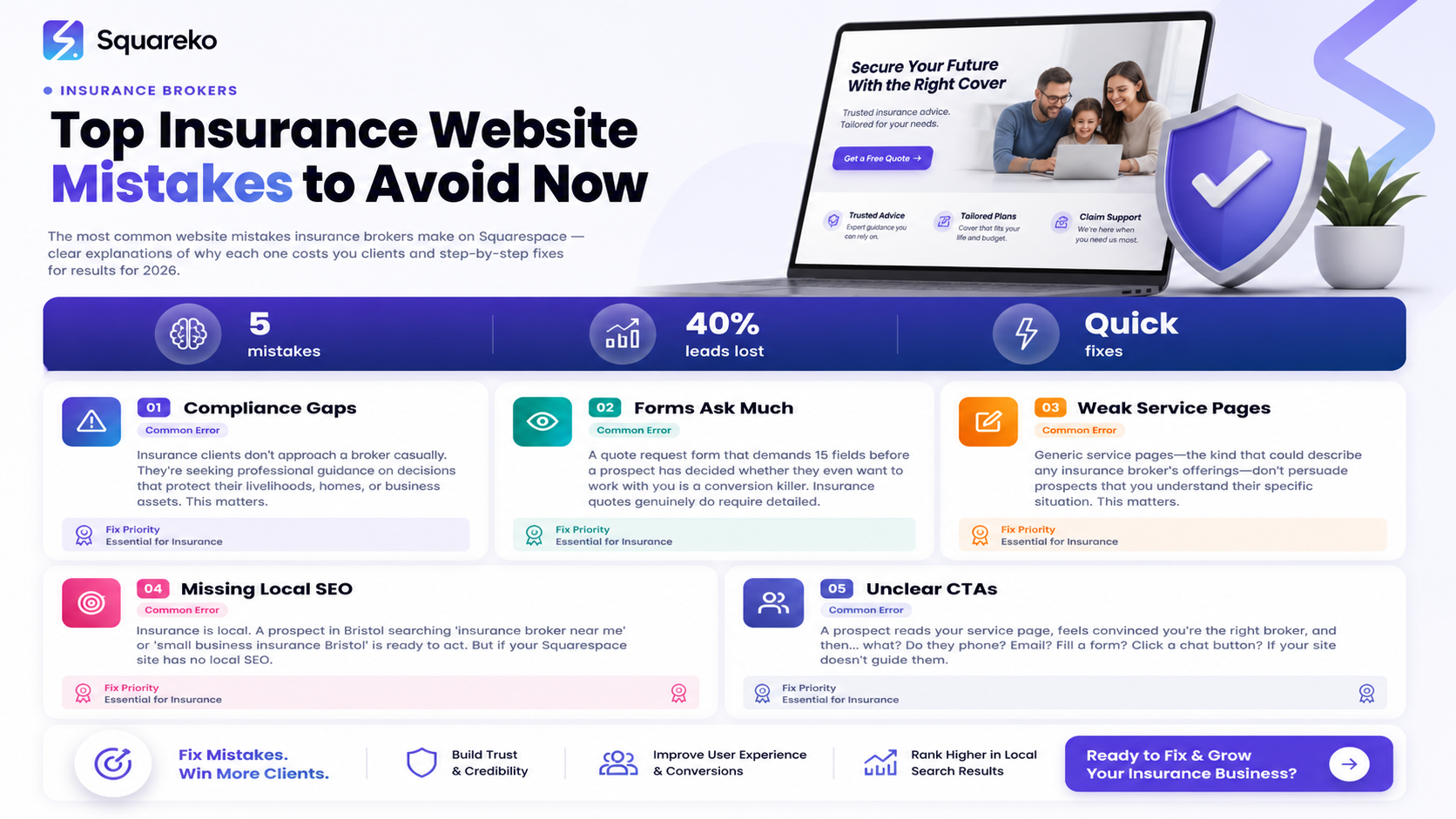
Compliance transparency gaps lose cautious insurance prospects immediately; FCA/professional body credentials must be prominently displayed
Quote request forms that ask too much upfront create friction that converts interested visitors into abandoned sessions
Generic service pages without specific industry focus fail to signal specialisation that insurance clients actively search for
Missing local SEO tactics mean your site never appears for "insurance broker near me" and hyper-local searches that drive qualified leads
Weak or buried call-to-action design leaves prospective clients unsure whether they should phone, email, or request a quote
Insurance professionals are compliance-conscious; your website design must reflect that caution and professionalism
Mistake 1: No Visible Compliance or Trust Credentials
Why It Costs Clients
Insurance clients don't approach a broker casually. They're seeking professional guidance on decisions that protect their livelihoods, homes, or business assets. Before they even discuss their needs, they need to know your firm is legitimate and properly regulated.
If your Squarespace site doesn't prominently display FCA registration, professional body memberships (such as BIBA, CII, or similar), insurance licence information, or client protection scheme details, you're creating doubt at the moment prospects should be building confidence. Loss-averse professionals—which most insurance clients are—will simply leave and search for a competitor whose credentials are obvious.
Many brokers bury this information in a footer, hide it on a generic "About Us" page, or worse, assume their professional reputation speaks for itself online. It doesn't. Prospects have no relationship with you yet. They need reassurance before they read your story.
The Squareko Fix
Use Squarespace's feature-rich header and navigation options to create a Trust Bar or Credentials Section at the very top of your homepage, or prominently within the header navigation. Include:
FCA Registration Number with a clickable link to the FCA register
Professional Memberships (display logos of BIBA, CII, BBA, or relevant bodies—most allow this for members)
Client Protection Scheme logo and brief explanation
Insurance Underwriting Authority badge if applicable
On your service pages, add a Credentials Box using Squarespace's code block to display trust badges. This isn't just decoration—it's a compliance assurance mechanism.
Consider adding a Compliance & Credentials page (linked clearly in your footer and occasionally in the main menu) where you detail:
Your FCA licence and any special authorisations
Professional qualifications of your team (CII, BIBA-certified, etc.)
Your insurance intermediaries' code of conduct statement
Data protection (GDPR) and privacy commitment
Money laundering and financial crime compliance procedures (summarised for client transparency)
Squarespace's Markdown blocks and code blocks allow you to format this information professionally without awkward text walls. The goal is to communicate: "We take regulation seriously, and we're transparent about it."
Insurance brokers who implement this shift often report immediate trust signals: lower bounce rates from prospects reaching key compliance pages, increased form submissions, and more phone enquiries from serious clients.
Mistake 2: Quote Request Forms That Ask Too Much Too Soon
Why It Costs Clients
A quote request form that demands 15 fields before a prospect has decided whether they even want to work with you is a conversion killer. Insurance quotes genuinely do require detailed information—but the timing and structure of how you ask for it matters enormously.
Many brokers design their quote forms as if they're collecting information for a final underwriting decision at first contact. This creates friction. A prospective client, at the initial enquiry stage, hasn't committed to you yet. They're evaluating options. If your form requires business turnover, loss history, employee headcount, and five years of claims data before they can even request a conversation, they'll abandon it.
You lose the lead before you've had a chance to build rapport, understand their specific needs, or demonstrate your expertise.
The Squareko Fix
Restructure your quote forms into two-stage capture:
Stage 1: Lightweight Entry Form (displayed prominently, minimal friction)
Name
Contact phone number
Email
Type of insurance needed (one select dropdown: Business Liability, Property, Professional Indemnity, etc.)
Brief note: "Tell us roughly what you're looking for" (optional text area, max 200 characters)
This should load quickly and take 90 seconds to complete. On Squarespace, use a Form Block with conditional visibility—show only essential fields initially.
Stage 2: Detailed Quote Form (sent via email or shown after Stage 1 submission)
Full business details
Employee count
Turnover
Specific coverage requirements
Claims history (if applicable)
Any special circumstances
After a prospect submits Stage 1, trigger an automated response (using Squarespace's built-in email automation or a Zapier integration) with a personalised message: "Thanks for reaching out. We've received your enquiry. Our team will contact you within 2 hours to discuss your exact needs and send through any specific questions we need to complete your quote."
Then your team follows up by phone or email and collects the Stage 2 details during a real conversation, where you're also qualifying the lead and building trust.
This approach increases form completion rates by 60–80% because the initial barrier is low. You capture contact details, which is what matters most at the start. Prospects feel less pressure, leading to higher submissions overall.
Mistake 3: Weak Service Pages Without Industry Specialisation Signals
Why It Costs Clients
Generic service pages—the kind that could describe any insurance broker's offerings—don't persuade prospects that you understand their specific situation. Insurance clients search for specialists. They want someone who knows their industry, risk profile, and regulatory environment.
If your Business Insurance page reads like a template ("Business insurance protects your company from unexpected financial loss"), you're not differentiating yourself. You're not showing that you understand the unique risks faced by logistics companies, care homes, hospitality venues, or whatever sectors you specialise in. Prospects comparing three brokers will always favour the one that sounds like they get their business.
Weak service pages also miss search opportunity. You won't rank for "restaurant insurance in Manchester" if your Business Insurance page doesn't mention restaurants or Manchester once.
The Squareko Fix
Reframe each service page as a specialisation showcase rather than a generic product description. Use this structure:
Heading (H1): "[Industry] Insurance in [Location]" or "[Industry] [Insurance Type] – Explained" Example: "Hospitality Insurance in London – What Venue Owners Need"
Opening Paragraph (first 100 words): Acknowledge the specific regulatory, operational, or financial risks this industry faces. Example: "Hospitality venues face unique risks—from public liability claims and alcohol licensing compliance, to kitchen fires and employment disputes. Standard business insurance often doesn't cover these scenarios. Our hospitality insurance is built specifically around the risks your venue faces daily."
Section 1: What This Industry Needs to Protect
List 3–4 specific risks relevant to the sector (public liability for restaurants, duty of care for care homes, professional negligence for consultancies, etc.)
Keep it factual, not alarmist—you're speaking to loss-averse professionals
Section 2: Cover We Typically Recommend
Name specific policy types relevant to this sector
Explain why each matters (not what it is—your clients know what professional indemnity insurance is; explain why their industry faces specific claims risks)
Section 3: Why Brokers Matter for This Sector
Explain which regulations or operational complexities make DIY insurance risky for this industry
Build the case for expert brokerage without being heavy-handed
Client Testimonial or Case Study (if available)
A real example: "How we helped a 15-person PR firm reduce their professional indemnity cost by 20% while improving their coverage"
Clear CTA: "Request a quote tailored for [sector]" or "Speak to a broker who understands [sector]"
Use Squarespace's layout blocks to mix text, images (showing your team at work with sector-appropriate imagery), and testimonials. The page should take 3–4 minutes to read and leave the prospect thinking, "These people understand my business."
Mistake 4: Missing Local SEO Strategy for Geographic Authority
Why It Costs Clients
Insurance is local. A prospect in Bristol searching "insurance broker near me" or "small business insurance Bristol" is ready to act. But if your Squarespace site has no local SEO optimisation, you won't appear in those searches. They'll find your competitor instead—potentially one who's less experienced but better optimised for local search.
Many insurance brokers focus only on generic keywords ("business insurance", "professional indemnity") and ignore the local variations that drive high-intent search traffic. Local keywords typically have lower competition and higher conversion rates because the searcher has signalled intent to buy from someone geographically near them.
The Squareko Fix
Implement four key local SEO tactics on Squarespace:
1. Google Business Profile Optimisation (Free, High Impact)
Claim and fully complete your Google Business Profile
Add accurate business address, phone, hours
Upload regular photos of your team and office
Encourage clients to leave reviews (respond to all, professionally)
Post updates using Google Business Profile posts (Squarespace integrates with this)
2. Location Pages If you serve multiple cities or regions, create dedicated location pages on Squarespace:
URL structure: /insurance-broker-bristol/ or /commercial-insurance-london/
Heading: "Commercial Insurance Broker in [City]"
Include: local testimonials, team members' names and locations, local landmarks or references, nearby competitor mentions (subtle, not negative)
Local phone numbers if you have multiple offices
Embed a map (Squarespace's map block)
3. Schema Markup for Local Business Squarespace allows code block insertion. Add or ensure your site includes LocalBusiness schema JSON-LD (Squarespace adds basic schema by default, but you may need to enhance it):
{
  "@context": "https://schema.org",
  "@type": "InsuranceAgency",
  "name": "Your Broker Name",
  "address": {
    "@type": "PostalAddress",
    "streetAddress": "123 High Street",
    "addressLocality": "Manchester",
    "addressRegion": "Greater Manchester",
    "postalCode": "M1 1AA",
    "addressCountry": "GB"
  },
  "telephone": "+44 161 123 4567",
  "url": "https://yourbroker.com",
  "areaServed": ["Manchester", "Salford", "Tameside"],
  "priceRange": "£"
}
4. Local Content & Geo-Specific Keywords
Include city/region names naturally in page titles, headings, and body text
Create blog content around local topics: "How to find approved insurance brokers in Leeds" or "Commercial insurance compliance updates for Scottish businesses"
Link to local business directories and membership organisations (CII, BIBA local chapters, local chambers of commerce)
Brokers implementing local SEO often see 30–50% jumps in local enquiries within 3–4 months because you're capturing search demand that's already geo-qualified.
Mistake 5: Unclear or Inconsistent Call-to-Action Structure
Why It Costs Clients
A prospect reads your service page, feels convinced you're the right broker, and then... what? Do they phone? Email? Fill a form? Click a chat button? If your site doesn't guide them to a single, clear next step, decision paralysis sets in. They leave to compare other brokers, and often never come back.
Many insurance broker websites have CTAs scattered everywhere, worded differently, or hidden in inconsistent locations. This creates friction. Confused prospects convert poorly.
The Squareko Fix
Establish a single primary CTA that appears consistently across your site, and support it with secondary options:
Primary CTA (Appears on every page): Choose one: "Request a Free Quote", "Schedule a Free Consultation", or "Get an Insurance Review" (more consultative). Use the same wording everywhere.
Place it at the top of your header (a sticky or persistent button, or a prominent navigation link)
Repeat it at the end of every service page, after your content
Include it in your hero section on the homepage
Secondary CTAs (Support the primary one):
Phone number: prominently displayed, clickable on mobile
Email address: shown as a fallback ("Or email us directly at...")
Live chat button (if you have capacity to monitor it)
Design Standards for CTAs:
Buttons should be high-contrast colour (not grey or muted)
Text should be action-oriented: "Request My Quote", "Get Started", "Speak to a Broker"
On mobile, buttons should be thumb-friendly (large touch targets)
The Quote Form as CTA: Link your primary CTA button to your lightweight quote form (Stage 1, mentioned in Mistake 2). Make the form page itself clear: large heading ("Get Your Broker Insurance Quote in 90 Seconds"), reassurance text ("No obligation. We'll contact you within 2 hours"), and a submit button that's visually confident ("Send My Enquiry" rather than a generic "Submit").
Post-CTA Message: After someone submits your form, show a success message that confirms next steps: "Thanks! Your enquiry has been received. One of our team will contact you within 2 hours on the number you provided."
Consistent, clear CTAs remove decision friction. Prospects know what's expected next, which increases conversion rates from browsers to enquiries.
-
Quote requests typically drop off when one of five issues is present: prospects don't trust your credentials (Mistake 1), your quote form is too demanding (Mistake 2), your content doesn't signal specialisation (Mistake 3), local search traffic isn't reaching you (Mistake 4), or the path to action is unclear (Mistake 5). Audit your site against each of these. Most brokers find issues in at least two categories. Fix the highest-friction items first—usually the quote form and trust credentials.
-
Insurance clients prioritise: (1) compliance and trust credentials first—FCA, professional memberships, client protection scheme details; (2) evidence of specialisation—do you understand their industry and risks?; (3) ease of contact—clear phone number and quote form; (4) team expertise—names, qualifications, possibly photos; (5) reviews and testimonials, ideally visible on the homepage or service pages. They're not looking for flashy design; they're looking for competence and professionalism.
-
You need a redesign if: your site doesn't display FCA/compliance credentials prominently; your bounce rate exceeds 60% (check Google Analytics); form abandonment is above 70%; you're not ranking for local keywords; you receive fewer than 5 qualified enquiries per month (assuming you get organic traffic); your site isn't mobile-responsive; or your enquiry sources show zero direct website conversions. A professional audit (like the free one Squareko offers) can identify specific priorities.
-
Yes. Insurance is a relationship business. Showing team members—ideally with professional headshots, qualifications, and a brief bio—builds trust. Prospects want to know who they're working with. Include names, professional certifications (CII, BIBA status), areas of specialisation, and, if comfortable, a sentence or two about why they joined the firm or what they specialise in. This also helps with local SEO and supports your claim of being a genuine, established business rather than a faceless operation.
-
Your core pages (home, service pages, about, contact) should be reviewed quarterly for accuracy, especially if regulations, your services, or team change. Blog content, if you produce it, should be monthly or bi-monthly. Your Google Business Profile should be updated weekly if possible (photos, posts, responses to reviews). Compliance pages should be reviewed annually or whenever regulatory frameworks change. Squarespace makes these updates simple—there's no technical barrier to keeping your site current.
-
Squarespace is excellent for insurance brokers because it's compliant-friendly, has built-in SEO tools, doesn't require technical skill to update, integrates with form automation, and is priced fairly. Alternatives like WordPress offer more flexibility but require more technical skill; Wix is cheaper but has weaker SEO; specialist finance platforms exist but are expensive. Squarespace hits the sweet spot for professional service brokers who want a secure, trustworthy, modern site without a developer on staff.
Conclusion
Your insurance broker website isn't just a marketing tool—it's your first client conversation. It must earn trust, answer core questions, guide prospects to action, and do all of this whilst respecting the compliance consciousness that defines insurance as a profession.
The five mistakes outlined here—missing compliance credentials, poorly designed quote forms, weak service pages, absent local SEO, and unclear CTAs—are entirely fixable. Most insurance brokers who address these issues report measurable improvements within 4–8 weeks: more enquiries, shorter sales cycles, and higher-quality leads because your site now properly qualifies prospects before they contact you.
Squarespace provides the tools to fix all five issues without technical complexity. The question is which mistake is costing you the most clients right now. Identify it, act on it, and measure the result. Your next client is likely searching for you right now.

Free Insurance Website Audit
If you're unsure where your site stands, Squareko offers a free insurance broker website audit. We'll review your site against these five mistake categories, plus ten additional conversion and compliance signals, and send you a prioritised action plan within 48 hours.
[Request Your Free Website Audit]
No obligation. No sales pitch. Just honest feedback on what's working, what's costing you clients, and how to fix it.
Contact Squareko today—the specialist Squarespace agency for insurance professionals.
