
5 Architecture Website Mistakes That Cost You Commissions on Squarespace
Introduction
When prospective clients visit an architecture firm's website, they make judgement calls within minutes. They're not simply assessing aesthetics — they're evaluating whether your practice possesses the competence, experience, and systematic thinking required to manage their project.
Your website is simultaneously a portfolio and a credibility platform. If it contains structural deficiencies, potential clients interpret those gaps as evidence that your practice prioritises aesthetics over substance. This perception costs commissions.
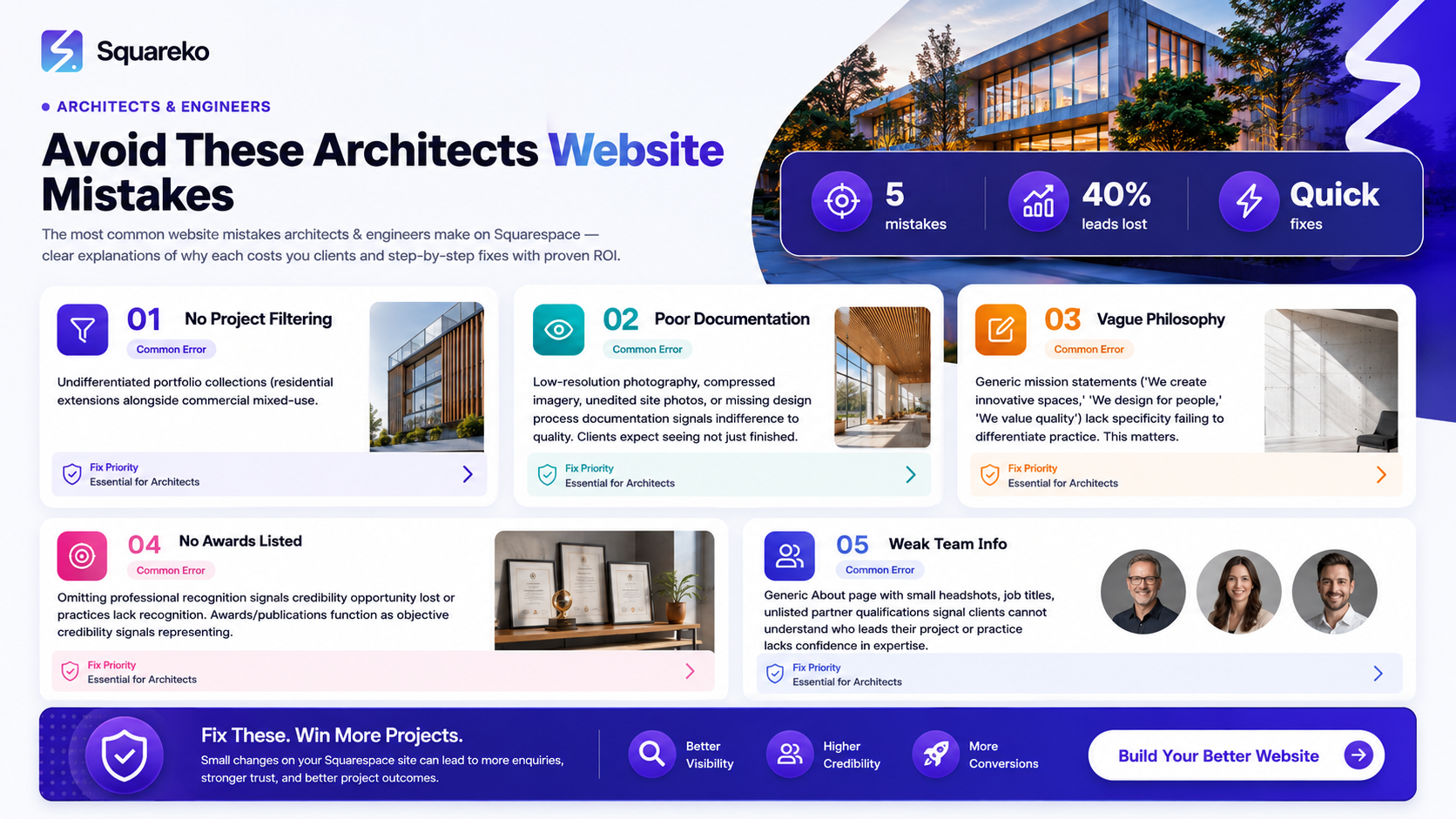
This post examines the five most common architecture website mistakes on Squarespace. Each one signals to discerning clients that your practice may lack the rigour they expect. Critically, each is solvable. By the end of this post, you'll understand precisely what clients expect to find on your website, why these elements matter, and how to implement them on Squarespace.
Key Takeaways
Portfolio visibility mistakes — weak project filtering and unclear project categories — signal to potential clients that your practice lacks systematic thinking about built work
Poor documentation standards — including low-resolution imagery or missing design process information — cost you credibility with discerning clients who expect meticulous attention to detail
Missing practice philosophy creates professional uncertainty; clients cannot assess whether your values align with theirs, forcing them to approach competitors instead
Absent awards, publications, and team credentials remove objective credibility signals that influence client selection decisions
Squarespace configuration fixes address these gaps, allowing your website to demonstrate the rigour and professionalism your practice actually possesses
Mistake 1: No Project Typology Filtering or Clear Project Categories
The Problem
Many architecture websites present portfolios as undifferentiated collections of projects. A residential extension sits alongside a commercial mixed-use development; a small renovation precedes a major institutional scheme. Clients cannot easily filter projects by building type, programme, or scale.
This structural failure signals a critical credibility problem. It suggests your practice either hasn't developed a strategic approach to project categorisation, or you've overlooked how clients actually browse portfolios.
Professional Credibility Impact
Prospective clients browse your portfolio to understand whether you have directly relevant experience. A residential client wants to see comparable residential work. A commercial developer needs evidence of your ability to manage compliance, planning, and procurement at scale. Without clear typology categories, clients conclude that your practice either doesn't specialise or doesn't think systematically about project categories.
This portfolio mistake signals to potential clients that your practice lacks attention to detail about how clients actually evaluate firms.
Squarespace Fix
On Squarespace, use the portfolio collection feature to establish project taxonomy:
Navigate to your portfolio collection in the collection manager
Create custom category tags: Residential, Commercial, Institutional, Mixed-Use, Urban Master planning, Refurbishment
Within each project description, include a structured metadata section listing: Project Type, Scale (GIA if applicable), Budget, Client Sector, Delivery Timeline
Use Squarespace's portfolio filtering functionality to display these tags visually on your portfolio page
Consider creating dedicated portfolio pages for each major typology, with curated project selections and sector-specific case study content
This approach demonstrates that your practice thinks systematically about project categories and can articulate relevant experience to each prospect segment.
Mistake 2: Poor Image Quality and Missing Design Process Documentation
The Problem
Architecture is a visual discipline, yet many Squarespace portfolios contain low-resolution photographs, compressed imagery, or unedited site photos. Equally problematic: portfolios show finished buildings without documenting the design process — no sketches, no precedent analysis, no construction detail sequences.
Clients expect to see not just what you built, but how you thought.
Professional Credibility Impact
Project photography represents your practice's commitment to documentation standards. Low-resolution images or casual smartphone photography signal indifference to quality. Clients interpret this as evidence that your practice may cut corners elsewhere — in design rigour, site management, or specification precision.
Missing process documentation is worse. When clients see only finished buildings without understanding your design methodology, they cannot assess whether you approach problems methodically. Notably, this portfolio mistake signals that your practice may lack disciplined design thinking, or that you're uncomfortable articulating your methodology.
Squarespace Fix
Photography standards: Ensure all portfolio images are high-resolution (minimum 2,400 px width), professionally lit, and post-processed to consistent colour grade. Squarespace supports image zoom — use this to display detail and material definition
Process documentation: For each major project, create a project page (or Squarespace blog post embedded in your portfolio) that includes:
Conceptual sketches or precedent diagrams
Site analysis or initial design exploration
Material and construction detail photography
A 150–300-word methodology statement explaining your design rationale
Before/after studies: For refurbishment or renovation projects, include comparison imagery that demonstrates the quality of your intervention
Technical rigour signals: Include small details like plan and section drawings, material specifications, or environmental performance data (daylight studies, thermal modelling) if applicable to your practice
This approach demonstrates that your practice maintains exacting documentation standards and applies disciplined methodology to every commission.
Mistake 3: Absent or Vague Practice Philosophy and Design Values
The Problem
Many architecture websites describe their practice in generic language: We create innovative spaces, We design for people, We value quality. These statements lack specificity and fail to differentiate your practice.
Prospective clients cannot determine whether your values align with theirs.
Professional Credibility Impact
A clearly articulated practice philosophy demonstrates that your practice has examined its own motivations and design principles. Vague mission statements signal the opposite — that you either haven't developed a coherent perspective, or you're uncertain about your approach.
Clients select architects based on alignment. If your website doesn't articulate what your practice stands for, clients cannot assess whether to approach you. This portfolio mistake signals that your practice may lack the conceptual clarity and strategic thinking they expect from a professional firm.
Squarespace Fix
Create a dedicated "Practice" or "About" page within your main navigation
Include a concise philosophy statement (200–300 words) that articulates:
What problem your practice solves (not what you do, but why)
Your approach to design
The types of clients and projects you're best positioned to serve
A statement about your design values that directly addresses client concerns (e.g., if you specialise in heritage work, articulate your approach to conservation; if you focus on institutional projects, emphasise your understanding of stakeholder management)
Include a headshot of the principal architect or key partners, with a brief biographical statement
Consider adding a page titled Our Design Process that walks prospective clients through how you work: initial briefing, analysis, design development, technical documentation, site delivery. This demonstrates methodical thinking.
This approach signals that your practice has examined its own principles and can articulate them clearly to prospective clients.
Mistake 4: No Awards, Publications, or Recognition Showcase
The Problem
Many architecture websites omit professional recognition entirely. Awards, publications, and critical acknowledgement are relegated to LinkedIn or withheld from client-facing marketing.
This represents a credibility opportunity lost.
Professional Credibility Impact
Awards and publications function as objective credibility signals. They represent external validation that your practice delivers work of recognised quality. Clients rely on these signals, particularly when selecting architects for significant or complex commissions.
When your website contains no recognition section, clients cannot assess third-party validation of your capability. This portfolio mistake signals that your practice either hasn't pursued professional recognition, or doesn't value it enough to feature it prominently. Either interpretation damages credibility.
Squarespace Fix
Create a dedicated "Recognition" or "Awards & Publications" page in your navigation
Structure this page to include:
Awards: List RIBA, AIA, or regional awards with project titles and award categories. Include award logos if you have usage rights
Publications: Include articles published in architecture journals, trade press, or mainstream media. Provide publication title, publication name, publication date, and a brief description of what the article covered
Speaking engagements: If partners present at conferences or educational institutions, list these with date and event name
Teaching roles: If anyone in your practice teaches at architecture schools, include this
Use Squarespace's text blocks or collection features to create a chronological or categorical listing that's easy to scan
For recent awards or publications, consider adding a small thumbnail image or publication cover
This approach demonstrates that your practice's work has received external recognition and validation.
Mistake 5: Weak Team and Partner Credentials Presentation
The Problem
Many architecture websites relegate team information to a generic "About" page with small headshots and job titles. Partner qualifications, specialisms, and experience are not detailed. Clients cannot understand who will actually lead their project.
Professional Credibility Impact
Clients select architects partially based on the expertise and experience of the individuals who will be responsible for their project. When your website obscures team credentials, clients cannot assess whether the available expertise matches their project requirements.
Weak team presentation signals that your practice either doesn't value individual expertise highly, or doesn't want clients making decisions based on partner selection. This portfolio mistake signals lack of confidence in your team, or indifference to how clients evaluate firms.
Squarespace Fix
Create a dedicated Team page within your navigation
For each partner or senior staff member, include:
Professional photograph (professional headshot, not casual)
Full name and title
Qualifications
Years in practice
Specialisms or expertise areas
A brief professional biography (100–150 words) describing their approach and experience
If applicable, publications or awards associated with their work
Consider adding a carousel or collection feature that allows clients to click through team members
If your practice is small, emphasise the continuity and depth of experience available to clients
This approach demonstrates that your practice is led by qualified, experienced professionals with clearly defined expertise areas.
How to Conduct a Free Architecture Portfolio Audit
Before implementing these changes, conduct a rapid audit of your current website:
Portfolio Structure
Can clients filter projects by typology, building type, or scale? If not, implement project categories
Are all images high-resolution and professionally photographed? If not, schedule professional re-photography
Does each project include process documentation (sketches, diagrams, methodology)? If not, develop content for top-tier projects first
Credibility Content
Does your "About" page articulate a clear practice philosophy? If not, draft a 200–300-word philosophy statement
Do you have a dedicated awards or publications page? If not, audit your practice achievements and create one
Does your team page include detailed credentials and specialisms? If not, develop individual team biographies
Technical Execution on Squarespace
Is portfolio navigation intuitive and filtering responsive? If not, review Squarespace portfolio collection settings
Are calls-to-action clear? (Do you ask prospects how to proceed?)
Is your contact information visible on every page?
Score yourself on each point. For every unchecked item, you've identified a credibility opportunity.
This audit framework forms the foundation for a comprehensive website refresh. You may not need to rebuild entirely — strategic additions and restructuring often suffice.
Frequently Asked Questions
-
Your website may fail to demonstrate one or more credibility signals that clients expect: clear experience in their project type, documentation of your design methodology, articulated practice values, external recognition, or qualified team expertise. Each missing signal reduces the likelihood that prospects will request a detailed proposal.
-
Clients evaluate: (1) relevant project experience, clearly categorised; (2) high-quality documentation and process visibility; (3) clear articulation of your practice approach; (4) objective credibility signals (awards, publications); (5) qualified team members who will deliver their project. If your website omits any of these, you've lost a competitive advantage.
-
If you cannot answer "yes" to all five audit questions above, your portfolio needs restructuring. Redesign is necessary if: navigation is confusing, projects aren't categorised, images are low-quality, process documentation is absent, philosophy is vague, awards are unlisted, or team credentials aren't detailed. You don't need a complete rebuild — strategic additions often suffice.
-
Include only projects you're genuinely proud to explain to prospective clients. Early-career work is valuable if it demonstrates a specific expertise or approach. However, every weak or mediocre project on your portfolio dilutes your credibility. If a project doesn't clearly signal competence in a category you want to be known for, exclude it.
-
Create clear primary categories (Residential, Commercial, Institutional) and list secondary specialisms within each. Feature projects that represent your strongest work in each category. If your generalist approach is deliberate, articulate this in your practice philosophy: "We apply rigorous design thinking across all building types, from small residential extensions to major institutional commissions."
-
Undifferentiated portfolios without clear project categorisation. Without filtering or typology clarity, clients cannot quickly assess whether you have relevant experience. This single structural failure costs more commissions than any other website deficiency.
-
Commission professional architectural photography for major projects. Ensure consistent colour grading, professional lighting, and clean composition. Include detail shots that demonstrate material quality and craftsmanship. For smaller projects or early designs, high-quality smartphone photography is acceptable if well-lit and clearly composed. Never include rushed site photos or poor-quality documentation.
Conclusion
Your website is not a brochure. It's a credibility platform. Every structural decision — from portfolio categorisation to philosophy articulation to team credential presentation — signals something to prospective clients about your practice's rigour and professionalism.
The five mistakes outlined in this post are widespread because they're easy to overlook. You know your practice is competent and disciplined. Your clients know it. But if your website omits the evidence clients expect to find, you're forcing them to evaluate you against competitors who present their credentials more clearly.
The solution is systematic. Audit your current website against the five credibility categories outlined above. Prioritise the gaps that affect the most prospect interactions (usually portfolio structure and project photography). Implement improvements incrementally on Squarespace using the fixes detailed here. Within months, you'll see the impact: more qualified enquiries, shorter sales cycles, and higher commission rates.
Your website can become your practice's most effective business development tool — but only if it demonstrates the professionalism and rigour your clients expect.
Start Your Free Architecture Portfolio Audit
Your website is costing you commissions if it fails to demonstrate clear project categorisation, professional documentation, articulated values, external recognition, or qualified team credentials.
Squareko specialises in helping architecture practices build websites that win business. We've worked with residential, commercial, and institutional practices to restructure portfolios, improve credibility signalling, and increase commission rates.
Ready to audit your website? Squareko offers a free architecture portfolio audit. We'll evaluate your current site against the five credibility categories above, identify specific gaps, and recommend prioritised improvements.

From custom website design to SEO strategy, we help businesses launch a site that looks professional and performs better.

Author Bio
I'm Walid Hasan, a Certified Squarespace Expert and Squarespace Circle Platinum Partner with over 12 years of hands-on experience designing and optimizing high-performing websites. Over the years, I've had the privilege of building more than 2,000 Squarespace websites for clients around the world, always focusing on clean design, strong user experience, and conversion-driven results.
