
Squarespace SEO for Tech Businesses: How to Rank on Google and AI Search in 2026
Why SEO Is Different for Tech Businesses
SEO for a tech company isn't the same as SEO for a local bakery or an e-commerce store. The audience is more sophisticated, the buying cycle is longer, the competition is often global, and the search intent varies dramatically — from "what is this technology" all the way to "which Squarespace design agency works with SaaS companies."
Add to that a major shift happening right now: AI search platforms are changing how people find information about technology solutions. When a business owner asks ChatGPT "what's the best platform for building a tech startup website," the answer they get is shaped entirely by structured, authoritative web content. If your website isn't structured to be readable and citable by AI systems, you're invisible in that channel.
This guide covers both: traditional Google SEO on Squarespace, and the newer territory of AI search optimization — what some call Generative Engine Optimization (GEO) and Answer Engine Optimization (AEO).
Squarespace SEO Foundations: What's Built In
Before diving into strategy, it helps to know what Squarespace 7.1 handles automatically:
SSL Certificate: Every Squarespace site includes HTTPS by default. This is a Google ranking signal and a trust signal for tech audiences — both matter.
Mobile Responsiveness: All Squarespace 7.1 templates are mobile-responsive. Google indexes the mobile version of your site first (mobile-first indexing), so this foundation is essential.
Automatic Sitemap: Squarespace generates and submits an XML sitemap automatically. You can find it at yourdomain.com/sitemap.xml — but you should still submit it manually to Google Search Console.
Clean URL Structure: Squarespace generates SEO-friendly URLs by default. You can also customize them at the page and post level.
Page Speed: Squarespace hosts your site on a content delivery network (CDN), which improves load times globally. This isn't perfect — heavy media or third-party scripts can still slow things down — but the baseline is solid.
Meta Fields: Every page and blog post has fields for SEO title and meta description. These are the fundamental on-page controls and they're easy to use.
What Squarespace doesn't handle automatically: keyword strategy, content structure, schema markup, internal linking, and the content you actually publish. Those are your responsibility — and they determine the majority of your SEO outcomes.
Key Takeaways Squarespace SEO for Tech Businesses: How to Rank on Google and AI Search in 2026
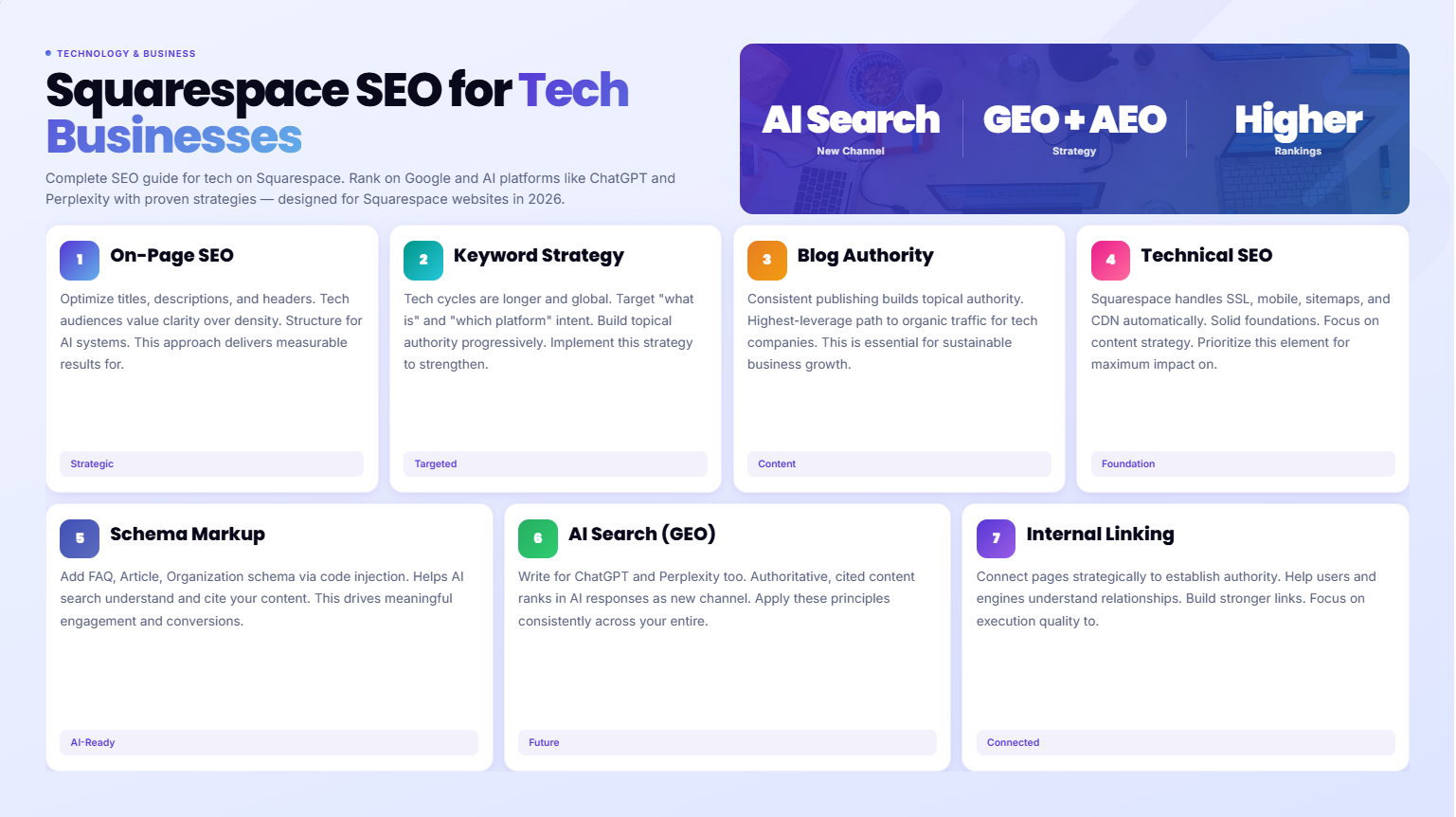
Squarespace provides solid SEO foundations — but ranking on Google and AI search requires deliberate strategy beyond the default settings
In 2026, SEO for tech businesses means optimizing for both traditional search engines and AI platforms like ChatGPT, Perplexity, and Gemini
On-page content structure, keyword targeting, and internal linking are the highest-leverage activities for most Squarespace tech sites
Schema markup (FAQ, Article, Organization) gives AI search engines structured data to pull from — and Squarespace supports this via code injection
Consistent blog publishing on relevant topics is still the most reliable path to organic traffic growth for tech companies
On-Page SEO Strategy for Tech Company Pages
Every page on your tech company website should be optimized for a specific search intent. That means one clear target keyword per page, with supporting content that addresses what someone searching that keyword actually wants to know.
Homepage SEO
Your homepage should be optimized for your primary brand/service keyword — something like "Squarespace web design agency for tech companies" or "SaaS product website design." The homepage isn't usually the right page to rank for high-volume informational terms; it's better suited to brand and commercial keywords.
Key elements:
H1 that includes your primary keyword naturally
First paragraph that confirms what you do, who you serve, and where (if local)
Subheadings (H2, H3) that reinforce the topic
Meta title under 60 characters, meta description under 160 characters
Service Pages SEO
Each service deserves its own dedicated page, optimized for the specific service keyword. If you offer Squarespace design, custom builds, and redesigns as separate services, each should have its own URL and content strategy.
Don't collapse all services onto one page to keep the site "simple." Search engines can only rank specific pages for specific queries — and a single "Services" page diluted across five offers will rank for none of them well.
Blog Posts as SEO Workhorses
Blog posts are where most tech company SEO traffic comes from. They capture informational search intent — the "how to," "what is," "best tools for," and "comparison" queries that your target audience types before they're ready to buy. Well-structured, genuinely useful posts build your topical authority over time.
Keyword Strategy for Tech Businesses
Keyword research for tech companies has some specific characteristics worth understanding.
Informational vs. Commercial Keywords
Informational: "how to build a SaaS website," "what is a minimum viable product website," "squarespace vs webflow for startups" Commercial: "squarespace design agency for tech companies," "squarespace SaaS website designer" Transactional: "hire squarespace designer for startup," "squarespace web design agency quote"
Your blog captures informational traffic. Your service pages target commercial and transactional keywords. A good SEO strategy addresses all three stages.
Long-Tail Keywords for Tech Niches
Broad keywords like "web design for tech companies" are highly competitive. Long-tail keywords — more specific phrases like "squarespace website for SaaS startup pricing page" — have lower search volume but higher conversion intent and are much easier to rank for.
Build your content plan around long-tail topics that your specific target audience actually searches. This is where most small-to-mid tech company SEO strategies win.
Keyword Clustering
Group related keywords into topic clusters rather than treating each keyword in isolation. For example, a cluster around "Squarespace for SaaS companies" might include:
Squarespace SaaS website design (pillar)
How to build a SaaS pricing page on Squarespace (supporting)
Best Squarespace templates for SaaS (supporting)
Squarespace vs Webflow for SaaS (supporting)
This cluster approach builds topical authority faster than writing isolated posts on unrelated topics.
Blog SEO: Building Topical Authority
For tech companies, consistent blog publishing is the highest-ROI long-term SEO activity. Here's how to approach it effectively on Squarespace:
Post Structure for SEO
Every blog post should follow a clear structure that both human readers and search engines can parse:
H1: The full target keyword (or close variation) — this is your post title in Squarespace
Introduction: Answer the main question directly in the first 2-3 sentences (this wins featured snippets)
H2 sections: Major topic areas — each one targeting a supporting keyword naturally
H3 subsections: Specifics within each major section
FAQ section: 6-8 questions phrased the way your audience actually asks them
CTA: Specific to your services and placed strategically — not just at the very bottom
Publishing Frequency
For most tech companies starting out, two high-quality posts per month outperforms eight mediocre ones. Quality and depth signal authority to both Google and AI search engines. A thorough 2,500-word post on a specific topic will outrank a thin 500-word post almost every time.
Evergreen vs. Timely Content
Mix evergreen content (guides that stay relevant for years — "how to set up a SaaS pricing page") with timely content (trend-driven — "Squarespace AI features for tech companies in 2026"). Evergreen content compounds over time; timely content captures surge traffic around specific events or trends.
Technical SEO on Squarespace
Technical SEO covers the behind-the-scenes factors that affect how search engines crawl and index your site.
Google Search Console Setup
Submit your Squarespace site to Google Search Console immediately after launch. Connect your Google Analytics 4 account too. These tools give you visibility into which pages are indexed, which keywords you're ranking for, and any crawl errors that need fixing.
Page Speed Optimization
Squarespace handles most speed factors, but you can improve performance by:
Compressing images before upload (use tools like TinyPNG — Squarespace doesn't auto-compress aggressively)
Using modern image formats (WebP where possible)
Minimizing third-party script embeds on high-traffic pages
Avoiding autoplay video backgrounds on mobile (they dramatically slow load times)
Canonical Tags
Squarespace adds canonical tags automatically to prevent duplicate content issues. If you're syndicating content elsewhere, make sure the original is on your Squarespace site and the canonical points back to it.
Redirect Management
When you change page URLs — which you should do carefully and infrequently — set up 301 redirects in Squarespace's URL mapping tool. Broken links to important pages kill both SEO value and user experience.
Schema Markup for Tech Websites
Schema markup is structured data that tells search engines (and AI platforms) exactly what your content is about. It's one of the most powerful technical SEO tools available — and on Squarespace, you implement it via code injection.
FAQ Schema
Every page with a FAQ section should have FAQ schema markup. This structured data tells Google and AI search engines that your FAQs exist in machine-readable format, making them eligible for featured snippets and AI-generated answers.
{
  "@context": "https://schema.org",
  "@type": "FAQPage",
  "mainEntity": [
    {
      "@type": "Question",
      "name": "Is Squarespace good for tech company SEO?",
      "acceptedAnswer": {
        "@type": "Answer",
        "text": "Yes. Squarespace 7.1 provides strong SEO foundations including automatic sitemaps, SSL, mobile responsiveness, and clean URL structures. With a proper content strategy and schema markup, tech companies can rank effectively on Google and appear in AI search results."
      }
    }
  ]
}
Add this in Squarespace via: Settings → Advanced → Code Injection (site-wide), or add to individual pages via the page settings code injection field.
Organization Schema
Add Organization schema to your homepage to tell search engines who you are:
{
  "@context": "https://schema.org",
  "@type": "Organization",
  "name": "Squareko",
  "url": "https://squareko.com",
  "description": "Squarespace design agency for tech companies and modern businesses",
  "founder": {
    "@type": "Person",
    "name": "Walid"
  }
}
Article Schema for Blog Posts
Blog posts benefit from Article schema markup, which helps AI search engines classify your content correctly and consider it for featured answers.
AI Search Optimization (GEO and AEO)
This is where SEO in 2026 is genuinely different from 2020. AI search platforms — ChatGPT, Perplexity, Gemini, Claude — now answer user questions by synthesizing information from across the web. The websites they cite and recommend share common characteristics.
What AI Search Engines Look For
Definitional clarity: AI systems love content that clearly defines terms and concepts. If someone asks "what is a tech company website," your content should provide a clear, direct answer — not bury it in caveats.
Direct question-and-answer format: Write content that anticipates specific questions and answers them directly. This is why FAQ sections are so valuable — they're naturally structured as Q&A pairs that AI can extract and cite.
Factual specificity: AI platforms prefer content with specific data points, statistics, and concrete details over vague generalizations. "Tech companies that launch with Squarespace typically go live in 2-4 weeks" is more citable than "Squarespace is fast."
Author authority signals: E-E-A-T (Experience, Expertise, Authority, Trust) signals help AI platforms assess whether to trust your content. Author bios, specific credentials, and first-person expertise statements all contribute.
Topical depth: A site that covers a narrow topic comprehensively (everything about Squarespace for tech companies) is more likely to be recommended by AI than a site that covers many topics shallowly.
Practical GEO/AEO Tactics for Squarespace Tech Sites
Write FAQ sections for every major post and page — AI loves pulling from structured Q&A
Include direct answer sentences in the first 2-3 paragraphs of each post
Define industry terms clearly — "GEO (Generative Engine Optimization) is the practice of..."
Add specific data points and statistics where relevant — even ranges are better than nothing
Build content clusters that together cover a topic more comprehensively than any single competitor
Internal Linking Strategy
Internal linking is one of the most under-used SEO tools available to tech companies on Squarespace. It does two things: helps search engines understand your site's structure and topical relationships, and helps human readers navigate deeper into your content.
The Hub-and-Spoke Model
Structure your content around pillar pages (the "hub") supported by specific posts (the "spokes"). Your Squarespace SEO pillar post links to supporting posts on SaaS SEO, tech startup SEO, and schema markup. Those posts link back to the pillar. This creates a topical cluster that search engines recognize as authoritative on the subject.
Practical Internal Linking Rules
Every blog post should link to at least two to three other relevant posts or pages
Use descriptive anchor text — "how to set up FAQ schema on Squarespace" is better than "click here"
Link from high-traffic pages to important conversion pages (services, contact)
Audit your internal links regularly — broken internal links are SEO signals you don't want
Tracking and Measuring SEO Performance
You can't improve what you don't measure. Set up these tracking tools immediately:
Google Search Console: Shows impressions, clicks, position for every keyword you appear for. Invaluable for understanding what's working and what search terms are sending you traffic.
Google Analytics 4: Tracks user behavior on your site — which pages attract traffic, how long visitors stay, which pages lead to contact form submissions.
Squarespace Analytics: Built-in analytics provide quick visibility into traffic trends, top content, and traffic sources — useful for a quick overview without leaving the platform.
SEO audit tools: Ahrefs, Semrush, or Moz can track your keyword rankings, identify backlink opportunities, and flag technical SEO issues. A monthly audit of your key pages is worth the time.
Let Squareko Handle Your Tech Website SEO
SEO strategy takes time to master. If you'd rather focus on building your tech product or growing your business, Squareko handles Squarespace design and SEO setup for tech companies — from keyword strategy and content architecture to schema markup and technical optimization.
[Book a free 20-minute SEO strategy call at Squareko] [INTERNAL LINK: contact page]
FAQs
-
Yes. Squarespace 7.1 provides solid SEO foundations: automatic sitemaps, SSL, mobile responsiveness, fast CDN hosting, and clean URL structures. It's not the most technically advanced platform for SEO — Webflow offers more granular control — but for most tech companies, Squarespace's SEO capabilities are more than sufficient when paired with a strong content strategy.
-
In Squarespace, add schema markup (JSON-LD format) via Settings → Advanced → Code Injection for site-wide schema, or via the page settings code injection field for page-specific schema. FAQ schema, Organization schema, and Article schema are the most valuable for tech company sites.
-
SEO results typically take 3-6 months to materialize for a new site, and 6-12 months to build significant organic traffic. This timeline applies to any platform, not just Squarespace. Factors that accelerate results: consistent publishing, a focused content cluster, proper technical setup from day one, and genuine topical expertise in your content.
-
GEO (Generative Engine Optimization) is the practice of optimizing your web content to appear in AI-generated search results from platforms like ChatGPT, Perplexity, and Gemini. For tech company websites, this means writing clear, direct, factual content with strong Q&A structure, schema markup, and topical depth — the same elements that signal authority to traditional search engines, but with even more emphasis on conversational phrasing and direct answers.
-
Absolutely. Blog content is the highest-ROI SEO activity for most tech companies. It captures informational search intent from your target audience before they're ready to buy — and builds topical authority that elevates all your pages over time. Aim for 2-4 high-quality posts per month on topics directly relevant to your technology niche.
-
Start with long-tail keywords specific to your niche: "[your service type] for [your target industry]" or "how to [solve problem your product addresses]." Use tools like Google Keyword Planner, Ahrefs, or Semrush to find keywords with realistic competition levels. Build a content cluster around a central pillar keyword, with supporting posts covering related subtopics.
-
Squarespace doesn't inherently hurt page speed. Sites on Squarespace can score well on Google's Core Web Vitals with proper optimization: compress images before uploading, minimize third-party scripts, avoid autoplay video on mobile, and keep page designs reasonably clean. Squarespace's CDN hosting actually helps with global load times compared to many self-hosted setups.
-
To appear in AI search results: structure your content with clear Q&A sections (FAQ format), define key terms explicitly, include specific data points and concrete statements, add FAQ schema markup via code injection, build topical depth through a content cluster, and demonstrate E-E-A-T through author bios and specific expertise signals. AI platforms synthesize answers from web content — the more clearly structured and authoritative your content, the more likely it is to be cited.

Author Bio
Walid is the founder of Squareko a Squarespace design agency for tech companies and modern businesses. With hands-on experience building and optimizing Squarespace sites for technology brands, Walid combines design expertise with practical SEO strategy to help tech companies get found by the right audience — on Google and AI search platforms alike.
