
How Modern Businesses Use Squarespace AI-Powered Features to Scale in 2026
Squarespace AI in 2026: What's Actually Available
AI is everywhere in 2026 — and Squarespace hasn't been sitting on the sidelines. The platform has integrated AI assistance across multiple stages of the website building and management process, from initial site creation to ongoing content updates and business analytics.
It's worth being direct about what these tools are and what they're not. Squarespace's AI features are workflow accelerators. They generate starting points — draft copy, layout suggestions, design ideas — that a business owner or design specialist then refines into something genuinely good. Treating AI output as finished product is the mistake most teams make. Treating it as a capable first draft that saves hours of staring at a blank page is how smart businesses use it.
Here's what's actually available and how modern businesses are getting value from each feature.
Key Takeaways How Modern Businesses Use Squarespace AI-Powered Features to Scale in 2026
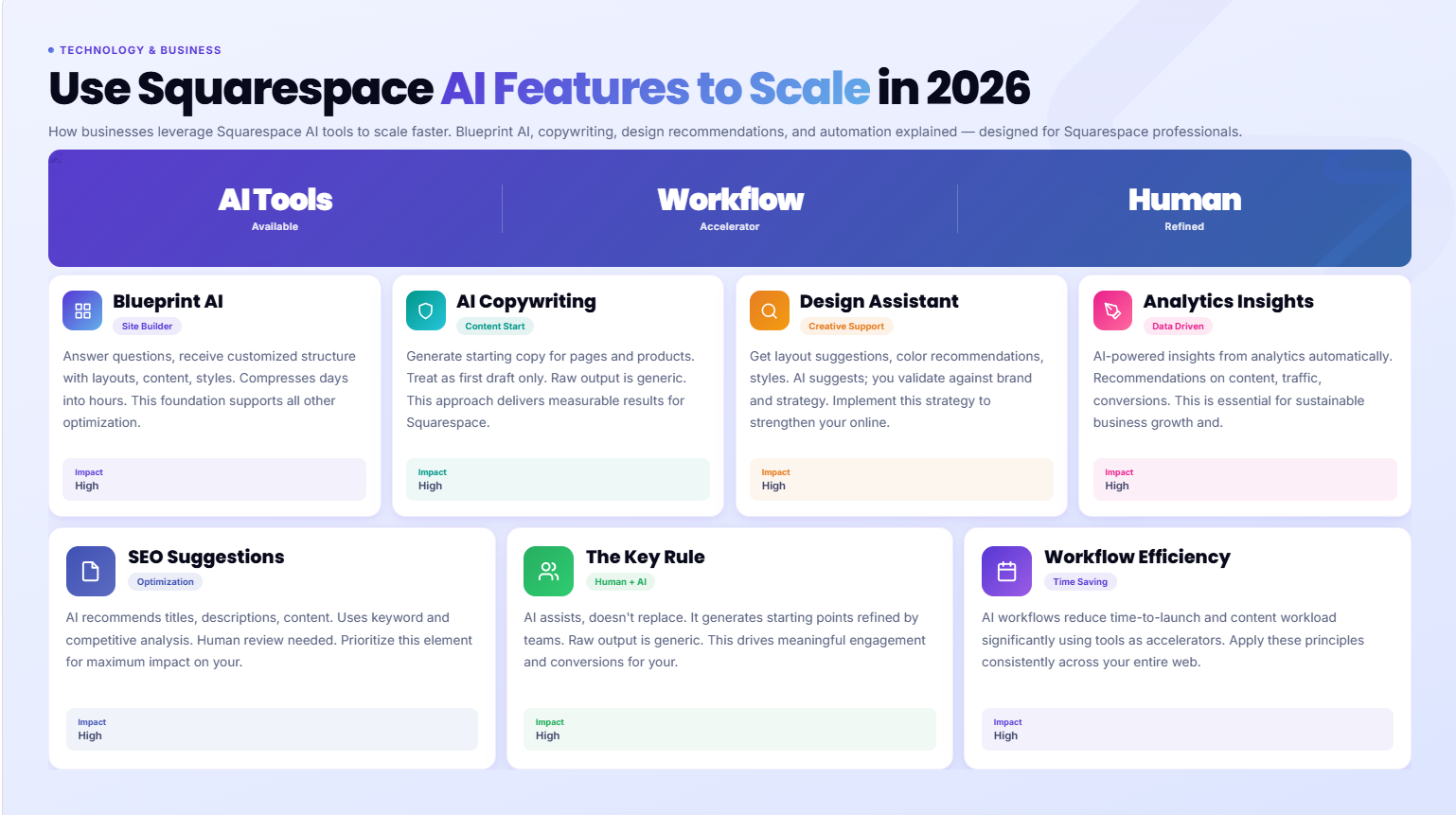
Squarespace has integrated meaningful AI tools in 2026 — from site generation and copy assistance to design recommendations and analytics insights
AI features in Squarespace reduce the time-to-launch and ongoing content workload for modern businesses significantly
The best AI tools in Squarespace are assistants, not replacements — they generate starting points that skilled teams and agencies refine into high-quality output
For tech companies and modern businesses, AI-assisted content generation, form intelligence, and design suggestions deliver measurable time savings
Using AI tools effectively requires clear prompts, brand voice guidelines, and human review — raw AI output without refinement produces generic results
Blueprint AI: Building Your Site with AI Assistance
Squarespace's Blueprint AI (or equivalent AI site builder, depending on your plan and region) allows you to answer a series of questions about your business — type of company, industry, goals, tone of voice, color preferences — and receive a customized site structure with layout suggestions, placeholder content, and style recommendations.
For modern businesses starting from scratch, this compresses what used to be a multi-day template selection and initial build process into something that takes a few hours. You still need to:
Replace placeholder content with your real copy
Adjust the design to match your actual brand assets
Restructure any sections that don't fit your specific needs
Add your images, case studies, and other brand-specific content
What Blueprint AI eliminates: the blank page problem. For business owners who found template customization overwhelming, having an AI-generated starting structure they can then modify is genuinely useful.
For design specialists like Squareko, AI site generation provides a rapid prototyping foundation that gets client feedback earlier — the AI draft gives clients something tangible to react to, making the revision process faster and clearer.
AI Copywriting Tools for Modern Business Websites
Squarespace's integrated AI copy tools can generate draft text for page sections based on prompts you provide. Describe your business, your service, and who you serve — and the tool generates a headline, subheadline, body copy, or FAQ content as a starting point.
Where this adds real value:
Hero sections: Getting a serviceable headline in 30 seconds instead of spending an hour staring at a blank field is genuinely useful. The AI draft is rarely publishable as-is — it needs editing for specificity, tone, and brand voice — but it breaks the starting barrier.
Service descriptions: AI-generated service descriptions provide structure (here's what we do, here's who it's for, here's the outcome) that you then make specific and genuine.
Blog post outlines: AI tools can generate section outlines for blog posts that serve as a structural starting point for human-written content. This is different from AI-generated articles — the sections are the scaffold, the content is yours.
FAQ generation: AI tools can suggest common questions for your industry — useful for identifying questions you hadn't thought of, which you then answer in your own voice with genuine expertise.
What to watch for: AI copy tools are trained on vast amounts of generic web content. Left unedited, they produce generic output. The moment you read a line that could have come from any company in your industry, that line needs rewriting. Specificity — the exact client type, the exact outcome, the exact differentiator — is what makes copy convert. AI doesn't know your specific clients, your specific results, or what makes your approach genuinely different. That's your job.
AI Design Recommendations and Style Suggestions
Squarespace's design intelligence features can suggest font pairings, color palettes, and layout adjustments based on your industry and brand preferences. As you build, the platform offers contextual recommendations — businesses in your category typically use this layout or this font pairing is trending for tech brands.
For non-designers building their own sites, these recommendations provide a guardrail against common design mistakes. For design specialists, they're a useful reference point — sometimes affirming your choices, sometimes suggesting alternatives worth testing.
The Squarespace Style Editor has always offered some degree of built-in design guidance through its preset system. The AI-enhanced version makes those recommendations more contextual and more clearly explained.
One practical application: color accessibility suggestions. Squarespace's AI can flag when your text color doesn't have sufficient contrast against your background — a critical consideration for both usability and search engine accessibility standards.
AI Analytics and Business Insights
Squarespace Analytics has been enhanced with AI-powered insights that go beyond standard traffic data. Rather than just presenting numbers, the AI analytics layer interprets patterns and surfaces actionable insights:
Your blog posts published on Tuesday get 40% more traffic than posts published on Friday
Visitors from organic search are twice as likely to complete a contact form than visitors from social media
Your pricing page has a high bounce rate — visitors are leaving without visiting any other page
For modern businesses managing their websites without a dedicated data analyst, these contextual insights translate raw analytics into practical decisions. The AI isn't just reporting data; it's identifying what the data means for your business.
Tech companies using Squarespace for their marketing sites can connect Google Analytics 4 alongside Squarespace's native analytics for a more complete picture. The AI insights layer in Squarespace then adds interpretation on top of that data.
AI-Powered SEO Suggestions on Squarespace
Squarespace's SEO tools now include AI-assisted recommendations at the page level. When you're editing a page or blog post, the platform can suggest:
Meta title and description improvements based on your content
Keyword opportunities based on your existing content and industry
Readability improvements — flagging overly long paragraphs or passive voice patterns
Missing SEO elements — pages without meta descriptions, posts without alt text on images
For modern businesses without a dedicated SEO specialist, these contextual suggestions function as an always-on SEO assistant. They won't replace a proper SEO strategy, but they significantly reduce the number of basic SEO mistakes that otherwise get published.
For the GEO (Generative Engine Optimization) dimension of SEO — optimizing for AI search platforms — Squarespace's suggestions don't yet go this far explicitly. However, the structured content practices they encourage (clear headings, appropriate meta data, readable paragraph lengths) all align with what AI search engines look for in quality content.
Squarespace Extensions and Third-Party AI Integrations
Beyond Squarespace's native AI features, modern businesses can integrate external AI tools with their Squarespace sites through code injection and third-party platforms:
AI chat and customer service: Tools like Intercom, Drift, or Tidio can be embedded in Squarespace sites via code blocks to provide AI-powered chat assistance, answering common visitor questions automatically and routing more complex queries to human support.
AI-powered form analysis: Typeform and other form tools with AI analysis can be embedded in Squarespace and provide intelligent analysis of form responses — identifying patterns in what clients request, common pain points, or frequently mentioned topics.
AI content tools: Zapier integrations can connect Squarespace's blog CMS to external AI writing tools — triggering a workflow when a new post is published, generating social media variations, or creating email newsletter summaries automatically.
AI image generation: AI-generated images from tools like Midjourney or DALL-E can be used as source material for Squarespace site visuals — particularly useful for creating unique section backgrounds, abstract tech illustrations, or concept imagery without stock photo limitations.
Marketing automation with AI:HubSpot, Mailchimp, and ConvertKit — all integrable with Squarespace — have added AI features to their platforms, enabling smarter email segmentation, AI-suggested subject lines, and content recommendations based on subscriber behavior.
How to Use AI Features Without Producing Generic Content
The biggest risk with AI-assisted content creation is producing output that sounds like every other tech company's website. Here's how to use Squarespace's AI tools without falling into that trap:
Brief the AI tool with specifics. Don't prompt write copy for a tech company website. Prompt write a homepage headline for a Squarespace design agency that specializes in SaaS startups in the fintech industry, with a focus on conversion optimization, targeting non-technical founders. The more specific your prompt, the more relevant the output.
Edit for voice, not just accuracy. After generating a draft, read it aloud. Does it sound like a real person who knows this industry? If not, rewrite the sentences that feel robotic or generic. AI output tends toward the bland center of its training data. Push it toward the specific edges of your actual expertise.
Add your specific differentiators. AI doesn't know what specifically makes your business different. After generating a draft, go through and add your actual differentiators — your specific process, your actual results, your real client profiles. These additions are what turns AI output into genuine content.
Use AI for structure, write the substance. The most effective approach: use AI tools to generate section structure and paragraph scaffolding, then write the actual content yourself (or with WordArchitect/Squareko's content service). This combines the efficiency of AI structure with the authenticity of human expertise.
The Role of Human Expertise Alongside AI Tools
AI tools accelerate work. Human expertise determines quality. This distinction matters enormously in 2026 as AI-generated content floods every industry.
For tech companies and modern businesses using Squarespace, the differentiator isn't AI capability — it's judgment. Knowing which AI-generated headline actually reflects your brand. Understanding which layout recommendation works for your specific audience. Recognizing when a piece of AI-generated copy sounds plausible but misrepresents your actual offer.
That judgment comes from domain expertise and experience — not from the AI itself.
This is why working with a specialist like Squareko alongside Squarespace's AI tools produces better outcomes than relying on AI tools alone. The AI handles the structural and first-draft work efficiently. The human specialist brings the strategic judgment, conversion expertise, and quality control that determines whether the output actually works.
Ready to Build a Modern, AI-Enhanced Tech Website?
Squareko helps tech companies and modern businesses use Squarespace to its full capability — including the AI features that accelerate your launch and ongoing management, paired with the expert design and strategy that makes it perform.
FAQs
-
Squarespace's AI features in 2026 include Blueprint AI for AI-assisted site creation, AI copywriting tools for page and section copy, design intelligence recommendations for fonts, colors, and layouts, AI-powered analytics insights, and SEO suggestion tools that flag issues and recommend improvements at the page level. Third-party AI integrations are also supported via code injection and native integrations.
-
Squarespace's AI copy tools generate draft text based on prompts about your business. This is useful for overcoming blank-page paralysis and creating structural starting points, but the output requires significant human editing to achieve the specificity, voice, and genuine expertise that convert visitors. Use AI as a first draft assistant, not as a finished copywriter.
-
AI-generated content in Squarespace is neither inherently good nor bad for SEO — the quality of the content is what matters. Well-edited, specific, expert-level content that genuinely serves the reader's query can rank well regardless of its origin. Unedited, generic AI output that doesn't provide real value won't rank well — and Google's helpful content system is increasingly effective at identifying it.
-
Squarespace's Blueprint AI (availability varies by plan and region) asks you a series of questions about your business — type, industry, goals, tone, design preferences — and uses your answers to generate a customized site structure with suggested layouts, placeholder copy, and design styles. You then build on this foundation by replacing placeholder content with your real material and adjusting the design to match your brand.
-
Yes. You can use any AI writing tool to generate content, then paste it into Squarespace. You can also embed AI-powered tools (chatbots, form tools with AI analysis) in your Squarespace site via code blocks. Zapier connects Squarespace to external AI workflows — for example, automatically generating social media variations when a new blog post is published.
-
No. AI design recommendations in Squarespace help non-designers avoid common mistakes and make better design decisions. They don't replace the strategic judgment, conversion expertise, or brand-specific design work that a specialist like Squareko provides. The best results come from combining AI efficiency with human expertise — AI handles structure and suggestions, the specialist applies strategic judgment and quality control.
-
Ask yourself: Could this sentence appear on any company's website in my industry? If yes, it's too generic and needs rewriting. Could a first-time visitor immediately understand who I am, what I specifically offer, and why it matters to them? If not, the copy isn't working yet. Good copy is specific, authoritative, and reflects genuine knowledge of the subject. AI output that meets these criteria can be published; output that doesn't needs human refinement.

From custom website design to SEO strategy, we help businesses launch a site that looks professional and performs better.

Author Bio
I'm Walid Hasan, a Certified Squarespace Expert and Squarespace Circle Platinum Partner with over 12 years of hands-on experience designing and optimizing high-performing websites. Over the years, I've had the privilege of building more than 2,000 Squarespace websites for clients around the world, always focusing on clean design, strong user experience, and conversion-driven results.
