
Best Squarespace Templates for Tech Companies and Modern Businesses in 2026
Why Template Choice Matters More Than You Think
Here's a truth most web design articles skip: your template isn't just a visual skin. It's a structural decision that shapes how visitors experience your brand, how quickly your site loads, and how much design flexibility you actually have.
For tech companies, this matters even more. Your audience — whether they're enterprise buyers, investors, or early adopters — makes snap judgments about credibility based on design. A cluttered or dated template signals amateur. A clean, modern layout signals you can trust us with serious problems.
The good news? Squarespace 7.1 has closed the gap considerably. The templates available in 2026 are built on the Fluid Engine — a responsive grid system that lets you customize layouts with real precision. You're no longer locked into rigid column structures or limited section types. And for tech companies looking to launch fast without hiring a full dev team, that's a meaningful advantage.
This guide breaks down the best templates available for tech companies and modern businesses, what to look for, and how to avoid the traps that catch most DIY builders.
Key Takeaways
Squarespace's 7.1 platform offers powerful templates ideal for tech companies needing a polished, professional presence without custom dev overhead
The best templates for tech brands prioritize clean layouts, bold typography, high contrast, and clear conversion paths
Fluid Engine gives you pixel-level control over any template — meaning the template is a starting point, not a constraint
Tech companies should look for templates that support video backgrounds, feature grids, integration showcases, and social proof sections
Squareko specializes in transforming Squarespace templates into high-converting tech websites — this guide helps you choose the right foundation
What Makes a Good Template for a Tech Company?
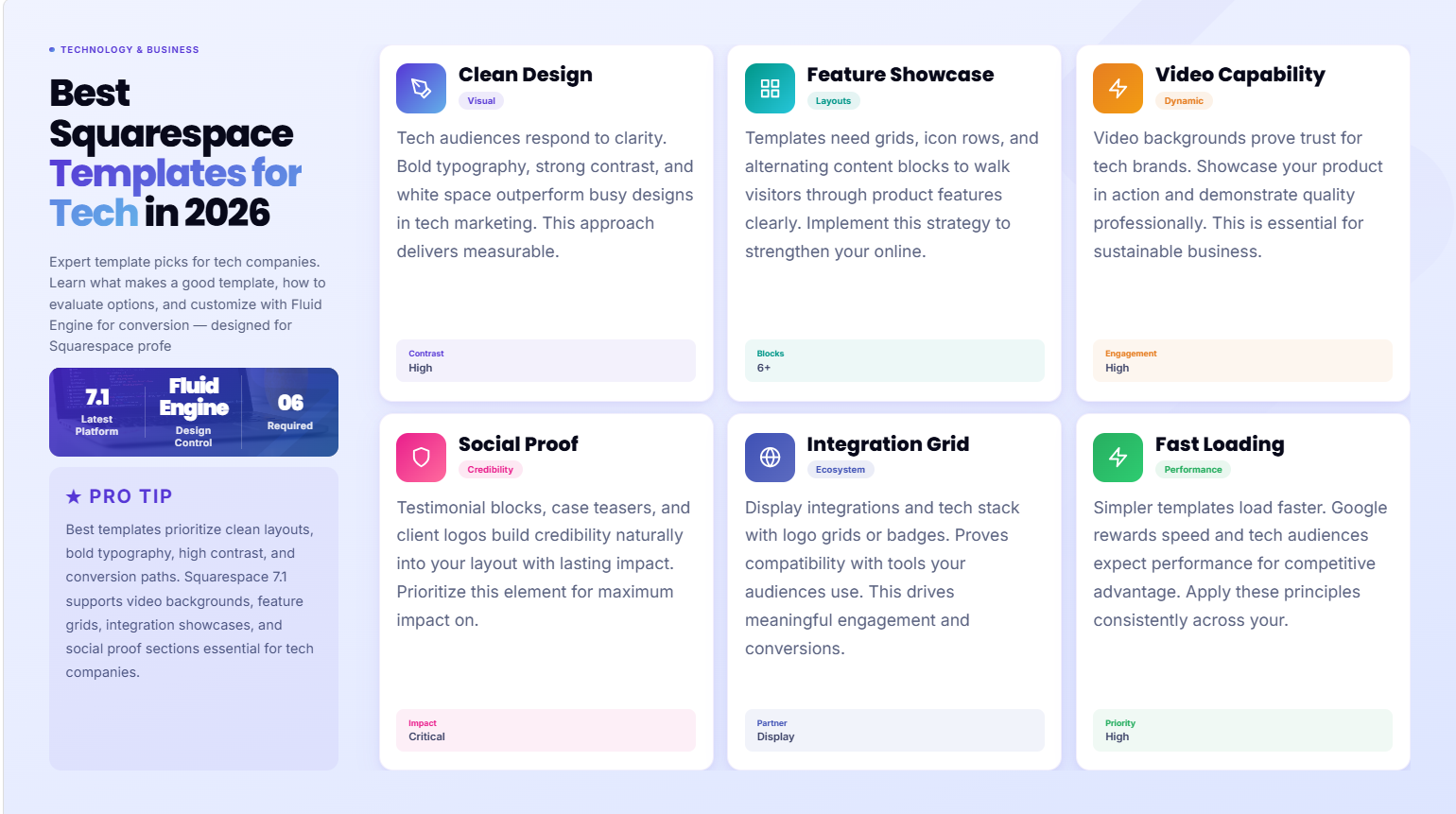
Not every beautiful template is right for a tech company. A lifestyle brand and a SaaS startup have very different needs — different content hierarchies, different CTAs, different types of social proof.
Here's what you should be looking for specifically:
Clean, High-Contrast Visual Design
Tech audiences respond to clarity. They don't want decorative flourishes or heavy textures — they want to understand what your product or service does within the first 10 seconds. Templates with bold typography, strong contrast ratios, and plenty of white space tend to outperform busy designs for tech use cases.
Look for templates where the hero section is unambiguous: headline, subheadline, and one clear CTA. If the demo template page feels visually noisy or requires you to scroll to understand the offer, that's a red flag.
Feature and Product Showcase Layouts
Can you display your product features clearly? Tech companies often need grids, icon rows, or alternating content blocks (text left / image right) to walk visitors through what they offer. Templates that naturally support this structure save you significant customization time.
Video Background Capability
Video backgrounds are a proven trust signal for tech brands — they can show your product in action, demonstrate interface quality, or establish brand atmosphere. Most Squarespace 7.1 templates support video backgrounds in the hero section, but check that the section controls give you the overlay opacity and text contrast you need.
Integration and Tech Stack Sections
If you list integrations (Slack, Zapier, Salesforce, or your own API), you'll want a section that supports logo grids or icon badges cleanly. Some templates handle this beautifully out of the box; others require custom code blocks.
Testimonial and Social Proof Sections
Enterprise buyers and tech-savvy audiences are highly sceptical. A template that has well-designed testimonial blocks, case study teasers, or client logo bars gives you the raw material to build credibility into the layout.
Fast Load Performance
Template complexity affects page speed. Simpler templates with fewer embedded scripts load faster. Since Google's Core Web Vitals still factor into rankings in 2026, and since tech audiences bounce quickly on slow sites, this matters.
Best Squarespace Templates for Tech Companies in 2026
Every template listed below is available on Squarespace 7.1 and has been evaluated specifically for tech company use cases. They're starting points — Squareko typically takes these foundations and customizes them significantly — but they're the right starting points.
1. Paloma — Best for SaaS and Software Products
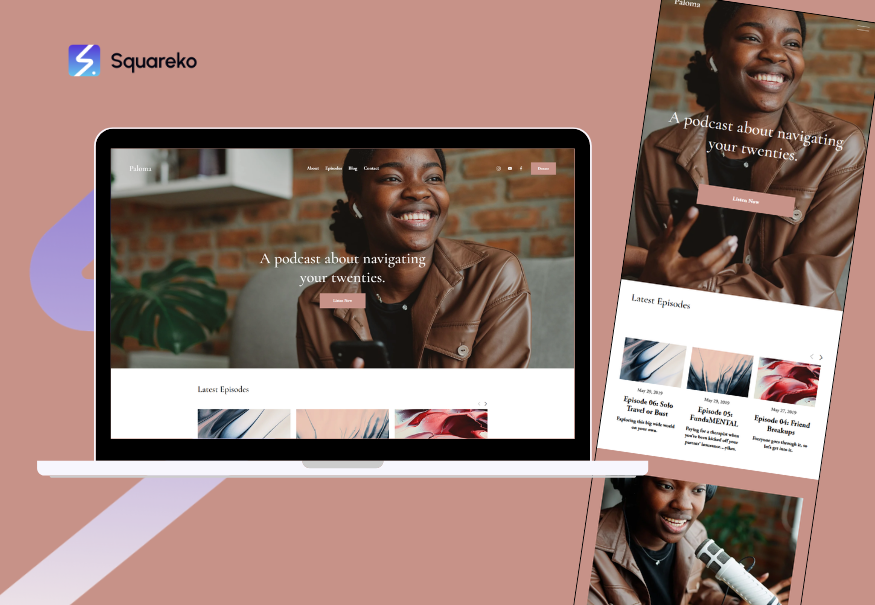
Paloma is arguably the cleanest template Squarespace offers right now. The default layout leads with a bold full-width hero, followed by a structured feature grid, then testimonials, then a conversion section. That's almost exactly the flow a SaaS homepage should follow.
What works for tech companies:
Strong typographic hierarchy that keeps visitors moving down the page
Clean alternating content blocks for feature explanations
Minimal JavaScript overhead = fast load times
Works beautifully with dark backgrounds (swap the default light scheme)
Best for: SaaS products, software platforms, digital tools
2. Forma — Best for Enterprise Technology and Consulting

Forma is built for authority. The layout communicates professionalism and depth, making it ideal for technology consulting firms, IT service providers, or enterprise software companies where trust is the primary conversion driver.
What works for tech companies:
Structured multi-column layouts support complex service offerings
Excellent typographic spacing that reads as serious and established
Built-in integration for testimonials, team bios, and case study layouts
Works well with corporate color palettes (navy, charcoal, deep green)
Best for: Technology consulting, IT advisory, enterprise solutions
3. Nevins — Best for Tech Startups and Product Launches
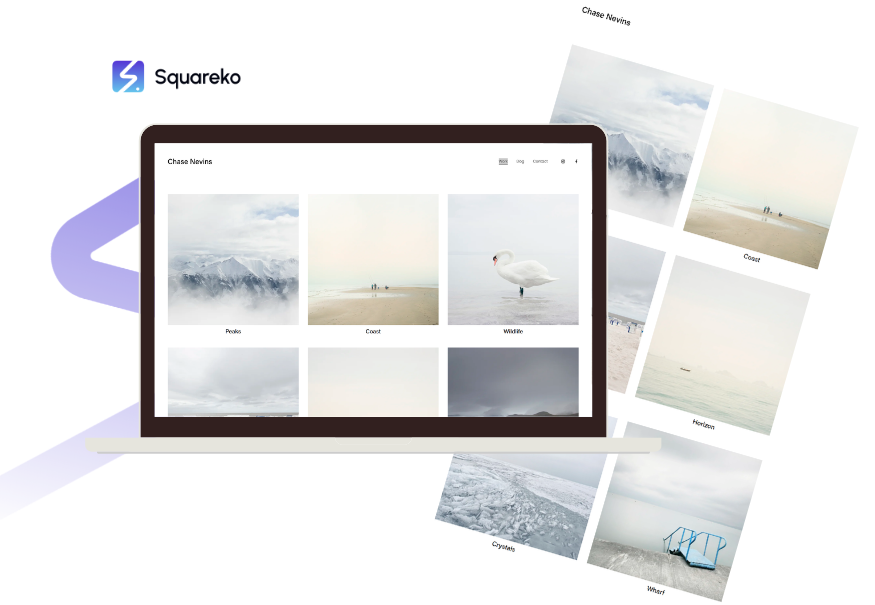
Nevins has energy. The default design leans bold and forward-leaning — the kind of visual language that suits a startup announcing something new. The hero section is attention-grabbing without being gimmicky.
What works for tech companies:
Bold hero with strong visual contrast — great for product screenshots
Clean pricing page layouts (critical for SaaS)
Mobile performance is excellent, which matters for startup audiences
Customizable to either a dark or light aesthetic without fighting the template
Best for: Tech startups, product launches, early-stage SaaS
4. Hester — Best for Tech Agencies and Web Studios
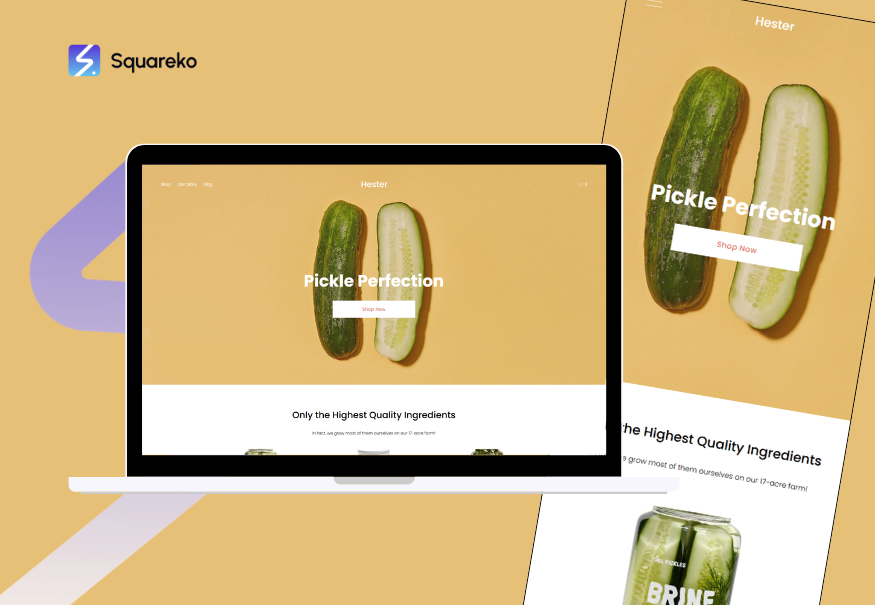
If you're a technology agency, design studio, or software development firm, Hester's portfolio-forward layout is worth serious consideration. It foregrounds your work first, then your credentials.
What works for tech companies:
Project/portfolio grid that showcases client work cleanly
Strong case study integration — you can build deep project pages
Agency credibility signals (awards, team, process) are easy to surface
Clean navigation that handles larger sitemaps well
Best for: Tech agencies, web studios, software development firms
5. Malone — Best for Tech Founders and Solopreneurs
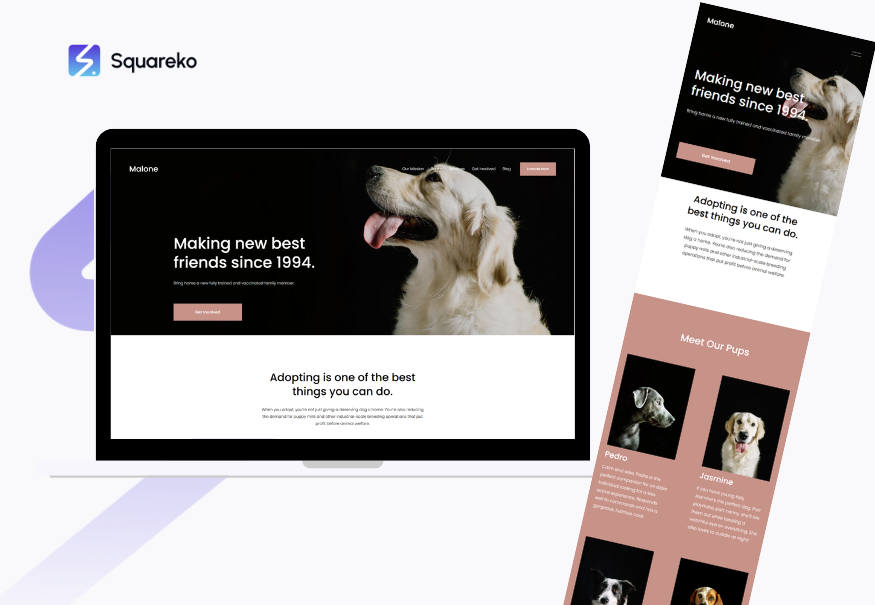
Malone strips things back. It's a strong single-product or personal-brand template — ideal for a tech founder building a personal brand alongside their company, or a solo developer offering specialized services.
What works for tech companies:
Tight focus that prevents dilution of the core offer
Easy to set up email capture and lead magnets
Works well for course creators, consultants, and fractional CTOs
Fast and lightweight
Best for: Tech founders, consultants, fractional executives, solo developers
6. Crosby — Best for Innovation-Led and Design-Forward Tech Brands
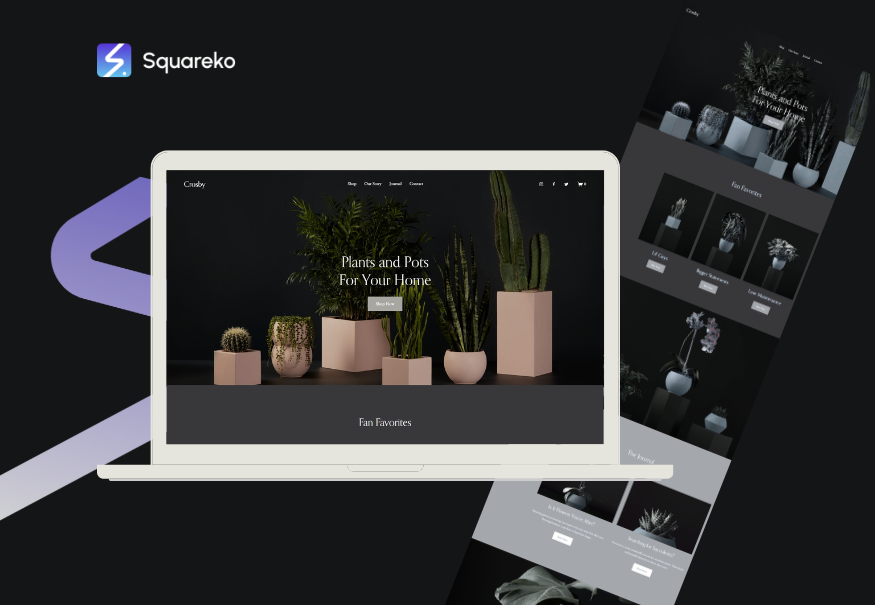
Crosby leans into design aesthetics — it's visually sophisticated in a way that signals we care deeply about quality. For tech companies where design is part of the brand story (think design tools, creative tech, UX platforms), this template speaks the right language.
What works for tech companies:
Distinctive visual personality that stands out in crowded markets
Strong image and media integration for showcasing product UI
Editorial feel that works well for thought leadership content
Easy to customize with brand colours and typefaces
Best for: Design tools, creative tech platforms, UX/UI agencies, innovation brands
7. Brine (Customised) — Best for Content-Heavy Tech Companies
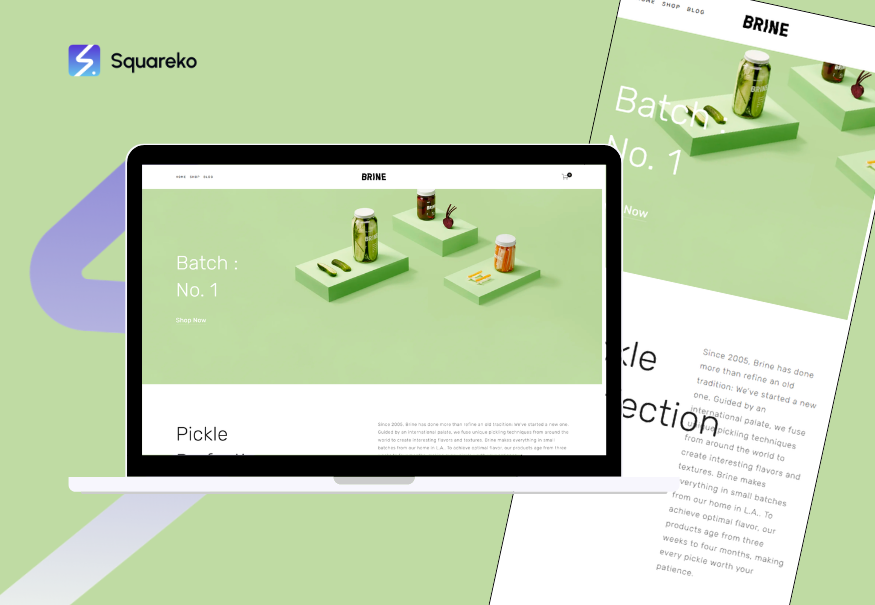
Brine is one of Squarespace's most flexible templates in terms of layout options. If your tech company publishes a lot of content — blog posts, research, resources, case studies — Brine's content architecture handles depth better than most.
What works for tech companies:
Multiple header and navigation styles accommodate complex sitemaps
Blog and resource hub layouts are polished and scannable
Strong internal linking structure for SEO
Works well for companies building topical authority through content
Best for: Tech companies with active blogs, research publications, or knowledge bases
Key Takeaways
Squarespace's 7.1 platform offers powerful templates ideal for tech companies needing a polished, professional presence without custom dev overhead
The best templates for tech brands prioritize clean layouts, bold typography, high contrast, and clear conversion paths
Fluid Engine gives you pixel-level control over any template — meaning the template is a starting point, not a constraint
Tech companies should look for templates that support video backgrounds, feature grids, integration showcases, and social proof sections
Squareko specializes in transforming Squarespace templates into high-converting tech websites — this guide helps you choose the right foundation
How to Evaluate a Template Before You Commit
Choosing a template is faster when you have a structured evaluation process. Before you commit to any template, run through these checks:
The 10-Second Test: Open the demo page. Without reading anything, do you understand what kind of company this is? If the layout communicates professional and modern in that first glance, it's doing its job.
The Mobile Check: Switch to mobile preview immediately. Many templates look great on desktop but break down on mobile — misaligned text, images that crop badly, CTAs that are hard to tap. Since a significant portion of tech research now happens on mobile, this isn't optional.
The Content Fit Test: Map your actual content (number of services, number of team members, number of case studies) against what the template demo shows. If the demo has three services and you have twelve, the layout will either feel crowded or require significant restructuring.
The Speed Check: Use Google's PageSpeed Insights on the demo URL. Squarespace demos aren't perfectly optimised, but they give you a baseline. Templates with heavy media elements or complex animations tend to score lower.
The Customisation Ceiling: Open the Fluid Engine and drag a few blocks around. Some templates have very flexible layouts; others have structural constraints that become frustrating when you try to deviate from the demo. Know your limits before you're three hours into a build.
Common Template Mistakes Tech Companies Make
Tech founders and business owners who DIY their Squarespace sites often fall into the same traps.
Choosing on aesthetics alone. A template that looks beautiful in the demo with placeholder photography will look entirely different with your actual content. Always imagine your real text, your real images, and your real product screenshots in the layout before committing.
Ignoring conversion structure. A visually stunning homepage that doesn't guide visitors toward a CTA is marketing wallpaper. The best tech company templates have an intentional flow: problem → solution → features → social proof → CTA. If the template you're eyeing doesn't naturally support that flow, you'll be fighting the layout constantly.
Over-customising without a plan. Squarespace's Fluid Engine is powerful, but power without direction leads to visual chaos. Many self-built sites look like someone tried every design option available. Choose a template, define your design constraints (two fonts, two to three colours, consistent spacing), and stick to them.
Skipping the blog architecture. If you plan to publish content for SEO — and you should — check that the template handles blog layouts cleanly. Some beautiful portfolio templates have bare-bones blog pages that undermine your content investment.
Starting over instead of customising. Many businesses switch templates multiple times, losing their work each time. Instead: choose carefully once, build with Fluid Engine, and iterate. A well-chosen template customised by an expert will always outperform a series of half-built attempts.
How Squareko Customizes Templates for Tech Brands
Choosing the right template is step one. The real transformation happens in what comes after — and that's where most DIY projects fall short.
At Squareko, we take your chosen template foundation and systematically rebuild it for your specific business goals. That means:
Custom typography pairings that communicate the right personality — whether that's authoritative and enterprise-ready, or energetic and startup-forward.
Color system development that goes beyond swapping hex codes. We build out dark and light variants, accent colours, and hover states that create a coherent visual language throughout your site.
Conversion architecture — structuring every page around the visitor journey, with CTAs placed at the right psychological moments, not just at the bottom of the page.
Section custom coding where Squarespace's native blocks don't quite get you there — things like animated feature grids, custom pricing tables, or integration showcase sections.
SEO foundation setup — title structures, meta descriptions, schema markup, and canonical tags set up correctly from day one.
The result is a site that looks custom-built, converts at a professional rate, and can be maintained by anyone on your team.
Ready to Build a Tech Website That Actually Works?
Picking the right template is the starting point. But if you want a site that genuinely converts visitors into leads, trial users, or clients, the design and strategy behind the template matter just as much.
Squareko specializes in Squarespace design for tech companies and modern businesses. We take the foundations above and build them into high-converting websites that reflect your brand and do real work for your business.
FAQs
-
The top-performing Squarespace templates for tech companies in 2026 include Paloma (ideal for SaaS products), Forma (best for enterprise tech and consulting), Nevins (great for startups), Hester (strong for tech agencies), and Crosby (perfect for design-forward innovation brands). All run on Squarespace 7.1 with Fluid Engine for maximum customization flexibility.
-
Yes — Squarespace is a strong choice for tech companies that want a polished, professional website without the overhead of custom development. Squarespace 7.1 supports video backgrounds, custom code injection, third-party integrations, and advanced SEO controls. It's particularly well-suited to SaaS startups, tech agencies, consulting firms, and digital product businesses.
-
Start with a clean, flexible template (Paloma or Forma are good starting points), then use Fluid Engine to restructure layouts, swap in your brand fonts and color system, add custom CSS for unique design elements, and use code blocks to embed third-party tools. Working with a Squarespace design specialist like Squareko.com can take this further, delivering a genuinely custom result without the cost of a fully bespoke build.
-
All Squarespace 7.1 templates are built with SEO-friendly foundations — clean HTML structure, automatic sitemap generation, SSL certificates, and mobile responsiveness. However, the template alone doesn't guarantee rankings. You still need well-structured content, strategic keyword placement, proper meta data, schema markup, and a consistent content publishing strategy. Squarespace gives you solid SEO infrastructure; strategy and content determine your actual results.
-
Paloma is our top pick for SaaS startups. Its default layout naturally follows the SaaS homepage flow: bold hero → feature highlights → social proof → CTA. Nevins is a strong second choice if you want more visual energy for a product launch. Both templates handle pricing pages, feature grids, and integration showcases well.
-
No — Squarespace's Fluid Engine gives you drag-and-drop customization without code. For most template modifications, including layout changes, fonts, colors, and content structure, you don't need to write a single line of code. That said, custom CSS and code injection unlock significant additional design capabilities if you want to go further than the native editor allows.
-
A self-build with a clean template takes most tech founders one to three weeks for a five-to-eight page site, assuming you have content ready (copy, images, logo). Working with a Squarespace agency like Squareko typically compresses this to a professional launch in two to four weeks, with higher design quality and conversion optimization built in from the start.
-
Squarespace 7.1 is the current platform and is what all new sites use. The key difference is Fluid Engine — a newer responsive design system that replaces the rigid column grid of earlier versions. On 7.1, every section uses a flexible grid, which means much more creative layout control. If you're starting fresh in 2026, you're automatically on 7.1, and all the templates in this guide are built for it.

From custom website design to SEO strategy, we help businesses launch a site that looks professional and performs better.

Author Bio
I'm Walid Hasan, a Certified Squarespace Expert and Squarespace Circle Platinum Partner with over 12 years of hands-on experience designing and optimizing high-performing websites. Over the years, I've had the privilege of building more than 2,000 Squarespace websites for clients around the world, always focusing on clean design, strong user experience, and conversion-driven results.
