
Best Squarespace Templates for SaaS Startups in 2026
Why Template Choice Matters for SaaS Startups
SaaS startups operate in credibility-sensitive markets. Your potential users — whether they're individual professionals, small teams, or enterprise decision-makers — are evaluating your product's quality partly through your website. A cheap-looking or cluttered site signals that corners are cut elsewhere. A clean, clear, professional site signals that you care about the details.
Template choice shapes the baseline of that impression. Choose the wrong one and you're fighting the layout to get your message across. Choose the right one and the structure already supports your content hierarchy, your conversion flow, and your visual brand.
For SaaS companies specifically, templates need to do more than look good — they need to support the specific content types that software marketing sites require: product UI screenshots, feature comparison grids, pricing tiers, integration logos, trial signup forms, and testimonials from real users.
Key Takeaways Best Squarespace Templates for SaaS Startups in 2026
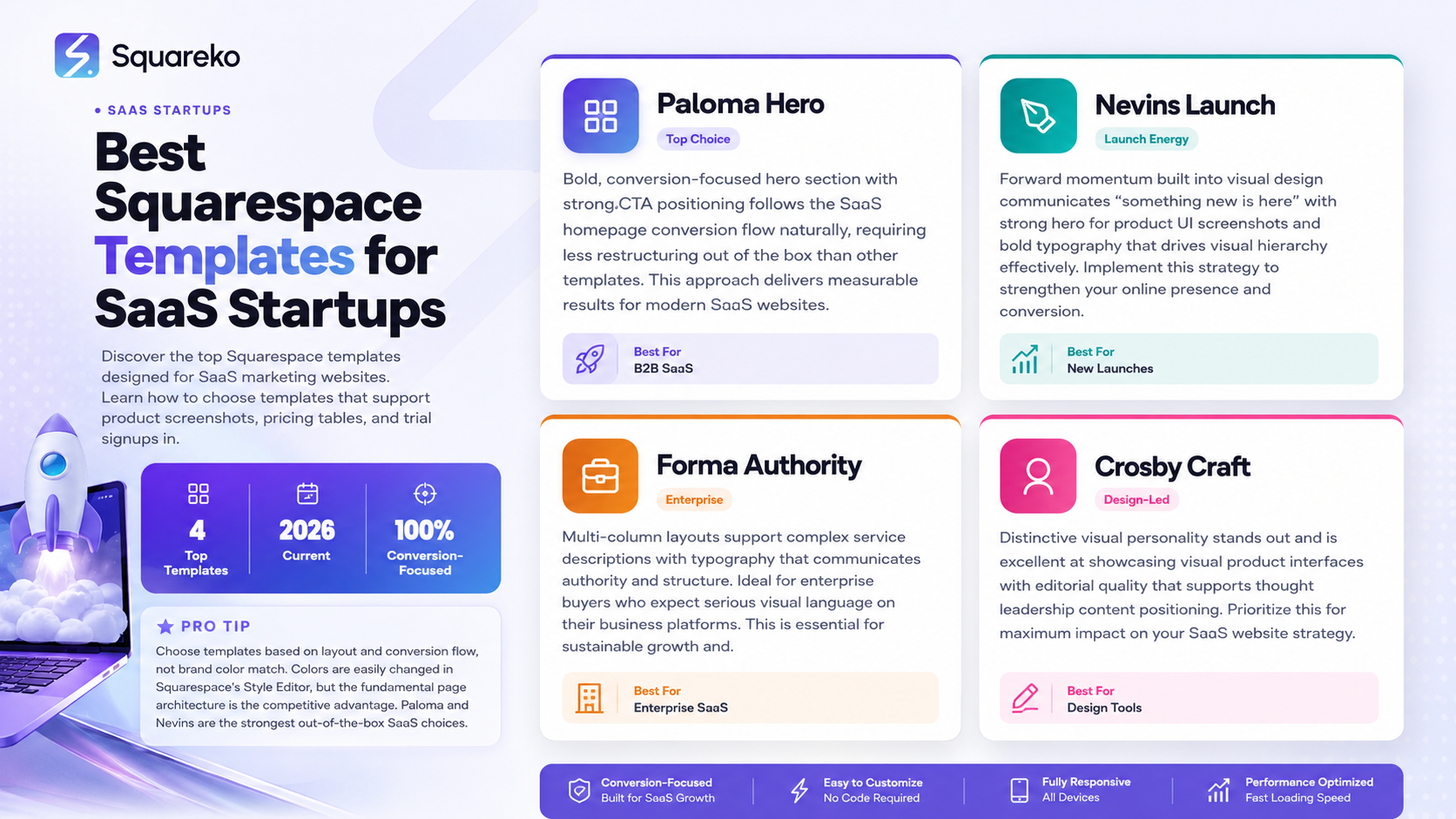
SaaS startups need templates that support product screenshots, pricing tables, feature grids, and trial signup CTAs — not just pretty layouts
Squarespace 7.1's Fluid Engine gives SaaS founders genuine layout control without developer overhead
The best SaaS templates are clean, fast, and structured to convert visitors to trial users — not impress design judges
Paloma and Nevins are the strongest out-of-the-box SaaS template choices in 2026
Template choice is the starting point — what you do with it (copy, structure, conversion architecture) determines your actual results
What to Look for in a SaaS Template
Clean, High-Contrast Design
SaaS buyers are typically time-pressed professionals who make fast judgments. A clean layout with strong contrast, ample white space, and clear typographic hierarchy lets them quickly assess whether your product is relevant to them. Templates that feel visually cluttered or decorative slow this process down.
Native Support for Product Screenshots
Your product screenshots are some of the most powerful conversion elements on your site — they show the actual product and reduce uncertainty about what users will experience. A SaaS template needs to handle screenshots cleanly: full-width media sections, alternating content layouts (text + screenshot), and device mockup-friendly dimensions.
Pricing Table Capability
Every SaaS website needs a pricing section. The template should support a clean multi-column layout that can accommodate your pricing tiers without significant restructuring. Squarespace's Fluid Engine can build pricing tables in most templates, but some handle the visual balance better than others.
Mobile Performance
SaaS research increasingly starts on mobile. A significant number of trial signups happen on desktop after research on mobile. Your template must look professional and load quickly on mobile devices — check the mobile preview for every template before selecting.
Speed and Clean Code
SaaS audiences skew technical. Slow-loading sites are a credibility problem. Choose templates with minimal animations, clean code structure, and no unnecessary JavaScript overhead.
Best Squarespace Templates for SaaS Startups in 2026
1. Paloma — Top Choice for Most SaaS Startups
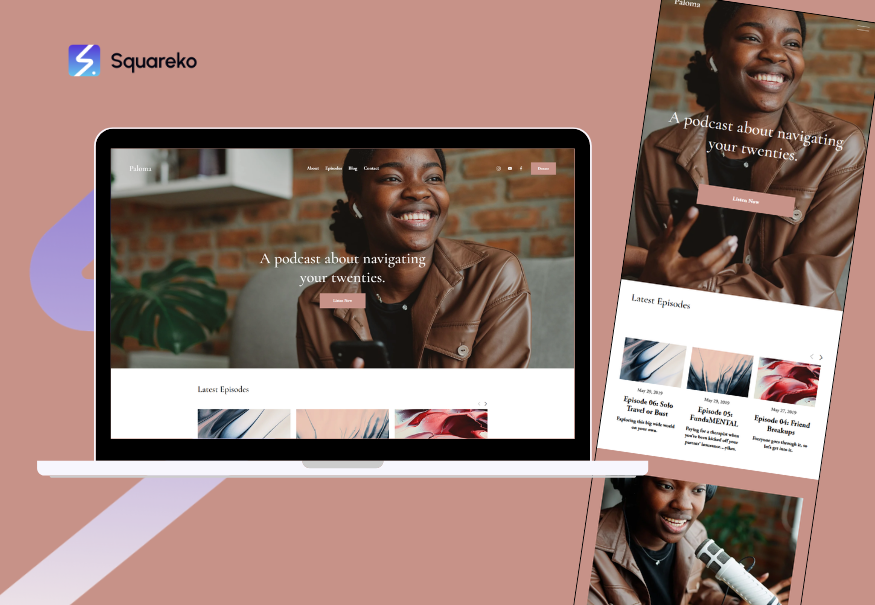
Paloma remains the go-to template for SaaS marketing sites in 2026. Its default layout already follows the SaaS homepage conversion flow — bold hero, feature highlights, social proof, CTA — meaning less restructuring out of the box.
Why it works for SaaS:
Bold, conversion-focused hero section with strong CTA positioning
Clean alternating content blocks for feature walkthroughs
Minimal JavaScript = fast page loads
Handles dark and light color schemes equally well (SaaS brands go either direction)
Natural structure for pricing page builds
Best for: B2B SaaS, developer tools, productivity software, project management platforms
2. Nevins — Best for Product-Launch Energy
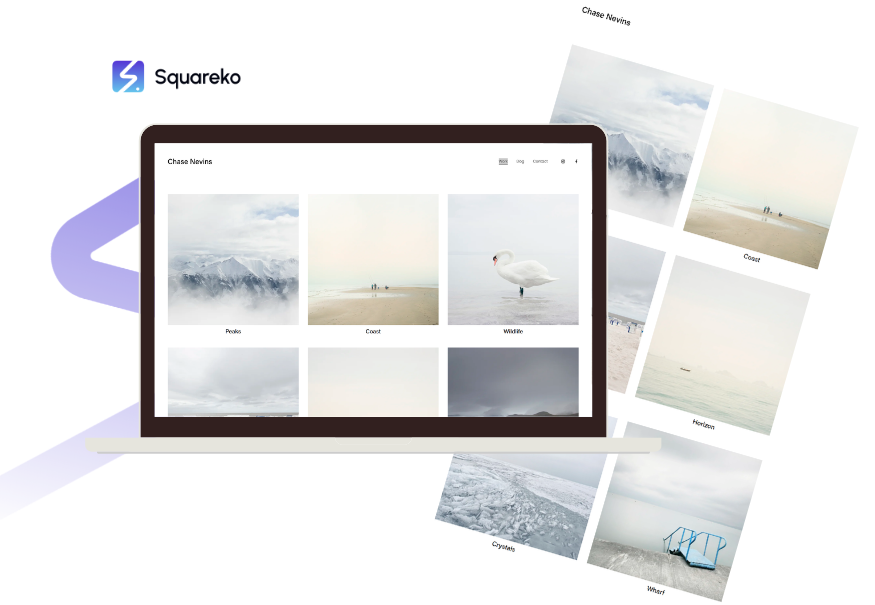
Nevins has forward momentum built into its visual design. The template communicates something new is here — which is exactly the energy a SaaS launch needs. Where Paloma feels established, Nevins feels alive.
Why it works for SaaS:
Strong hero that works beautifully with product UI screenshots
Bold typography that drives visual hierarchy
Excellent mobile performance
Dark mode variant is particularly strong for developer-facing SaaS products
Pricing page layouts are clean and scalable
Best for: New SaaS launches, developer tools, technical products, startup-stage companies
3. Forma — Best for Enterprise and B2B SaaS

Enterprise SaaS buyers are buying from companies they trust with serious business operations. Forma communicates authority — the kind of structured, professional visual language that enterprise buyers expect.
Why it works for SaaS:
Multi-column layouts support complex service descriptions and feature lists
Typography communicates serious company
Clean integration with testimonial and case study sections
Works well with corporate color palettes
Strong for security, compliance, and enterprise feature pages
Best for: Enterprise SaaS, B2B software, compliance tools, HR tech, finance tech
4. Crosby — Best for Design-Led SaaS Products
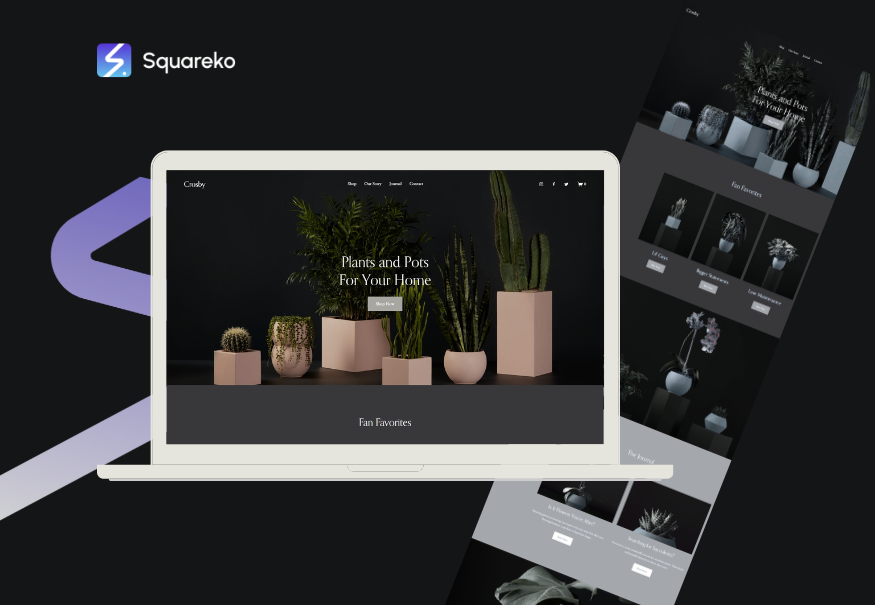
If your SaaS product is itself design-forward — a creative tool, UX platform, or design asset tool — your website needs to embody that design sensibility. Crosby is for SaaS companies that want to signal we care deeply about craft.
Why it works for SaaS:
Distinctive visual personality that stands out
Excellent at showcasing visual product interfaces
Editorial quality that supports thought leadership content
Works for both product-led and founder-brand-led positioning
Best for: Design tools, creative software, UX platforms, content tools
5. Hester — Best for SaaS Agencies and Dev Studios
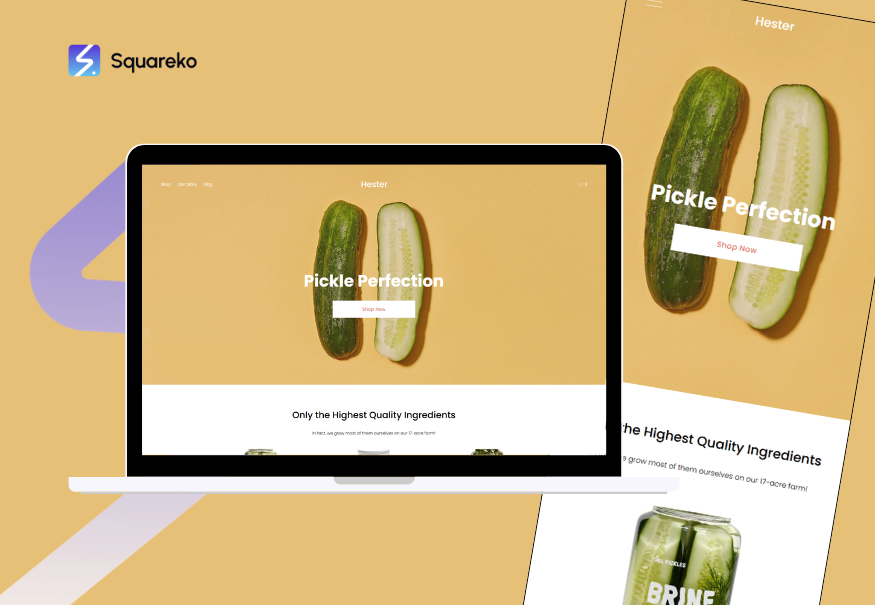
If you're building software for clients (as an agency or studio) rather than shipping a product to end users, Hester's portfolio-forward structure showcases your past work before your credentials.
Why it works for SaaS-adjacent businesses:
Portfolio grid foregrounds your client work
Case study page structure is excellent
Strong navigation for complex service offerings
Credibility signals (team, process, clients) are easy to surface
Best for: Software development studios, tech agencies, SaaS product agencies
How to Evaluate a Template Before Committing
Don't choose on demo screenshots alone. Go through this process:
Visit the live demo page. Squarespace template demos are fully interactive — click through them as if you were a visitor. Does the navigation make sense? Does the layout hierarchy feel clear?
Test with your actual content. Open a text document and paste your real headline, subheadline, and services text. Does the layout still work? Does the column structure handle your text length appropriately?
Check the mobile preview. In the Squarespace template browser, switch to mobile view. Check navigation, hero text size, button sizing, and image display.
Look at the demo blog. Every SaaS startup should be blogging. Check that the template's blog pages are clean, readable, and support the content depth you plan to publish.
Assess the Fluid Engine flexibility. Once you've selected a template and started a trial, open Fluid Engine and move a few elements around. How constrained does it feel? Can you restructure sections meaningfully?
SaaS Template Mistakes to Avoid
Choosing based on color, not structure. Colors are easily changed in Squarespace's Style Editor. What you can't easily change is the fundamental page architecture. Choose based on layout and conversion flow, not brand color match.
Ignoring the pricing page. Many SaaS founders focus their attention on the homepage template demo and forget to check how the pricing section handles. Look specifically at the pricing demo page and assess whether it supports your tier structure.
Picking a visually complex template. For SaaS products, the website is a context for your product — not a design statement on its own. Simpler templates with clean structure almost always outperform visually complex ones for SaaS conversion rates.
Not checking load speed. Some visually impressive templates include heavy animations or media that significantly slow page loads. Use Google PageSpeed Insights on the demo URL before committing.
Switching templates mid-build. Template switching in Squarespace requires rebuilding sections from scratch. Choose carefully once, build with commitment. The energy spent switching templates is better invested in conversion optimization.
Customizing Your SaaS Template for Maximum Conversions
A template is a starting point. What converts is the combination of template structure, strategic copy, and brand design working together.
Hero section: Rewrite the default placeholder headline to state exactly what your product does, for whom, and the primary outcome. Test two to three variations.
Feature section: Use alternating content blocks (text + screenshot). Write benefit-led feature descriptions — the outcome, not the feature name.
Pricing section: Make the recommended tier visually distinct (different background, badge, or border). Add a FAQ below pricing that addresses the most common pricing objections your sales team hears.
Social proof: Place testimonials strategically — not just at the bottom, but near the section that addresses the concern the testimonial resolves.
Mobile: Check every section on mobile after every design change. Don't discover mobile issues on launch day.
Build Your SaaS Website With Squareko
Choosing the right template is step one. Getting the design, copy, and conversion architecture right is what actually moves your numbers.
Squareko builds Squarespace websites for SaaS startups that are designed to convert visitors into trial users, demo requests, and paying customers.
FAQs
-
Paloma is the strongest out-of-the-box Squarespace template for most SaaS startups in 2026. It naturally follows the SaaS homepage conversion flow and handles product screenshots, feature grids, and pricing sections cleanly. Nevins is the best alternative for a product-launch aesthetic, and Forma is the strongest choice for enterprise or B2B SaaS.
-
Yes. Squarespace is well-suited for SaaS marketing websites — the part of your product that communicates to the world. It handles product showcases, pricing pages, blog SEO, trial signup CTAs, and integration showcases effectively. Your actual SaaS application (the software itself) lives on its own infrastructure; Squarespace handles the marketing layer.
-
Start with the right template (Paloma or Nevins), establish a clear color system (two to three colors), choose two fonts (one display, one body), and write specific, benefit-led copy for every section. Invest real time in mobile optimization. If budget allows, work with a Squarespace specialist like Squareko — the difference between a well-designed Squarespace site and a self-built one is significant.
-
No. Squarespace's Fluid Engine lets non-developers build professional SaaS marketing sites without writing code. For standard layouts (hero, features, pricing, testimonials, contact), everything is achievable through the visual editor. Custom CSS and code injection can extend capabilities further but aren't required for a professional result.
-
Self-build: 2-4 weeks for a 5-8 page site if content is ready. With a Squarespace specialist like Squareko: 2-4 weeks with professional design, conversion optimization, and SEO setup included. This is significantly faster than equivalent Webflow or custom development timelines.
-
At minimum: homepage, product/features page, pricing page, about, and contact. Add a blog for SEO, a case studies or social proof page as you accumulate testimonials, and individual integration or use-case pages as the product grows. Launch with core pages and add depth over time.
-
In Squarespace's Fluid Engine, build a 3-column section for three pricing tiers. Use text blocks, dividers, and button elements to construct each tier's content. Visually differentiate the recommended tier using a different background color or CSS border. Add FAQ content below the pricing section to handle common objections.
-
Dark mode can work excellently for SaaS products — especially developer tools, technical products, or brands that want to communicate innovation. Squarespace's templates support both dark and light color schemes via the Style Editor. Nevins and Paloma both handle dark color palettes particularly well. Choose based on your product's visual identity and target user aesthetic preferences.

From custom website design to SEO strategy, we help businesses launch a site that looks professional and performs better.

Author Bio
I'm Walid Hasan, a Certified Squarespace Expert and Squarespace Circle Platinum Partner with over 12 years of hands-on experience designing and optimizing high-performing websites. Over the years, I've had the privilege of building more than 2,000 Squarespace websites for clients around the world, always focusing on clean design, strong user experience, and conversion-driven results.
