
5 Interior Design Website Mistakes That Cost You Dream Projects on Squarespace
Your website is competing against every other designer your prospective clients can find online. Yet most interior design websites fail silently—not with broken links or slow load times, but with subtle presentation failures that make premium clients choose a less talented competitor instead.
The gap between losing dream projects and landing them rarely comes down to your design skills. It comes down to how effectively your website demonstrates those skills.
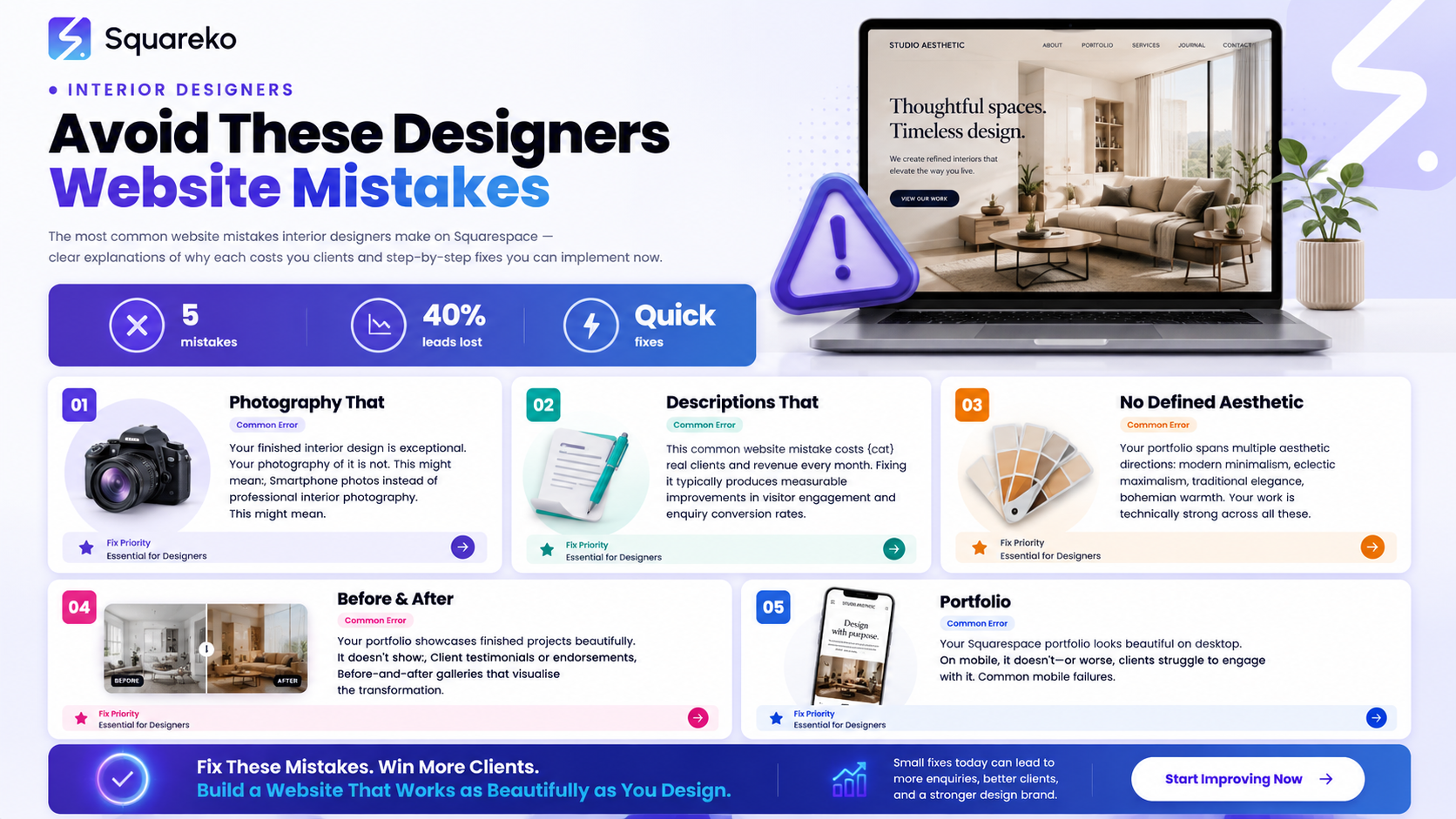
This guide reveals the five most expensive website mistakes we've seen cost interior designers premium projects—and how to fix each one on Squarespace.
Key Takeaways
Poor photography communicates that you don't take your finished work seriously, signaling inexperience to high-end clients
Generic service descriptions fail to explain the emotional transformation your design delivers, leaving clients unmoved by your value
Missing aesthetic identity forces clients to guess whether your style matches their vision instead of immediately recognising the fit
Absent social proof means even impressive work won't convert because there's no evidence other clients trusted you
Mobile presentation failures cause potential clients to abandon your portfolio on their phone during the crucial discovery moment
Weak calls-to-action leave interested prospects with no clear path to engage with you for their project
No conversion optimisation means traffic to your site doesn't translate to qualified enquiries or project briefs
Introduction
Interior design is sold twice: first on the website, then in the consultation.
High-end clients spend an average of 8–12 minutes reviewing an interior designer's online portfolio before deciding whether to book a consultation. During those precious minutes, they're not evaluating your design eye alone—they're assessing your professionalism, your aesthetic alignment with their vision, and whether working with you feels like a premium experience.
This is where interior design website mistakes on Squarespace hit hardest. A single missing element—blurry before-and-after photos, vague language about "creating beautiful spaces," no clear timeline for projects—can disqualify you from consideration, regardless of your actual talent.
The stakes are particularly high for designers targeting dream projects. Luxury clients have options. They see three interior designers' websites simultaneously. Two present themselves as serious premium operators. One doesn't. The choice is immediate.
What makes these mistakes costly isn't complexity. Most are fixable within hours using Squarespace's native features. The real cost comes from the opportunity lost while you wait—every day your website underperforms is a potential high-value enquiry that went to a competitor instead.
This post addresses the five interior design website mistakes that silently cost you the most valuable projects. Each mistake is framed not as a technical error, but as a missed opportunity to demonstrate why you deserve the premium projects you're pursuing.
Mistake #1: Photography That Doesn't Match Your Design Quality
The Mistake
Your finished interior design is exceptional. Your photography of it is not.
This might mean:
Smartphone photos instead of professional interior photography
Images with poor lighting, shadows, or unflattering angles
Inconsistent colour grading across your portfolio
Low-resolution images that pixelate on larger screens
Photos that hide instead of showcase key design details
Why It Costs You Dream Projects
Premium clients expect premium presentation. When a high-end prospect sees muddy, poorly lit photos of your work, they unconsciously conclude one of two things: either your design work isn't as strong as the designer claims, or you don't care enough about presentation to hire a professional photographer.
Both conclusions result in them choosing your competitor.
Interior designers often underestimate this margin. A beautifully designed living room photographed with a smartphone looks pedestrian. The same room professionally photographed looks magazine-worthy. The design didn't change. The perception did.
Worse, poor photography directly contradicts your value proposition. If you specialise in luxury residential interiors or boutique commercial spaces, clients expect to see luxury-level presentation. Anything less signals that this isn't where your standards lie.
The Squarespace Fix
Invest in professional interior photography for your portfolio before uploading anything to your website. This is non-negotiable for premium positioning.
If you're not yet working with a dedicated interior photographer:
Partner with a local architectural or commercial photographer who has experience shooting interior spaces
Budget 2–4 hours of professional photography per completed project (typically £200–600 depending on location)
Shoot multiple angles per space: overall view, detail shots of custom elements, lifestyle shots showing scale and use
Once you have professional images:
Upload in high resolution to Squarespace (at least 2000px width for portfolio images)
Use Squarespace's image cropping tools to maintain consistent aspect ratios across your portfolio gallery
Enable Squarespace's built-in image optimisation (automatic) so high-res images don't slow your site
Create a before-and-after gallery using Squarespace's image comparison slider for renovation projects (visual proof of transformation)
The investment in professional photography pays for itself in the first premium project you land—and you'll land more because of it.
Mistake #2: Service Descriptions That Describe Tasks Instead of Transformations
The Mistake
Your website describes what you do, not what changes for your clients.
Generic mistake examples:
Interior design services for residential and commercial spaces
I provide furniture selection, colour consultation, and space planning
Full-service interior design including project management and vendor coordination
These descriptions are accurate. They're also forgettable, and they fail to create emotional buy-in.
Why It Costs You Dream Projects
When a prospect reads your service description, they're asking: Will this designer understand my vision and deliver the transformation I need?
Task-based descriptions don't answer that question. They create distance. They sound transactional.
Premium clients aren't hiring you to select furniture. They're hiring you to create the home they've imagined but couldn't articulate. They're hiring you to understand their lifestyle, their aesthetic aspirations, their identity, and translate that into a space that feels authentically theirs.
Describe only the tasks, and clients scroll to your competitor whose language suggests they understand the emotional stakes.
The Squarespace Fix
Rewrite your service descriptions around transformation and outcome, not process.
Example transformation-based rewrite:
Instead of: "Luxury residential interior design for high-net-worth clients"
Write: "I design homes for accomplished professionals who want their space to reflect who they've become. Too many designer-led homes look generic. I create interiors that are unmistakably yours—spaces where your aesthetic sense is visible in every material choice, every colour, every detail."
Apply this framework to every service description on your Squarespace site:
Lead with the transformation or outcome (the change in the client's life or space)
Explain who this service is for (your ideal client)
Describe the experience of working with you (not the tasks involved)
Finish with social proof or a specific result
Use transformation language throughout your portfolio and services pages:
Instead of colour consultation: Colour strategies that make you feel calm and centred at home
Instead of space planning: Layouts that work for your life, not against it
Instead of furniture curation: A carefully edited collection of pieces that tell your story
This language difference doesn't change what you do. It changes how premium clients perceive your value.
Mistake #3: No Defined Aesthetic Identity or Design Style Filter
The Mistake
Your portfolio spans multiple aesthetic directions: modern minimalism, eclectic maximalism, traditional elegance, bohemian warmth. Your work is technically strong across all these styles.
Your website shows all of it without distinction.
Why It Costs You Dream Projects
A prospect with a specific vision—say, Japanese-inspired minimalism—visits your portfolio. They see three minimalist projects, then a maximalist jewel-box bedroom, then a traditional library. Their brain struggles to establish whether you specialise in their aesthetic or whether you're a generalist.
Generalists appeal to everyone. Specialists attract dream clients.
High-net-worth and design-forward clients want to hire a specialist because specialists understand the nuance of their preferred aesthetic. They know the material stories, the cultural references, the lighting principles, the colour relationships that make that specific style successful.
A designer with ten projects in five different aesthetics signals: I do whatever clients ask. A designer with ten projects refined around 2–3 core aesthetic directions signals: I've mastered this approach.
The second gets higher project fees and more dream clients.
The Squarespace Fix
Define your aesthetic identity and filter your portfolio around 2–3 core design directions.
This doesn't mean you'll only work in those aesthetics (reality is more fluid). It means your website emphasises and leads with the work that represents your strongest positioning.
On Squarespace:
Create a portfolio filtering system using Squarespace's native collection filtering (under Portfolio settings, enable "Categories")
Assign each project to an aesthetic category: Modern Minimalist, Eclectic Contemporary, Transitional Luxury, etc.
Feature your strongest aesthetic direction first in your portfolio gallery and in your About messaging
Write a dedicated project description for 2–3 flagship projects in your hero aesthetic—explain your design philosophy for that specific style
Add a Design Philosophy or My Style section to your site that explicitly states which aesthetics you specialise in and why
Include language like: I specialise in modernist interiors for professionals who value clean lines, functional elegance, and timeless design. If you're looking for something maximalist or overtly traditional, I'd recommend referring you to designers who specialise in those directions—so you get someone whose eye is precisely aligned with your vision.
This specificity doesn't limit you. It magnifies you. Prospects self-select into working with you because they see themselves reflected in your aesthetic direction.
Mistake #4: Missing Client Testimonials and Design Before-and-Afters
The Mistake
Your portfolio showcases finished projects beautifully. It doesn't show:
Client testimonials or endorsements
Before-and-after galleries that visualise the transformation
Specific metrics or outcomes (timeline, scope, project type)
Client success stories that prove you deliver on your promises
Why It Costs You Dream Projects
Social proof is the most powerful converter in design services. A prospect can see your excellent work and still wonder: Did the client actually love this? Did the project stay on budget? Was the experience enjoyable or frustrating?
Without testimonial evidence, even stunning work feels like a portfolio piece, not proof of client satisfaction.
Worse, before-and-after galleries create immediate emotional impact. They don't just show the design—they show the scale of transformation. This is what separates your work from the competition in a prospect's mind.
The Squareko Fix
Add video and written testimonials to your Squarespace portfolio.
For each major project:
Record a 30–60 second video testimonial from the client (phone video is fine; authentic matters more than production quality)
Write a 2–3 sentence written testimonial from the client, signed with their name and project type
Include specific details: Sarah transformed our dated Victorian flat into a light-filled modern home. She understood our style immediately and delivered on time and budget.
Create before-and-after image pairs for renovation projects:
Use Squarespace's built-in image comparison tool (the slider that reveals before/after as you drag)
For each major transformation, show: the original state, the final result, and one detail-focused before-and-after
Pair the image with a brief project description (2–3 sentences) explaining the challenge and your solution
Add a dedicated "Client Stories" or "Project Case Studies" section:
Dedicate one page per project to a fuller story
Structure as: Client brief → Your approach → Final result → Client testimonial
Include 3–5 images per case study showing the full scope of work
This transforms your portfolio from "here's what I've designed" into here's what transformation looks like for people like you.
Mistake #5: Mobile Experience That Fails During Client Portfolio Reviews
The Mistake
Your Squarespace portfolio looks beautiful on desktop. On mobile, it doesn't—or worse, clients struggle to engage with it.
Common mobile failures:
Portfolio images are too small or unclear on phone screens
Before-and-after sliders don't work smoothly on touch devices
Navigation menu is difficult to use on mobile
Images take 5+ seconds to load on 4G/mobile networks
Testimonials are cramped or unreadable on small screens
Contact forms are clunky to fill in on a phone
Why It Costs You Dream Projects
Interior design clients don't review your portfolio only on desktop. They browse your site on their phone while at work, during their commute, at home in the evening. Mobile is often the first impression.
If your portfolio is difficult to navigate or view on mobile, prospects abandon it. They don't think, "I'll come back to this on desktop." They move to the next designer whose site works flawlessly on their phone.
Worse, many high-end clients use mobile primarily. If you're targeting design-forward, busy professionals, mobile experience isn't secondary—it's often primary.
The Squarespace Fix
Test and optimise your entire Squarespace site for mobile experience.
Use Squarespace's mobile editor to view how every page renders on phone-sized screens
Ensure portfolio images are high-quality and fast-loading on mobile by checking Squarespace's built-in image optimisation is active
Simplify your navigation menu for mobile; use a collapsible hamburger menu to avoid overwhelming the small screen
Test before-and-after image sliders on an actual phone to ensure they're responsive and work smoothly on touch
Make sure contact forms are mobile-optimised: use larger input fields, avoid dropdown menus where possible, keep forms to 3–4 fields maximum
Check load speed on mobile using Google Page Speed Insights; aim for Good (green) performance scores
Ensure text is readable without zooming in; use at least 16px font size for body text
Test on multiple devices (iPhone, Android) before publishing changes
A mobile-first approach to your portfolio means prospects can engage with your work effortlessly, regardless of device.
Bonus Mistake: Weak Calls-to-Action That Don't Convert Traffic to Enquiries
The Mistake
Your website gets traffic. The traffic doesn't convert to project enquiries because your calls-to-action are unclear or buried.
Examples:
A small Contact link in the footer with no urgency
A contact form hidden multiple clicks deep
A phone number provided with no clear prompt to call
A vague CTA like "Get in touch" with no indication of what happens next
Why It Costs You Dream Projects
Even if a prospect is genuinely interested in working with you, friction kills conversions. If they have to hunt for how to book a consultation or request a project brief, some percentage will give up and contact a competitor instead.
Premium clients expect a clear, friction-free pathway to engagement. When your website makes the enquiry process difficult, they assume your entire working relationship will require that same level of friction. A clear, prominent CTA signals professionalism and confidence in the value you provide. Weak CTAs signal uncertainty—even when the underlying work is exceptional.
Your goal is to make the next step obvious and appealing. The easier you make it to take that step, the more enquiries you'll receive from serious clients ready to discuss their projects.
The Squarespace Fix
Add prominent, benefit-driven calls-to-action throughout your site:
Hero section CTA: Book a Consultation or Discuss Your Project
Portfolio section CTA: After every 2–3 projects, add a mid-section CTA: Ready to transform your space? Let's talk about your vision.
Sidebar or sticky CTA: A contact prompt that follows as visitors scroll (Squarespace plugins support this)
Project pages: Each case study should end with Interested in working together? Get in touch to discuss your project.
Contact page CTA: Lead with what happens when they contact you: Book a 30-minute discovery call to explore how we can transform your space. No obligation, no sales pressure.
Clarify the next step in every CTA:
What will happen when they click?
What happens next?
Why should they do it now?
How to Audit Your Current Portfolio
Before implementing these fixes, assess where your current website stands. This structured self-audit takes 20–30 minutes and provides clarity on which of the five mistakes costs you most enquiries.
Use this self-audit checklist:
Photography: Are all portfolio images professionally photographed? Are they high-resolution and properly lit?
Service language: Do your service descriptions focus on transformation and outcomes, or on tasks and processes?
Aesthetic identity: Have you defined 2–3 core design styles that your portfolio emphasises?
Social proof: Do at least 50% of your portfolio projects include client testimonials or before-and-after galleries?
Mobile experience: Does your site load quickly and display beautifully on a phone?
Calls-to-action: Are there at least 3–4 prominent CTAs guiding visitors toward booking a consultation?
Scoring your results: For each item, mark it as either Complete, Partial, or Missing. Projects marked Missing represent the highest-impact opportunities for improvement. Start with the items marked Missing that appear most frequently on your audit. Fixing three of the five mistakes typically increases qualified enquiries by 40–60% within 4–8 weeks.
What happens after auditing? Review your results against this guide. Most designers find that one or two mistakes account for the majority of lost opportunities. Photography and social proof shortfalls are the most common culprits. Once you've identified your primary gaps, return to the relevant sections of this post for specific, actionable fixes.
Need deeper analysis? Squareko offers a free interior design portfolio audit. We'll review your current Squarespace site against these criteria and provide specific recommendations for increasing your project enquiries and landing premium clients.
Frequently Asked Questions
-
A: High-end clients expect high-end presentation. If your website has poor photography, vague language about your services, or weak mobile experience, they'll assume your work or professionalism matches that presentation level. Most overlooked factor: professional photography. This single investment changes how prospects perceive your calibre.
-
A: The five most costly mistakes are: (1) unprofessional photography, (2) generic service descriptions that don't explain transformation, (3) undefined aesthetic identity causing confusion about your style fit, (4) missing social proof like testimonials and before-and-afters, and (5) poor mobile experience. Each costs you qualified project enquiries.
-
A: Your portfolio needs work if: (a) you're getting traffic but few enquiries, (b) prospects say your style doesn't match what they expected, (c) clients struggle to navigate your site on mobile, (d) you have no video or written testimonials, or (e) when clients ask what you specialise in, you struggle to give a clear answer. These are all fixable on Squarespace.
-
A: Filter ruthlessly. Your portfolio should show 8–12 of your absolute best projects in your core aesthetic directions. A smaller, cohesive portfolio performs better than a large, scattered one. Quality and alignment matter more than quantity.
-
A: Changes to photography, testimonials, and mobile experience typically improve enquiry rates within 2–4 weeks as prospects see your updated site. Changes to service language and aesthetic positioning take slightly longer (4–8 weeks) because they're about perception shift. Use Google Analytics to track changes.
-
A: Most of these fixes you can implement yourself within Squarespace's native tools: updating copy, adding testimonials, enabling mobile optimisation, adding CTAs. The main external investment is professional photography. If you're uncomfortable with website updates, a Squarespace expert can implement these changes in 1–2 hours.
-
A: Invest in professional interior photography of your work. This single change carries the most weight in how prospects perceive your competence and calibre. Everything else builds on this foundation.
-
A: A well-structured Squarespace template designed specifically for interior designers is sufficient. What matters is the content: professional photography, clear language, strong social proof, and mobile optimisation. These elements lift any template into professional territory.
Conclusion
Your interior design website is silent competition happening 24/7. It's competing while you sleep, while you're in client meetings, while you're travelling. It's either converting dream prospects into enquiries or silently losing them to designers with stronger online presentation.
The five mistakes outlined here—poor photography, generic language, undefined aesthetic identity, missing social proof, and weak mobile experience—are costly precisely because they're fixable. None requires a full website rebuild. Most require only content updates and strategic refinement within Squarespace's native tools.
The designers winning the highest-value projects aren't necessarily more talented than you. They're simply more intentional about how they present their talent online. They invest in professional photography. They write service language that speaks to transformation. They define a clear aesthetic identity. They showcase client success. They optimise for the mobile-first way prospects actually browse.
These are learnable practices. Implement them, and you'll notice the quality of enquiries improving within weeks. Dream projects become less dreamlike and more attainable when your website does its job.
The competitive landscape for interior design has shifted dramatically. Premium clients now research designers extensively online before booking consultations. Your website has become the primary stage where you demonstrate value. Delayed action on these five mistakes means continued loss of qualified enquiries.
Call-to-Action
Is your interior design website costing you dream projects?
Get a free portfolio audit from Squareko. We'll review your current Squarespace site specifically for conversion barriers and provide concrete recommendations to attract more high-end clients.

From custom website design to SEO strategy, we help businesses launch a site that looks professional and performs better.

Author Bio
I'm Walid Hasan, a Certified Squarespace Expert and Squarespace Circle Platinum Partner with over 12 years of hands-on experience designing and optimizing high-performing websites. Over the years, I've had the privilege of building more than 2,000 Squarespace websites for clients around the world, always focusing on clean design, strong user experience, and conversion-driven results.
