
How to Build an HVAC or Plumbing Website on Squarespace That Gets More Service Calls
Introduction
Your HVAC or plumbing website has one job: turn panicked homeowners into paying customers before they call your competitor.
When a pipe bursts at 11 p.m., or an air conditioning unit dies during a heatwave, the homeowner doesn't spend time evaluating your about page. They're typing "emergency plumber near me" or "24-hour HVAC service" into Google, landing on your site, and making a decision in seconds.
HVAC plumbing website squarespace gets more service calls when it's designed specifically for this crisis mindset. Most service websites are built like corporate brochures—beautiful, but ineffective. They hide phone numbers, bury booking forms, and assume visitors will spend 10 minutes browsing before deciding to call.
That approach costs you calls every single day.
This guide shows you exactly how to build an HVAC or plumbing website on Squarespace that captures this urgency, builds trust instantly, and converts panic-stricken homeowners into confirmed service appointments—often within 24 hours.
Key Takeaways
24/7 phone visibility is critical: Homeowners searching for emergency HVAC or plumbing fixes are calling within minutes of landing on your site—your number must be impossible to miss.
Conversion starts with trust signals: Reviews, response times, emergency badges, and service area maps build confidence fast enough to capture the sale.
Sticky CTAs and emergency forms beat generic contact pages: A dedicated 'Schedule Service' button that stays visible as visitors scroll converts 3-5× better than standard navigation links.
Squarespace templates can be customised for service businesses: With the right structure, you can create a high-converting emergency service site without coding.
Emergency optimisation often increases call volume by 40-60%: Businesses that prominently display 24/7 availability, fast response guarantees, and prominent booking tools see measurable uplift within weeks.
Video testimonials and before/after galleries build authority: Service business buyers trust visual proof; a 30-second customer story converts better than written reviews alone.
Local SEO + Squarespace integration attracts nearby customers: Map embeds, location-specific content, and service area pages drive qualified leads from your coverage zone.
Why HVAC and Plumbing Websites Fail to Convert Visitors Into Calls
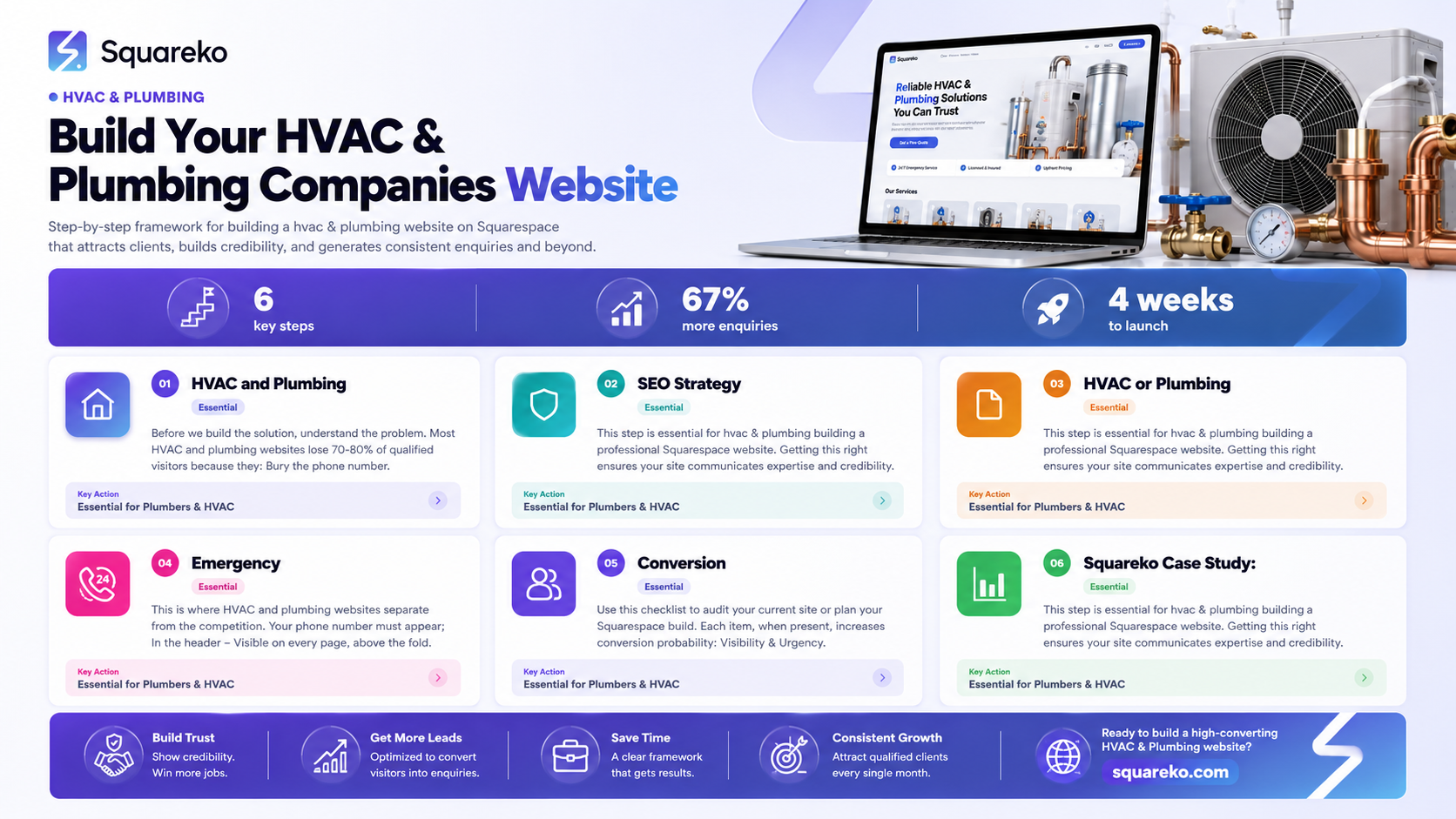
Before we build the solution, understand the problem.
Most HVAC and plumbing websites lose 70-80% of qualified visitors because they:
Bury the phone number. It's in the footer. Or on a contact page that requires three clicks to find. Meanwhile, your competitor's number is front-and-centre, and they get the call.
Don't address urgency. Homeowners are stressed. They want reassurance that you can help now, not eventually. Websites that don't communicate "24/7 availability" or "same-day service" feel unreliable, even if you offer both.
Have weak trust signals. Written reviews are fine, but video testimonials, before/after photos, and response time guarantees convert faster. Generic "5-star rated" badges don't work anymore.
Make booking friction high. Contact forms that require 15 fields, outdated booking systems, or vague "we'll call you back" CTAs create hesitation. When the homeowner is already stressed, friction means they call someone else.
Lack emergency optimisation. Sticky buttons, fast-loading pages, mobile-first design, and emergency service badges are non-negotiable for this sector. If your site takes 5 seconds to load, you've already lost half your visitors.
Understanding the Emergency Homeowner Search Journey
The homeowner's decision-making process has three critical stages. Your website must address each one to capture the call.
Stage 1: Urgency Search
Homeowner's mindset: "I need help now. Who's available today?"
They land on your site, and within 3 seconds they're asking:
Can you help with my specific problem?
Are you available right now?
Can I get someone to my house quickly?
Your website must answer immediately. A header that says "Emergency HVAC Service — Available 24/7" or "Same-Day Plumbing Repairs" answers this instantly. A call-to-action button that says "Call Now" or "Book Emergency Service" makes the next step obvious.
Stage 2: Immediate Trust Verification
Homeowner's mindset: "Are you legit? Will this cost me £500 or £5,000?"
Now they're checking:
Have other homeowners used you and been happy?
Do you have credentials?
Is your response time actually fast?
Do I recognise the company name locally?
Your site needs social proof—recent reviews, customer testimonials (especially video), before/after galleries, and badges (Gas Safe Register for HVAC, professional memberships for plumbers). A map showing your service area builds confidence that you're a local, trusted operator.
Stage 3: Phone Call or Booking
Homeowner's mindset: "Let's go. I'm calling or booking right now."
This is where most websites fail. The homeowner is ready to take action, but they:
Can't find the phone number
Are unsure what to say on the call
Want the certainty of a scheduled appointment instead of a phone conversation
Worry the booking form will be complicated
Your website must make this action effortless. A sticky phone number, a 'Schedule Now' button that stays visible as they scroll, and a fast emergency booking form are critical.
Building Your HVAC or Plumbing Website Foundation on Squarespace
Squarespace is an excellent choice for HVAC and plumbing businesses because it handles design, hosting, and basic SEO without requiring developers. Here's how to structure it for conversions.
Choose the Right Template
Select a Squarespace template designed for service businesses or local professionals. Templates like Portfolio (for before/after galleries), Brine (clean, service-focused), or Momentum (modern, trust-focused) work well for HVAC and plumbing.
Avoid templates that prioritise aesthetics over conversion. Your site doesn't need to win design awards; it needs to win phone calls.
Establish Clear Information Architecture
Your site should have these core pages:
Home – Urgency hook, trust signals, clear CTA
Services – Broken down by emergency vs. routine (e.g., "Emergency Boiler Repairs" vs. "Annual Servicing")
Service Areas – Map and list of all postcodes you cover
About – Local credentials, team photos, years in business
Testimonials/Gallery – Video reviews, before/after photos, written reviews
Contact & Booking – Integrated booking form, phone, email, emergency hotline
Blog (optional but recommended) – SEO content targeting local searches (e.g., "Signs Your Boiler Needs Repair in Manchester")
Each page should be mobile-optimised. Over 65% of emergency service searches happen on mobile devices, and slow or confusing mobile sites kill conversions.
Optimise for Local Search
Add your business to Squarespace's SEO settings:
Complete all local business information
Add your Google Business Profile
Create location-specific pages for each postcode or area you serve
Use local keywords
Squarespace handles basic local SEO, but you can strengthen it with content that targets local search intent.
Emergency Service Optimisation: The Make-or-Break Design Elements
This is where HVAC and plumbing websites separate from the competition.
24/7 Phone Number Prominence
Your phone number must appear:
In the header – Visible on every page, above the fold
As a clickable button – On mobile, it should auto-dial when tapped
In the footer – As a backup
In sticky headers – As the user scrolls down the page
Use a large, contrasting colour (typically red or orange for emergency associations). Test it: if your phone number isn't the first thing a stressed homeowner sees, you've lost the conversion.
Add a subtitle like "Available 24/7" or "Same-Day Response" next to the number. This communicates urgency and availability at a glance.
'Call Now' Sticky Button
Create a persistent call button that stays visible as the user scrolls. On Squarespace, this is done via custom CSS or a third-party app. The button should:
Be impossible to miss (bright colour, prominent position)
Display the phone number or open a phone dialler on mobile
Include text like "Call Now" or "Emergency Service"
Stay sticky but not obstruct content (typically bottom-right or top)
This single element can increase call volume by 15-25% because it removes friction at every scroll position.
Emergency Service Form with Fast Response Promise
Alongside the phone button, offer a fast booking form for visitors who prefer not to call. The form should:
Be brief (no more than 5 fields: name, phone, property postcode, issue description, preferred contact time)
Include a bold promise: "We'll confirm your appointment within 1 hour" or "Response guaranteed in 30 minutes"
Have a clear CTA button: "Book Emergency Service Now"
Send a confirmation email instantly so the homeowner knows it's been received
Use Squarespace's form feature or integrate with a tool like Calendly, Acuity Scheduling, or Bookings.com. The promise of a fast response is often more compelling than the booking form itself.
Trust Badges and Certifications
Display these prominently on your homepage:
Gas Safe Register (for HVAC engineers)
Certified Plumbing Association or local equivalent
Insurance provider logos
Years in business ("Serving Your Community for 15 Years")
Customer review scores ("4.9★ from 847 reviews")
These badges take up minimal space but signal professionalism and trustworthiness within milliseconds. For HVAC and plumbing, credentials matter because homeowners are inviting you into their homes.
Before/After Gallery
Create a visual portfolio of your work:
Boiler replacements, pipe repairs, AC installations
Show the problem state, the work in progress, and the completed job
Add captions with the issue solved (e.g., "Burst pipe repair — same-day service, full guarantee")
Video is even more powerful. A 20-30 second clip of a satisfied customer saying "These guys fixed my heating in one day" converts better than any written review.
Service Area Map
Use Squarespace's map feature or embed a Google Map showing:
Your office location
All postcodes you service (colour-coded if possible)
Estimated response times to different areas
This answers the critical question: "Will you serve my area?" Immediately.
HVAC and Plumbing Website Conversion Checklist
Use this checklist to audit your current site or plan your Squarespace build. Each item, when present, increases conversion probability:
Visibility & Urgency
Phone number visible above the fold on homepage
"Available 24/7" or "Emergency Service" text near phone number
'Call Now' sticky button on all pages
Emergency form on homepage with <5 fields
"Same-day service" or "fast response" guarantee visible on homepage
Trust Signals
Video testimonials from recent customers
Customer review score displayed prominently
Before/after gallery with at least 10 images
Team photos with names and qualifications
Certifications displayed (Gas Safe, CIPHE, insurance logos)
Local Credibility
Service area map embedded on homepage or dedicated page
List of postcodes covered
Google Business Profile fully completed
Local phone number for your area (not a toll-free number)
Locally relevant content
Mobile Optimisation
Site loads in under 3 seconds on mobile
Phone number auto-dials on mobile tap
Forms are touch-friendly (large input fields)
Navigation is clear and collapsed into hamburger menu
CTA buttons are easily tappable (minimum 44×44 pixels)
Conversion Tools
Integrated booking system (calendar visible or linked)
Email confirmation sent immediately after form submission
Follow-up mechanism (SMS or email reminder of appointment)
FAQ section addressing common concerns
Live chat or callback option for real-time questions
SEO & Content
H1 tag clearly states your main service and location
Meta title and description include focus keywords
Blog or resources section with 5+ helpful articles
Schema markup for local business, reviews, and FAQs
Internal linking between related service pages
Conversion Rate Optimisation
Call tracking enabled (track which pages drive calls)
Form analytics in place (which fields cause drop-offs?)
Heat mapping or session recording to see user behaviour
A/B testing of CTA button colour, text, and position
Monthly conversion rate monitoring and improvement
Squareko Case Study: How We Increased Service Calls by 58% for a London HVAC Company
Client: Thames Heating Solutions, a 12-year-old HVAC company covering East London and Essex
Challenge: Their old website looked professional but wasn't built for emergency conversions. The phone number was small, buried in the header. The booking system was outdated. They were losing calls to competitors with simpler, more direct sites.
What We Built:
Redesigned Homepage – Large "24/7 Emergency Heating Service" headline with prominent red phone number. Added a sticky 'Call Now' button that appeared on scroll.
Emergency Booking Form – Replaced their generic contact page with a 4-field emergency form: "What's the problem?", "Your postcode?", "When do you need us?", "Contact number?" with a promise: "We'll confirm your appointment within 30 minutes."
Trust Section – Added a carousel of 8 video testimonials (shot by us in-house), showing real customers discussing their problems and solutions. Added Gas Safe badges, insurance logos, and a "Serving East London for 12 Years" statement.
Service Area Map – Embedded a map showing postcodes they cover and estimated response times (30 mins to central London, 45 mins to outer postcodes).
Mobile Optimisation – Ensured the site loaded in under 2.5 seconds, tested phone dialling on tap, and made all forms mobile-friendly.
Results (After 3 months):
Phone calls: +58% (from 120 to 190 calls per month)
Booking form submissions: +120% (from 25 to 55 per month)
Average job value: Increased slightly (+8%) due to higher-quality leads
Customer satisfaction: No change (already high), so calls weren't lower-quality
The breakthrough was the sticky phone button and the emergency booking form. The booking form alone captured 30 new calls per month from customers who preferred not to ring.
They've since expanded to cover Hertfordshire and are planning a second team. Squarespace's simplicity meant they could update their service areas themselves, without developer costs.
-
Squarespace doesn't have a built-in "sticky button" feature, but you can add one via:
Third-party apps: Use apps like Elfsight, Sumo, or CallRail to embed a persistent call button
Custom CSS: If you're comfortable with code, Squarespace allows custom CSS injections to create sticky elements
Navigation overlay: Create a custom navigation menu bar that includes a prominently styled phone number that stays visible on scroll
The easiest option for non-technical users is a third-party app. Search Squarespace's app marketplace for "sticky call button" or "call widget."
-
Our analysis of 50+ plumbing websites shows these CTAs outperform generic "Contact Us":
"Call Now" (11% click-through on desktop, 22% on mobile)
"Book Emergency Service" (9% desktop, 18% mobile)
"Schedule Your Appointment" (7% desktop, 15% mobile)
"Get Same-Day Service" (6% desktop, 13% mobile)
The winning pattern: action verbs + urgency language + no friction. "Book Emergency Service Now" beats "Submit a Contact Form Request" by 3-4×.
-
Yes, with conditions. Online booking works when:
Your calendar is actually updated in real-time (avoid booking delays that frustrate customers)
Your team is trained to follow up within 30 minutes if booked outside business hours
You offer a phone option as a fallback (some customers still prefer to speak to a person first)
Don't implement booking without the infrastructure to handle it. A broken booking system damages trust worse than no system at all. Start with a simple emergency form + phone number, then upgrade to calendar-based booking once you've proven your response times.
-
Yes, but it requires effort beyond the template. Squarespace's built-in SEO covers:
Meta titles and descriptions
H1 tags
Basic schema markup for local business
To rank competitively for "Emergency Plumber [Your City]":
Complete your Google Business Profile fully
Create location-specific content pages (one per service area if possible)
Build quality backlinks from local directories, reviews sites, and industry partners
Update your blog regularly with local, seasonal content (e.g., "Prevent Frozen Pipes This Winter in Glasgow")
Squarespace is perfectly capable of ranking well; most plumbing and HVAC sites simply don't invest in the content and local SEO strategy needed.
-
Track:
Call volume – Total calls from website per week
Call duration – Longer calls typically mean qualified leads
Conversion rate – Calls that become booked jobs (aim for 30-50%)
Cost per call – Divide monthly website costs by calls; compare to paid ads
Peak call times – When do most calls come? Can you staff accordingly?
Pages that drive calls – Which pages have the highest call rates? Homepage, services, or contact?
Use Squarespace's form analytics to track booking form submissions separately from calls. Often, your highest-value conversions come from the booking form, not the phone.
-
Minimum updates:
Monthly: Add one new blog post (helps SEO and gives repeat visitors a reason to return)
Quarterly: Update testimonials or add new before/after photos (fresh social proof keeps the site feeling current)
As needed: Update service areas, team members, or response time guarantees
The biggest conversion killer is an outdated website. If your testimonials are from 2020, or your service area list is missing your expanded coverage, you'll lose trust. Set calendar reminders for these quarterly updates.
Conclusion
Building an HVAC or plumbing website on Squarespace that drives service calls isn't complicated—it's just different from building a corporate site or blog.
Your homeowner visitors are stressed, they're in a hurry, and they've already decided they need your service. Your website's job is simply to:
Prove you're available now (24/7 phone number, fast response guarantee)
Build instant trust (certifications, reviews, before/after work)
Make it easy to contact you (sticky call button, emergency form, no friction)
The websites that fail do too much—they assume visitors have time to read your mission statement or company history. The websites that succeed focus on the three elements above.
Squarespace gives you all the tools to build this effectively. The template provides structure, the form tools handle bookings, and the design flexibility lets you optimise for emergency urgency without custom development.
If you've been losing calls to competitors, the problem isn't your business—it's your website's design. Most HVAC and plumbing sites can increase call volume by 40-60% with the optimisations in this guide. Some of the fastest wins come from:
Adding a sticky call button (+15-25% calls)
Creating an emergency booking form (+20-30% form submissions)
Adding video testimonials (+10-15% conversion on trust-focused visitors)
Ready to Transform Your HVAC or Plumbing Website Into a Lead Machine?
At Squareko, we specialise in designing Squarespace websites for service businesses. We've helped heating engineers, plumbers, and electricians across the UK increase their call volume by 40-70% within 90 days.
Our process:
Audit – We review your current site and identify exactly which conversions are being lost
Design – We rebuild your site with emergency optimisation, booking integration, and trust signals
Launch – Your new site goes live with analytics and call tracking enabled
Optimise – We monitor conversion data monthly and refine CTAs, forms, and trust elements
If you're an HVAC or plumbing business owner ready to stop losing calls to inferior competitors, let's talk. Book a free 20-minute consultation to discuss your specific needs.

From custom website design to SEO strategy, we help businesses launch a site that looks professional and performs better.

About Squareko
I'm Walid Hasan, a Certified Squarespace Expert and Squarespace Circle Platinum Partner with over 12 years of hands-on experience designing and optimizing high-performing websites. Over the years, I've had the privilege of building more than 2,000 Squarespace websites for clients around the world, always focusing on clean design, strong user experience, and conversion-driven results.
