
How HVAC and Plumbing Companies Build Service Area Authority on Squarespace
Introduction
HVAC and plumbing companies face a unique challenge: they serve multiple towns and cities, but most generic business websites treat all locations equally. A single "service areas" page listing 20 towns does nothing for local search visibility. Neither does copying the same content across slightly different pages.
Building service area authority on Squarespace means creating distinct, location-specific pages that demonstrate expertise in each area you cover. This approach improves your chances of ranking in local searches like "boiler engineers near Oxfordshire" or "emergency plumber in Cheltenham" while establishing trust with potential customers in each location.
This guide covers the proven strategy for multi-location HVAC and plumbing businesses: how to structure service area pages, write unique content that ranks, implement proper schema markup, and avoid the thin content penalties that kill visibility.
Key Takeaways
Service area pages are essential for HVAC and plumbing companies covering multiple locations; they signal local expertise to both search engines and customers
Creating unique, location-specific content for each service area prevents duplicate content penalties and improves ranking potential
Squarespace's collection and page features allow you to build scalable, SEO-friendly service area architecture without technical complexity
Implementing How To and Local Business schema on service area pages increases visibility in local search results
Consistent on-page optimisation, internal linking, and location-specific keyword research are key to ranking authority in each covered area
Multi-location HVAC and plumbing businesses need a documented service area strategy before building pages, or they risk cannibalisation and poor visibility
Why Service Area Pages Matter for HVAC and Plumbing Businesses
Local Search Visibility
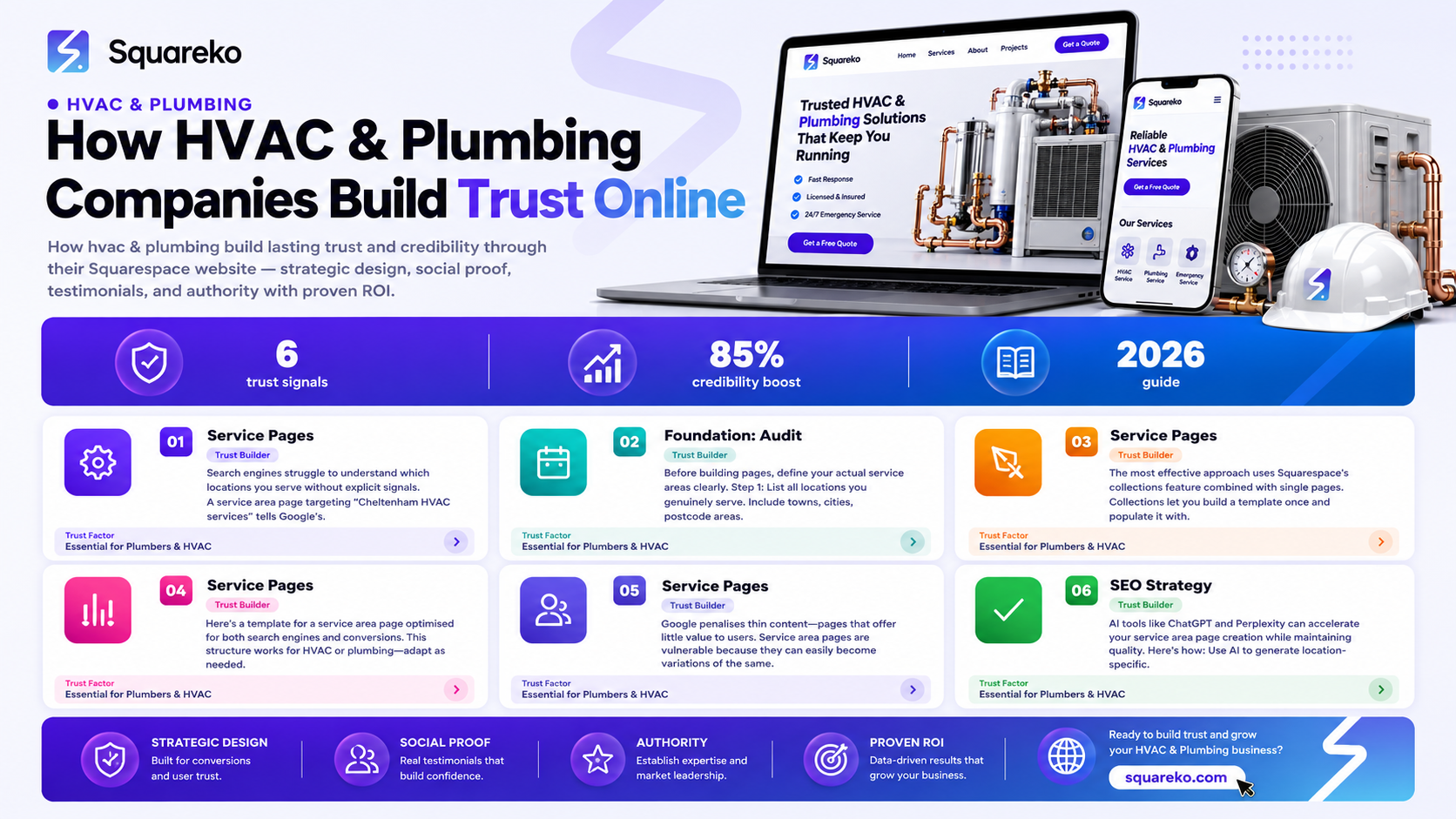
Search engines struggle to understand which locations you serve without explicit signals. A service area page targeting "Cheltenham HVAC services" tells Google's algorithm that your business is relevant to that specific location. This is especially critical in the HVAC and plumbing sectors, where 90% of searches include a location modifier .
Trust and Conversion
Customers want to know you operate in their area. A dedicated page mentioning local landmarks, local heating challenges, or local regulations shows you understand the community. A customer in Stratford-upon-Avon is more likely to call a heating engineer who has a page specifically about Stratford services than one showing a generic list.
Keyword Opportunity
Each location represents a separate keyword opportunity. If you cover 15 towns, you have 15 keyword variations to target. With proper service area pages, your site can rank for all of them simultaneously, rather than competing with yourself or ranking nowhere.
Competitive Advantage
Many HVAC and plumbing websites still use single pages with location lists or thin location pages. Investing in proper service area authority positions you ahead of competitors who haven't implemented a structured approach.
The Foundation: Audit Your Current Coverage and Define Your Service Zones
Before building pages, define your actual service areas clearly.
Step 1: List all locations you genuinely serve. Include towns, cities, postcode areas, and neighbourhoods. Be honest—only list places where you can realistically respond to calls or bookings.
Step 2: Group locations if necessary. If you cover 40+ locations, group them by region (e.g., "North West London Services," "Oxfordshire Heating Services") to avoid overwhelming your site structure. Squarespace handles this well with nested collections.
Step 3: Prioritise locations by opportunity. Use Google Keyword Planner and Ahrefs to check search volume for key terms like "[Town] + HVAC services" or "[Town] + plumber." Focus your strongest content efforts on high-volume locations.
Step 4: Check your current ranking. Search for "[Town] HVAC services [Your Company Name]" or similar for your key locations. Note where you already rank and where you don't. This informs your content priorities.
Step 5: Document the strategy. Write down your service area structure, target locations, and keyword targets. This prevents the common mistake of building pages without direction and helps your team stay consistent.
Step-by-Step Guide: Building Unique Service Area Pages on Squarespace
Using Squarespace Collections for Scalability
The most effective approach uses Squarespace's collections feature combined with single pages. Collections let you build a template once and populate it with location-specific data, making maintenance easy.
Step 1: Create a collection for service areas.
In Squarespace, go to Collections and add a new collection. Name it "Service Areas" or "Locations." Choose the "Posts" collection type for ease of display.
Step 2: Add custom fields for location-specific data.
Add these custom fields to your service areas collection:
Location name (e.g., "Cheltenham")
Location slug (e.g., "cheltenham")
Service radius (e.g., "10-mile radius")
Local postcode areas
Key local issue (e.g., "Hard water problems in Gloucestershire")
Local image (optional but powerful—photo of a Cheltenham landmark builds trust)
Step 3: Build a collection template.
Design a single template page that pulls data from these fields. Use Squarespace's field injection to populate:
The page title ({locationName} HVAC Services | {companyName})
The meta description
Introductory copy
Service details tailored to local conditions
Step 4: Populate your locations.
Create a collection item for each service area. This is where unique content lives. Even if the core offering is identical, the location-specific context changes: local climate, local building regulations, local customer pain points.
Step 5: Link from your main site.
Create a "Service Areas" navigation page listing all locations with internal links. This helps users navigate and gives search engines a clear site structure.
Alternative: Single Pages Approach
If your Squarespace plan doesn't allow collections, or you prefer simplicity, create individual pages manually. The principle remains: one page per location, with unique content.
Service Area Page Content Template: What to Write for Maximum Ranking
Here's a template for a service area page optimised for both search engines and conversions. This structure works for HVAC or plumbing—adapt as needed.
Page Title (H1)
[Town] HVAC Services | Trusted Heating Engineers | [Company Name]
or
[Town] Plumber | Emergency Plumbing & Boiler Repair | [Company Name]
Meta Description
Professional HVAC services in [Town]. Boiler repair, installation, and maintenance.
Fast response. Call [number] or book online.
(Keep it 150–160 characters, include the town and a unique value prop.)
Opening Paragraph (100–150 words)
Include the focus keyword naturally in the first sentence:
Example:
"If you need reliable HVAC services in Cheltenham, [Company Name] has been serving homes and businesses across the town for 15 years. From emergency boiler breakdowns to heating system installations, our qualified engineers respond within 24 hours, seven days a week. We're fully certified Gas Safe engineers, and we understand Cheltenham's older Victorian properties and the specific heating challenges they present."
Local Context Section (H2)
Discuss what makes this location unique:
Local climate ("Gloucestershire's cold winters and variable heating demands…")
Common heating/plumbing problems ("Hard water affects many Cheltenham properties…")
Local regulations or building stock ("Many properties here are Grade II listed…")
This proves you know the area and aren't just selling generic services.
Services Section (H2)
List the specific services you offer in this location. Examples:
Boiler repair and replacement
System upgrades for older properties
Emergency callout services
Maintenance plans
Radiator balancing and power flushing
Keep it concise and local: "We install combination boilers suitable for terraced properties typical in Cheltenham" beats generic "boiler installation."
Why Choose Us (H2)
Differentiation specific to this location:
Local team members (if true)
Local reputation or awards
Local response time guarantee
Local partnerships or credentials
Call to Action Section
Need HVAC services in Cheltenham? Call [number] or book online.
We offer free estimates and emergency support.
Footer: Local Keyword Variations
Add a short paragraph naturally incorporating related keywords:
Example:
"Whether you're looking for a boiler engineer in Cheltenham, heating repair in nearby Tewkesbury, or emergency plumbing services across Gloucestershire, [Company Name] is ready to help. We also serve [neighbouring towns]."
Word Count
Each service area page should be 800–1,200 words minimum. This signals substance to search engines and gives you room for genuine, location-specific detail rather than thin filler.
Avoiding Duplicate Service Area Content and Thin Page Penalties
Google penalises thin content—pages that offer little value to users. Service area pages are vulnerable because they can easily become variations of the same generic template.
The Thin Content Trap
A common mistake: create a template with one paragraph about the location and repeat it 20 times across different pages. Example:
"We serve [Town]. Our team of expert plumbers is available 24/7.
Call us today for fast, reliable service."
This is thin content. Google recognises it as low-effort and won't rank it well.
How to Create Unique Location Pages
Research each location. Before writing, spend 15 minutes on each town:
Check local news (heating crisis in winter? hard water issues?)
Look at Google Maps reviews of competitors (what complaints appear repeatedly?)
Note local landmarks and character
Tailor your angle to each location. Examples:
Cheltenham (affluent market town): emphasise quality, discretion, period property expertise
Post-industrial town: emphasise reliability, value, family-owned reputation
Rural area: emphasise rapid response, experience with rural heating systems
Create location-specific case studies or testimonials. If you have a customer in Cheltenham, add a testimonial mentioning a Cheltenham property or issue. This breaks up the template feel and adds credibility.
Address local seasonal issues. Autumn in Gloucestershire means heating season prep; winter means emergency calls. Spring brings boiler servicing. Adjust your messaging seasonally or by location.
Include local images. A photo of a local street, landmark, or a team member in your local office beats a stock photo. It signals you're real and local.
Avoid exact duplication of H2 headings. If every page has the same "Why Choose Us" heading with identical copy, Google flags it as duplicate. Vary your approach: one location gets "Why Cheltenham Trusts Us," another gets "Local Expertise, Professional Standards."
Technical Duplicate Prevention
Use Squarespace's canonical URL feature to ensure each location page has a self-referential canonical tag (not pointing to a master page)
Don't use rel=alternate hreflang tags unless you're serving different language versions (UK English doesn't need hreflang)
Ensure each location page is indexable and not blocked in robots.txt
Schema Markup Strategy for Local HVAC and Plumbing Authority
Schema markup helps search engines understand your content and displays rich results in search listings, increasing click-through rates.
LocalBusiness Schema
Add LocalBusiness schema to every service area page. On Squarespace, use the code injection feature or a custom HTML block:
{
  "@context": "https://schema.org",
  "@type": "LocalBusiness",
  "name": "[Company Name]",
  "image": "https://[yoursite]/logo.png",
  "description": "Professional HVAC and plumbing services in [Town]",
  "address": {
    "@type": "PostalAddress",
    "streetAddress": "[Your office address if local; or main office]",
    "addressLocality": "[Town]",
    "addressRegion": "[County]",
    "postalCode": "[Postcode]",
    "addressCountry": "GB"
  },
  "telephone": "[Your phone number]",
  "url": "https://[yoursite]/[town-service-page]",
  "serviceArea": {
    "@type": "City",
    "name": "[Town] and surrounding areas"
  }
}
This tells Google where you operate and increases local search visibility.
HowTo Schema
For HVAC and plumbing pages, HowTo schema is powerful. Example:
{
  "@context": "https://schema.org",
  "@type": "HowTo",
  "name": "How to Maintain Your Boiler for Winter in [Town]",
  "step": [
    {
      "@type": "HowToStep",
      "name": "Check your boiler pressure",
      "text": "Modern boilers need 1.0–1.5 bar pressure…"
    },
    {
      "@type": "HowToStep",
      "name": "Bleed radiators",
      "text": "If your radiators are cold at the top, bleed them…"
    }
  ]
}
HowTo schema earns a rich snippet in Google search results, driving more clicks.
Aggregate Rating (Optional)
If you have customer reviews, use AggregateRating schema:
{
  "@context": "https://schema.org",
  "@type": "LocalBusiness",
  ...
  "aggregateRating": {
    "@type": "AggregateRating",
    "ratingValue": "4.8",
    "reviewCount": "147"
  }
}
This displays a star rating in search results, building trust.
Implementation on Squarespace
Go to your service area page settings
Scroll to "Advanced" and find "Code Injection"
Paste your schema JSON-LD in the header or footer field
Test with Google's Schema Validation Tool before publishing
AI Local Search Strategy for Multi-Location HVAC and Plumbing
AI tools like ChatGPT and Perplexity can accelerate your service area page creation while maintaining quality. Here's how:
Keyword Research at Scale
Use AI to generate location-specific keyword lists:
Prompt: "Generate 15 search queries for HVAC services in Cheltenham, Gloucestershire, including long-tail keywords and voice search variations."
AI output:
"emergency boiler repair near Cheltenham"
"HVAC replacement for Victorian homes in Cheltenham"
"24-hour plumber in Cheltenham"
etc.
Content Structure Generation
Prompt: "Create an outline for a 1,000-word service area page targeting the keyword '[Town] HVAC services.' Include headings, sections, and a clear CTA. Ensure it's unique and location-specific."
AI generates a framework; you fill in local details.
Competitive Analysis
Prompt: "What are the top three competing HVAC websites ranking for '[Town] plumbing services'? What content gaps do they have?"
Use AI to identify what competitors aren't covering, then create your page to fill those gaps.
Localisation Review
After writing a service area page, paste it into an AI tool:
Prompt: "Review this HVAC service page. Does it sound local and specific to [Town], or generic? Suggest improvements."
This catches pages that sound templated.
Important Caution
AI is a helper, not a replacement. AI can generate thin, repetitive content if given a thin prompt. Always:
Provide location-specific details to the AI
Review and edit AI output for accuracy
Add genuine local information AI can't generate
Never publish AI output without personalisation
-
Use Squarespace Collections to build a scalable template. Create a collection item for each location, with custom fields for location name, postcode areas, local images, and location-specific content. Alternatively, create individual pages manually if your plan doesn't support collections. The key is ensuring each page has unique, location-specific content rather than generic templates. Each page should be 800+ words and include LocalBusiness schema.
-
Create one page per town or city where you have significant business or search volume. As a rule, if Google Keyword Planner shows 100+ monthly searches for "[Town] plumbing services," it's worth a dedicated page. If you cover 40+ locations, group them by region to avoid bloating your site structure. Quality matters more than quantity—five exceptional service area pages will outrank 50 thin ones.
-
A service area page should include: a local H1 targeting the location keyword, an opening paragraph establishing local expertise, a section on local heating challenges (hard water, Victorian properties, etc.), your services offered in that location, why customers should choose you, local case studies or testimonials if possible, a clear call to action, and schema markup (LocalBusiness and HowTo). Include local images and references to neighbouring areas. Aim for 800–1,200 words of unique, location-specific content.
-
No. Duplicate content confuses search engines and wastes the opportunity to rank in each location. Each service area page must have unique content addressing that specific location. You can use the same template structure (H1, Introduction, Services, CTA), but the body content, local references, and examples must differ. If budget is tight, prioritise your top 5–10 locations with unique content and consider grouping smaller areas under one page.
-
Avoid thin content by: ensuring each page is at least 800 words, including location-specific information not found on other pages, adding local images and testimonials, varying your headings and structure across pages, and addressing local pain points specific to that area. Thin content typically means low-effort templates repeated across pages. Invest 45 minutes per location writing genuinely useful, location-tailored content.
-
Yes. Testimonials from customers in that specific location build trust and differentiate your page from competitors. If you lack location-specific testimonials, add a quote from a customer in a similar area or invite recent customers to leave feedback. Testimonials also provide natural, location-relevant keyword variations.
-
Create one GMB profile for your main office location. Set your service radius to cover all areas you serve, and list each location in the "Service Areas" field in your GMB settings. Don't create multiple GMB profiles unless you have separate offices in different towns. Your service area pages on your website complement GMB; they don't replace it. Link your website service area pages to your GMB profile in your NAP citations.
-
Create a clear internal linking structure: (1) a master "Service Areas" page listing all locations with links to each area page, (2) contextual links within related area pages (e.g., link "Cheltenham" to "Tewkesbury" if they're nearby), and (3) a footer or sidebar widget listing all service areas. This helps users navigate and distributes link equity across your service area pages, boosting ranking potential for each location.
Conclusion
Building service area authority on Squarespace is a methodical process, but the payoff is substantial. HVAC and plumbing companies that invest in unique, location-specific pages outrank competitors relying on thin generic content. You gain visibility in every town you serve, establish local trust, and capture customers actively searching for your services.
The strategy is straightforward:
Define your service areas clearly and prioritise by search volume
Create unique, 800+ word pages for each location using Squarespace Collections or individual pages
Tailor content to local heating challenges, regulations, and character
Implement LocalBusiness and HowTo schema markup
Build internal links between related location pages
Monitor rankings and refresh content as needed
Done well, this approach positions your HVAC or plumbing business as an authority across your entire service territory. Search engines recognise your expertise in each location, and customers find you exactly when they're looking.
Get Expert Help
Building and optimising service area pages for HVAC and plumbing companies is our speciality. At Squareko, we've helped dozens of UK-based heating, cooling, and plumbing businesses establish local search dominance across multiple locations using Squarespace.
We handle:
Service area keyword research and competitive analysis
Custom Squarespace Collections setup for scalability
Unique, location-specific content creation
Schema markup implementation
Local SEO strategy and reporting
If managing service area pages feels overwhelming or your current site isn't ranking in your key locations, we're here to help. Let's talk about your service area strategy.
Book a Free Consultation | See Our HVAC & Plumbing Case Studies

From custom website design to SEO strategy, we help businesses launch a site that looks professional and performs better.

About the Author
I'm Walid Hasan, a Certified Squarespace Expert and Squarespace Circle Platinum Partner with over 12 years of hands-on experience designing and optimizing high-performing websites. Over the years, I've had the privilege of building more than 2,000 Squarespace websites for clients around the world, always focusing on clean design, strong user experience, and conversion-driven results.
