
Best Squarespace Templates for Tech Startups and Entrepreneurs in 2026
Why Template Choice Matters for Tech Startups
Choosing the right Squarespace template feels like a small decision early on, but it shapes how investors perceive your company, how easily early users can understand your product, and how much time you spend wrestling with design instead of building.
Tech startup founders operate under constant pressure: launch fast, validate the market, raise capital. A well-chosen template removes friction from that first sprint. You get a professional foundation instantly, leaving your effort available for what actually matters—communicating your idea clearly and starting customer conversations.
The problem is that generic templates don't work for startups. A traditional services template might have a contact form and testimonials, but it won't help you explain complex technical concepts or build a waitlist before your product exists. This is where purpose-built startup templates excel.
What Makes a Template Right for Your Tech Startup?
Your template needs to do several jobs simultaneously:
For investors (if that's your path): It should project professionalism and clarity about your business model. Investors need to understand what you're building in under 30 seconds.
For early users: Your site needs to make signup, waitlist joining, or beta access feel frictionless. No unnecessary steps. No confusion about what you're asking them to do.
For your team: The template should be flexible enough to evolve as you learn. Startups pivot. Your site should accommodate that without a redesign every quarter.
For search: It should have clean code, fast load times, and SEO-friendly architecture built in. You can't control discovery entirely in year one, but you shouldn't fight your infrastructure.
Key Takeaways Best Squarespace Templates for Tech Startups and Entrepreneurs in 2026
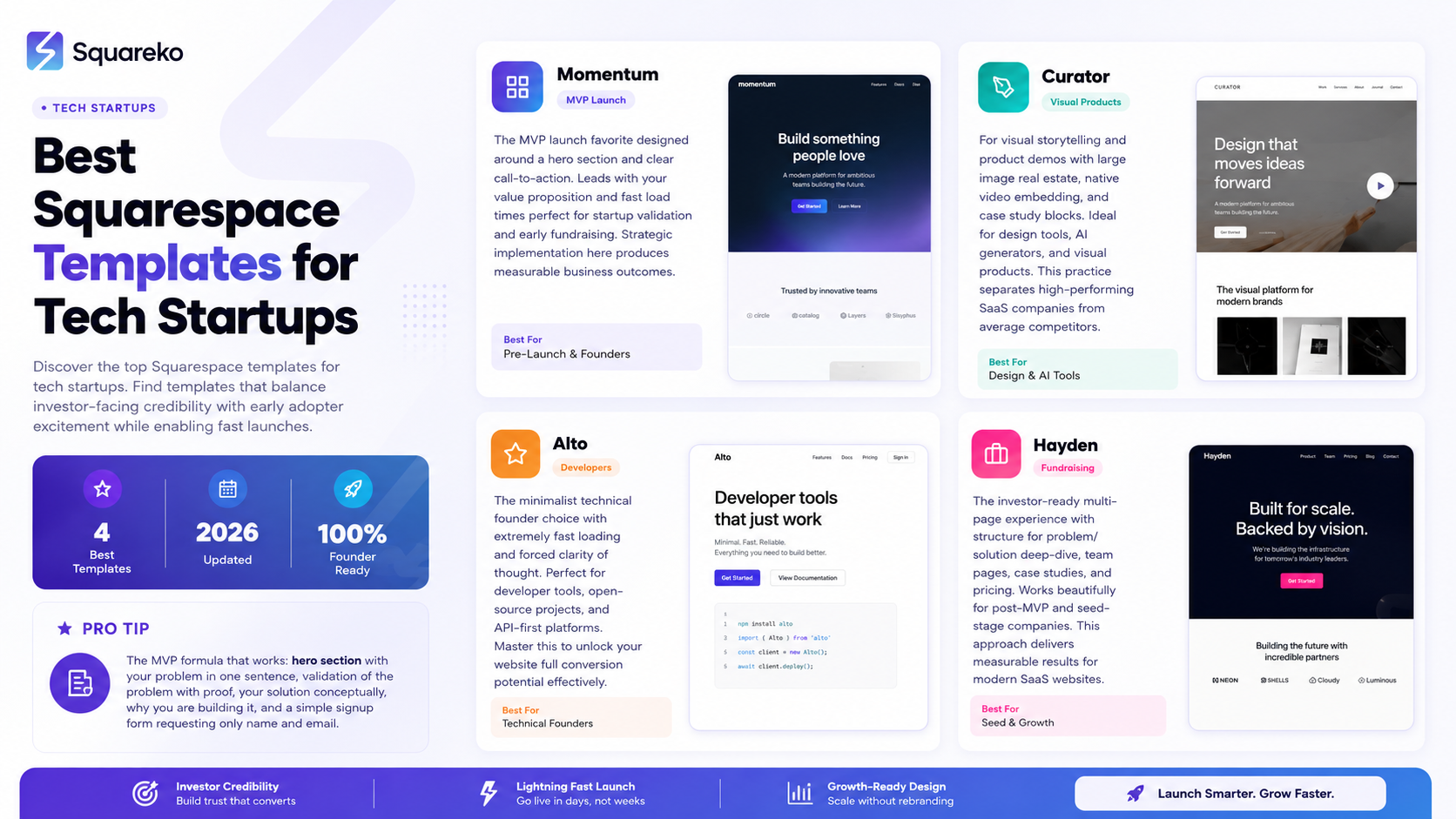
Modern tech startups need templates that communicate sophistication while remaining fast to launch
The best templates for 2026 balance investor-facing credibility with early adopter excitement
Visual storytelling, mobile responsiveness, and SEO foundational setup matter more than ever
Founders should prioritize templates with built-in case study and team pages for social proof
Customization capability without coding knowledge separates high-performer templates from the rest
The Five Best Squarespace Templates for Tech Startups
1. Momentum — The MVP Launch Favorite

Momentum became the de facto startup template in the Squarespace ecosystem, and for good reason. It's designed around a hero section, three supporting content blocks, and a clear call-to-action. This simplicity is its strength.
Why it works for startups:
Leads with your value proposition instead of navigation confusion
Built-in space for explaining what you do in 1-2 sentences
Clean call-to-action buttons for signup, demo, or waitlist
Mobile-first approach means it looks great on the devices your early users actually use
Fast load times out of the box
Best for: Pre-launch validation, MVP sites, early fundraising materials, founder personal brands.
Typical use case: A B2B SaaS founder spends 2 hours setting up Momentum, writes their product description, uploads their logo, and launches. Three days later, they've started conversations with 15 potential beta users.
2. Hayden — The Investor-Ready Multi-Page Experience
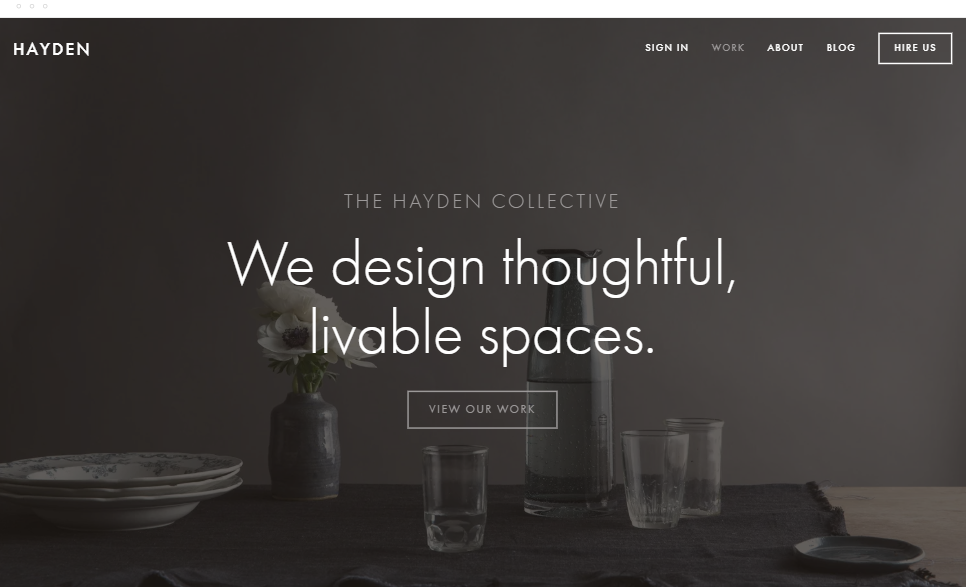
When you're beyond initial validation and building toward seed funding, Hayden offers structure for multiple pages: hero, problem/solution deep-dive, team, case studies, and pricing. It's a full business site, not a landing page.
Why it works:
Investor-friendly multiple sections without feeling corporate
Team page structure that emphasizes founder credibility
Dedicated case study or customer story sections
Built-in pricing page (if relevant)
Still fast and mobile-responsive despite complexity
Best for: Post-MVP startups, companies with early customers to showcase, teams ready to hire, pre-seed or seed-stage companies.
Typical timeline: Startups graduating from Momentum to Hayden usually do this around month 6-12, when they have real traction to show.
3. Brine — The Flexible All-Purpose Startup Template
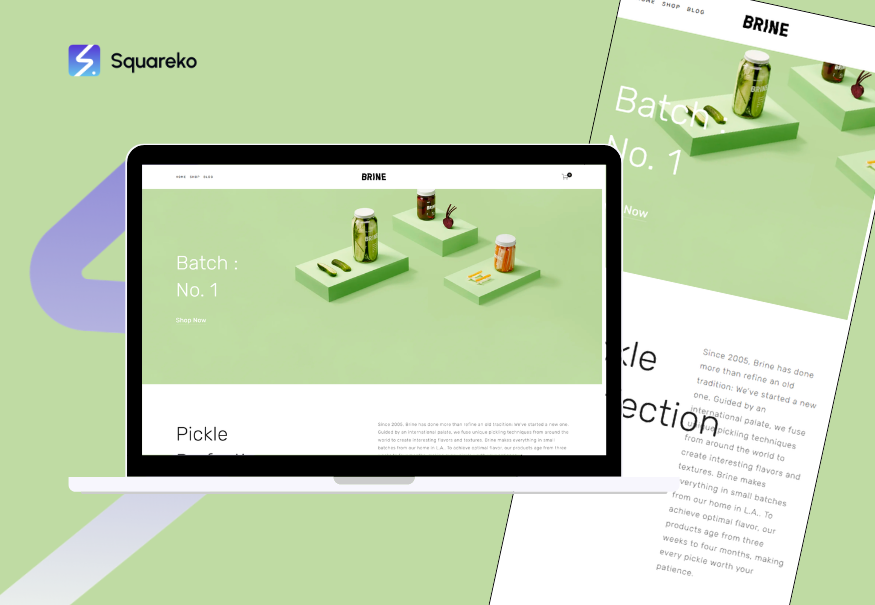
Brine is the most customizable Squarespace template without requiring code. It adapts to nearly any startup model: SaaS, marketplace, creator tools, consumer apps.
Why it works:
Modular sections you can rearrange based on your story
Works equally well for B2B and B2C
Strong e-commerce integration if you ever add a product shop
Excellent blog integration
Room to grow without redesigning
Best for: Startups that aren't sure their model yet, marketplace platforms, hybrid business models, companies planning to sell both services and products.
MVP Launch Page Templates
Setting Up for Success in Week One
When you have a tech startup and four weeks to validate before your runway concerns kick in, template selection is a survival decision.
The MVP use case is different from everything else. You're not building a corporate site. You're building a landing page that tests whether the market cares about your problem. Every pixel should serve validation, not impression.
The MVP formula that works across templates:
Hero section: Your problem in one sentence. Make it feel urgent but not melodramatic.
Why it matters: Why should anyone care? Who specifically does this affect?
Your solution: What you're building. Show, don't tell, whenever possible (demo video, screenshots, interactive prototype).
Early access request: Email, name, and optionally what they plan to use it for. Nothing more.
Social proof placeholder: Quotes from advisors, early conversations, or press mentions if you have them. If you don't, skip this section—missing proof is better than weak proof.
Momentum and Alto both nail this formula. They don't have sections you don't need.
Avoid: Feature lists, pricing comparisons, team bios (unless your founders have major credibility). These belong on page two, after you know people care.
Founder Brand and Personal Site Templates
Your founder brand is your startup's first fundraising asset, whether you're pursuing VC or not.
Investors research founders before they research companies. Press reaches out to you before the company press email. Early customers connect with founder values before product specifications. Your personal site is permission to tell a different story than your corporate site, and smart founders use that.
What Goes on a Founder Brand Site?
Your background and why you're qualified to solve this specific problem
Your thinking on industry trends, shared via blog posts or a manifest
Early company updates that feel personal, not corporate-comms
Contact information for serious inquiries, investors, or press
Momentum and Curator both work excellently for founder sites. Momentum because it's minimal enough to feel authentically you. Curator if your work has visual dimension (design background, previous products built, visual case studies).
The mistake most founders make: Treating their personal site like a resume. You're not trying to impress with credentials; you're trying to demonstrate thinking, judgment, and context-awareness. A well-written blog post about why you started this company does more for investor perception than a three-line bio ever will.
Accelerator and Program-Ready Templates
If you're in or planning to apply to an accelerator program, your site is part of your narrative. Accelerators need to understand your company in context: how big could this be, how seriously are you taking it, do you understand your market.
Hayden works beautifully for this stage because it has enough structure to communicate seriousness while remaining focused. You can present the problem, your solution, your early traction (even if it's just customer conversations), and your team.
Accelerators also evaluate team composition. A team page matters. Hayden gives you elegant team sections. Short bios. Photos that feel authentic, not overly corporate.
Pro tip: Accelerators also look at how you explain your technology. If you're a technical startup, include a dedicated section on your core technical innovation. This isn't a deep technical dive; it's explaining why your technical approach matters compared to alternatives.
Template Selection Checklist
Before you commit to a template, run through this:
Mobile appearance:
Does it look clean on phone, tablet, and desktop?
Can users complete your main CTA (signup, demo, email) on mobile without friction?
Load time:
Does it load in under 3 seconds on a 4G mobile connection?
Are images automatically compressed or is there a path to do so?
SEO foundation:
Does Squarespace pre-populate title tags and meta descriptions?
Can you customize both without technical knowledge?
Does it have built-in heading hierarchy (H1, H2, H3)?
Customization without code:
Can you change colors, fonts, and layout through the Squarespace interface?
Are the changes intuitive or do you need to consult the knowledge base constantly?
Brand flexibility:
Can you upload your logo without it looking cramped?
Can you change the color scheme to match your brand without everything breaking?
CTA clarity:
Is there one primary action per page section?
Is the button color contrasting and obvious?
Content structure:
Does the template match how you naturally think about your company?
Will you want to add pages for blog, team, or case studies eventually?
How to Customize Your Template for Maximum Impact
Choosing the template is 30% of the work. Customizing it properly is the other 70%.
The First 24 Hours: Essentials Only
Your goal isn't perfection; it's existence. In your first day:
Update the hero headline to your actual value proposition
Change colors to match your brand (or establish your brand here)
Upload your logo
Update the primary CTA button to your actual goal (Sign Up, Join Waitlist, Schedule Demo)
Add your email to the signup form or contact section
That's it. Ship it. You've now got a live, Google-indexable website. This matters more than perfect design.
The First Week: Clarity Pass
Once the site is live, spend time refining messaging:
Headline and subheadline: Can someone understand your value in 10 seconds?
Explanation section: Your problem and solution, in human language. No jargon unless your market speaks it natively.
Social proof: Any quotes, testimonials, or early customer indicators you can add?
CTA copy: Sign Up is generic. Join the Waitlist or Access the Beta tells users exactly what happens next.
Week Two and Beyond: Trust Building
Add elements that deepen credibility:
Customer testimonials or early user quotes
A team page with 2-3 sentence bios focused on relevant experience
A blog post explaining your founding story or your take on the problem you're solving
Documentation or resource links that help users learn
This is where Squarespace templates shine: they have built-in sections for all of this. You're not building structures; you're filling in pre-designed spaces.
Common Template Mistakes Tech Startups Make
1. Choosing Based on Visual Appeal Alone
You'll spend 5 minutes admiring the template demo, then 40 hours fighting its assumptions. Choose templates where the underlying structure matches how you think about your company, not just how they look.
2. Overstuffing the Hero Section
Your template gives you space for a hero. Your instinct is to use all of it: logo, tagline, value prop, three supporting statements, a video, and a signup form. Resist.
One clear message per section wins. Everything else becomes noise.
3. Treating the Template as Final
Templates are starting points. You'll adjust colors, rewrite copy, rearrange sections, and hide features you don't need. This is expected. Don't choose a template you're afraid to modify.
4. Ignoring Mobile Customization
Squarespace templates have separate mobile and desktop views. Your desktop hero might look perfect, but on mobile it's a mess of overlapping text. Spend 15 minutes checking how each template section appears on your phone.
5. Using Low-Quality Images
A great template with terrible images looks worse than a basic template with professional images. If you don't have product screenshots or founder photos, find a designer on Fiverr or use Unsplash intelligently.
6. Writing in Template-Default Voice
Templates come with placeholder copy. Some founders just replace the words without changing the voice. If your company is playful, your site voice should be playful. If you're serious, be serious. Voice consistency builds brand recognition.
Ready to Build Your Startup Website?
The template is just the beginning. What matters is what you put into it: clarity about your problem, honesty about your solution, and real customer feedback as you iterate.
If you're unsure which template fits your startup or how to customize it for maximum impact,Squareko can help. We've guided founders through template selection and customization for dozens of tech startups. Let's find the right template for your company and get you launched.
FAQs
-
Yes, Squarespace makes template switching relatively painless. Your content stays in place, though layouts may shift. That said, if you can get it right the first time, you'll save yourself hours of reorganization. Try templates in the Squarespace builder before committing.
-
Alto and Momentum are the speed champions among these templates. If page load speed is a technical priority (it should be), test any template you're considering on Google PageSpeed Insights before choosing.
-
Not necessarily. Squarespace templates are designed to be founder-friendly. If you understand your brand colors and can write clear copy, you can customize them yourself. Hire design help only if you want custom layouts or specific visual treatments beyond template capability.
-
Brine is the most flexible. But honestly, if none of these resonate, spend an hour browsing all Squarespace templates directly. There are 100+ templates available. Focus on the underlying structure, not visual style.
-
Yes. yourcompany.com (or .io, .dev, etc.) costs $20/year and matters psychologically for founders and investors. It signals you're serious about this business.
-
Brine and Curator both have strong e-commerce integration. Momentum and Alto less so. If you think you might sell products alongside your core service, go with Brine or Curator.
-
Templates provide the foundation. SEO strategy requires keyword research, content planning, and regular blog updates. Squarespace handles technical SEO well, but you still need to do the strategy work.
-
Squarespace terms of service don't allow white-labeling. These templates are for your own sites, not for building client sites. If you're a Squarespace agency, different rules apply.

From custom website design to SEO strategy, we help businesses launch a site that looks professional and performs better.

Author Bio
Walid is the founder of Squareko, a Squarespace agency specializing in tech startup websites. He's helped founders launch 100+ startups on Squarespace, from pre-seed validation sites to Series A investor-ready platforms. When he's not optimizing sites for conversion, he writes about the intersection of design and founder strategy.
