Squarespace Templates for a Service-Based Business
The short answer: if you sell a service and have nothing visual to show — accountancy, plumbing, cleaning, bookkeeping, training, pest control, mobile grooming — then your service pages are your product pages, and the Squarespace template you want is the one that ships a service-detail page you can duplicate, not the one with the biggest gallery. In the Squareko range that is Cleanko. Everything else is a smaller decision.
Most template roundups for this keyword assume you have a portfolio. This one assumes you do not.
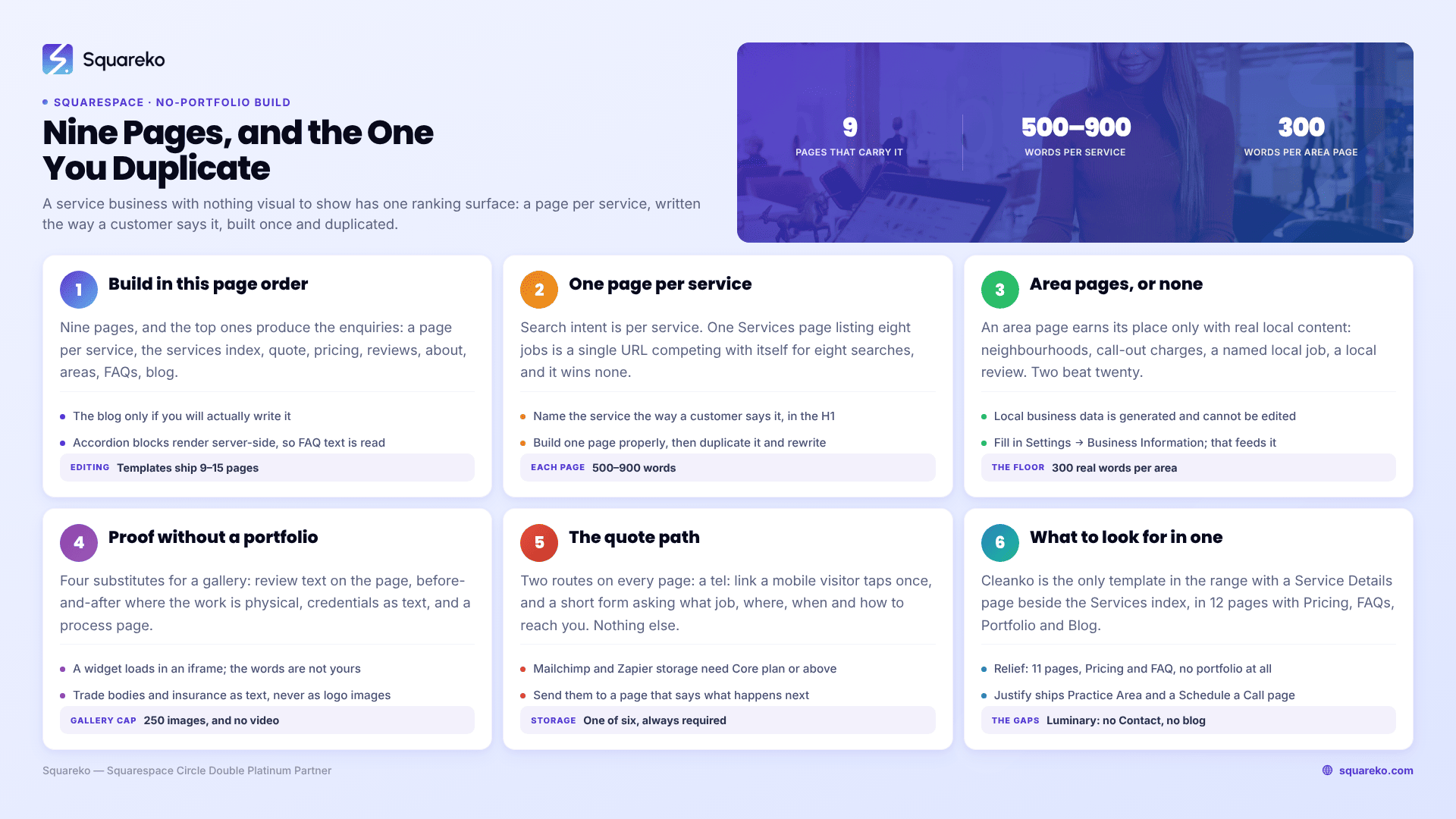
The page architecture a no-portfolio service business needs
Build in this order. Each row is a decision, and the ones at the top are the ones that produce enquiries.
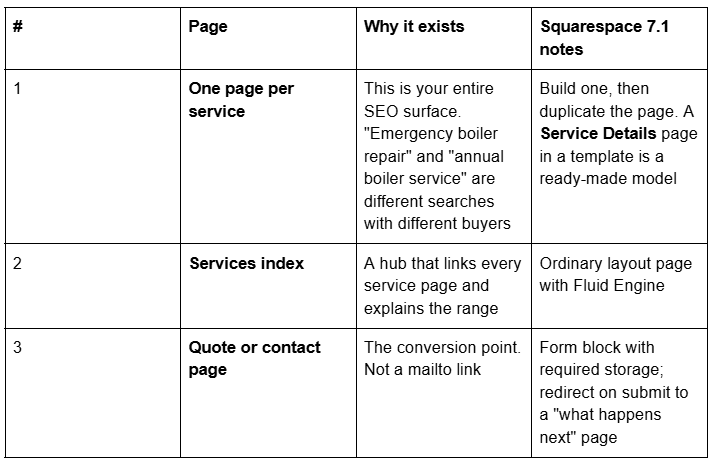
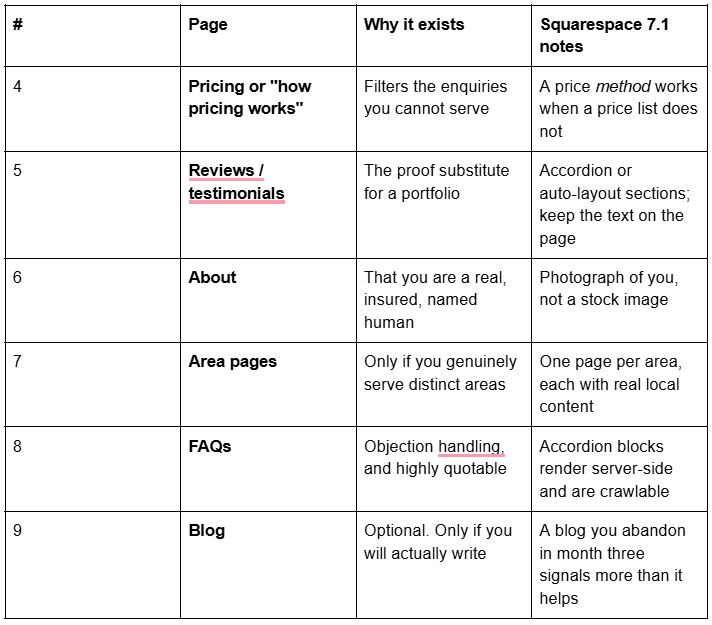
Nine pages. Every Squareko template ships between 9 and 15 real pages, so the work is editing rather than building.
Service pages are the whole SEO surface
A service business with one "Services" page listing eight services can rank for approximately nothing. Search intent is per-service. Someone typing "blocked drain unblocking Manchester" is not looking for a firm that also does gutter clearance and pressure washing; they are looking for that one job, today.
So the rule is one page per service you want to be found for, and each page needs to carry:
The service named the way a customer says it, in the H1, not the way the trade says it
What is included and what is not
How long it takes and what happens on the day
What it costs, or what determines what it costs
Two or three reviews specifically about that service
One clear next action
That is 500 to 900 words per page. Eight services is eight pages. This is the single highest-return week of work available to a service business website, and it is the reason a template with a Service Details page is worth more than a template with a beautiful hero.
In Squarespace 7.1, duplicating a page is the mechanic. Build the first service page properly with Fluid Engine sections, then duplicate it and rewrite. Keep the section order identical across all of them — consistency is what makes eight pages feel like a company rather than eight drafts.
Area pages: when they work and when they are a liability
Every local SEO guide recommends location pages. Most service businesses then build twenty of them by find-and-replacing a town name, and Google treats the result as what it is.
An area page earns its place only if it has genuinely local content: the actual neighbourhoods covered, travel or call-out charges for that area, a named recent job in that area, a review from a customer there, and any local specifics — parking restrictions, permit requirements, property stock. If you cannot write 300 words of that per town, do not make the page. Two strong area pages beat twenty thin ones, and thin ones can suppress the pages you care about.
Squarespace helps here in one specific way: it automatically generates Local business structured data for your site, alongside Blog post, Event, Organization, Product and Website schemas. You cannot edit or remove these. Fill in Settings → Business Information properly — name, address, phone, hours — because that is what feeds it.
Proof without a portfolio
You have no gallery of work. You have four substitutes, and they are stronger than most people assume.
Reviews, on the page as text. Squarespace has no native review block for a service business, and an embedded third-party review widget usually loads as an iframe, which means the review text is not part of your page for search purposes. Paste the real text of your best reviews onto the page as text, with the reviewer's first name, town and the service they bought, and link out to the platform for verification. Keep the widget too if you like it — but never let the widget be the only place the words exist.
Before-and-after, where the work is physical. Cleaning, restoration, landscaping, valeting, decorating, dentistry, fitness. A Gallery section in Squarespace 7.1 holds up to 250 images across six layouts — Grid: Simple, Grid: Strips, Grid: Masonry, Slideshow: Simple, Slideshow: Full and Slideshow: Reel — although Squarespace's own recommendation is nearer 50 images than 250, and gallery sections cannot hold video. Two paired images and a sentence about the job beat forty unlabelled photos.
Credentials, written as text. Trade body membership, insurance cover and limit, DBS or background checks, qualifications, years trading, registration numbers. Logo images are invisible to search engines and to screen readers, so write the names out.
Process transparency. What happens between the enquiry and the invoice, in five steps. For a service nobody can inspect in advance, this is the closest thing to showing your work.
The quote path, and what Squarespace forms actually do
Service businesses lose enquiries in one place: the gap between "interested" and "in touch".
Give people two routes and make both obvious on every page — a phone number as a tel: link so a mobile visitor taps once to call, and a quote form. The quote form should ask what job, where, when, and how to reach you, and nothing else. Every additional field costs you completions.
What a Squarespace 7.1 form block actually does. Every form requires at least one storage option, and the options are a Squarespace mailing list, the form submitters list in the Contacts panel, an email address, Google Drive, Mailchimp or Zapier. Mailchimp and Zapier require Core plan or above. After submission the form either shows a confirmation message — which accepts HTML — or redirects to a URL or a page on your site.
Use the redirect. Send people to a short "what happens next" page that says when you will reply, what you will need from them, and gives the phone number again. A green tick that says "Thanks!" wastes the most attentive moment the visitor will ever give you.
If you take bookings rather than quotes — a trainer, a groomer, a mobile therapist — the native route is Acuity Scheduling, which is what Squarespace Scheduling is now officially called. It is billed separately from your website plan, and it has no class roster management and no check-in, and its native waitlist is gated to the higher tiers and does not cover classes. Calendar limits run 1, 6 and 36 by tier. Confirm the current tiers on the live pricing page before you commit to it.
Which Squarespace templates suit a no-portfolio service business
Scored on the same five-criterion rubric used across the agency cluster: service architecture, credibility layer, enquiry path, depth, and case-study surface. For a service business the case-study criterion carries the least weight, which is why the ranking here differs from the pillar.
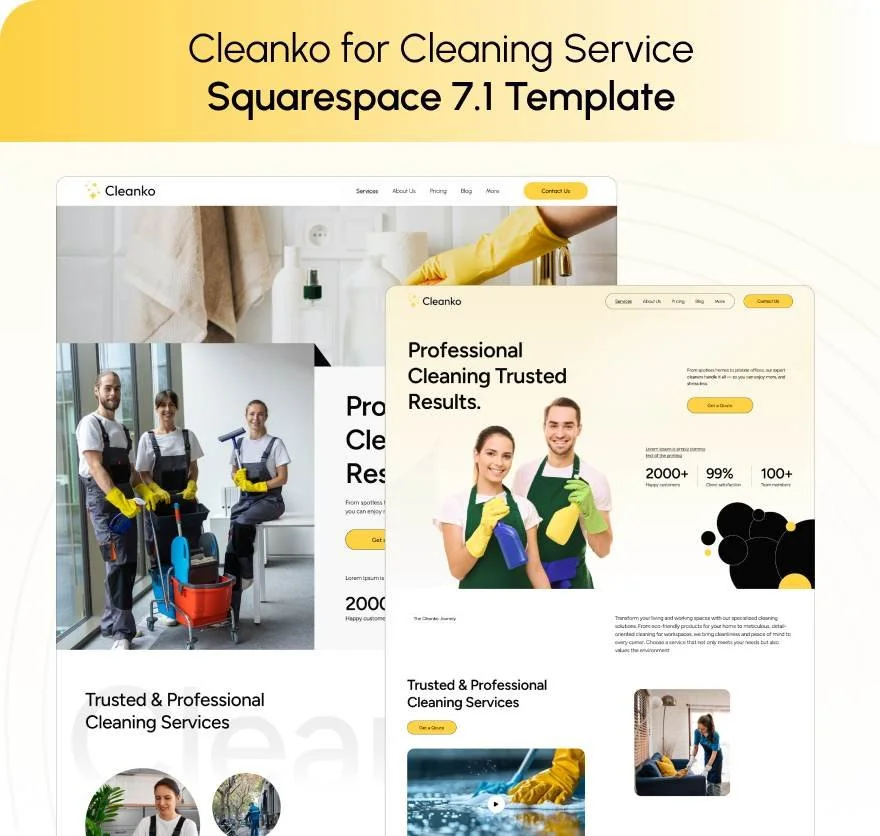
Cleanko — the right answer for most service businesses. Twelve pages, tagged Cleaning Service, and the only template in the range with a dedicated Service Details page sitting alongside a Services index. That single page is the model you duplicate per service line, which is the whole architecture in this post. It also ships Pricing, FAQs, a Portfolio, a Blog, a Contact Us page, an About page, two homepage variants, a Style Guide and a 404. Pricing plus FAQs is a complete objection-handling layer. Use the Portfolio for before-and-after sets if your work is physical, and ignore it if it is not.
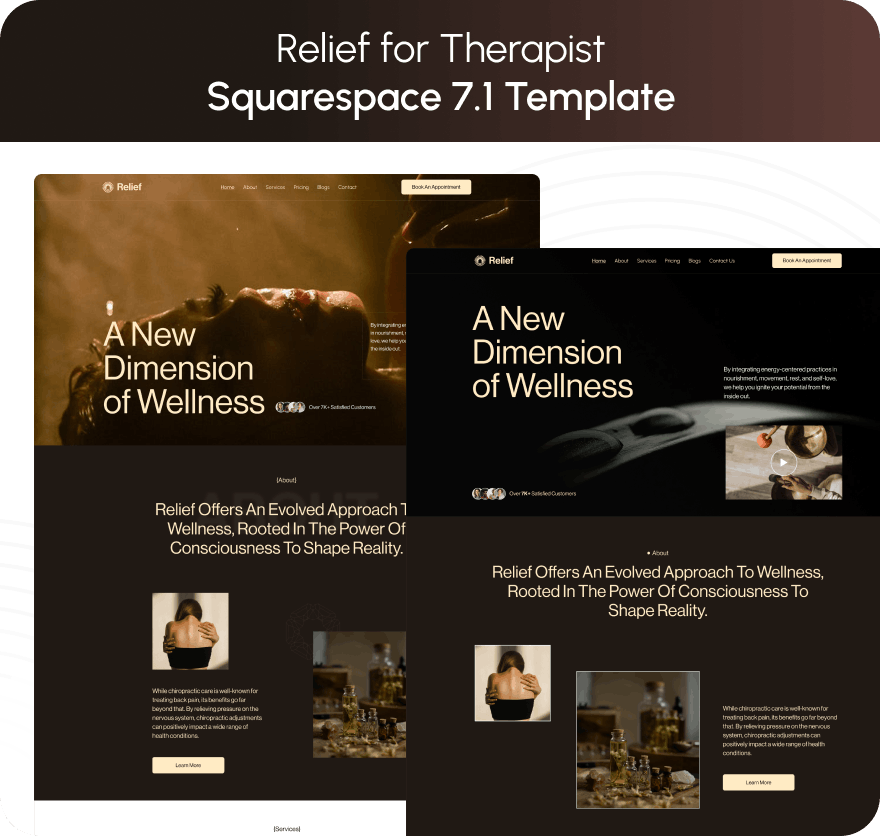
Relief — for a one-person professional practice. Eleven pages tagged Therapist and Wellness Coach: About, Services, Pricing, FAQ, Blog, Contact, a Privacy Policy page, a Licenses page, two homepage variants, a Style Guide and a 404. No portfolio, no gallery, and for a bookkeeper, a therapist or a consultant that is a feature rather than a gap. The two legal pages are a genuine convenience for anyone who has to publish terms.
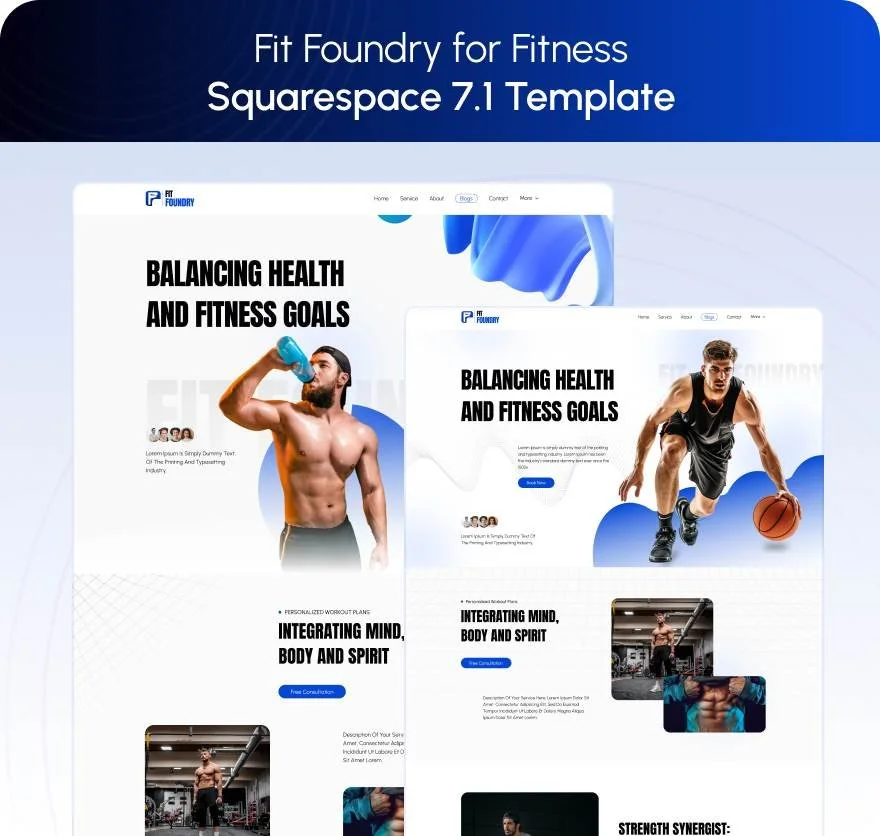
Fit Foundry — when you also sell something. Eleven pages tagged Fitness & Wellness and Coach, with a Shop, a Blog, an FAQs page, a Freebie page, a Service page and a Contact page. The Shop matters if you sell a plan, a guide or a product alongside the service; without it you are invoicing manually.
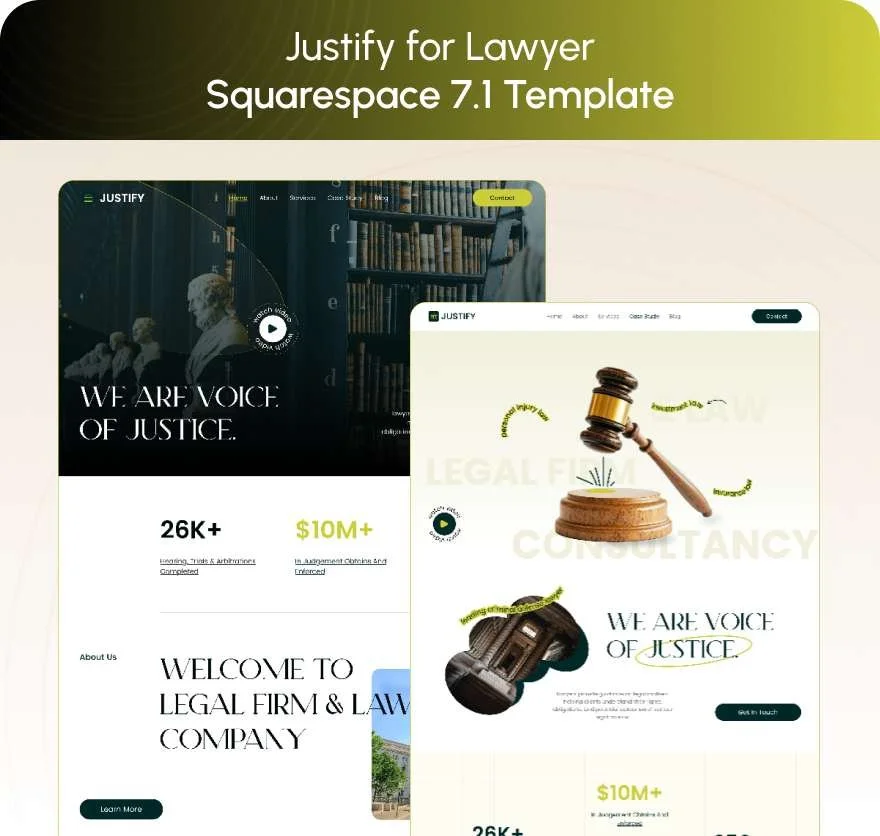
Justify — for a regulated or advisory practice. Nine pages, the smallest in the range, but it ships an Our Practice Area page and a dedicated Schedule a Call page rather than a generic contact form. Practice Area maps neatly onto service lines for anyone selling professional advice.
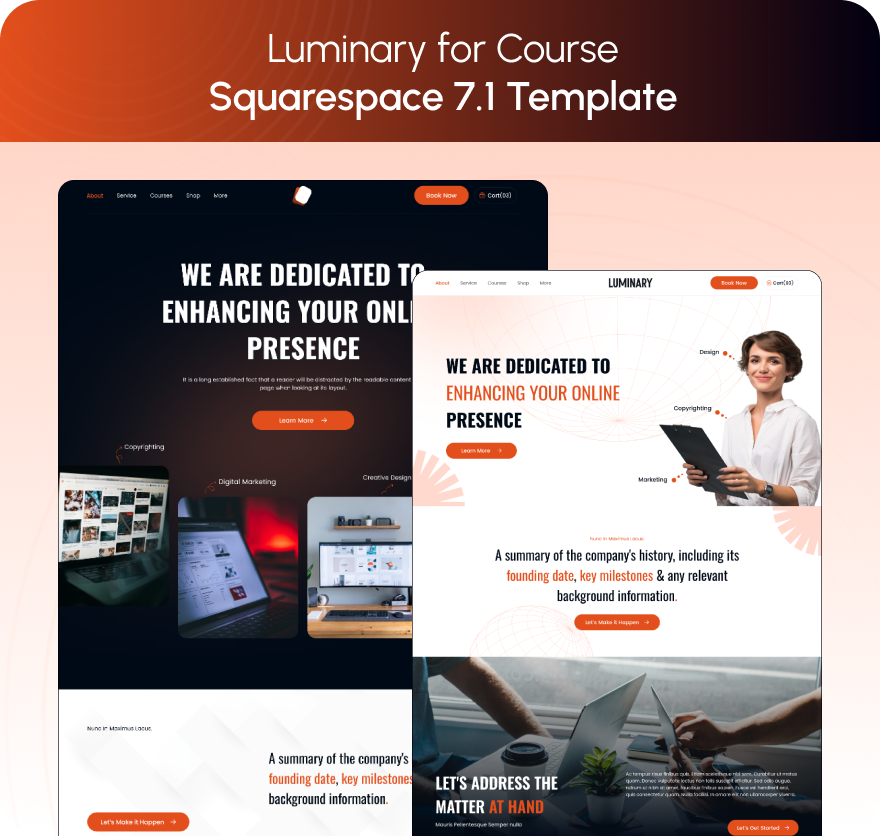
Luminary — with a warning. Eleven pages tagged Service-Based, Course and Speaker, with Services, a Courses page, a Portfolio, a Gallery, a Shop and a Freebie page. It is the closest thing in the range to a service business that also sells a course. But Luminary ships no Contact page and no Blog page. Both are straightforward to add in Squarespace 7.1 — a layout page with a form block, and a blog page — but you are adding them, and a service business without an enquiry page on launch day is a real problem rather than a cosmetic one.
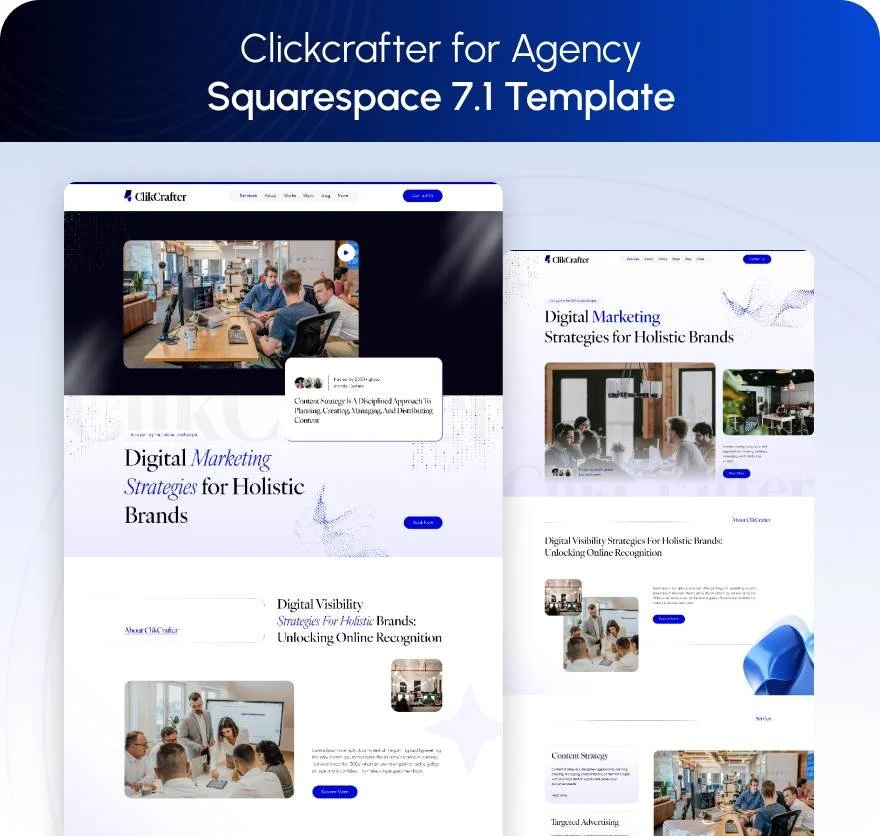
Click Crafter is the agency-tagged option — 12 pages with Portfolio, Gallery, Services, Blog, Shop, Contact and a Freebie page — and it is the pick if your service business is closer to a small agency than a trade. That case is covered properly in the agency pillar.
Every one of these ships 150+ pre-designed sections and a Style Guide page, which is what makes duplicating a service page eight times fast rather than tedious.
What the rest of the market offers
Big Cat Creative maintains a Service Based Business template category and has the strongest self-service education layer of any premium Squarespace shop. Applet Studio runs around 30 templates at roughly $225 with industry landing pages. Go Live HQ sells individual add-on pages rather than whole templates, which suits a business that only needs one missing structure. Station Seven, Paper Moon Websites, Ink and Mortar, SQSPThemes and Square Stylist all sell here too.
Squarespace's own free templates are the honest baseline. For a five-page service site with strong writing, a free template and a weekend is a completely reasonable outcome. All Squareko templates are $249; the wider market runs roughly $199 to $417. A Squarespace subscription is separate and required, demo images are licensed to the shop rather than to you and must all be replaced, and all sales on digital products are final — so use the demo properly first.
Choosing one
Pick the template that gives you a service-detail page you can duplicate, a pricing structure, an FAQ surface and a real enquiry page. Then spend the week that matters writing one page per service, with the service named the way a customer says it. That week will outperform every design decision you make.
If you would rather not run the install yourself, the premium Squarespace templates in our range arrive as a Squarespace contributor invitation rather than a file download, and can be installed onto an existing live site in around 48 hours without taking it down. Most service businesses reading this will do it themselves, and Cleanko is the one to start from.
FAQ
-
Nine: one page per service, a services index, a quote or contact page, a pricing or how-pricing-works page, reviews, about, area pages if you genuinely serve distinct areas, FAQs, and a blog only if you will write it. The per-service pages produce almost all of the search traffic.
-
Yes. Search intent is per service — someone looking for emergency drain unblocking is not looking for a firm that also does gutters. One page per service, 500 to 900 words each, with what is included, how long it takes, what determines the price, and reviews specific to that service.
-
Substitute four things for the gallery: real review text pasted onto the page rather than only inside a widget, before-and-after images where the work is physical, credentials written as text rather than as logo images, and a five-step process page explaining what happens between enquiry and invoice.
-
Only where you can write 300 words of genuinely local content per area — neighbourhoods covered, call-out charges, a named local job, a local review. Twenty find-and-replace town pages are treated as what they are, and they can suppress the pages you care about.
-
Paste the review text onto the page as text, with the reviewer's first name, town and the service they bought, and link out to the platform for verification. Embedded third-party review widgets usually load in an iframe, which means the review text is not part of your page for search purposes.
-
Yes. Squarespace automatically generates structured data including Local business, Organization, Website, Blog post, Event and Product schemas, and you cannot edit or remove them. Complete Settings → Business Information — name, address, phone and hours — because that is what the markup is built from.

Author Bio
I'm Walid Hasan, a Certified Squarespace Expert and Squarespace Circle Platinum Partner with over 12 years of hands-on experience designing and optimizing high-performing websites. Over the years, I've had the privilege of building more than 2,000 Squarespace websites for clients around the world, always focusing on clean design, strong user experience, and conversion-driven results.