Squarespace Template for a Bakery: Pre-Orders, Lead Times and Pickup
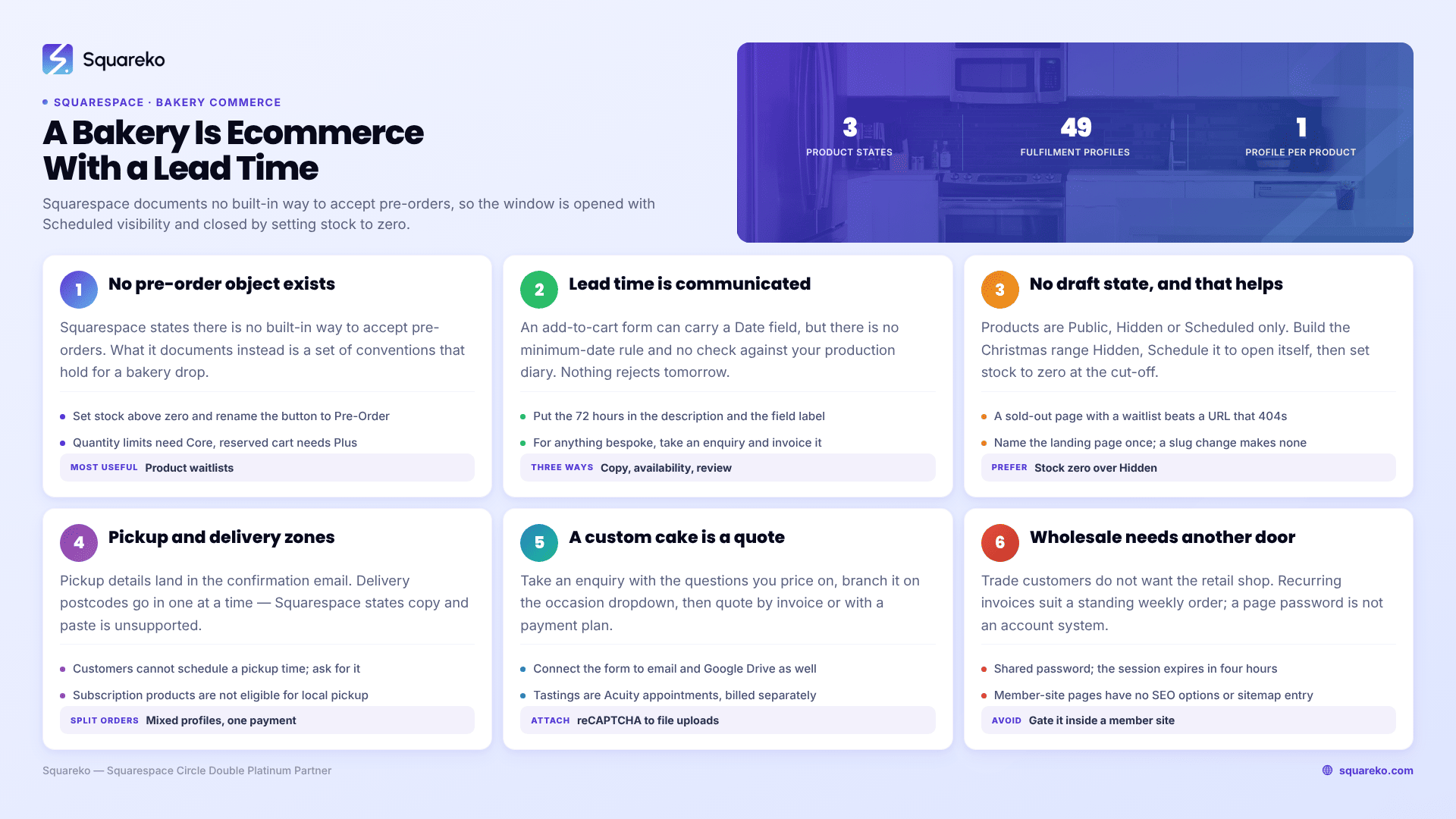
The short answer: a bakery website is a commerce build with a lead time, and Squarespace 7.1 has no lead-time field and no pre-order feature. Squarespace's own documentation says it plainly: "There's no built-in way to accept pre-orders for products that are out of stock." Everything a bakery needs — 72-hour notice on celebration cakes, a Friday cut-off for weekend collection, a delivery radius — is built out of product visibility states, fulfilment profiles and clear copy. Choose a template on whether it has a real shop, not on whether it has a Menu page.
Neither of the two food templates in the Squareko range ships ecommerce, which matters here: Styleza and Harmony are the better bases for a bakery that sells online.
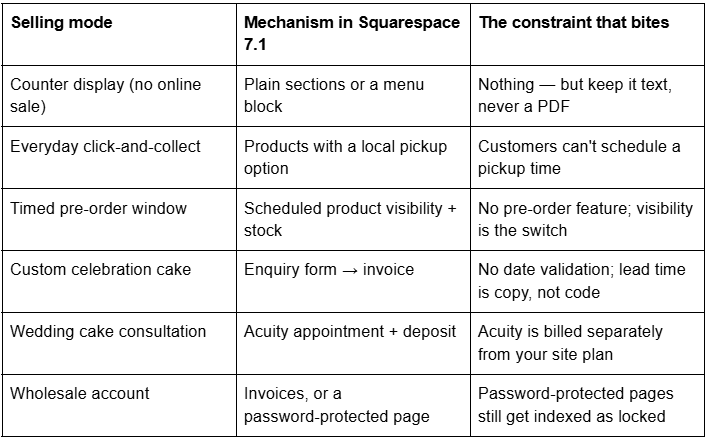
The six ways a bakery sells, and what each one needs

Squarespace has no pre-order object, and says so
This is the sentence to read before you spend anything.
Squarespace's Help Center article on pre-orders opens with: "There's no built-in way to accept pre-orders for products that are out of stock." There is no pre-order toggle, no release date field, no deposit-then-balance flow on a physical product.
What Squarespace documents instead is a set of conventions, and they work well enough for a bakery:
Set the stock level above zero so the product does not appear sold out. If you are gauging demand, set it high.
Put the timing in the product description — collection date, cut-off, what happens if they miss it.
Rename the Add to cart button to "Pre-Order" in the product editor's Button text field. You repeat this per product; there is no site-wide setting.
Enable product waitlists so shoppers who arrive after you sell out get an email when stock returns.
That fourth one is the closest thing Squarespace has to a demand list, and for a bakery running a hot-cross-bun weekend or a Christmas stollen batch it is the most useful of the four.
Two extras are worth knowing if your drops sell out fast. Quantity limits cap how many of an item one customer can buy, so a single order cannot clear the batch — available on Core plans and higher, 7.1 sites only. A reserved cart and timer holds stock during an active checkout and shows a countdown under the site header — Plus and Advanced plans, 7.1 only.
Lead time cannot be enforced, only communicated
Every bakery asks this, and the honest answer is uncomfortable: Squarespace 7.1 cannot enforce a minimum lead time.
You can add an add-to-cart form to a product to collect personalised details at the point of purchase — Squarespace's own example is custom engraving or lettering instructions, which is exactly the "name on the cake" field a bakery needs. That form can include a Date field. What it cannot do is reject a date less than 72 hours away, or block dates you are already full on. There is no minimum-date rule and no validation against your production diary.
So lead time gets enforced three ways, in this order:
By copy. "All celebration cakes need 72 hours' notice" belongs in the product description, on the product image, and in the add-to-cart form's field label — not only in a FAQ. Then repeat it in the confirmation email you customise in customer notification settings.
By availability. If a product is only orderable at certain times, control it with the product's visibility rather than trying to validate dates. That is what the next section is about.
By review. For anything genuinely bespoke, do not sell it at all. Take an enquiry and issue an invoice once you have confirmed the date. A cake that is wrong on the day costs more than a lost checkout.
Products have no draft state, and that is how a pre-order window opens and closes
Squarespace products have exactly three visibility states — Public, Hidden and Scheduled. There is no draft. You cannot build a product quietly with a live URL while you finish the photography.
For a bakery this is a feature once you see it as the switch it is:
Build the Christmas range in Hidden while you shoot it and write it.
Set each product to Scheduled for the moment the window opens — 09:00 on the first Monday of November — and it goes live on its own.
Close the window either by setting stock to zero at the cut-off, which is the cleaner option because the product stays visible and the waitlist keeps collecting, or by switching the product back to Hidden, which removes the URL entirely.
Prefer setting stock to zero. A URL that 404s after a customer bookmarked it is a support email; a page that says sold out and offers a waitlist is a mailing list.
One related trap: blog posts and pages can be scheduled too, but changing a page slug creates no automatic 301 redirect, ever. Name the Christmas landing page /christmas-orders once and reuse it every year rather than creating /christmas-2026.
Local pickup and delivery zones, configured precisely
This is the part of a bakery build that takes an afternoon, and it is worth doing in the right order.
Local pickup is set up in the Pickup panel. Add a pickup option, give it a name that displays at checkout ("Collection from the Mill Road shop"), and put the address, opening hours and arrival instructions into the pickup information — that text lands in the customer's confirmation email. If you would rather not publish the address publicly you can leave it out and put it in the ready-for-pickup email instead. Add a taxation address if you want sales tax calculated from the shop's location rather than the customer's billing postcode.
Then read the limitations, because one of them shapes your whole workflow:
"Customers can't schedule a pickup time." There is no collection-slot picker. If you need Saturday collections spread across the morning, you collect the preferred slot as a field in the add-to-cart form and manage it yourself.
Afterpay and Clearpay aren't available for local pickup orders.
Subscription products aren't eligible for local pickup — which rules out a weekly sourdough subscription collected in store.
Local pickup orders have no shipping address, so their data isn't sent to extensions like ShipStation or Shippo.
Local delivery is set up in the Delivery panel. You choose a country and enter the postcodes where delivery is available, and Squarespace is blunt about the tedium: "You'll need to enter these one at a time. You can't copy and paste." A city-wide delivery zone is a genuinely long sitting. Add a delivery fee or leave it blank for free delivery, and use the delivery information field for your schedule and courier details.
Fulfilment profiles are what tie it together, and most bakery sites never find them. In the Products panel, Fulfillment profiles lets you create a named set of options — say Collection only — and assign it to a product so only local pickup appears at that product's checkout. You can have up to 49 profiles. Two rules matter: a product can only have one fulfilment profile, and profiles cannot be assigned to individual variants, so a cake that is collection-only in the 10-inch size but postable in the 6-inch has to be two products. And when a customer checks out with items on different profiles, the purchase splits into separate orders in your Orders panel — one payment, several orders to fulfil, several confirmation emails.
Custom cake orders are a quote, not a checkout
The single most common bakery mistake on Squarespace is putting a wedding cake in the shop with a Buy button.
A custom cake is an enquiry. Build it as a form with the questions you actually price on: date, collection or delivery, servings, tiers, flavours, dietary requirements, style references, budget range. Use follow-up questions on the occasion dropdown — Squarespace form blocks hide follow-ups until the matching option is selected, so a wedding enquiry can ask about venue and setup while a birthday enquiry does not. The limit is one level: "it's not possible to create a follow-up to a follow-up question."
Add a file upload field for inspiration photographs, and turn on Google reCAPTCHA alongside it — an open upload field attracts spam. Connect the form to both an email address and Google Drive, so every enquiry lands in a spreadsheet with date and servings in columns. Note that only one email address can connect to each form.
Then quote by invoice from the Invoices panel, or as a service product with a payment plan if you want the deposit and balance handled automatically: an initial deposit as a percentage or flat amount, then up to six installments, on a product priced at $100 or more. Guest checkout is disabled for payment-plan products because the customer needs an account.
Wedding cake consultations and tastings
Tastings are appointments, and the native route is Acuity Scheduling — which Squarespace's Help Center now states is "officially Acuity Scheduling" again, and which is billed separately from your website plan. A paid tasting is an Acuity appointment type with a price; a Scheduling block embeds it on the page and can be filtered to a single appointment type, so a Consultations page stays current without you touching it.
Keep the tasting fee and the cake deposit separate. The tasting is a small transaction that filters out browsers; the deposit is the commitment, and it belongs on the invoice or payment plan that follows the quote.
Wholesale accounts need a different front door
Cafés and restaurants ordering trade quantities do not want your retail shop, and putting trade prices behind a discount code leaks them.
Two workable routes on Squarespace 7.1:
Invoices. Trade customers order by email or phone and you send an invoice, single or recurring, from the Invoices panel. Recurring invoices suit a standing weekly order. This is the lowest-friction option and the one most small bakeries should choose. Note that carrier-calculated and weight-dependent shipping are not supported on invoices — use a flat rate or a local pickup option.
A password-protected trade page. Page passwords hide a page behind a single shared password of 30 characters or fewer. Be clear about what that gives you: everyone uses the same password, sessions expire after four hours with no way to log out, and it is not a login system. It is fine for a trade price list; it is not an account portal.
Avoid gating the wholesale page inside a member site. Member-site pages have no SEO options and are not in the sitemap, so "wholesale bakery supplier [town]" — genuinely valuable local search traffic — becomes invisible.
Which template, and the honest gap
Two templates in the Squareko range are tagged Food & Restaurant, and neither ships ecommerce. Say that out loud before you buy.
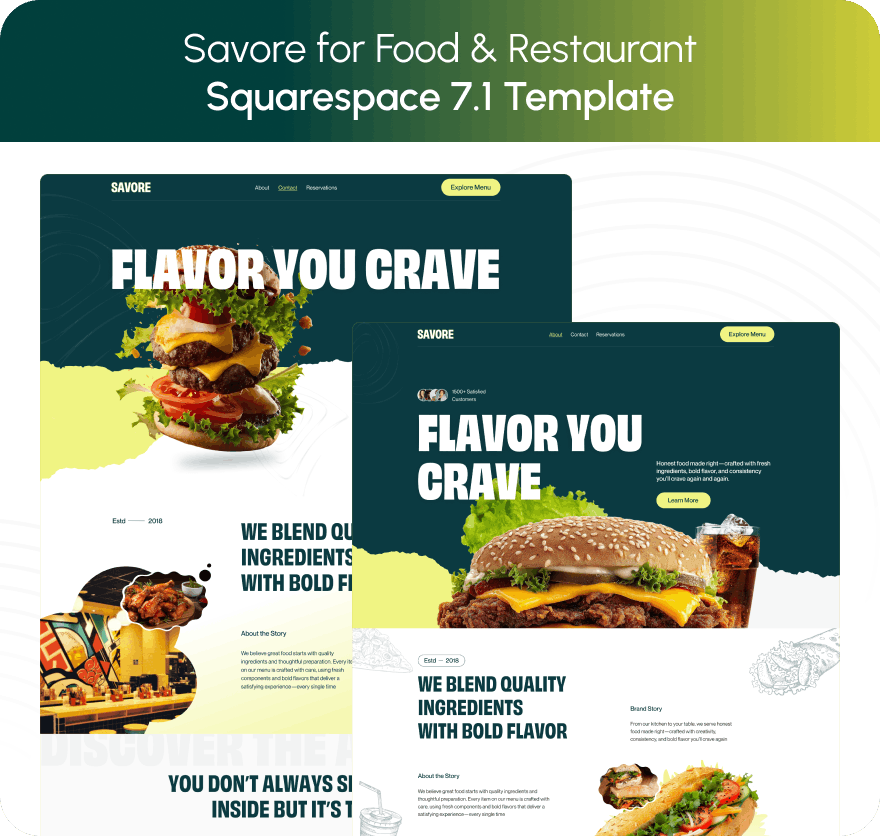
Savore — 13 pages: Home, a second homepage layout, Services, Menu, Blog, About, Contact, Special Offers, Reservations, FAQs, Privacy Policy, Style Guide and 404. Its Menu page is built as a filterable grid of items with prices and category filters, which reads beautifully as a bakery counter list. Special Offers maps onto seasonal ranges. There is no shop, so a store page is something you add.

Poshplatter — 10 pages: Home, a second homepage, Menu, About, Recipes, How It Works, Location, Contact, Style Guide and 404. Recipes suits a bakery with a following; Location suits a single shopfront. It has no blog and no shop.
For a bakery that genuinely sells online, start from a template that already has a store page.

Styleza ships Home, a second homepage, About, Products, Blog, FAQ, Contact, four legal pages, a Style Guide and a 404 — the four legal pages are unusually useful when you need visible refund and delivery policies for a perishable-goods shop. Harmony and Click Crafter also ship a store alongside a blog and gallery.
All are $249, delivered as a Squarespace contributor invitation rather than a file download, with 60 days of email support. Customisation is not included, all sales are final, and the demo images are not licensed for live use — you replace every one. Every template also ships 150+ pre-designed sections, a Style Guide page and a 404 page.
One last performance note. Bakery sites are photograph-led, and across 54 Squareko-built client sites measured in August 2026 (Playwright/Chromium lab test, cloud datacentre, unthrottled, single run per site — lab data, not field data) the median page weighed 3.0 MB across 93 requests with a median mobile LCP of 2.01s. Upload product photographs at 1500–2500px, since 2500px is the maximum Squarespace serves, and let the CDN convert them — it serves WebP unconditionally regardless of source format.
Choosing a template for a bakery
Run any demo against the seven-row table at the top of this post on a phone. If the shop, the pre-order window, the custom-cake enquiry and the collection details each have an obvious home, the template will hold.
Then write two documents before you build anything: your product list with lead times and cut-offs against each item, and your delivery postcodes. Those are the two things that stall bakery builds, and no template supplies either.
If you would rather not spend an afternoon typing postcodes into the Delivery panel and wiring fulfilment profiles to products, the premium Squarespace templates at Squareko are installed for you, onto a new site or an existing one, with the pages ready for your content. Most bakeries manage this themselves with the structure above — it is published because the commerce configuration is the hard part, not the design.
For quote-based event work rather than counter sales, see Squarespace templates for catering businesses. The cluster hub, Squarespace templates for restaurants, covers dining rooms, cafés and bars as a whole.
FAQ
-
Not natively. Squarespace's documentation states there's no built-in way to accept pre-orders. The documented workaround is to set stock above zero, explain the timing in the product description, rename the Add to cart button to "Pre-Order" in the product editor, and enable product waitlists for anyone who arrives after you sell out.
-
You can't enforce one. An add-to-cart form can include a Date field, but there is no minimum-date rule and no check against your production diary. Enforce lead times with copy in the product description and field labels, with scheduled product visibility, and by reviewing bespoke orders manually.
-
In the Pickup panel, add a pickup option with a checkout name and pickup details, which appear in the customer's confirmation email. Then create a fulfilment profile for collection-only items and assign it to those products. Note that customers can't schedule a pickup time and subscription products aren't eligible.
-
Yes, in the Delivery panel. Choose the country and enter each postcode where delivery is available. Squarespace requires them to be entered one at a time — copy and paste isn't supported — so a city-wide zone takes a while. You can set a delivery fee or leave it free.
-
No. Products have three visibility states: Public, Hidden and Scheduled. There is no draft state. Build products as Hidden, then use Scheduled to open a pre-order window automatically, and set stock to zero to close it while keeping the page and waitlist live.
-
Savore and Poshplatter are the food-tagged templates, at 13 and 10 pages, but neither ships ecommerce. For a bakery selling online, Styleza — with a Products page, blog, FAQ and four legal pages — is the stronger base, and Harmony and Click Crafter also ship a store.

Author Bio
I'm Walid Hasan, a Certified Squarespace Expert and Squarespace Circle Platinum Partner with over 12 years of hands-on experience designing and optimizing high-performing websites. Over the years, I've had the privilege of building more than 2,000 Squarespace websites for clients around the world, always focusing on clean design, strong user experience, and conversion-driven results.